



阿里云官方镜像站:阿里巴巴开源镜像站-OPSX镜像站-阿里云开发者社区
Epel 镜像
简介
EPEL (Extra Packages for Enterprise Linux), 是由 Fedora Special Interest Group 维护的 Enterprise Linux(RHEL、CentOS)中经常用到的包。
下载地址:阿里云开源镜像站资源目录
epel镜像-epel下载地址-epel安装教程-阿里巴巴开源镜像站
配置方法
1. 备份(如有配置其他epel源)
mv /etc/yum.repos.d/epel.repo /etc/yum.repos.d/epel.repo.backup
mv /etc/yum.repos.d/epel-testing.repo /etc/yum.repos.d/epel-testing.repo.backup

2. 下载新repo 到/etc/yum.repos.d/
安装 epel 配置包
yum install -y https://mirrors.aliyun.com/epel/epel-release-latest-8.noarch.rpm
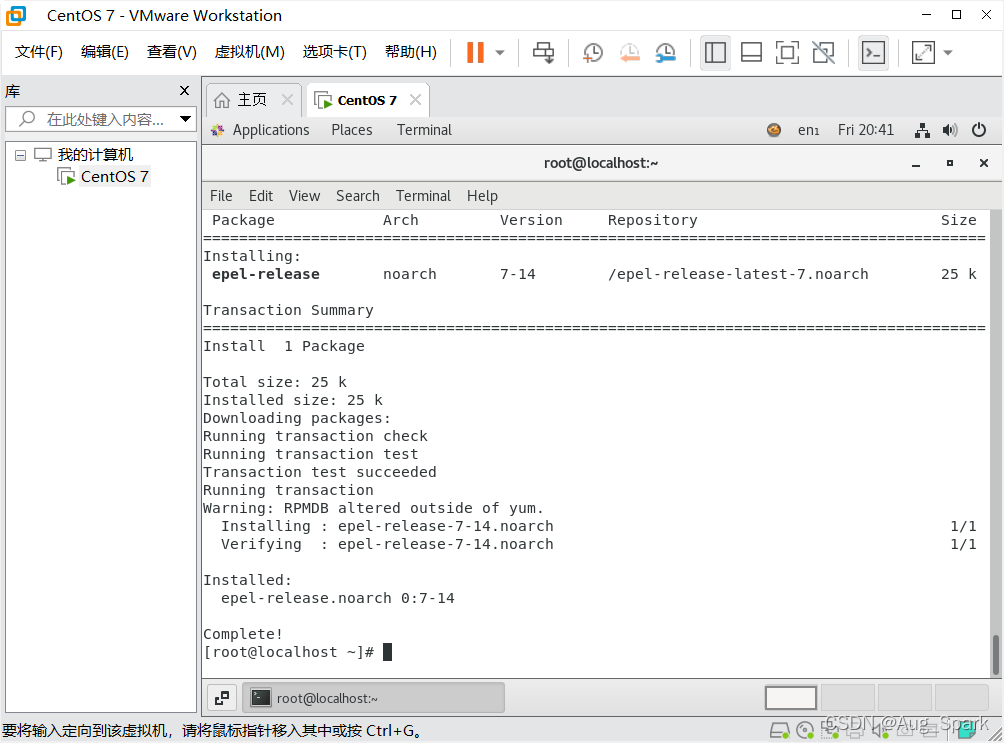
将 repo 配置中的地址替换为阿里云镜像站地址
sed -i 's|^#baseurl=https://download.example/pub|baseurl=https://mirrors.aliyun.com|' /etc/yum.repos.d/epel*
sed -i 's|^metalink|#metalink|' /etc/yum.repos.d/epel*

「喜欢这篇文章,您的关注和赞赏是给作者最好的鼓励」
关注作者
【版权声明】本文为墨天轮用户原创内容,转载时必须标注文章的来源(墨天轮),文章链接,文章作者等基本信息,否则作者和墨天轮有权追究责任。如果您发现墨天轮中有涉嫌抄袭或者侵权的内容,欢迎发送邮件至:contact@modb.pro进行举报,并提供相关证据,一经查实,墨天轮将立刻删除相关内容。
