在考虑系统性能可扩展性的时候,通常有如下两种扩展方式:
垂直扩展
在垂直扩展模型中,想要对系统性能进行扩展,需要提升系统硬件处理能力。
缺点:提升硬件处理能力需要更多的开销,硬件处理能力提升也很有限。
优点:应用系统不需要做任何改变。
水平扩展
在水平扩展模型中,想要对系统性能进行扩展,需要将系统部署到更多的服务器上同时提供服务。
缺点:更多的应用服务器集群导致管理更加复杂。如会话管理,数据同步与一致性。
优点:成本便宜。
SpringBoot应用通常会部署在多个服务器上同时提供服务,这样做有很多好处:
单个应用宕机不会停止服务,升级应用可以逐个升级,不必停止服务
提高了应用整体的吞吐量
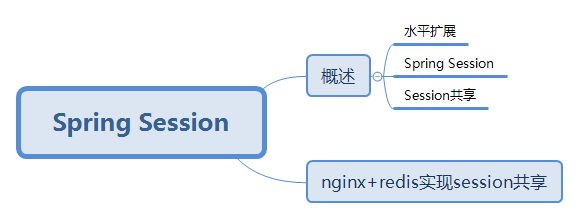
我们称这种部署方式为水平扩展,前端通过Nginx提供反向代理,会话管理可以通过Spring Session,使用Redis来存放Session。部署SpringBoot应用到任意一台web服务器上,从而提高系统可靠性和可伸缩性。
在实现SpringBoot应用水平扩展的时候,需要考虑两个问题:
将用户请求派发到水平部署的任意一台SpringBoot应用服务器上
部署多个SpringBoot应用服务器,对于同一个用户请求,即使请求通过Nginx派发到不同的服务器上,也可以共享会话信息
对于将用户请求派发到水平部署的任意一台SpringBoot应用服务器上,通常用一个反向代理服务器来实现。
反向代理方式是指接收internet上的连接请求,然后将请求转发给内部网络上的服务器。将从服务器上得到的结果返回给internet上请求连接的客户端,此时代理服务器对外就表现为一个反向代理服务器。
另外一个需要解决的问题是会话管理,单个SpringBoot应用的会话由tomcat来管理,会话信息与tomcat存放在一起。如果水平部署多个SpringBoot应用,对于同一个用户请求,即使请求通过nginx派发到不同的web服务器上,也能共享会话信息。有两种实现方式:
复制会话:web服务器通常都支持Session复制,一台应用的会话信息改变将立刻复制到集群的web服务器上,效率较低。
集中式会话:所有web服务器都共享一个会话,会话信息通常存放在一台服务器上,多个应用共享会话信息。
架构通常采用Nginx作为反向代理服务器,其后的各个SpringBoot应用采用Spring Session ,将会话信息存放到redis中。这些应用虽然是分开部署的,支持水平扩展,但能整合成一个大的系统。Nginx提供系统统一入口,对于用户访问,按照某种策略,如根据访问路径派发到后面对应的SpringBoot应用中,Spring Boot调用Spring Session取得会话信息,Spring Session并没有从本地存取会话信息,会话信息存放在Redis服务器上。
默认情况下,Spring Boot默认使用Tomcat服务器的Session实现(org.apache.catalina.session.StandardSessionFacade),通过在配置文件application.properties中添加如下配置可以对会话(Session)类型进行切换:
spring.session.store-type=Redis|JDBC|Hazelcast|none
Redis:Session数据存储在Redis中
JDBC:会话数据存放在数据库中,默认情况下SPRING_SESSION表存放Session基本信息,如会话标识(sessionId)、创建标识、最后一次访问时间;SPRING_SESSION_ATTRIBUTES表存放Session数据,ATTRIBUTE_NAME存放Session的key,ATTRIBUTE_BYTES以字节形式保存Session的value,SpringBoot应用启动会自动创建两张表
Hazelcast:Session数据存放到Hazelcast
None:禁用Spring Session功能
Nginx和Redis实现Session共享示例
对于分布式应用,通常需要对应用进行集群搭建,这时就会产生Session共享问题。分布式应用通常需要使用nginx+tomcat实现负载均衡,同一个用户登录后,会被分发到不同的应用,这样我们就无法获得之前登录会话信息,出现未登录现象。这时我们需要解决Session共享问题。解决方式如下:
通过nginx的负载均衡其中一种IP绑定来实现Session共享(无集群概念)
通过Cookie备份Session实现(Cookie数据保存在客户端,不安全)
通过Redis备份Session实现(可靠)
nginx配置文件做如下修改:
http {include mime.types;default_type application/octet-stream;sendfile on;keepalive_timeout 65;upstream sessionShare{server 127.0.0.1:9000;server 127.0.0.1:9001;}server {listen 80;server_name localhost;location / {proxy_pass http://sessionShare/sessionShareTest;}}}
pom.xml
<?xml version="1.0" encoding="UTF-8"?><project xmlns="http://maven.apache.org/POM/4.0.0" xmlns:xsi="http://www.w3.org/2001/XMLSchema-instance"xsi:schemaLocation="http://maven.apache.org/POM/4.0.0 http://maven.apache.org/xsd/maven-4.0.0.xsd"><modelVersion>4.0.0</modelVersion><parent><groupId>org.springframework.boot</groupId><artifactId>spring-boot-starter-parent</artifactId><version>2.1.4.RELEASE</version><relativePath/> <!-- lookup parent from repository --></parent><groupId>com.springboot.sessionshare</groupId><artifactId>demo</artifactId><version>0.0.1-SNAPSHOT</version><name>demo</name><description>Demo project for Spring Boot</description><properties><java.version>1.8</java.version></properties><dependencies><dependency><groupId>org.springframework.boot</groupId><artifactId>spring-boot-starter</artifactId></dependency><dependency><groupId>org.springframework.boot</groupId><artifactId>spring-boot-starter-data-redis</artifactId><exclusions><exclusion><groupId>io.lettuce</groupId><artifactId>lettuce-core</artifactId></exclusion></exclusions></dependency><dependency><groupId>redis.clients</groupId><artifactId>jedis</artifactId></dependency><dependency><groupId>org.springframework.boot</groupId><artifactId>spring-boot-starter-web</artifactId></dependency><!--添加session共享依赖--><dependency><groupId>org.springframework.session</groupId><artifactId>spring-session-data-redis</artifactId></dependency><dependency><groupId>org.springframework.boot</groupId><artifactId>spring-boot-starter-test</artifactId><scope>test</scope></dependency></dependencies><build><plugins><plugin><groupId>org.springframework.boot</groupId><artifactId>spring-boot-maven-plugin</artifactId></plugin></plugins></build></project>
应用配置信息
#9001应用(nginx配置文件upstream相关配置)需修改端口号server.port=9000#配置Redis相关内容#配置连接池属性spring.redis.jedis.pool.min-idle=5spring.redis.jedis.pool.max-active=10spring.redis.jedis.pool.max-idle=10spring.redis.jedis.pool.max-wait=2000#配置Redis服务器属性spring.redis.port=6379spring.redis.host=localhostspring.redis.timeout=1000
Session共享配置类
@Configuration/*** 使用注解启用redis缓存管理会话信息,maxInactiveIntervalInSeconds设置session失效时间,属性文件中server.session.timeout配置失效*/@EnableRedisHttpSession(maxInactiveIntervalInSeconds = 3000)public class SessionShareConfig {}
控制器
@Controllerpublic class SessionShareController {@RequestMapping("/sessionShareTest")@ResponseBodypublic Map<String,Object> sessionShareTest(HttpServletRequest request){Map<String,Object> result=new HashMap<String,Object>();//端口号int serverPort=request.getServerPort();//sessionIdString sessionId=request.getSession().getId();result.put("sessionId",sessionId);result.put("端口号",serverPort);return result;}}
测试结果


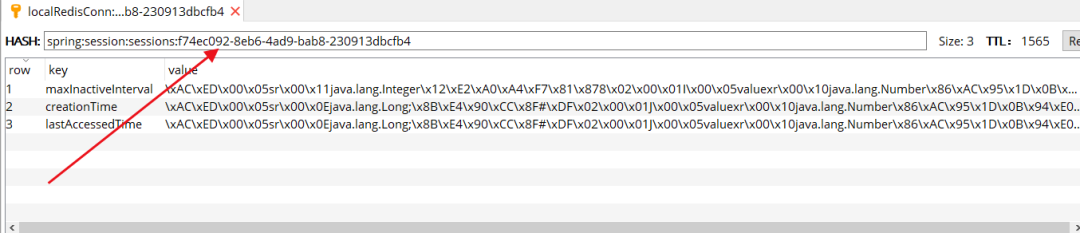
访问http://localhost,nginx交替访问两个应用程序控制器,并且session完全一致。