



《Oracle 19c之RPM安装》介绍了在Oracle Linux平台下安装Oracle 19c的过程,其实无论是19c,还是11g,用Oracle Linux会为你省不少的事情,毕竟同为Oracle产品,从推广角度看,肯定会相对其他平台提供更多的便利性,例如提前预安装了需要的Package,设置了信号量,创建了各种账号、路径和权限。
这次采用的19c rpm安装,下载地址是,
https://www.oracle.com/database/technologies/oracle19c-linux-downloads.html
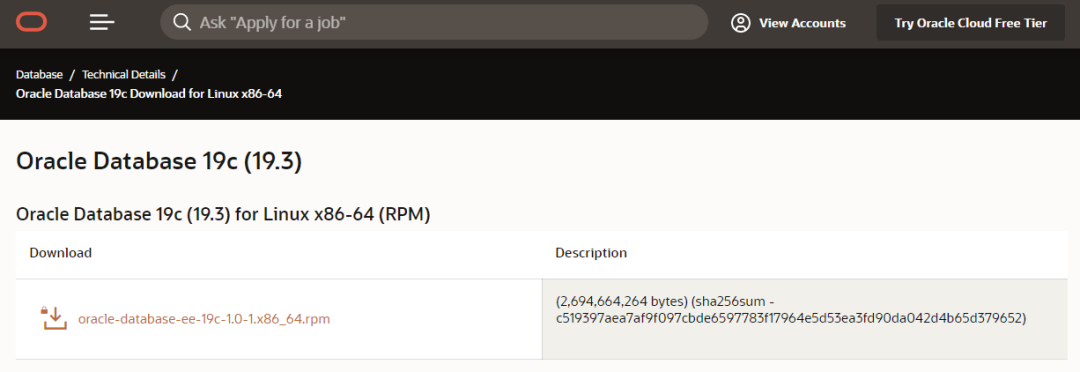
首先关闭防火墙,
[root@bisal ~]# systemctl stop firewalld.service[root@bisal ~]# systemctl disable firewalld.serviceRemoved symlink etc/systemd/system/multi-user.target.wants/firewalld.service.Removed symlink etc/systemd/system/dbus-org.fedoraproject.FirewallD1.service.
安装19c前,需要安装preinstall包,做些前提准备,但是在这之前,需要确认compat-libstdc++-33-3.2.3-72.el7.x86_64.rpm、ksh、libaio-devel包,再执行,
[root@bisal ~]# rpm -ivh oracle-database-preinstall-19c-1.0-1.el7.x86_64.rpm
19c默认安装路径是/opt/oracle,需要设置权限,
[root@bisal ~]# chown -R oracle:oinstall opt/oracle[root@bisal ~]# chmod -R 755 opt/oracle
安装19c软件,
[root@bisal ~]# rpm -ivh oracle-database-ee-19c-1.0-1.x86_64.rpmwarning: oracle-database-ee-19c-1.0-1.x86_64.rpm: Header V3 RSA/SHA256 Signature, keyID ec551f03: NOKEYPreparing... ################################# [100%]Updating installing...1:oracle-database-ee-19c-1.0-1 ################################# [100%][INFO] Executing post installation scripts...[INFO] Oracle home installed successfully and ready to be configured.To configure a sample Oracle Database you can execute the following serviceconfiguration script as root: etc/init.d/oracledb_ORCLCDB-19c configure
在创建数据库前,可以改些配置,先备份下配置,将ORCLCDB替换为bisal,将ORCLPDB1替换为bisal,
[root@bisal ~]# cp /etc/init.d/oracledb_ORCLCDB-19c /etc/init.d/oracledb_bisal-19c[root@bisal ~]# vi etc/init.d/oracledb_bisal-19cexport ORACLE_VERSION=19cexport ORACLE_SID=bisalexport TEMPLATE_NAME=General_Purpose.dbcexport CHARSET=AL32UTF8export PDB_NAME=bisalexport LISTENER_NAME=LISTENERexport NUMBER_OF_PDBS=1export CREATE_AS_CDB=false(从true改为false)
创建数据库,
[root@bisal ~]# ./oracledb_bisal-19c configureConfiguring Oracle Database bisal.Prepare for db operation10% completeCopying database files40% completeCreating and starting Oracle instance42% complete46% complete50% complete54% complete60% completeCompleting Database Creation66% complete70% completeExecuting Post Configuration Actions100% completeDatabase creation complete. For details check the logfiles at:opt/oracle/cfgtoollogs/dbca/bisal.Database Information:Global Database Name:bisalSystem Identifier(SID):bisalLook at the log file "/opt/oracle/cfgtoollogs/dbca/bisal/bisal.log" for further details.Database configuration completed successfully. The passwords were auto generated, youmust change them by connecting to the database using 'sqlplus / as sysdba' as the oracle user.
设置oracle用户的环境变量,
echo "export LANG=en_US" >> ~/.bash_profileecho "export ORACLE_BASE=/opt/oracle" >> ~/.bash_profileecho "export ORACLE_HOME=$ORACLE_BASE/product/19c/dbhome_1" >> ~/.bash_profileecho "export ORACLE_SID=bisal" >> ~/.bash_profileecho "export NLS_LANG=AMERICAN_AMERICA.AL32UTF8" >> ~/.bash_profileecho "export PATH=$PATH:$ORACLE_HOME/bin" >> ~/.bash_profile
此时,就完成了19c的安装,确实较之前的版本有了很大的改进,但是我们说万变不离其宗,相关的配置和基本原理还是相同的,只是Oracle替我们封装了一些操作,这就是软件设计演进的过程。
Oracle安装部署相关的历史文章:
近期热文:
《幂等性》
《英超梦幻之行》
最后修改时间:2020-03-10 14:37:11
文章转载自bisal的个人杂货铺,如果涉嫌侵权,请发送邮件至:contact@modb.pro进行举报,并提供相关证据,一经查实,墨天轮将立刻删除相关内容。
