



这将通过yum(或Fedora上的dnf)安装TimescaleDB和PostgreSQL。
提示: TimescaleDB requires PostgreSQL 11, 12 or 13.
先决条件
RHEL/CentOS 7 (or Fedora equivalent) or later
构建和安装
#警告#如果您没有通过yum安装PostgreSQL,这可能会导致问题。如果您希望在yum之外维护当前版本的PostgreSQL,建议从源代码处安装。否则,请确保在使用此方法之前删除非yum安装。
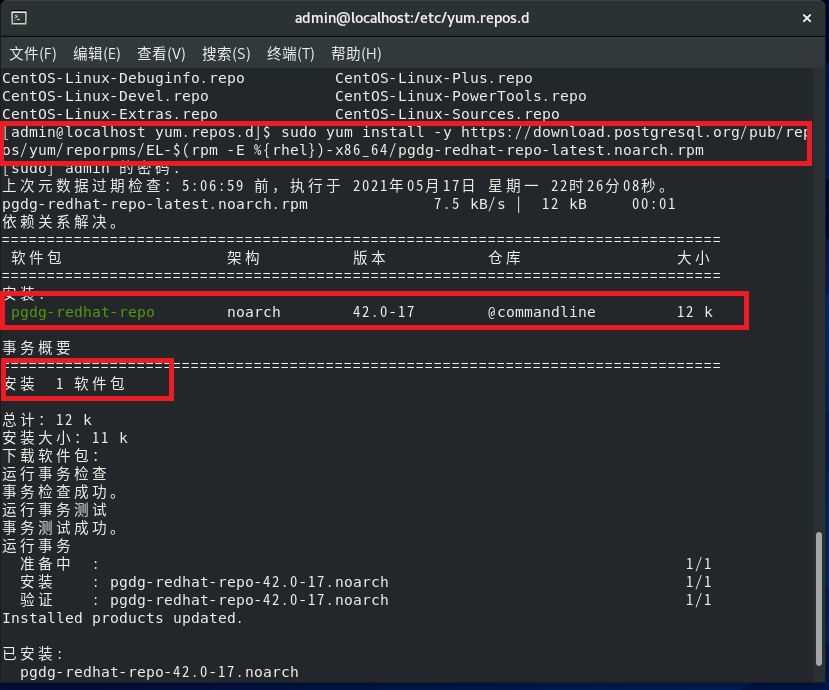
您需要从PostgreSQL下载适合您的操作系统和体系结构的正确PGDG并安装:(You'll need to download the correct PGDG from PostgreSQL for your operating system and architecture and install it:)
# Download PGDG:sudo yum install -y https://download.postgresql.org/pub/repos/yum/reporpms/EL-$(rpm -E %{rhel})-x86_64/pgdg-redhat-repo-latest.noarch.rpm
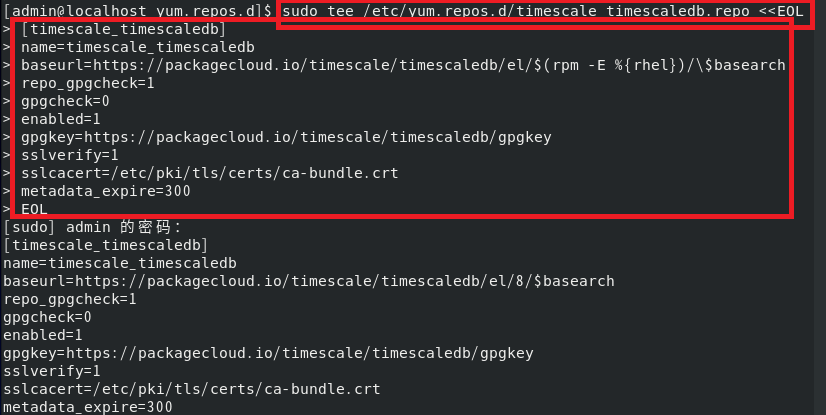
添加TimescaleDB的第三方存储库并安装TimescaleDB,它将从PostgreSQL repo下载所需的任何依赖项:
执行下列语句
# Add timescaledb reposudo tee /etc/yum.repos.d/timescale_timescaledb.repo <<EOL
添加以下内容
[timescale_timescaledb]name=timescale_timescaledbbaseurl=https://packagecloud.io/timescale/timescaledb/el/$(rpm -E %{rhel})/\$basearchrepo_gpgcheck=1gpgcheck=0enabled=1gpgkey=https://packagecloud.io/timescale/timescaledb/gpgkeysslverify=1sslcacert=/etc/pki/tls/certs/ca-bundle.crtmetadata_expire=300EOL
执行下列命令
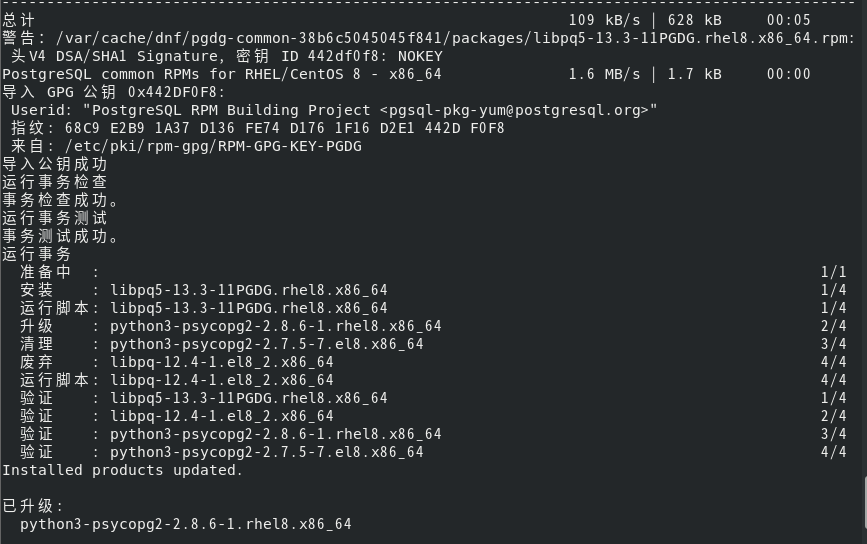
sudo yum update -y
禁用CentOs 8上的内置postgres包
# disable builtin postgres packages on CentOs 8if command -v dnf; then sudo dnf -qy module disable postgresql; fi

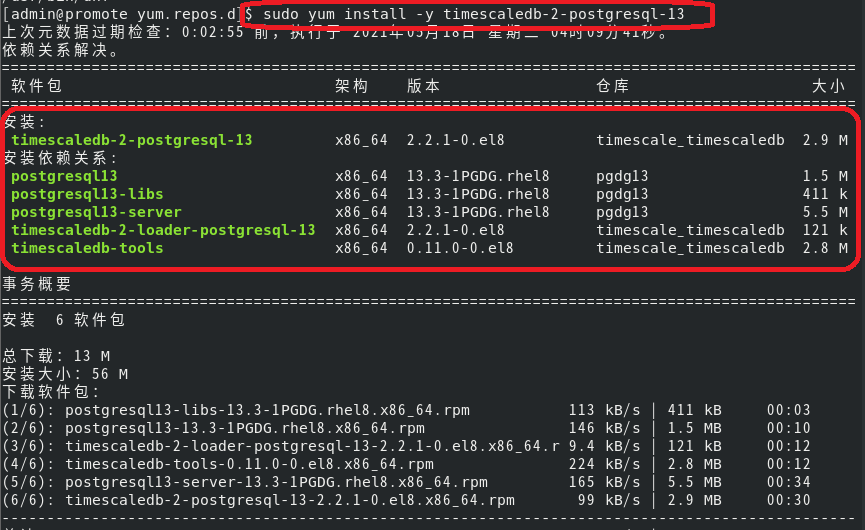
现在为PG版本安装合适的软件包
# Now install appropriate package for PG versionsudo yum install -y timescaledb-2-postgresql-13
初始化postgresql数据库
sudo /usr/pgsql-13/bin/postgresql-13-setup initdb

修改配置文件允许远程连接
$ vi /var/lib/pgsql/13/data/postgresql.conflisten_addresses = '*'port=5432$ vi /var/lib/pgsql/13/data/pg_hba.confhost all all 0.0.0.0/0 trust
启动PostgreSQL服务
$ systemctl enable postgresql-13$ systemctl start postgresql-13$ systemctl status postgresql-13
修改数据库账户postgres默认密码
$ su - postgres$ psql$ alter user postgres password '123456';
关闭防火墙
systemctl stop firewalld.servicesystemctl disable firewalld.service #禁止firewall开机启动
配置数据库
sudo timescaledb-tune --pg-config=/usr/pgsql-13/bin/pg_config
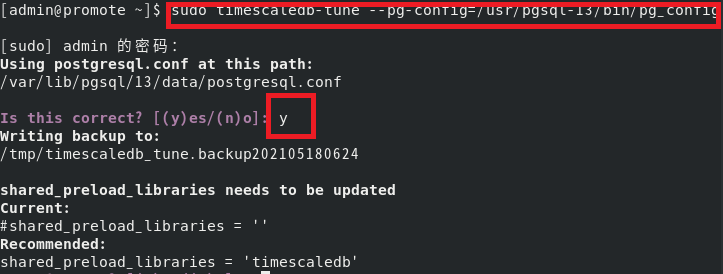

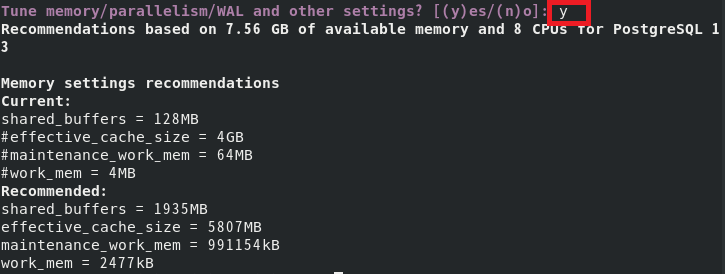
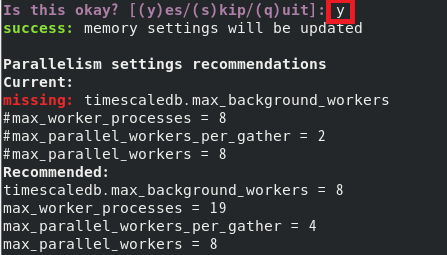
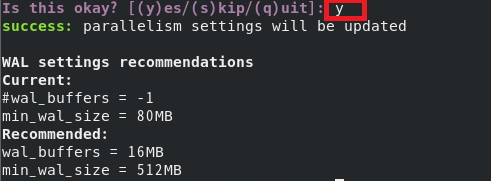
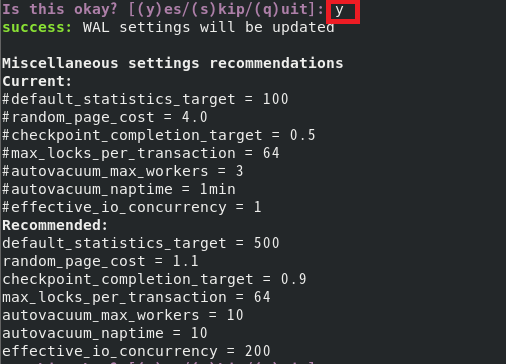

注:如果使用默认配置,可直接使用如下命令sudo timescaledb-tune --pg-config=/usr/pgsql-13/bin/pg_config --quiet --yes
重启数据库服务
sudo systemctl restart postgresql-13.service
最后测试:
#切换用户sudo -i -u postgres
#进入命令窗口:psql
#创建数据库 timeseriesCREATE DATABASE timeseries;\l
#进入创建的数据库 timeseries\c timeseriesCREATE EXTENSION IF NOT EXISTS timescaledb CASCADE;
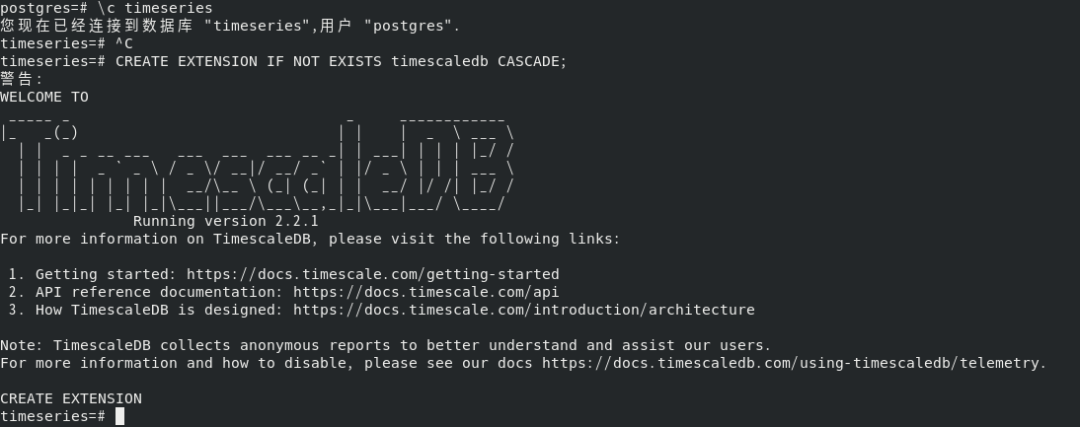
#创建表:CREATE TABLE conditions (time TIMESTAMP WITH TIME ZONE NOT NULL,device_id TEXT,temperature NUMERIC,humidity NUMERIC);SELECT create_hypertable('conditions', 'time');

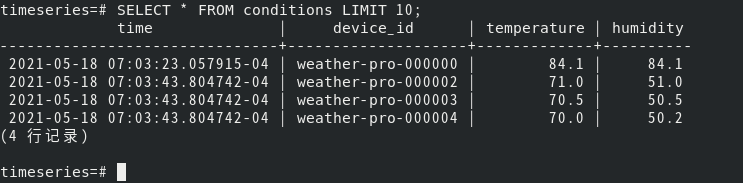
#插入数据:INSERT INTO conditions(time, device_id, temperature, humidity) VALUES (NOW(), 'weather-pro-000000', 84.1, 84.1);INSERT INTO conditions VALUES (NOW(), 'weather-pro-000002', 71.0, 51.0),(NOW(), 'weather-pro-000003', 70.5, 50.5),(NOW(), 'weather-pro-000004', 70.0, 50.2);

#查询数据SELECT * FROM conditions LIMIT 10;
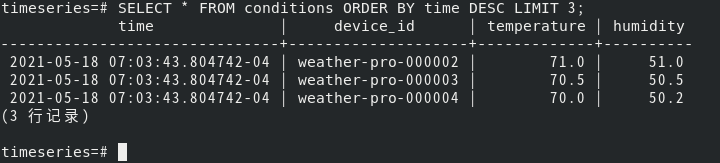
#查询数据SELECT * FROM conditions ORDER BY time DESC LIMIT 3;
相关网站
https://docs.timescale.com/timescaledb/latest/how-to-guides/install-timescaledb/self-hosted/rhel-centos/installation-yum/##yum-installation
文章转载自日常累积,如果涉嫌侵权,请发送邮件至:contact@modb.pro进行举报,并提供相关证据,一经查实,墨天轮将立刻删除相关内容。
