



A few of days ago Jonathan Lewis sent the following message (quoting his original stuff) on Twitter.
EARLY WARNING: at the end of May my old (unchanged since September 2012) website jlcomp.demon.co.uk will be taken off the internet. I may update and post a very small number of the articles on my blog eventually, but if there’s anything you want to keep from it, copy it now.
04:40PM 2020-04-04 Twitter Web App
and,
WARNING: by end May the DEMON domain (with my old website jlcomp.demon.co.uk) will disappear. If there’s anything you want from the website copy it now.
wget -e robots=off -r -np http://www.jlcomp.demon.co.uk -o log.txt
05:53 PM 2020-04-06 Twitter Web App
I heard of this bad news and asked him what reason it is afterwards he replied to me – the license of sub-domain DEMON was about to expire. So it’s time to copy those stuff from his old website if you keep somthing.
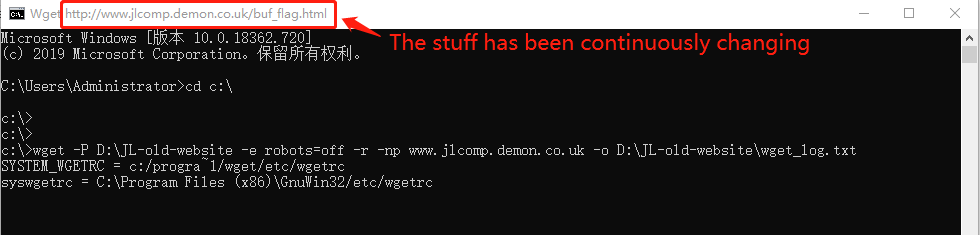
Yesterday afternoon I downloaded this amazing tool WGET from the official website, based on the simple and quick method provided by JL firstly I created a folder “JL-old-website” on my disk “D:\” next opened CLI (Command Line Interface) of Windows 10 finally inputted the similar wget command, such as, “wget -P D:\JL-old-website -e robots=off -r -np http://www.jlcomp.demon.co.uk -o D:\JL-old-website\wget_log.txt”.
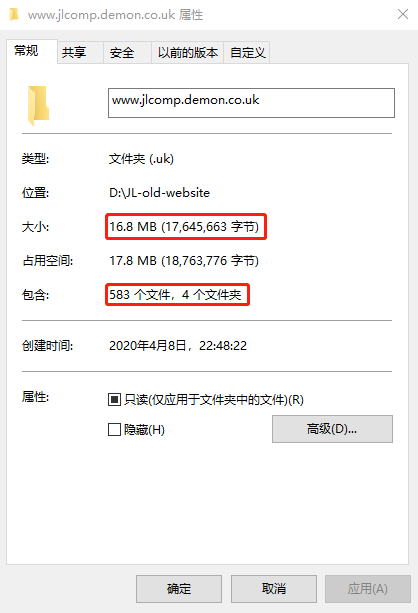
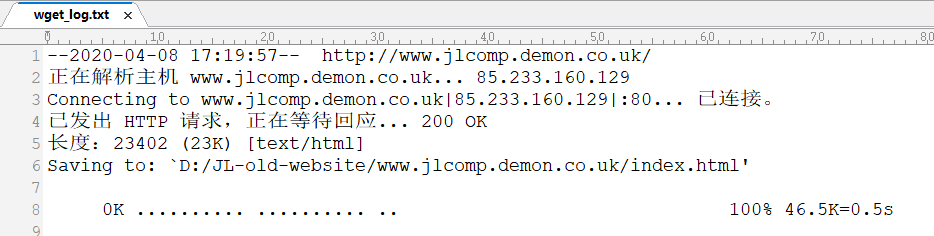
The following are 4 number of screenshots when I finished downloading all stuff from Jonathan Lewis‘ old website.

Good luck!
P.S: The above stuff comes from my original blog note (Wget) that have been published on WordPress.
