



一 、测试环境概述
1. 机器配置
- 配置截图

- 两台华为云ECS,kc1.xlarge.4,规格4c/16g,openEuler 20.03系统。
二、安装 MogDB
略
三 、修改内网地址
1. 修改ECS IP
- 修改IP前要解绑NAT,关闭服务器。

- 修改IP
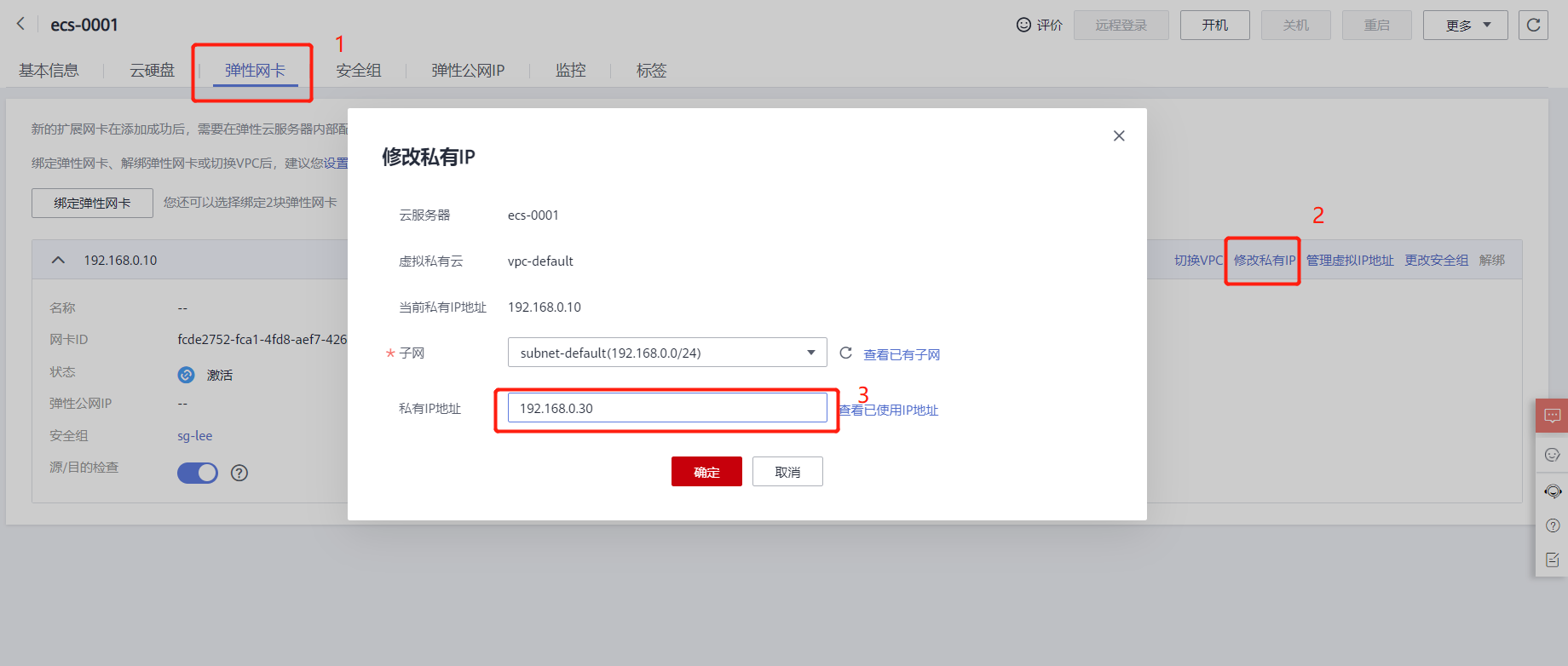

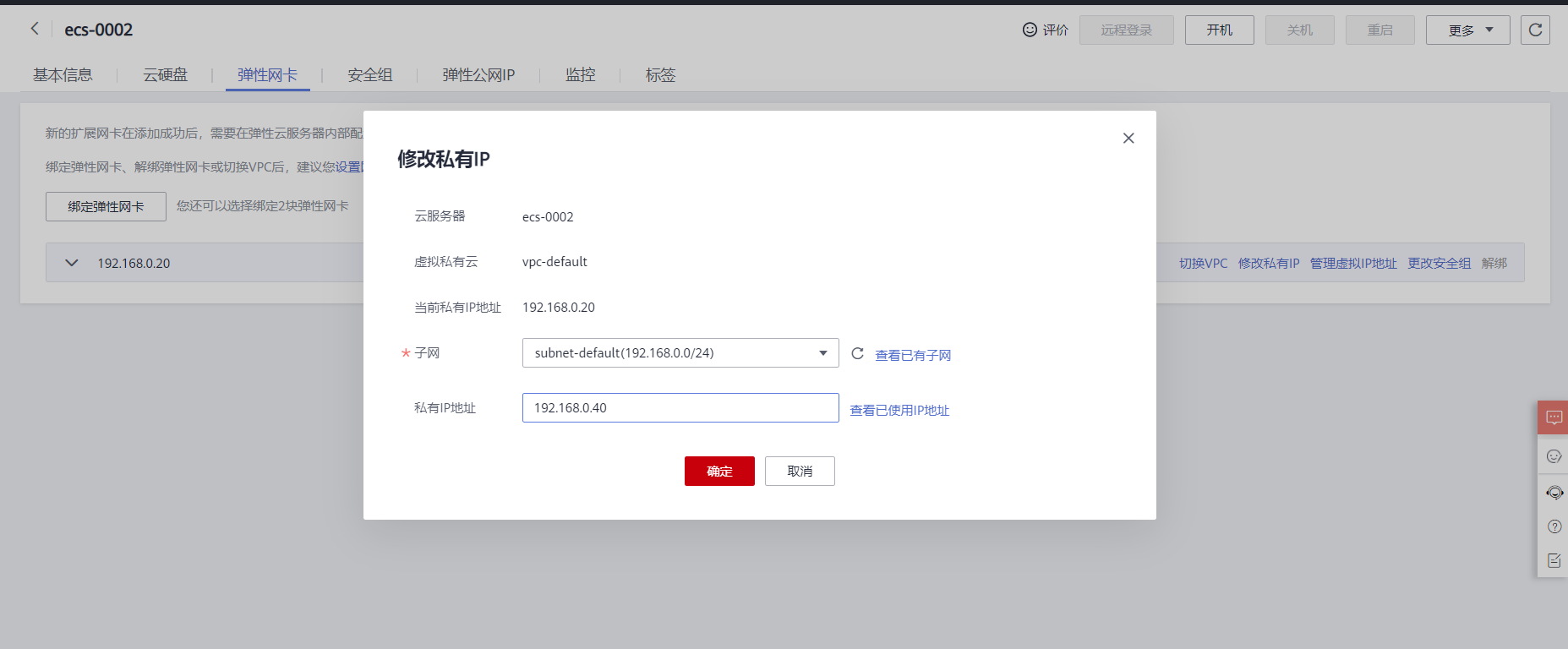
- 另一台同样

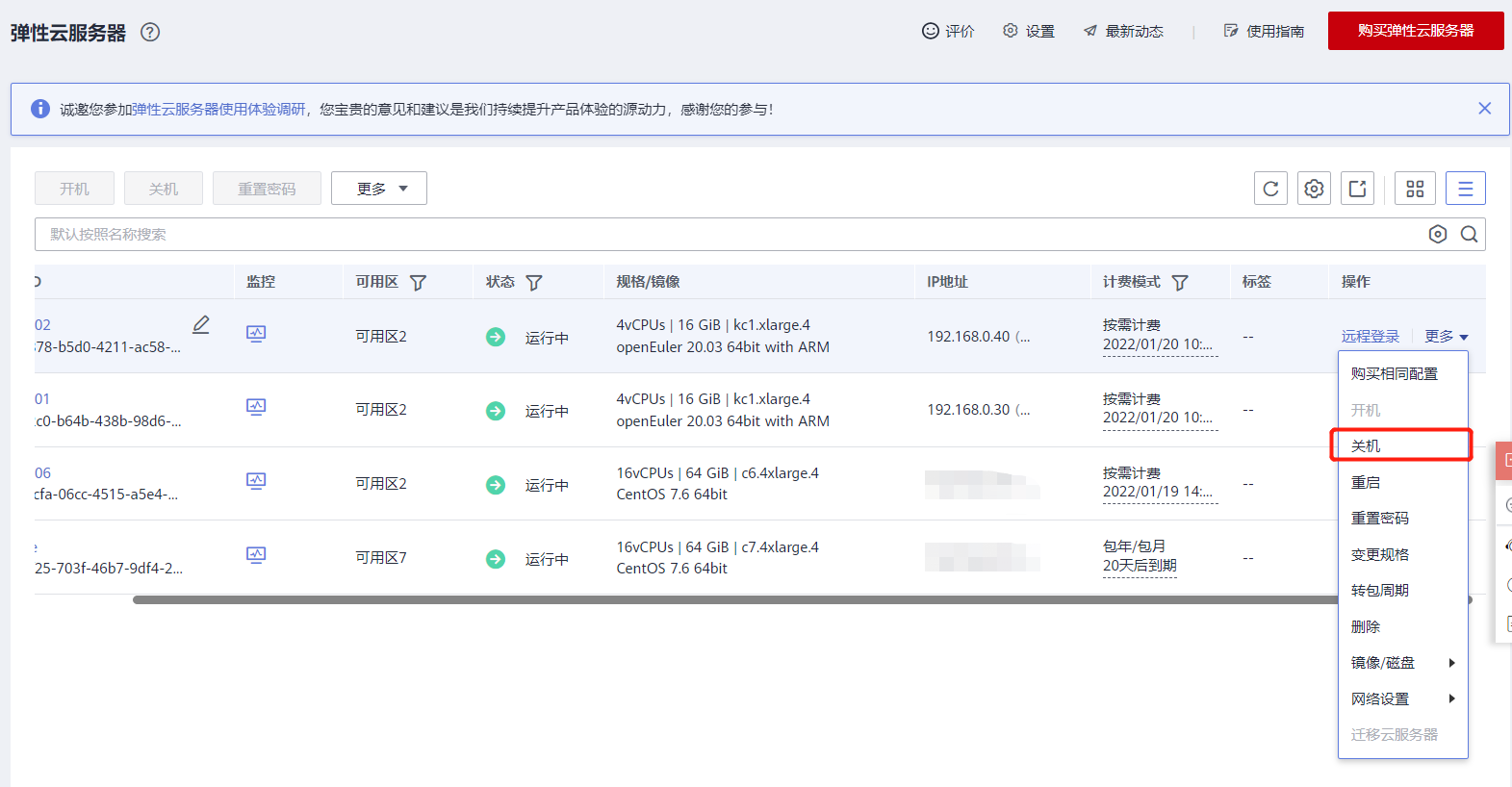
2. 开机
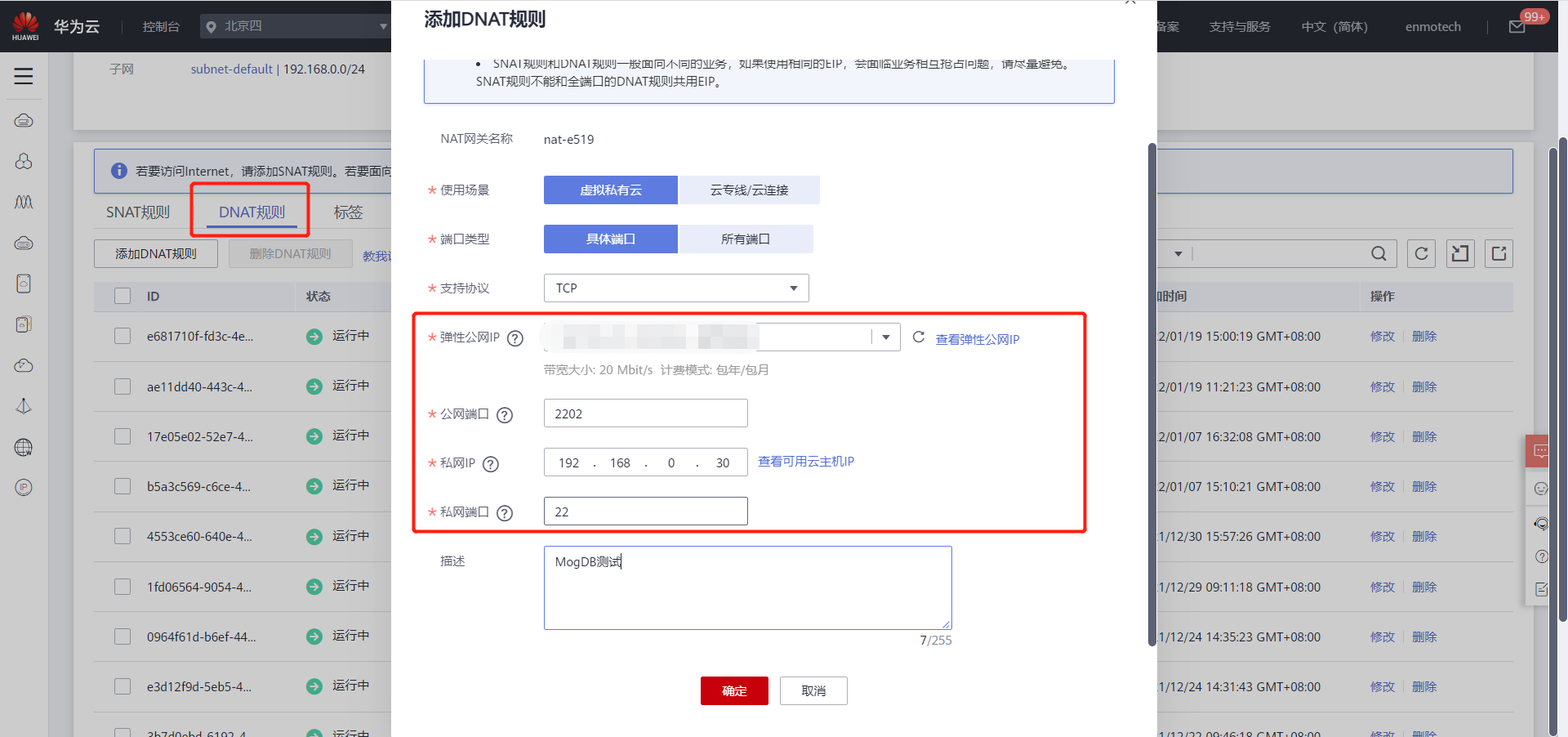
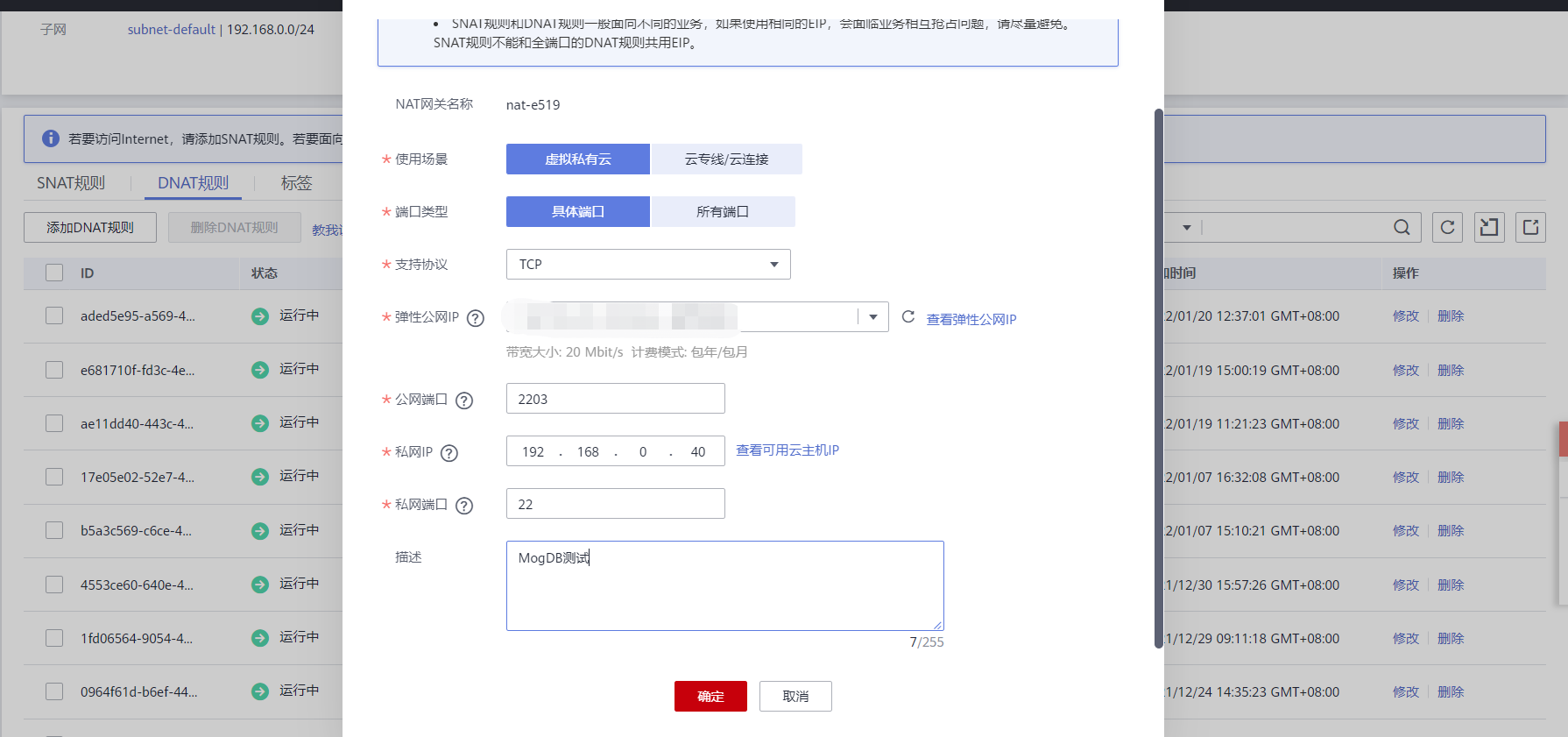
3. 恢复NAT
四、数据库端操作
1. 直接启动数据库
- 发现报错
[omm@ecs-0001 ~]$ gs_om -t start
Starting cluster.
=========================================
[GAUSS-51400] : Failed to execute the command: scp ecs-0002:/appdata/app/mogdb_f892ccb7/bin/cluster_dynamic_config /appdata/app/mogdb_f892ccb7/bin/cluster_dynamic_config_ecs-0002. Error:
ssh: connect to host ecs-0002 port 22: No route to host
2. 修改配置文件
- postgresql.conf
- pg_hba.conf
- clusterconfig.xml (用于生成static configuration)
- /etc/hosts
[root@ecs-0001 ~]# sed -i 's/192.168.0.10/192.168.0.30/g' /appdata/data/postgresql.conf /appdata/data/pg_hba.conf /opt/software/mogdb/clusterconfig.xml /etc/hosts
[root@ecs-0001 ~]# sed -i 's/192.168.0.20/192.168.0.40/g' /appdata/data/postgresql.conf /appdata/data/pg_hba.conf /opt/software/mogdb/clusterconfig.xml /etc/hosts
[root@ecs-0002 ~]# sed -i 's/192.168.0.10/192.168.0.30/g' /appdata/data/postgresql.conf /appdata/data/pg_hba.conf /opt/software/mogdb/clusterconfig.xml /etc/hosts
[root@ecs-0002 ~]# sed -i 's/192.168.0.20/192.168.0.40/g' /appdata/data/postgresql.conf /appdata/data/pg_hba.conf /opt/software/mogdb/clusterconfig.xml /etc/hosts
3. 生成集群文件并发送到备库
- 自动发送到备库
[omm@ecs-0001 ~]$ gs_om -t generateconf -X /opt/software/mogdb/clusterconfig.xml --distribute
Generating static configuration files for all nodes.
Creating temp directory to store static configuration files.
Successfully created the temp directory.
Generating static configuration files.
Successfully generated static configuration files.
Static configuration files for all nodes are saved in /appdata/app/tools/script/static_config_files.
Distributing static configuration files to all nodes.
Successfully distributed static configuration files.
4. 启动数据库验证
- 主库启动
[omm@ecs-0001 ~]$ gs_om -t start
Starting cluster.
=========================================
[SUCCESS] ecs-0001
2022-01-20 12:45:15.721 [unknown] [unknown] localhost 281457640472592 0 0 [BACKEND] WARNING:  Failed to initialize the memory protect for g_instance.attr.attr_storage.cstore_buffers (16 Mbytes) or shared memory (8004 Mbytes) is larger.
[SUCCESS] ecs-0002
2022-01-20 12:45:18.071 [unknown] [unknown] localhost 281465901482000 0 0 [BACKEND] WARNING:  Failed to initialize the memory protect for g_instance.attr.attr_storage.cstore_buffers (16 Mbytes) or shared memory (8004 Mbytes) is larger.
=========================================
Successfully started.
- 备库查看状态
[omm@ecs-0002 ~]$ gs_om -t status --all
-----------------------------------------------------------------------

cluster_state             : Normal
redistributing            : No

-----------------------------------------------------------------------

node                      : 1
node_name                 : ecs-0001
instance_id               : 6001
node_ip                   : 192.168.0.30
data_path                 : /appdata/data
type                      : Datanode
instance_state            : Normal
az_name                   : AZ1
static_connections        : 1
HA_state                  : Normal
instance_role             : Primary

-----------------------------------------------------------------------

node                      : 2
node_name                 : ecs-0002
instance_id               : 6002
node_ip                   : 192.168.0.40
data_path                 : /appdata/data
type                      : Datanode
instance_state            : Normal
az_name                   : AZ1
instance_role             : Standby
HA_state                  : Streaming
sender_sent_location      : 0/452D3E8
sender_write_location     : 0/452D3E8
sender_flush_location     : 0/452D3E8
sender_replay_location    : 0/452D3E8
receiver_received_location: 0/452D3E8
receiver_write_location   : 0/452D3E8
receiver_flush_location   : 0/452D3E8
receiver_replay_location  : 0/452D3E8
sync_percent              : 100%
sync_state                : Sync

-----------------------------------------------------------------------
最后修改时间:2022-01-24 16:51:39
「喜欢这篇文章,您的关注和赞赏是给作者最好的鼓励」
关注作者
【版权声明】本文为墨天轮用户原创内容,转载时必须标注文章的来源(墨天轮),文章链接,文章作者等基本信息,否则作者和墨天轮有权追究责任。如果您发现墨天轮中有涉嫌抄袭或者侵权的内容,欢迎发送邮件至:contact@modb.pro进行举报,并提供相关证据,一经查实,墨天轮将立刻删除相关内容。
