



因为telegraf默认采集间隔为15秒,在某些数据采集需要时间较长时,这个值会不太适合
方法1:修改配置文件telegraf.conf,如修改为1分钟
interval = "1m"
方法2:使用influxdb_listener
## 配置
[[inputs.influxdb_listener]]## Address and port to host HTTP listener onservice_address = ":8186"
# 使用curl输入
curl -i -XPOST 'http://localhost:8186/write' --data-binary 'cjdtele,host=server01,region=us-west value=0.59'
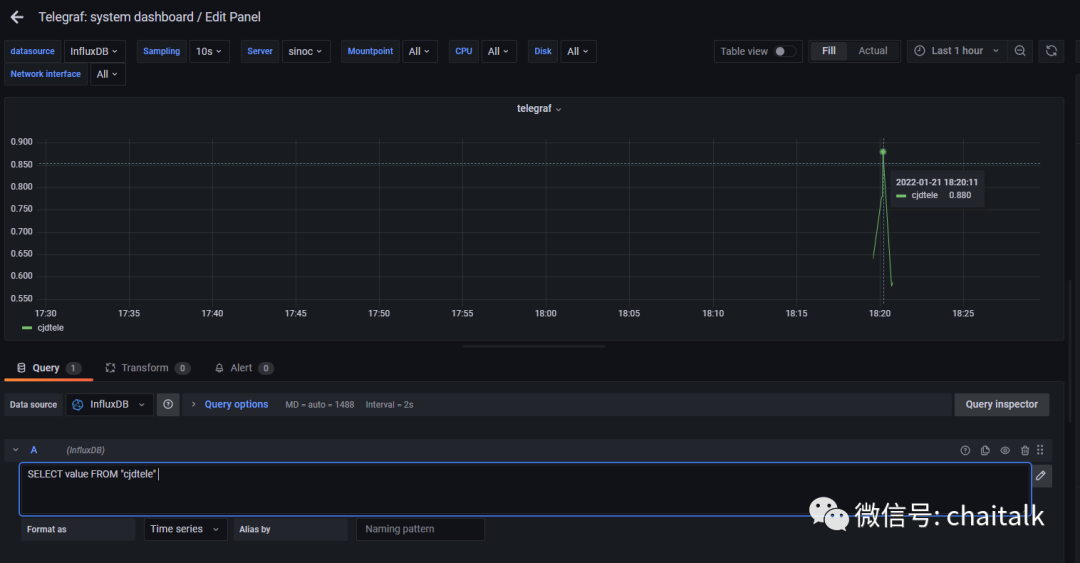
注:使用HTTP API时,InfluxDB的响应主要有以下几个:
1)2xx:204代表no content,200代表InfluxDB可以接收请求但是没有完成请求。一般会在body体中带有出错信息。
2)4xx:InfluxDB不能解析请求。
3)5xx:系统出现错误。
方法3:使用inputs.socket_listener
# 修改配置
[[inputs.socket_listener]]service_address = "tcp://:8094"data_format = "influx"
# 输入测试
echo 'teletest,my_tag_key=mytagvalue my_field=1213' | nc localhost 8094
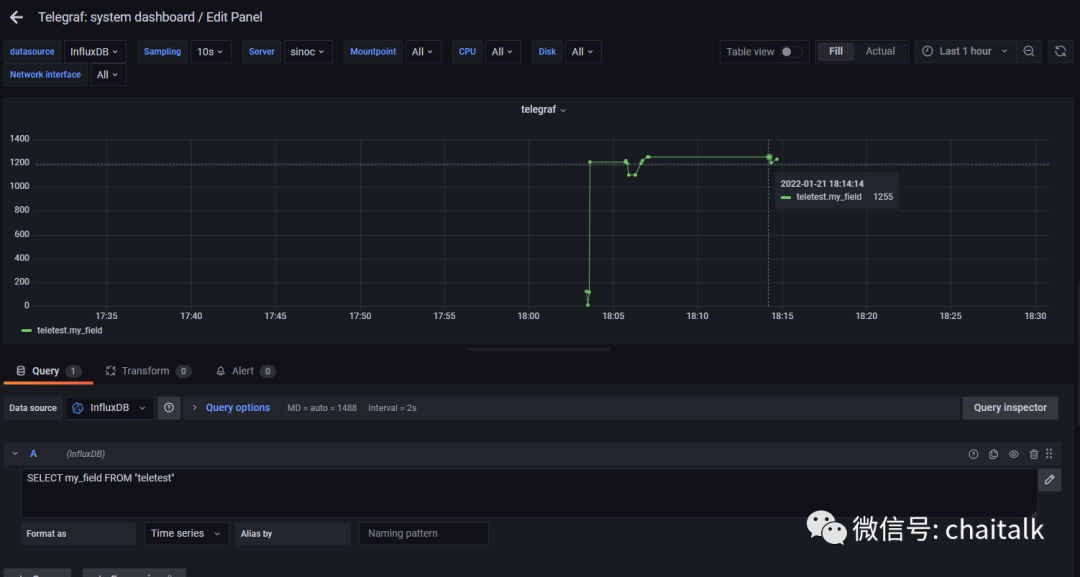
方法4:http_listener_v2 :外部应用可以通过HTTP请求把数据发送给Telegraf(telegraf/plugins/inputs/http_listener_v2 at master · influxdata/telegraf (github.com))
[[inputs.http_listener_v2]]
## Address and port to host HTTP listener on
service_address = ":8080"
## Path to listen to.
## This option is deprecated and only available for backward-compatibility. Please use paths instead.
# path = ""
## Paths to listen to.
# paths = ["/telegraf"]
## Save path as http_listener_v2_path tag if set to true
# path_tag = false
## HTTP methods to accept.
# methods = ["POST", "PUT"]
## maximum duration before timing out read of the request
# read_timeout = "10s"
## maximum duration before timing out write of the response
# write_timeout = "10s"
## Maximum allowed http request body size in bytes.
## 0 means to use the default of 524,288,000 bytes (500 mebibytes)
# max_body_size = "500MB"
## Part of the request to consume. Available options are "body" and
## "query".
# data_source = "body"
## Set one or more allowed client CA certificate file names to
## enable mutually authenticated TLS connections
# tls_allowed_cacerts = ["/etc/telegraf/clientca.pem"]
## Add service certificate and key
# tls_cert = "/etc/telegraf/cert.pem"
# tls_key = "/etc/telegraf/key.pem"
## Optional username and password to accept for HTTP basic authentication.
## You probably want to make sure you have TLS configured above for this.
# basic_username = "foobar"
# basic_password = "barfoo"
## Optional setting to map http headers into tags
## If the http header is not present on the request, no corresponding tag will be added
## If multiple instances of the http header are present, only the first value will be used
# http_header_tags = {"HTTP_HEADER" = "TAG_NAME"}
## Data format to consume.
## Each data format has its own unique set of configuration options, read
## more about them here:
## https://github.com/influxdata/telegraf/blob/master/docs/DATA_FORMATS_INPUT.md
data_format = "influx"
Send Line Protocol:
curl -i -XPOST 'http://localhost:8080/telegraf' --data-binary 'cpu_load_short,host=server01,region=us-west value=0.64 1434055562000000000'
Send JSON:
curl -i -XPOST 'http://localhost:8080/telegraf' --data-binary '{"value1": 42, "value2": 42}'
Send query params:
curl -i -XGET 'http://localhost:8080/telegraf?host=server01&value=0.42'
