



背景概述
某客户数据由于底层超融合故障导致数据库产生有大量的坏块,最终导致数据库宕机,通过数据抢救,恢复了全部的数据。
下面是详细的故障分析诊断过程,以及详细的解决方案描述:
故障现象
数据库宕机之后,现场工程师开始用rman备份恢复数据库,当数据库alert日志提示控制文件有大量坏块。
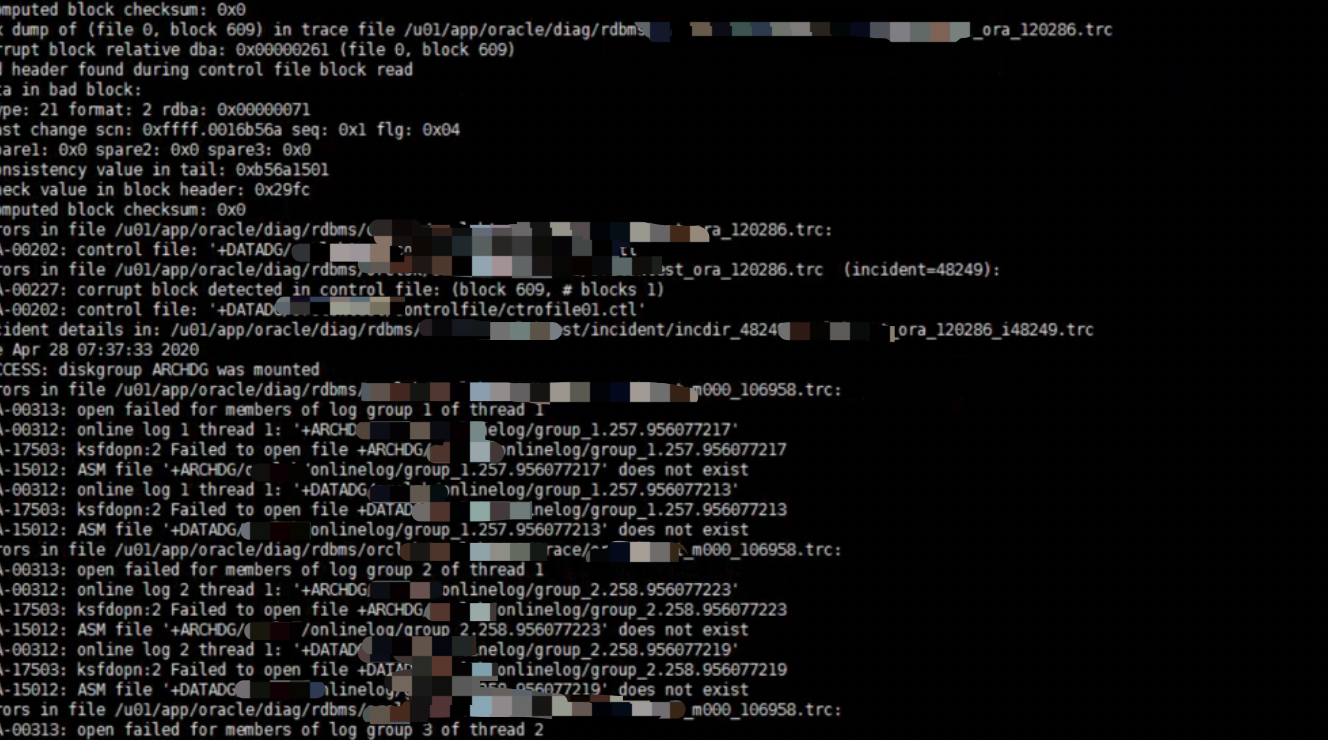
并且提示无法访问在线日志
恢复过程
客户只restore了数据,通过编写脚本recover数据库。
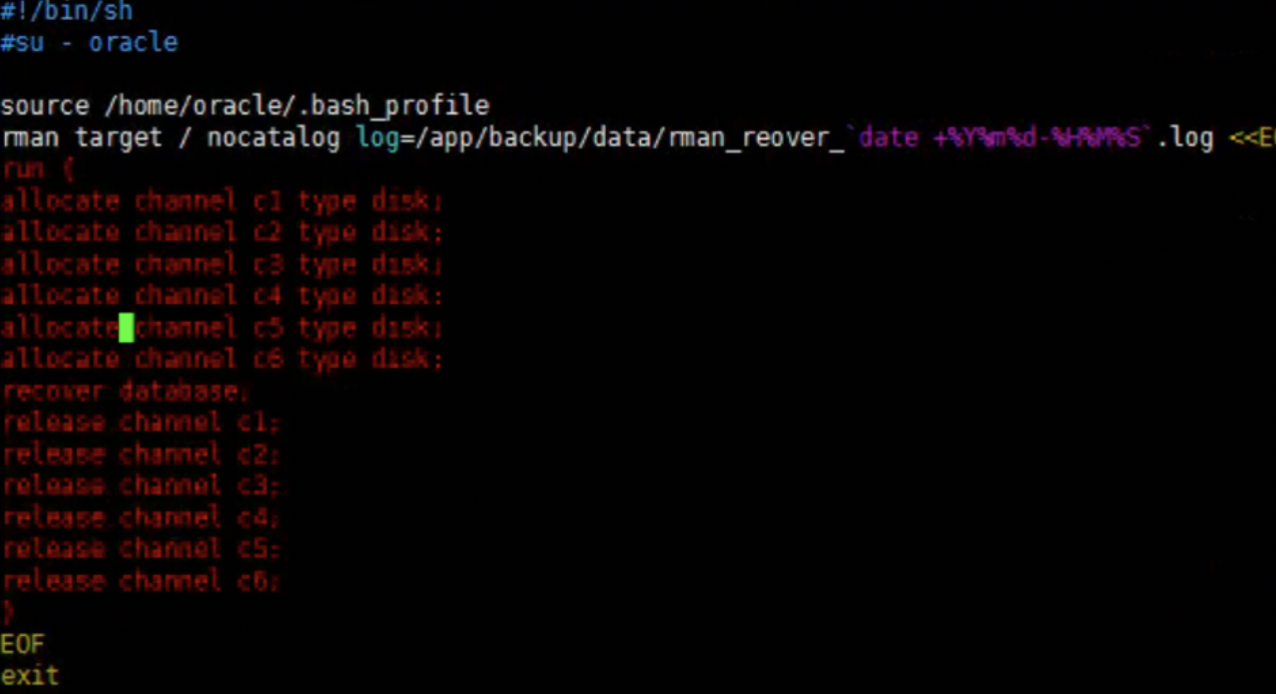
recover失败提示控制文件有坏块
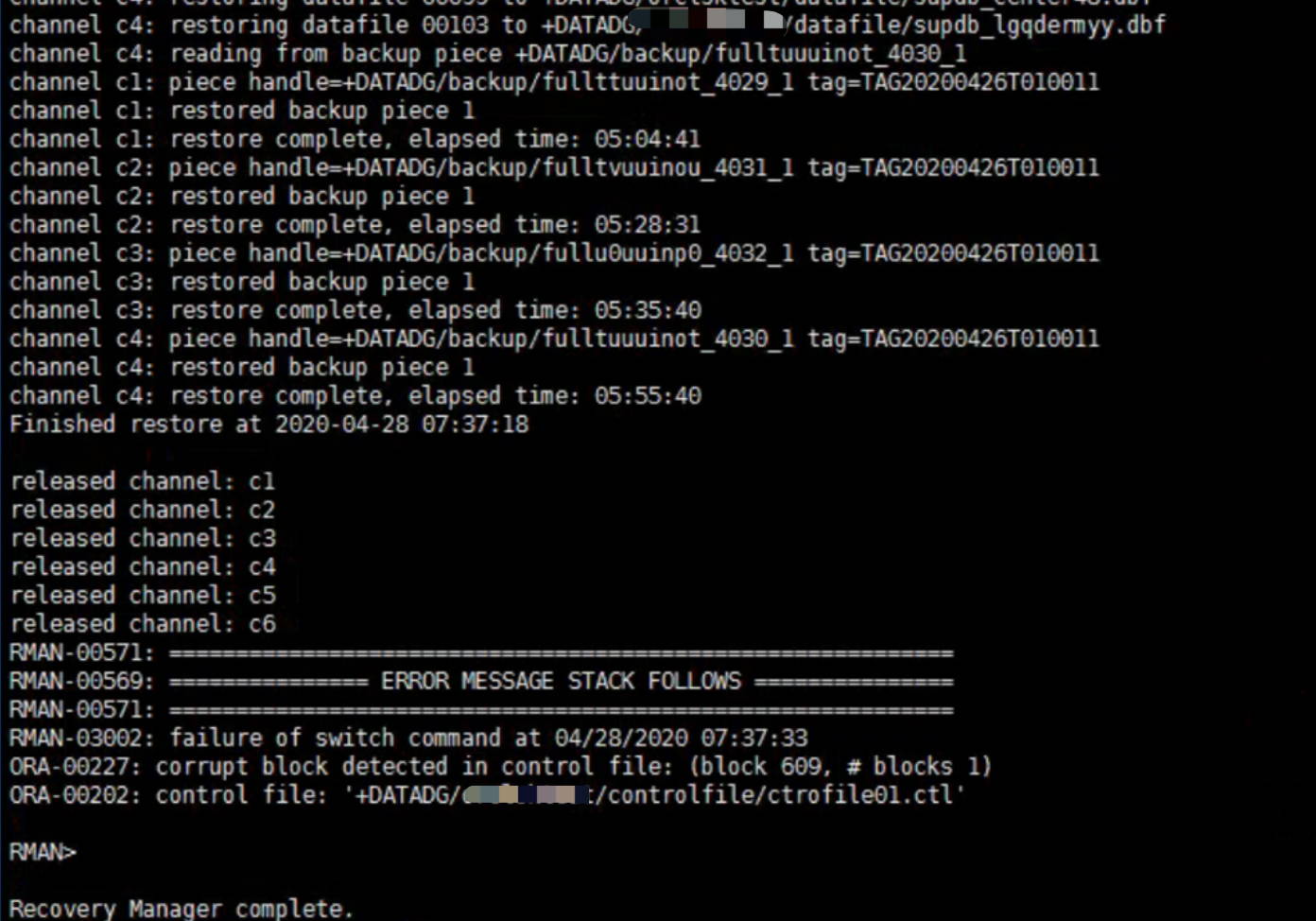
发现控制文件已经损坏,开始重建控制文件
然后重新recover database
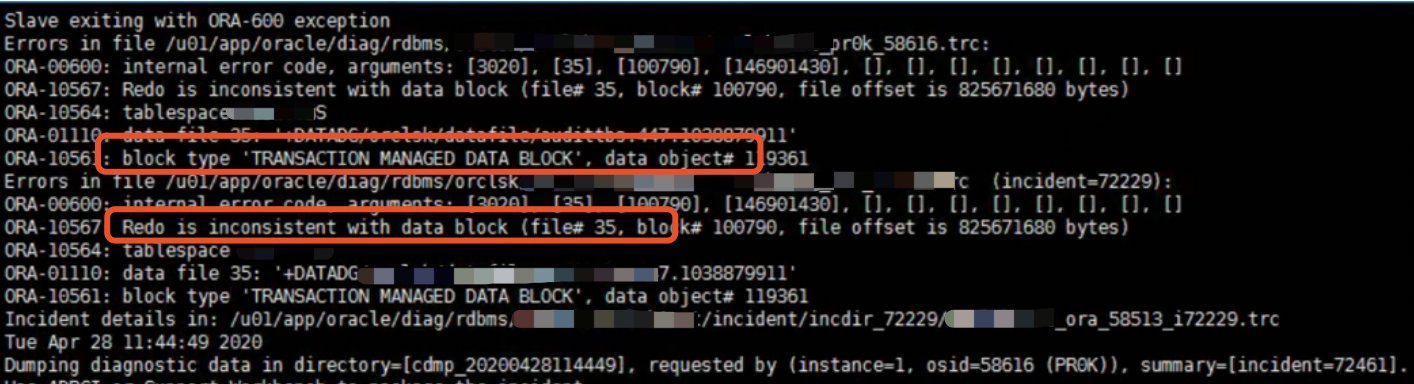
发现归档也居然有损坏,通过allow 10 corruption处理。
export ORACLE_SID=****
rman target / nocatalog log=/app/backup/data/rman_reover_`date +%Y%m%d-%H%M%S`.log <<EOF
run {
allocate channel c1 type disk;
allocate channel c2 type disk;
allocate channel c3 type disk;
allocate channel c4 type disk;
allocate channel c5 type disk;
allocate channel c6 type disk;
recover database  allow 10 corruption; --允许10个坏块
release channel c1;
release channel c2;
release channel c3;
release channel c4;
release channel c5;
release channel c6;
}
EOF
exit
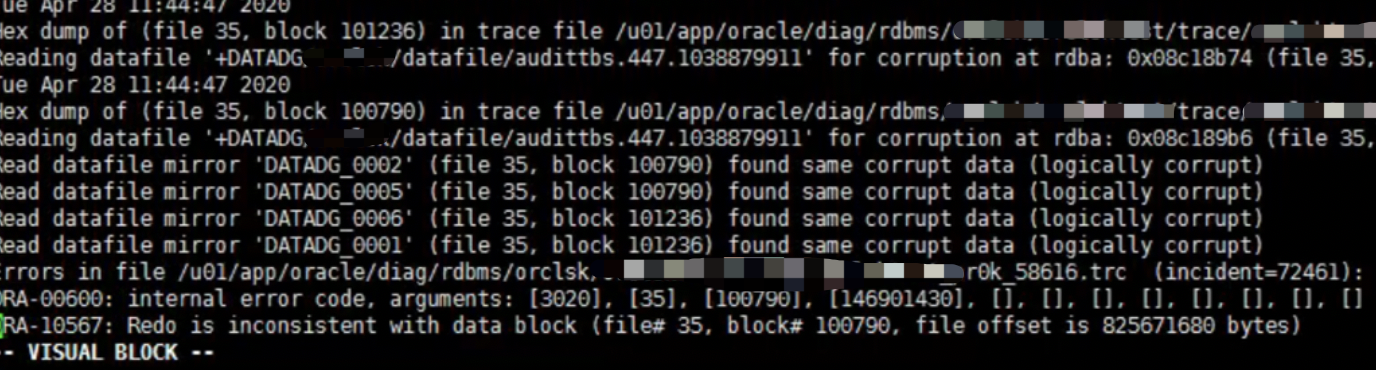
恢复发现有少量坏块
Read datafile mirror 'DATADG_0002' (file 35, block 100790) found same corrupt data (logically corrupt)
Read datafile mirror 'DATADG_0005' (file 35, block 100790) found same corrupt data (logically corrupt)
Read datafile mirror 'DATADG_0006' (file 35, block 101236) found same corrupt data (logically corrupt)
Read datafile mirror 'DATADG_0001' (file 35, block 101236) found same corrupt data (logically corrupt)
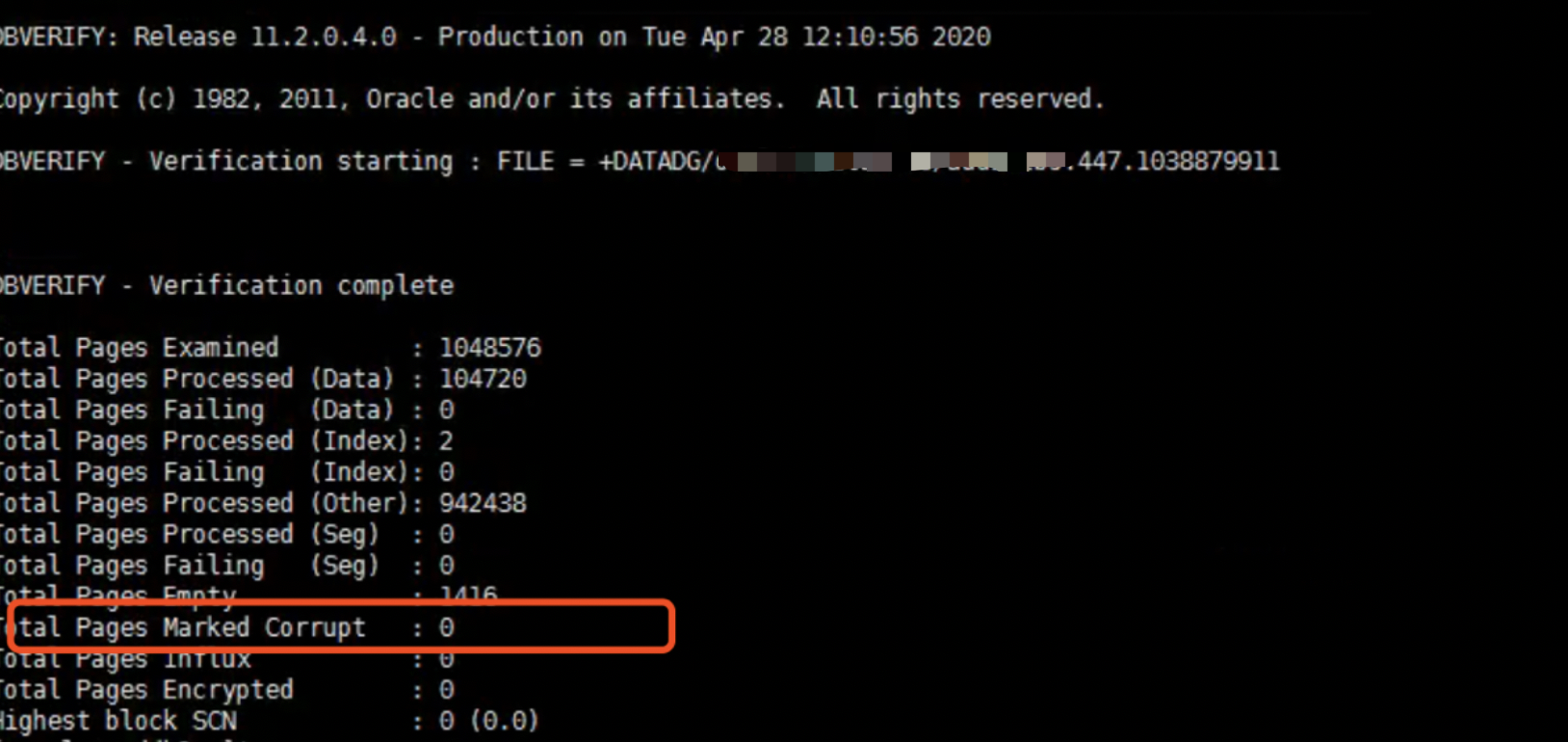
并且dbv未发现物理坏块,都是逻辑坏块,影响不大,可控
重建控制文件,并且必须确保redo都recover完成后再resetlogs。
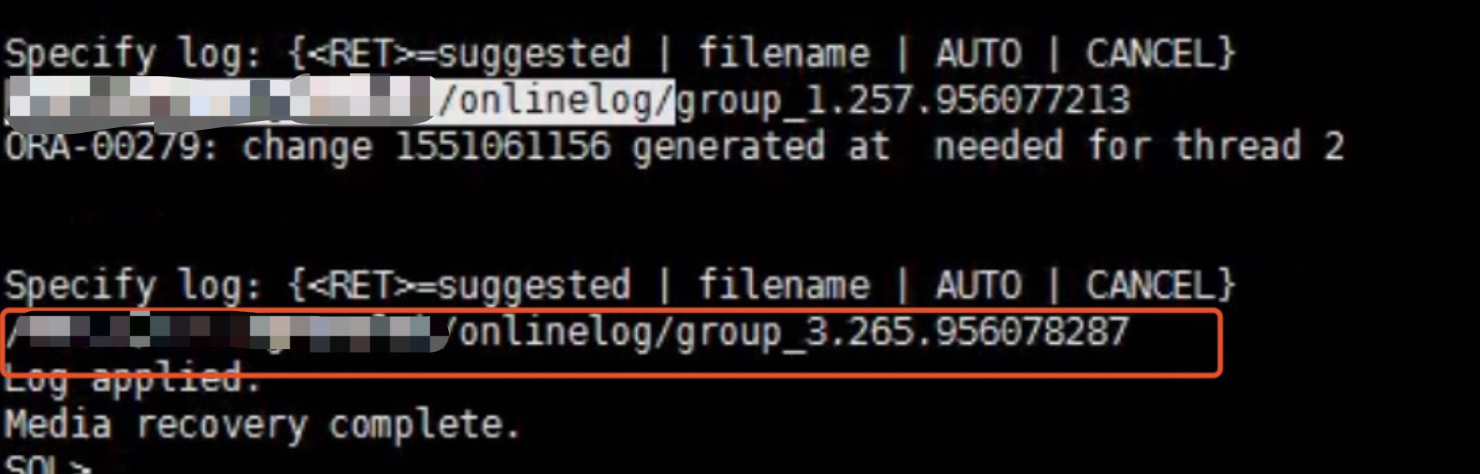
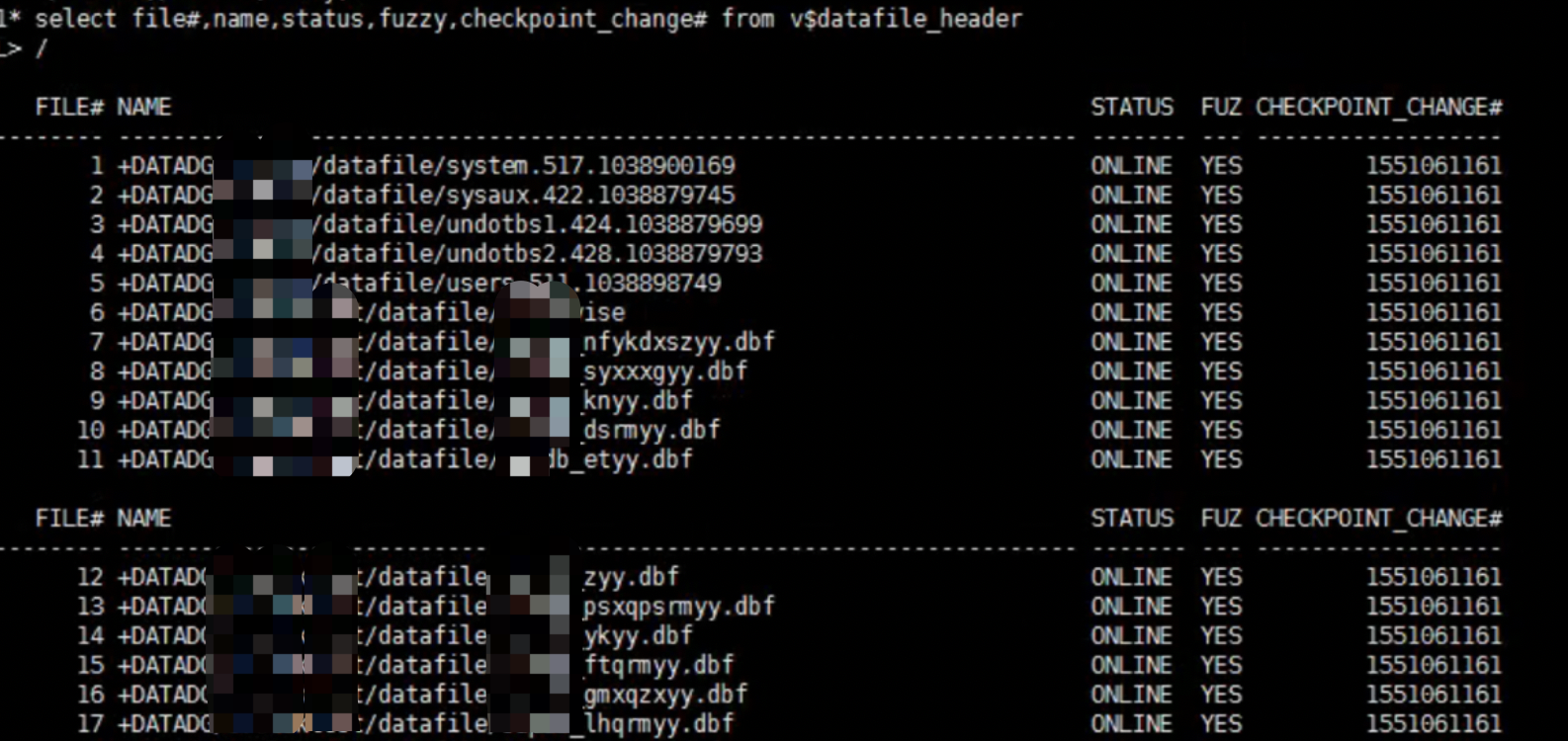
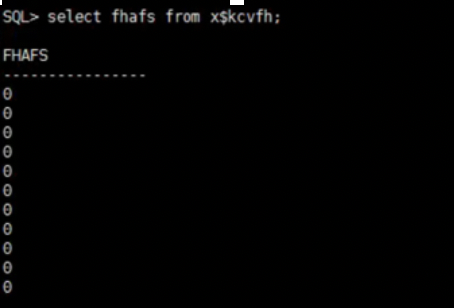
查看x$kcvfh.afs,发现都为0,不需要介质恢复。
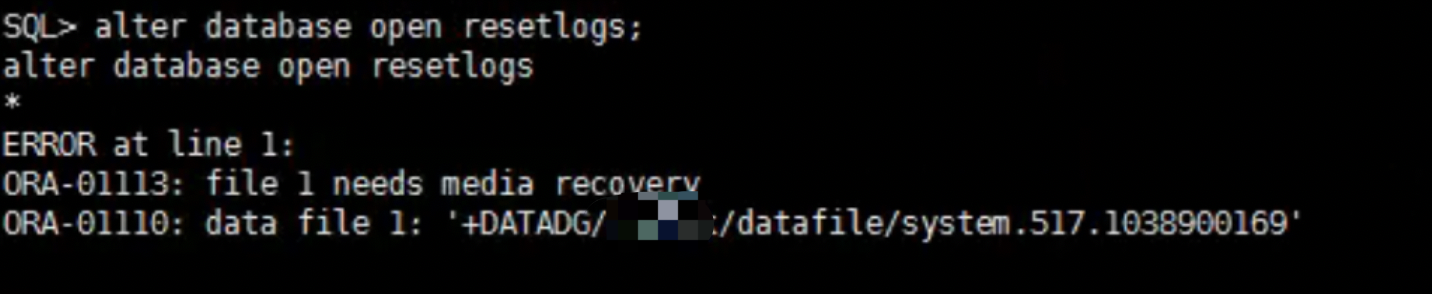
通过添加参数尝试打开
*._allow_resetlogs_corruption=TRUE
*._allow_error_simulation=true
尝试打开数据库。
SQL> alter database open resetlogs;
alter database open resetlogs
*
ERROR at line 1:
ORA-01092: ORACLE instance terminated. Disconnection forced
ORA-01578: ORACLE data block corrupted (file # 4, block # 176)
ORA-01110: data file 4: '+DATADG/**/datafile/undotbs2.428.1038879793'
Process ID: 129255
Session ID: 1047 Serial number: 1
打开报undotbs2出现坏块。我们来尝试通过设置10046 event来诊断
EXEC #140221347801464:c=0,e=231,p=0,cr=1,cu=2,mis=0,r=1,dep=1,og=3,plh=3078630091,tim=1588059192262342
CLOSE #140221347801464:c=0,e=2,dep=1,type=3,tim=1588059192262358
PARSE #140221347802408:c=0,e=7,p=0,cr=0,cu=0,mis=0,r=0,dep=1,og=3,plh=906473769,tim=1588059192262394
BINDS #140221347802408:
 Bind#0
  oacdty=02 mxl=22(22) mxlc=00 mal=00 scl=00 pre=00
  oacflg=08 fl2=0001 frm=00 csi=00 siz=24 off=0
  kxsbbbfp=7f87d3a15aa0  bln=22  avl=02  flg=05
  value=14  --14号rollback segment
EXEC #140221347802408:c=1000,e=57,p=0,cr=0,cu=0,mis=0,r=0,dep=1,og=3,plh=906473769,tim=1588059192262474
FETCH #140221347802408:c=0,e=13,p=0,cr=2,cu=0,mis=0,r=1,dep=1,og=3,plh=906473769,tim=1588059192262496
CLOSE #140221347802408:c=0,e=2,dep=1,type=3,tim=1588059192262511
WAIT #140221397039552: nam='db file sequential read' ela= 2058 file#=4 block#=176 blocks=1 obj#=0 tim=1588059192264600
DDE rules only execution for: ORA 1110
----- START Event Driven Actions Dump ----
---- END Event Driven Actions Dump ----
----- START DDE Actions Dump -----
Executing SYNC actions
----- START DDE Action: 'DB_STRUCTURE_INTEGRITY_CHECK' (Async) -----
Successfully dispatched
发现访问14号回滚段后出现故障,_corrupted_rollback_segments来屏蔽回滚段。
再次尝试打开,发现又报192号block出现坏块
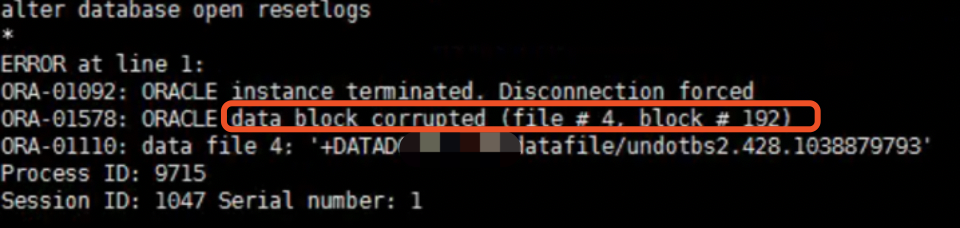
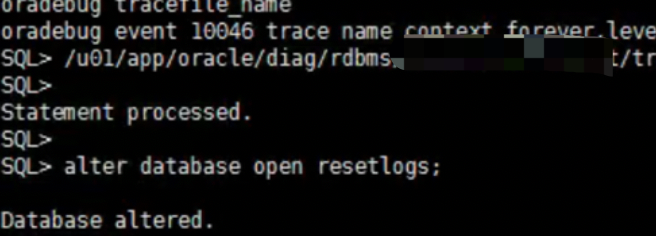
决定通过一条shell脚本屏蔽所有回滚段,烦不了了!

成功打开
后台日志出现undotbs2有坏块,尝试重建undo
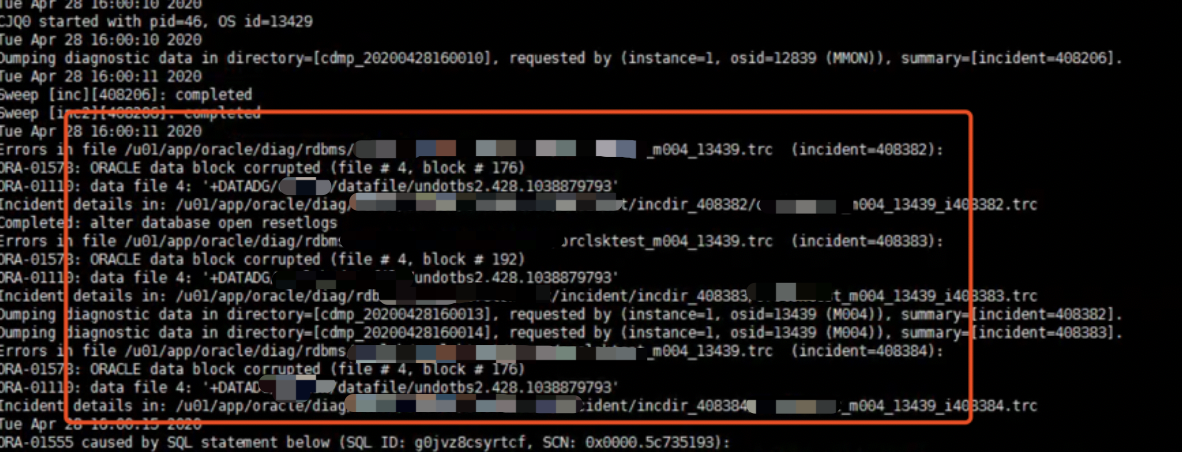
新建undo,并且删掉老的undo表空间
SQL> alter system set undo_tablespace=undotbs02 sid='sid1';

SQL> drop tablespace UNDOTBS2 including contents and datafiles;
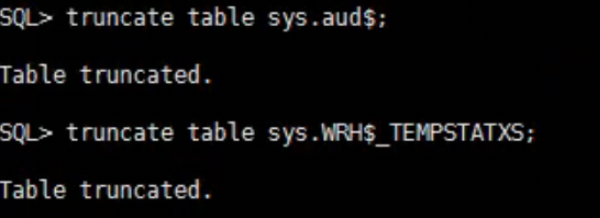
然后对系统进行validate校验,发现两个对象有坏块,还好不是业务数据,truncate搞定。
「喜欢这篇文章,您的关注和赞赏是给作者最好的鼓励」
关注作者
【版权声明】本文为墨天轮用户原创内容,转载时必须标注文章的来源(墨天轮),文章链接,文章作者等基本信息,否则作者和墨天轮有权追究责任。如果您发现墨天轮中有涉嫌抄袭或者侵权的内容,欢迎发送邮件至:contact@modb.pro进行举报,并提供相关证据,一经查实,墨天轮将立刻删除相关内容。
