



eclipse debug运行mysqld
1、在innobase/handler/ha_innodb.cc 函数开头ha_innobase::index_read设置断点
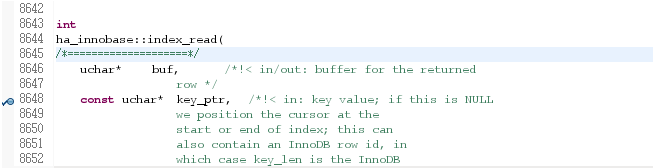
2、debug运行mysqld
mysql客户端连上执行简单select
mysql> use test;
Reading table information for completion of table and column names
You can turn off this feature to get a quicker startup with -A

Database changed
mysql> select * from t1;
可以看到在断点处中断,可以获取call stack,看到该断点处的上下文
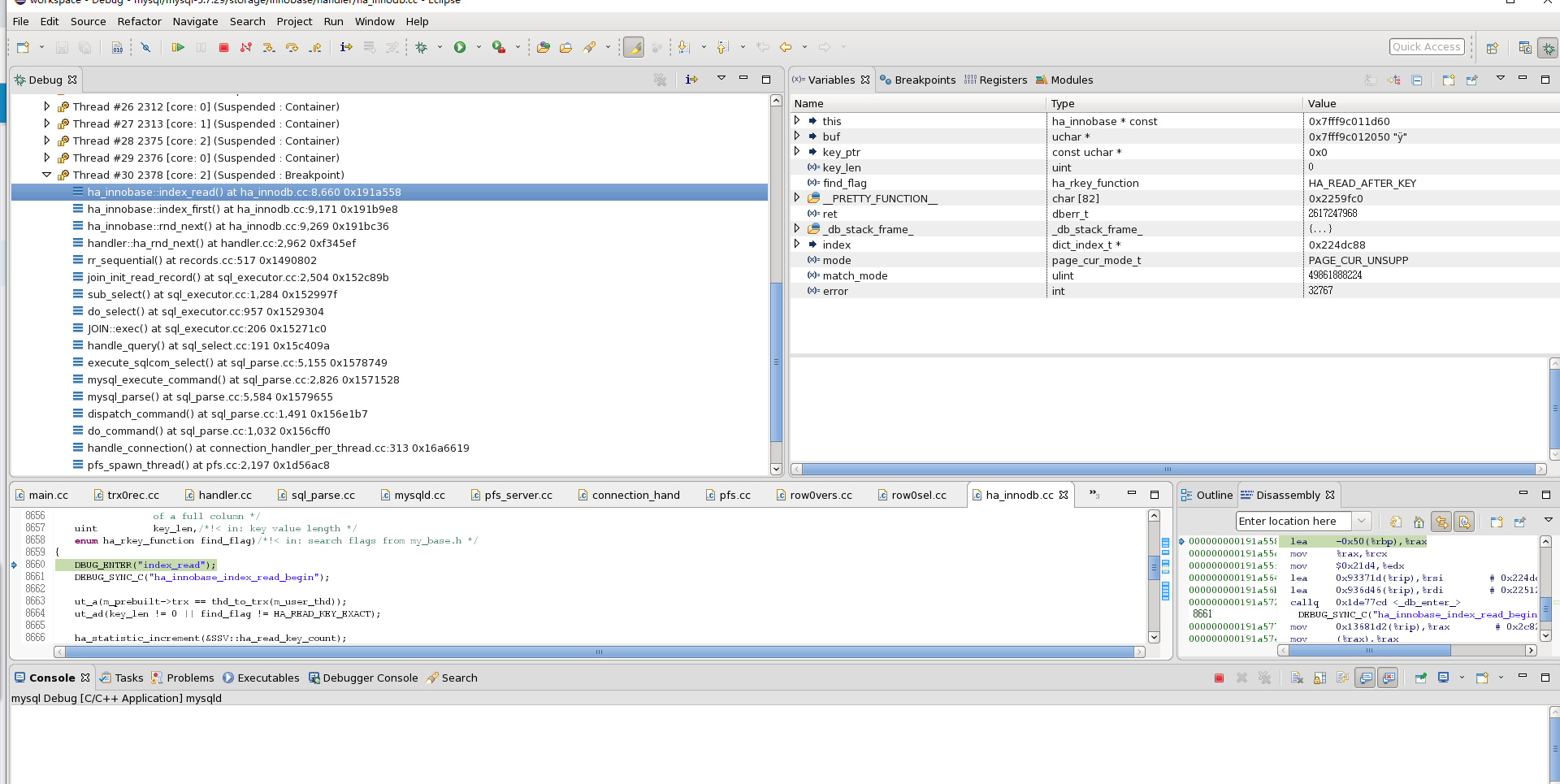
call stack
ha_innobase::index_read() at ha_innodb.cc:8,660 0x191a558
ha_innobase::index_first() at ha_innodb.cc:9,171 0x191b9e8
ha_innobase::rnd_next() at ha_innodb.cc:9,269 0x191bc36
handler::ha_rnd_next() at handler.cc:2,962 0xf345ef
rr_sequential() at records.cc:517 0x1490802
join_init_read_record() at sql_executor.cc:2,504 0x152c89b
sub_select() at sql_executor.cc:1,284 0x152997f
do_select() at sql_executor.cc:957 0x1529304
JOIN::exec() at sql_executor.cc:206 0x15271c0
handle_query() at sql_select.cc:191 0x15c409a
execute_sqlcom_select() at sql_parse.cc:5,155 0x1578749
mysql_execute_command() at sql_parse.cc:2,826 0x1571528
mysql_parse() at sql_parse.cc:5,584 0x1579655
dispatch_command() at sql_parse.cc:1,491 0x156e1b7
do_command() at sql_parse.cc:1,032 0x156cff0
handle_connection() at connection_handler_per_thread.cc:313 0x16a6619
pfs_spawn_thread() at pfs.cc:2,197 0x1d56ac8
start_thread() at 0x35d00079d1
clone() at 0x35cfce8b6d
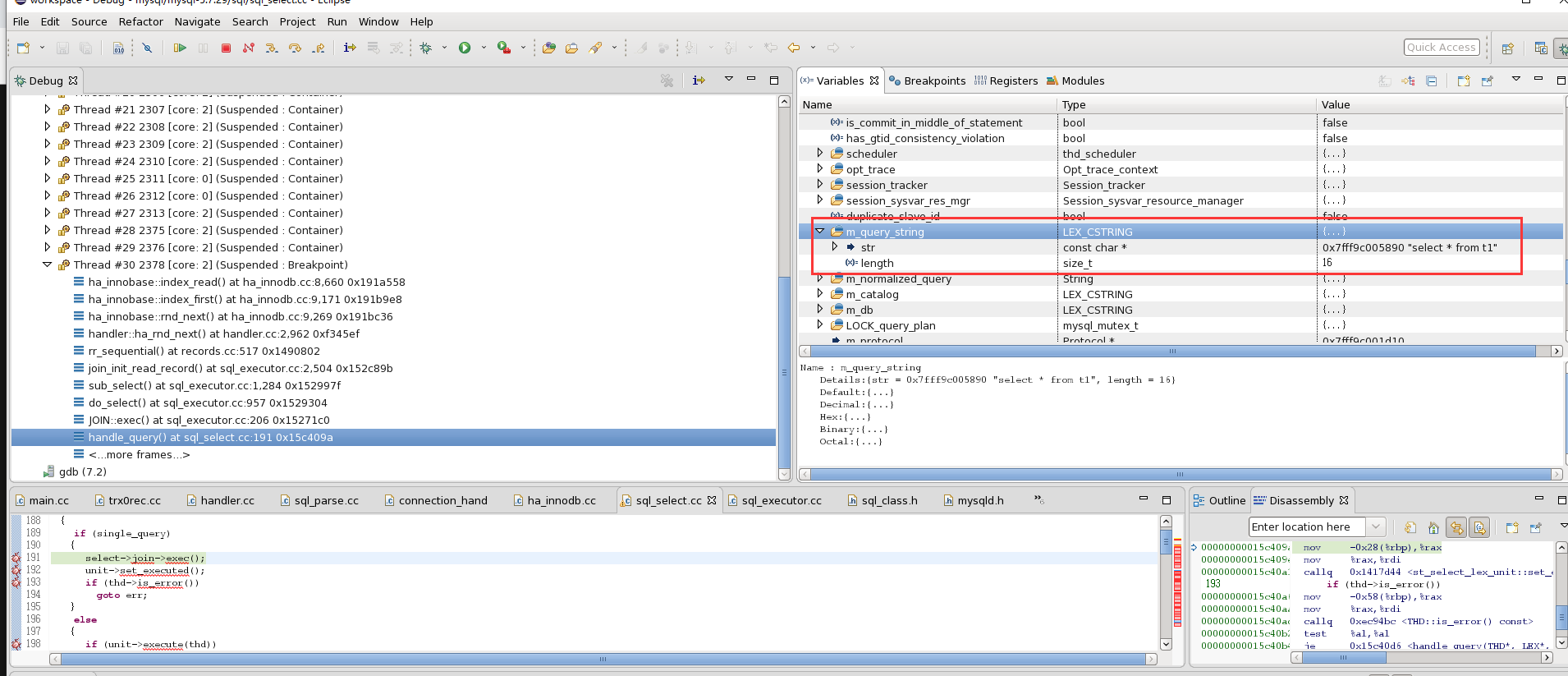
thd->m_query_string 可以看到执行的SQL文本
「喜欢这篇文章,您的关注和赞赏是给作者最好的鼓励」
关注作者
【版权声明】本文为墨天轮用户原创内容,转载时必须标注文章的来源(墨天轮),文章链接,文章作者等基本信息,否则作者和墨天轮有权追究责任。如果您发现墨天轮中有涉嫌抄袭或者侵权的内容,欢迎发送邮件至:contact@modb.pro进行举报,并提供相关证据,一经查实,墨天轮将立刻删除相关内容。
