安装docker
操作系统我使用的Centos7 x64系统,而Docker 目前看仅CentOS 7 及以上版本。本次采用Docker 仓库进行安装 ,具体步骤如下:
1.1 设置仓库
因本机首次安装 Docker,所以需要先设置 Docker 仓库,以后的安装可以直接从仓库安装。
/* 安装所需的软件包 */yum install -y yum-utils \device-mapper-persistent-data \lvm2
使用以下命令来设置稳定的仓库
yum-config-manager \> --add-repo \> https://download.docker.com/linux/centos/docker-ce.repo

1.2 安装Docker Engine-Community
安装最新版本的 Docker Engine-Community 和 containerd
yum install docker-ce docker-ce-cli containerd.io
这一步有的包下载可能比较慢,要耐心等待,如果失败再重新执行几遍。
如果有同学配置了多个 Docker 仓库,而且在 yum install 或 yum update 命令中未指定版本时,则会安装或更新最新版本的包,如果对稳定性 或版本有要求,则安装时一定要指定特定版本。
1.3 启动docker
经过上述安装后,启动docker服务即可
systemctl start docker
1.4 测试docker 部署是否成功
可以运行经典的hello-world 来测试
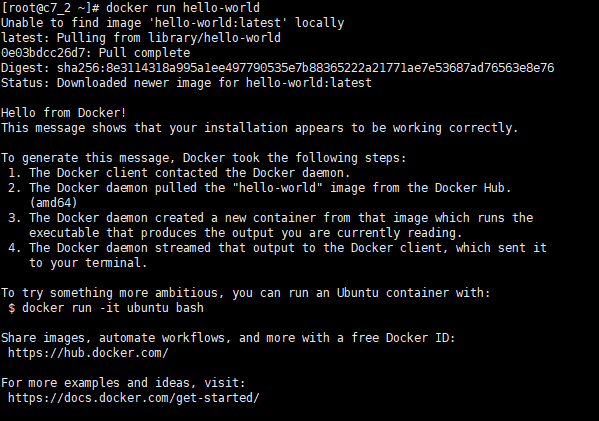
可见docker已部署成功并可以正常运行。
把MySQL放进docker
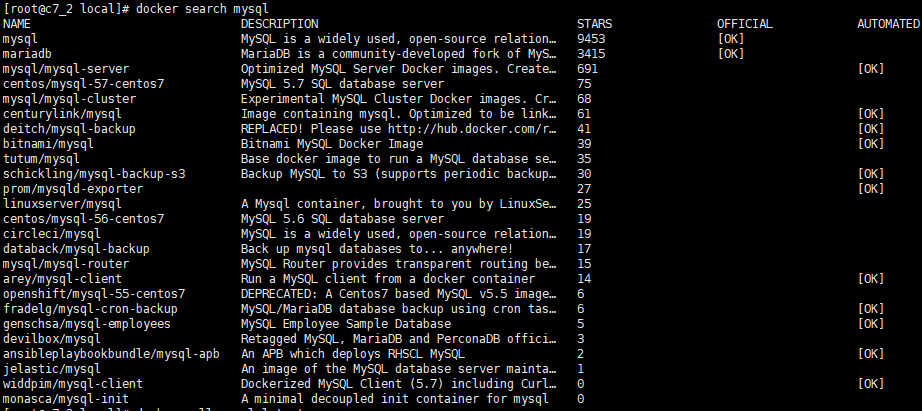
2.1 查看可用的mysql镜像
[root@c7_2 local]# docker search mysqlNAME DESCRIPTION STARS OFFICIAL AUTOMATEDmysql MySQL is a widely used, open-source relation… 9453 [OK]mariadb MariaDB is a community-developed fork of MyS… 3415 [OK]mysql/mysql-server Optimized MySQL Server Docker images. Create… 691 [OK]centos/mysql-57-centos7 MySQL 5.7 SQL database server 75mysql/mysql-cluster Experimental MySQL Cluster Docker images. Cr… 68centurylink/mysql Image containing mysql. Optimized to be link… 61 [OK]deitch/mysql-backup REPLACED! Please use http://hub.docker.com/r… 41 [OK]bitnami/mysql Bitnami MySQL Docker Image 39 [OK]tutum/mysql Base docker image to run a MySQL database se… 35schickling/mysql-backup-s3 Backup MySQL to S3 (supports periodic backup… 30 [OK]prom/mysqld-exporter 27 [OK]linuxserver/mysql A Mysql container, brought to you by LinuxSe… 25centos/mysql-56-centos7 MySQL 5.6 SQL database server 19circleci/mysql MySQL is a widely used, open-source relation… 19databack/mysql-backup Back up mysql databases to... anywhere! 17mysql/mysql-router MySQL Router provides transparent routing be… 15arey/mysql-client Run a MySQL client from a docker container 14 [OK]openshift/mysql-55-centos7 DEPRECATED: A Centos7 based MySQL v5.5 image… 6fradelg/mysql-cron-backup MySQL/MariaDB database backup using cron tas… 6 [OK]genschsa/mysql-employees MySQL Employee Sample Database 5 [OK]devilbox/mysql Retagged MySQL, MariaDB and PerconaDB offici… 3ansibleplaybookbundle/mysql-apb An APB which deploys RHSCL MySQL 2 [OK]jelastic/mysql An image of the MySQL database server mainta… 1widdpim/mysql-client Dockerized MySQL Client (5.7) including Curl… 0 [OK]monasca/mysql-init A minimal decoupled init container for mysql 0
2.2 部署最新版本mysql
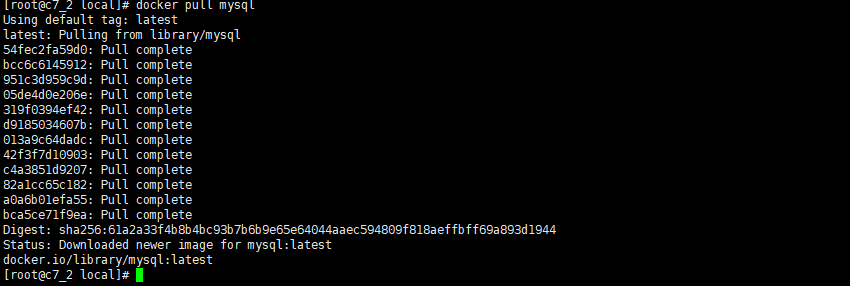
拉取最新版本mysql,不指定版本默认拉取最新版
[root@c7_2 local]# docker pull mysqlUsing default tag: latestlatest: Pulling from library/mysql54fec2fa59d0: Pull completebcc6c6145912: Pull complete951c3d959c9d: Pull complete05de4d0e206e: Pull complete319f0394ef42: Pull completed9185034607b: Pull complete013a9c64dadc: Pull complete42f3f7d10903: Pull completec4a3851d9207: Pull complete82a1cc65c182: Pull completea0a6b01efa55: Pull completebca5ce71f9ea: Pull completeDigest: sha256:61a2a33f4b8b4bc93b7b6b9e65e64044aaec594809f818aeffbff69a893d1944Status: Downloaded newer image for mysql:latestdocker.io/library/mysql:latest
注:拉取镜像的时候容易出现如下超时错误
Error response from daemon: Get https://registry-1.docker.io/v2/: net/http: request canceled(Client.Timeout exceeded while awaiting headers)
建议修改为国内镜像地址,例如修改为163或阿里云的镜像地址(我采用的是个人阿里镜像的方式, 下载速度很理想,基本一分钟内下载完毕)
修改源的方法:
vim etc/docker/daemon.json/* 添加如下内容 */{"registry-mirrors": ["http://hub-mirror.c.163.com","https://registry.docker-cn.com"]}
使用阿里云镜像需要自己登录到阿里云,配置后复制自己的地址再使用,需要的小伙伴可以联系我获取指引。
2.3 查看已下载的镜像
[root@c7_2 containers]# docker image ls # 或使用 docker images 查看REPOSITORY TAG IMAGE ID CREATED SIZE mysql latest a7a67c95e831 7 days ago 541MB hello-world latest bf756fb1ae65 4 months ago 13.3kB

2.4 运行mysql容器
[root@c7_2 local]# docker run -di --name=mysql -p 3306:3306 -e MYSQL_ROOT_PASSWORD=Admin@123 mysql9f6668b5d0292b30308cfc5c6a6b88a34c4d62d9e5c70dff9bfce9f090117968
其中主要参数说明如下:
--name 后面配置容器名
-p代表端口映射, 格式为 宿主机映射端口:容器运行端口
-e代表添加环境变量 MYSQL_ROOT_PASSWORD 是root用户的登陆密码
最后的mysql代码容器镜像名
2.5 进入mysql容器
启动成功后,指定进入mysql容器中
[root@c7_2 local]# docker exec -it mysql bin/bashroot@9f6668b5d029:/#
在容器内登录mysql
root@9f6668b5d029:/# mysql -u root -p'Admin@123'
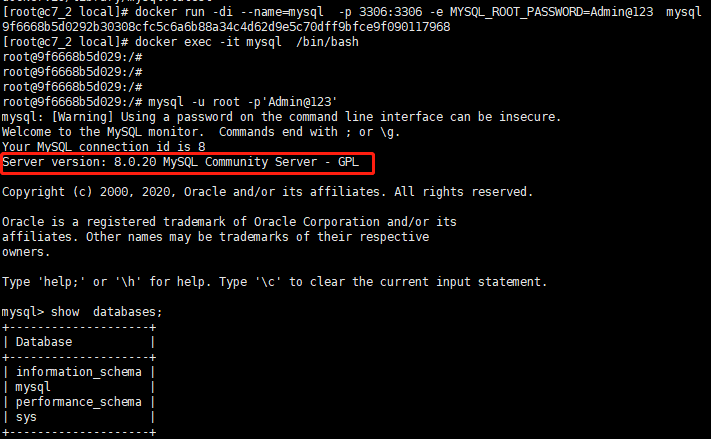
结果见如下截图,可以看到部署的是最新的MySQL8.0.20版本
注: MySQL8.0 用户的加密组件做了变更,低版本客户端登录会报错。处理的方式有多种,主要的方式有2种:
修改对应用户的密码加密方式
升级客户端或驱动
具体方式可参考 MySQL8.0用户登录那些事
2.6 再部署一个mysql5.7的容器
上面部署的是最新版mysql8.0.20,想部署5.7版本该如何部署?其实就是拉取镜像的时候指定选择MySQL5.7版本的即可。具体步骤如下:
拉取mysql5.7版本镜像
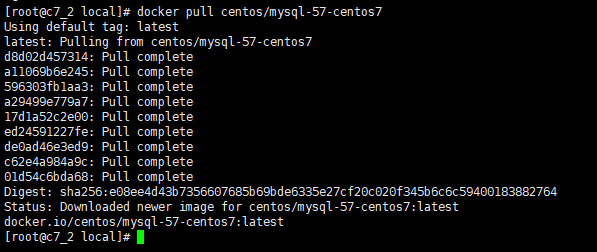
[root@c7_2 local]# docker pull centos/mysql-57-centos7Using default tag: latestlatest: Pulling from centos/mysql-57-centos7d8d02d457314: Pull completea11069b6e245: Pull complete596303fb1aa3: Pull completea29499e779a7: Pull complete17d1a52c2e00: Pull completeed24591227fe: Pull completede0ad46e3ed9: Pull completec62e4a984a9c: Pull complete01d54c6bda68: Pull completeDigest: sha256:e08ee4d43b7356607685b69bde6335e27cf20c020f345b6c6c59400183882764Status: Downloaded newer image for centos/mysql-57-centos7:latestdocker.io/centos/mysql-57-centos7:latest
运行mysql5.7的docker
docker run -di --name=mysql5.7 -p 3307:3306 -e MYSQL_ROOT_PASSWORD=Admin@123 centos/mysql-57-centos7

不进入容器,在本地或其他机器上登录mysql5.7
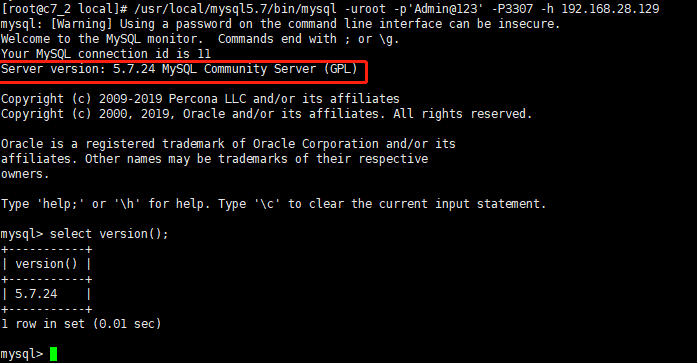
[root@c7_2 local]# usr/local/mysql5.7/bin/mysql -uroot -p'Admin@123' -P3307 -h 192.168.28.129mysql: [Warning] Using a password on the command line interface can be insecure.Welcome to the MySQL monitor. Commands end with ; or \g.Your MySQL connection id is 11Server version: 5.7.24 MySQL Community Server (GPL)Copyright (c) 2009-2019 Percona LLC and/or its affiliatesCopyright (c) 2000, 2019, Oracle and/or its affiliates. All rights reserved.Oracle is a registered trademark of Oracle Corporation and/or itsaffiliates. Other names may be trademarks of their respectiveowners.Type 'help;' or '\h' for help. Type '\c' to clear the current input statement.mysql> select version();+-----------+| version() |+-----------+| 5.7.24 |+-----------+1 row in set (0.01 sec)mysql>
可以看到 该版本为MySQL 社区版的5.7.24
2.7 查看正在运行的docker
查看一台机器上运行的docker信息可以通过 docker ps 命令查看

本地端口信息如下

结语
将MySQL放进docker主要就这几步。不过其中修改数据库配置文件等相关内容本次来不及细说,有兴趣的同学可以自行测试,相对也必将简单,可以在启动的时候指定。
另外,将MySQL放在docker后与本地直接运行之间的有什么差别,各自的优缺点是什么?欢迎大家在技术群里讨论。

1. 升级python,就是这么简单
2. mysql8.0新增用户及加密规则修改的那些事
3. 比hive快10倍的大数据查询利器-- presto
4. 监控利器出鞘:Prometheus+Grafana监控MySQL、Redis数据库
5. PostgreSQL主从复制--物理复制
6. MySQL传统点位复制在线转为GTID模式复制