



《不可不知的7个JDK命令》介绍了些jdk自带的问题排查工具,机器出现CPU飙升的情况,此时就可以借助工具,排查应用端是否存在一些潜在问题。
jmap指令可以查看JVM运行的堆内存情况,
[test@localhost]> jmap -hUsage:jmap [option] <pid>(to connect to running process)jmap [option] <executable <core>(to connect to a core file)jmap [option] [server_id@]<remote server IP or hostname>(to connect to remote debug server)where <option> is one of:<none> to print same info as Solaris pmap-heap to print java heap summary-histo[:live] to print histogram of java object heap; if the "live"suboption is specified, only count live objects-permstat to print permanent generation statistics-finalizerinfo to print information on objects awaiting finalization-dump:<dump-options> to dump java heap in hprof binary formatdump-options:live dump only live objects; if not specified,all objects in the heap are dumped.format=b binary formatfile=<file> dump heap to <file>Example: jmap -dump:live,format=b,file=heap.bin <pid>-F force. Use with -dump:<dump-options> <pid> or -histoto force a heap dump or histogram when <pid> does notrespond. The "live" suboption is not supportedin this mode.-h | -help to print this help message-J<flag> to pass <flag> directly to the runtime system
通常,我们以hprof二进制格式dump堆的使用情况,相当于生成一个快照,然后分析这个快照文件,生成快照的指令,
[test@localhost]> jmap -dump:format=b,file=heap20200721.dump xxxxx(可以通过ps获取java进程pid号)Dumping heap to /opt/applog/heap20200721.dump ...Heap dump file created
在当前的路径,生成了dump文件,
-rw------- 1 jcf jcf 467M Jul 21 11:27 heap20200721.dump
然后下载文件,可以用Eclipse的MAT(Memory Analyzer)插件进行分析,如果不用插件,MAT可以直接下载,地址如下,
https://www.eclipse.org/mat/downloads.php
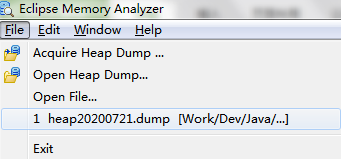
运行MemoryAnalyzer.exe,要求至少jdk1.8以上的环境,选择打开刚才下载的dump文件,
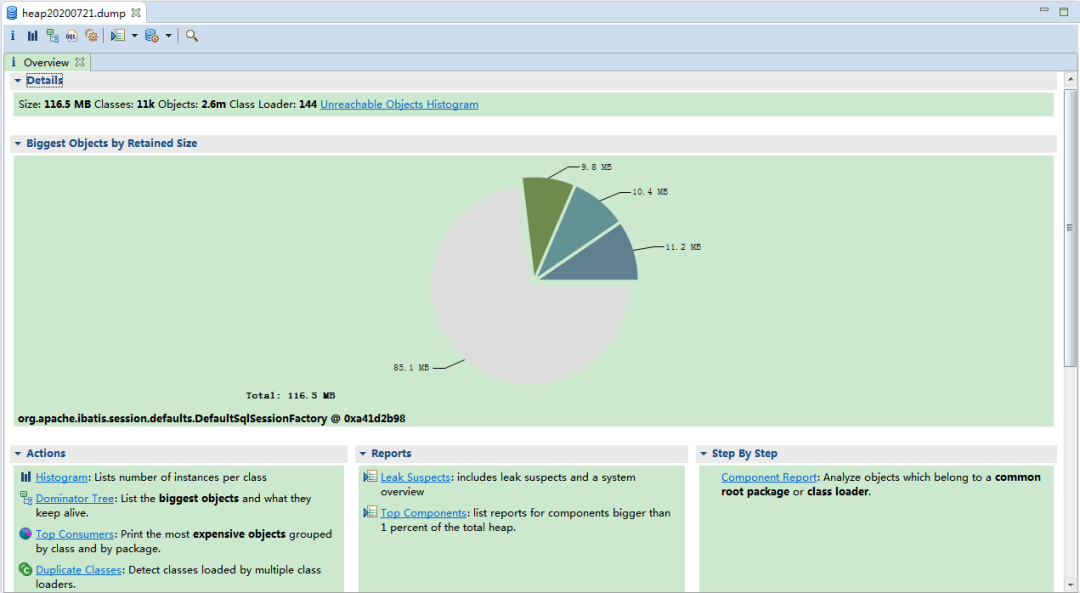
等待一段时间,就可以看到统计图了,
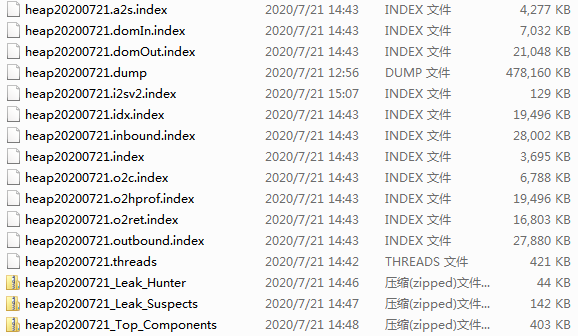
从生成的文件看其实是创建了一系列索引文件,在MAT中点击不同的选项时,应该就是从这些索引文件链接过来的,
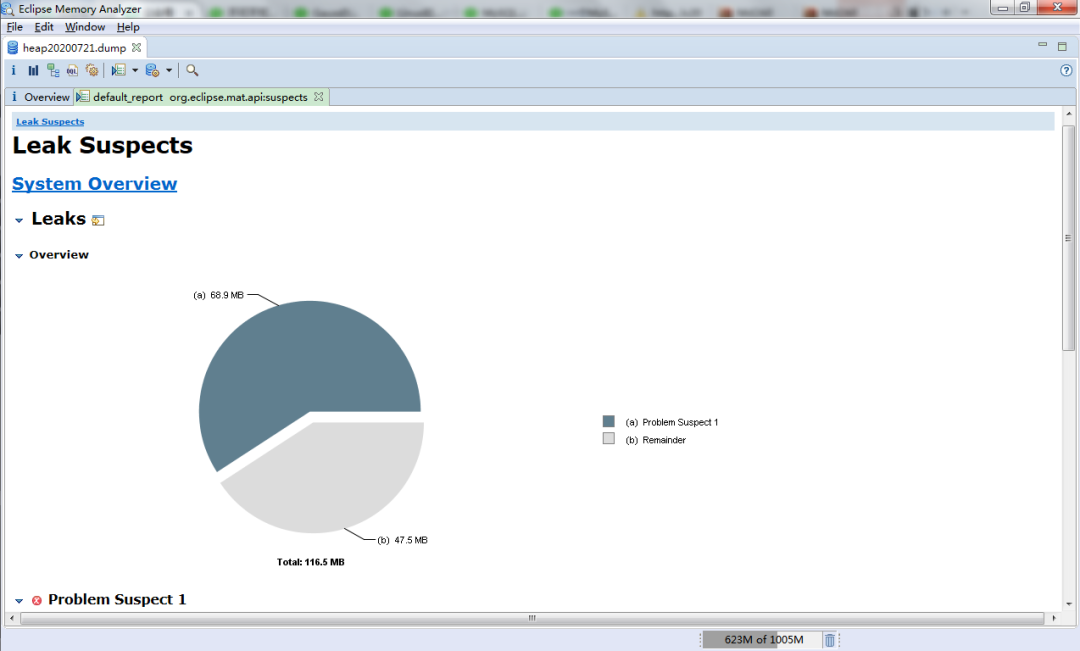
例如,可以看下可能的泄露问题,点击饼图部分,就可以看到构成此问题的具体类,因为涉及细节,在此不做展示,
通过MAT,还可以浏览以下相关信息,
System Properties
Thread Overview
Top Consumers
Class Histogram
其实,除了MAT,还有其他能看dump文件的工具,例如jdk自带的jhat,他可以分析堆,并将堆中对象以html的形式显示出来,支持对象查询语言OQL,操作更加粗暴,参数就是任意可用的端口和dump文件名,
[test@localhost]> jhat -port 9999 heap20200721.dumpReading from heap20200721.dump...Dump file created Tue Jul 21 11:27:12 CST 2020Snapshot read, resolving...Resolving 5995070 objects...WARNING: Failed to resolve object id 0xe2db5378 for field annotations (signature L)...(省略)WARNING: Failed to resolve object id 0xe195ce40 for field annotationDefault (signature L)Chasing references, expect 1199 dots.............................................................................................................................Eliminating duplicate references.............................................................................................................................Snapshot resolved.Started HTTP server on port 9999Server is ready.
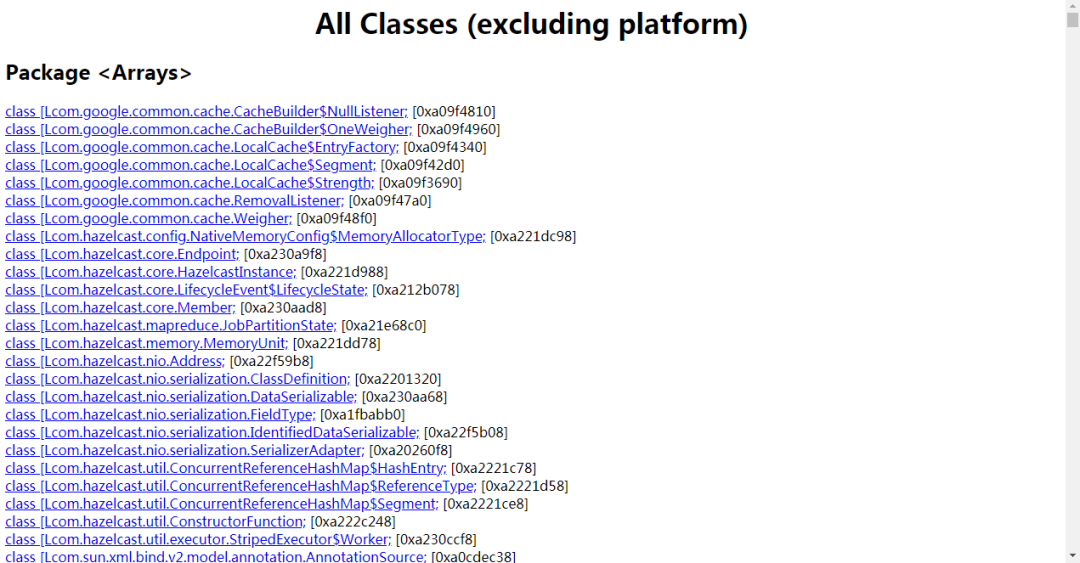
通过浏览器,访问http://10.221.165.176:9999/,就打开了网页,他是按照报名进行的分组,
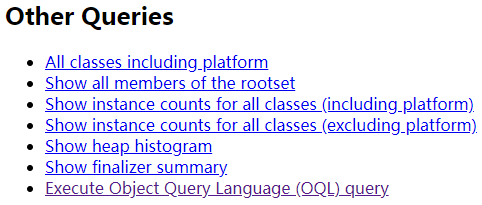
可以拉到网页的底部,支持各种检索的快捷链接,
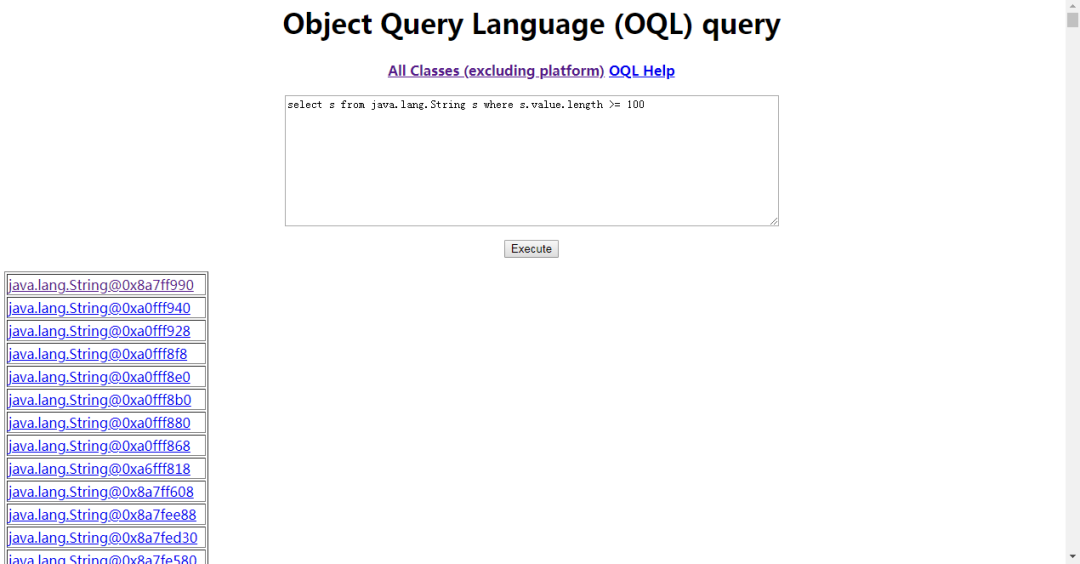
例如QQL语言,可以用类SQL写出检索字符串长度超过100的实例,
得到分析文件,其实只是个工具的使用问题,如何从这些零碎的信息中,得到问题真谛,这才是关键,让我这个小白,和大家一起继续学习了。
Java性能问题排查相关的历史文章,
《小白是怎么搞懂GC全过程?》《一个Full GC次数过多导致系统CPU 100%的案例排查》《Java GC的基础知识》
近期的热文:
