



1: 环境准备
# 版本flinkғflink-1.12.2hudiғ0.9git clone https://github.com/apache/hudi.git && cd hudi#自动同步hivemvn clean package -DskipTests -Dscala-2.12 -Pflink-bundle-shade-hive2// 如果是hive3 需要使用 profile -Pflink-bundle-shade-hive3// 如果是hive1 需要使用 profile -Pflink-bundle-shade-hive1所需的包:hudi-flink_2.12-0.9.0-SNAPSHOT.jar 、hudi-hadoop-mr-0.9.0-SNAPSHOT.jar目前都已经打包完成,在相关目录下,hudi-flink_2.12-0.9.0-SNAPSHOT.jar包放置到flink/lib下,hudi-hadoop-mr-0.9.0-SNAPSHOT.jar放置到ک/opt/cloudera/parcels/CDH/lib/hive/auxlib 目录下
2:基础案例
#./bin/yarn-session.sh -d -nm hudi_wm ᬬࢧጱid./bin/sql-client.sh embedded -s application_1625359036842_0992# 建表1CREATE TABLE hudi_test (id int,name varchar(6),ts timestamp(3),PRIMARY KEY (id) NOT ENFORCED)WITH ('connector' = 'hudi','table.type' = 'COPY_ON_WRITE','path' = 'hdfs://sd-cluster-03:8020/data/hudi/hudi_test','read.streaming.enabled' = 'true','read.streaming.check-interval' = '1' ,'compaction.trigger.strategy'='num_commits','compaction.delta_commits' ='5');# 建表2 默认是自动创建hive 表,经验证并没有CREATE TABLE hudi_test (id int,name varchar(6),ts timestamp(3),PRIMARY KEY (id) NOT ENFORCED)WITH ('connector'='hudi','path' = 'hdfs://xxx:8020/data/hudi/hudi_test','table.type'='COPY_ON_WRITE','hive_sync.enable'='true','hive_sync.metastore.uris' = 'thrift://xxx:9083','hive_sync.jdbc_url'='jdbc:hive2://xxx:10000','hive_sync.table'='hudi_test','hive_sync.db'='ods','hive_sync.partition_extractor_class'='org.apache.hudi.hive.MultiPartKeysValueExtractor');# 官方模版CREATE TABLE t1(uuid VARCHAR(20),name VARCHAR(10),age INT,ts TIMESTAMP(3),`partition` VARCHAR(20))PARTITIONED BY (`partition`)with('connector'='hudi','path' = 'hdfs://xxx.xxx.xxx.xxx:9000/t1','table.type'='COPY_ON_WRITE', // merge_on_read方式在没有生成parquet之前,hive不会有文件输出'hive_sync.enable'='true', // 开启hive同步功能'hive_sync.metastore.uris' = 'thrift://ip:9083', //metastore端口'hive_sync.jdbc_url'='jdbc:hive2://ip:10000', // hiveServer端口'hive_sync.table'='t1', // hive 新建的表名'hive_sync.db'='testDB', // 库名'hive_sync.username'='root','hive_sync.password'='your password''hive_sync.partition_extractor_class'='org.apache.hudi.hive.MultiPartKeysValueExtractor');
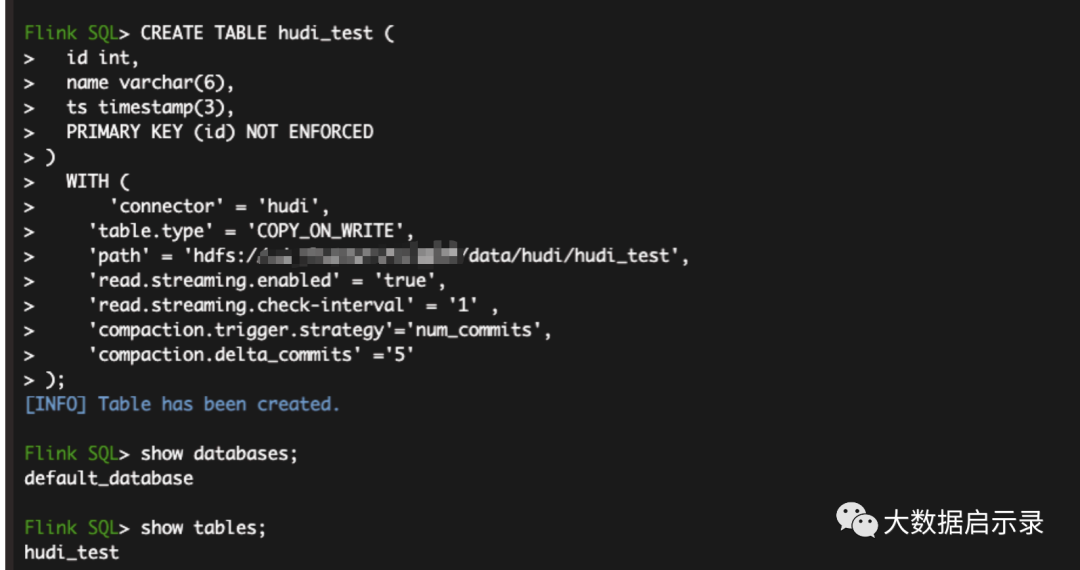
# 插入数据INSERT INTO hudi_test VALUES(1,'sy',TIMESTAMP '1970-01-01 00:00:01'),(2,'wm',TIMESTAMP '1970-01-01 00:00:01'),(3,'lzc',TIMESTAMP '1970-01-01 00:00:01'),(4,'lc',TIMESTAMP '1970-01-01 00:00:01'),(5,'txy',TIMESTAMP '1970-01-01 00:00:01'),(6,'mdz',TIMESTAMP '1970-01-01 00:00:01')
#ັ፡查看hdfs 目录hadoop fs -ls hdfs://xxx:8020/data/hudi/hudi_test

2:
2:双流join
# mysql 建表CREATE TABLE `hudi_users` (`id` int NOT NULL AUTO_INCREMENT,`name` varchar(6) NOT NULL DEFAULT '',`ts` timestamp default CURRENT_TIMESTAMP not null,PRIMARY KEY (`id`)) ENGINE=InnoDB DEFAULT CHARSET=utf8insert into hudi_users (name) values ('sy');insert into hudi_users (name) values ('wm');insert into hudi_users (name) values ('lzc');insert into hudi_users (name) values ('lc');insert into hudi_users (name) values ('txy');insert into hudi_users (name) values ('mdz');GRANT ALL PRIVILEGES ON *.* TO 'cdh'@'%' WITH GRANT OPTION;
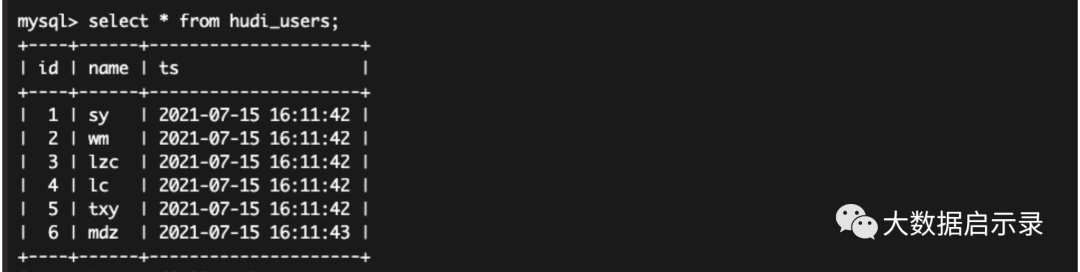
Source
#flinkSql 建表急构建数据流CREATE TABLE hudi_users_mysql (id int,name varchar(6),ts timestamp(3),PRIMARY KEY (id) NOT ENFORCED)WITH ('connector' = 'mysql-cdc','hostname' = '192.168.1.215','port' = '3306','username' = 'cdh','password' = '123456','database-name' = 'test','table-name' = 'hudi_users');#kafkaCREATE TABLE hudi_users_kafka (id int,name varchar(6),ts timestamp(3),PRIMARY KEY (id) NOT ENFORCED)WITH ('connector' = 'kafka','scan.startup.mode' = 'earliest-offset','properties.bootstrap.servers' = 'sd-kafka001:9092,sd-kafka002:9092,sdkafka003:9092','format' = 'debezium-json','topic' = 'hudi_users');# 构建数据流set table.dynamic-table-options.enabled= true;INSERT INTO hudi_users_kafka SELECT * FROM hudi_users_mysql /*+ OPTIONS('serverid'='789') */;# kafka 消费数据kafka-console-consumer.sh --bootstrap-server ds1:9092 --topic hudi_users --frombeginning
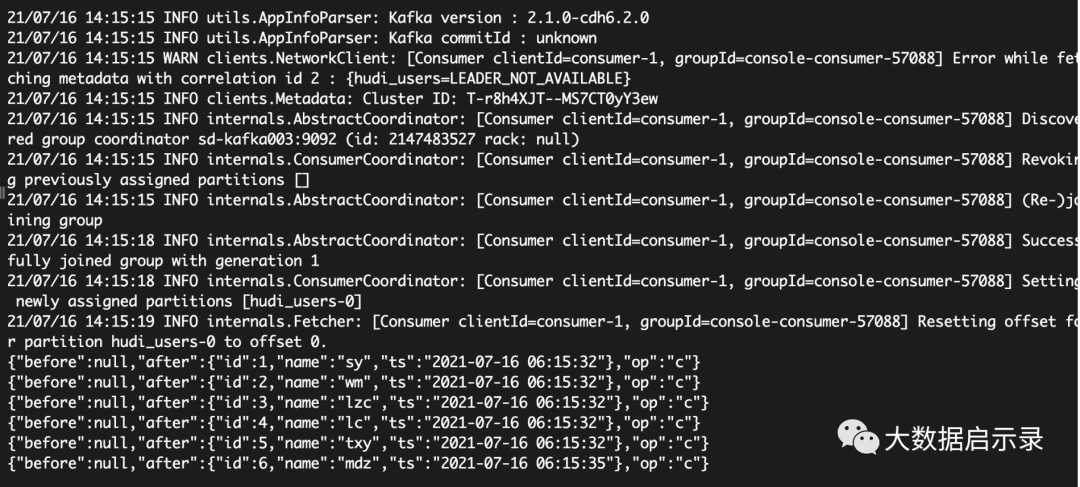
Sink
# 开启checkpoint官方配置### set the interval as 5 minutesexecution.checkpointing.interval: 5000state.backend: filesystem### state.backend: rocksdb### state.backend.incremental: truestate.checkpoints.dir: hdfs://sd-cluster-03:8020/data/flink_checkpointsstate.savepoints.dir: hdfs://sd-cluster-03:8020/data/flink_savepoints测试配置:10sexecution.checkpointing.interval: 10000state.backend: filesystemstate.checkpoints.dir: hdfs://sd-cluster-03:8020/data/flink_checkpointsstate.savepoints.dir: hdfs://sd-cluster-03:8020/data/flink_savepointsFlink 5次checkpoint (默认配置可修改)之后,才能生成一个parquet文件,一开始只有一个.hoodie文件夹。
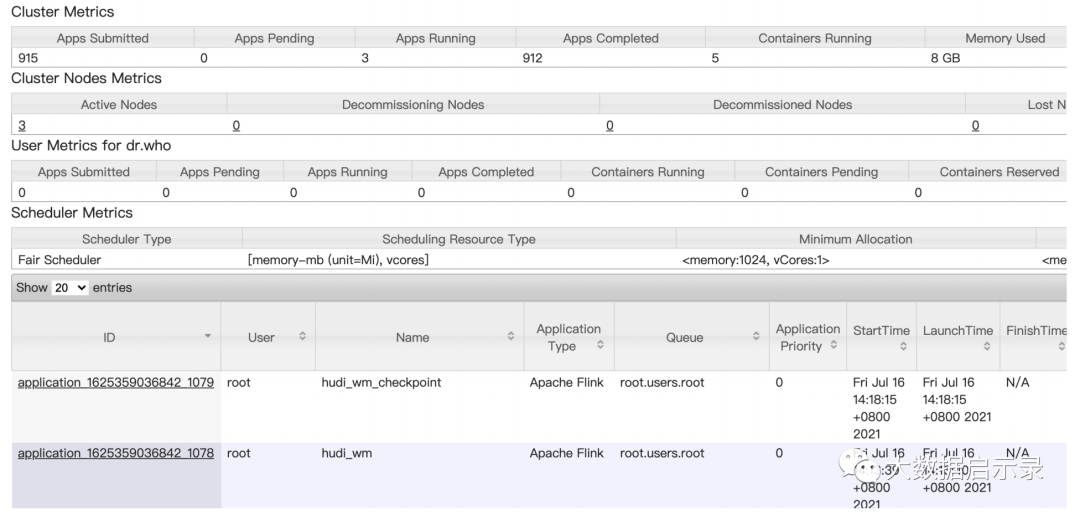
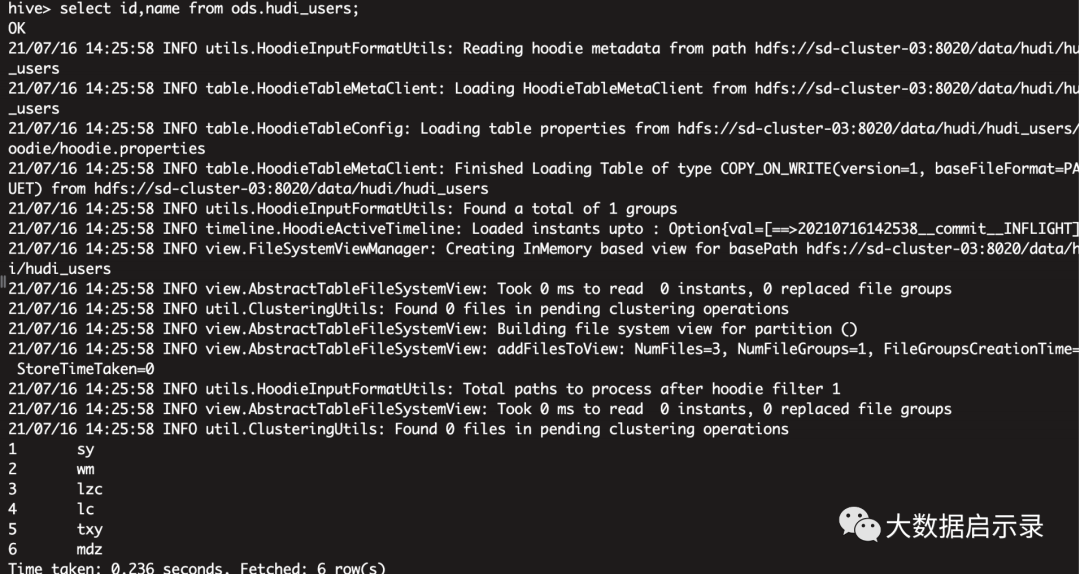
#sink MERGE_ON_READ/COPY_ON_WRITECREATE TABLE hudi_users_hdfs (id int,name varchar(6),ts timestamp(3),PRIMARY KEY (id) NOT ENFORCED)WITH ('connector' = 'hudi','table.type' = 'COPY_ON_WRITE','path' = 'hdfs://sd-cluster-03:8020/data/hudi/hudi_users','read.streaming.enabled' = 'true','read.streaming.check-interval' = '1');# 构建数据流INSERT INTO hudi_users_hdfs SELECT * FROM hudi_users_kafka ;# hive 外表CREATE EXTERNAL TABLE `ods.hudi_users`(`_hoodie_commit_time` string,`_hoodie_commit_seqno` string,`_hoodie_record_key` string,`_hoodie_partition_path` string,`_hoodie_file_name` string,`id` bigint,`name` string,`ts` bigint)ROW FORMAT SERDE'org.apache.hadoop.hive.ql.io.parquet.serde.ParquetHiveSerDe'STORED AS INPUTFORMAT'org.apache.hudi.hadoop.HoodieParquetInputFormat'OUTPUTFORMAT'org.apache.hadoop.hive.ql.io.parquet.MapredParquetOutputFormat'LOCATION'hdfs://sd-cluster-03:8020/data/hudi/hudi_users';#ັ 查询select id,name from ods.hudi_users;
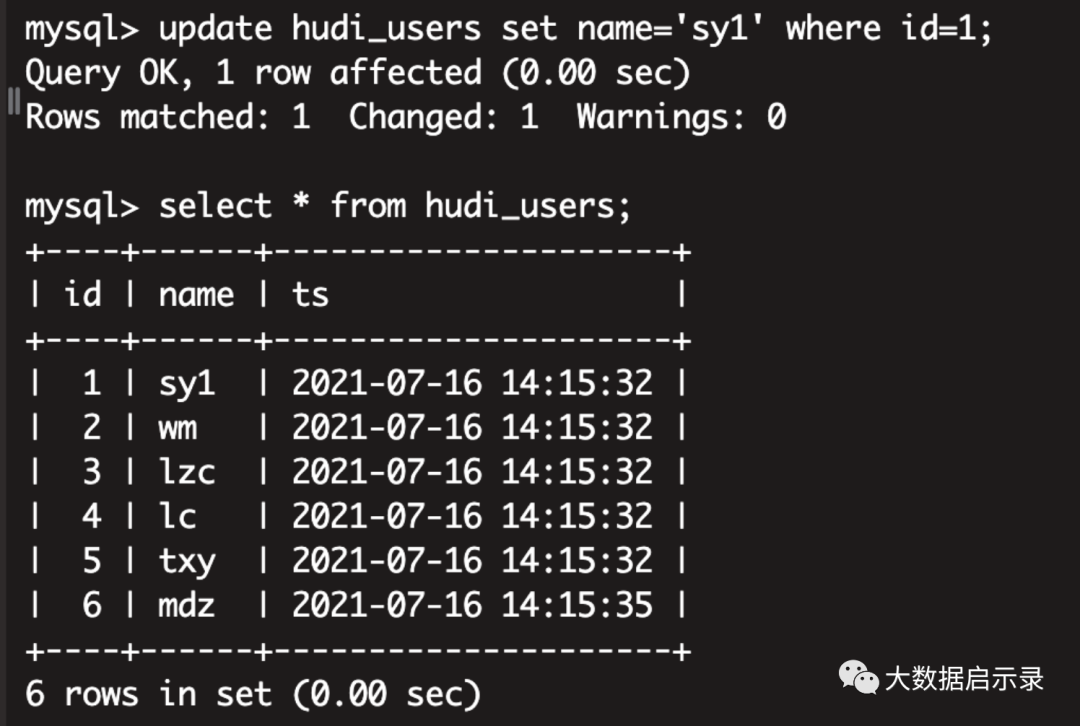
mysql 进行update,delete,insert操作,观察hudi的变化update hudi_users set name='sy1' where id=1;
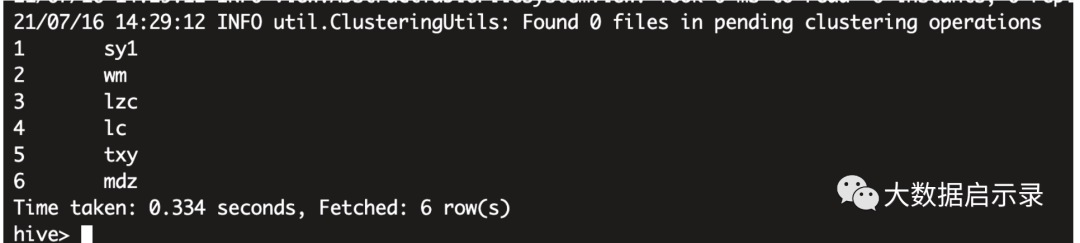
hudi 实时变化
insert into hudi_users (name) values ('lmh');
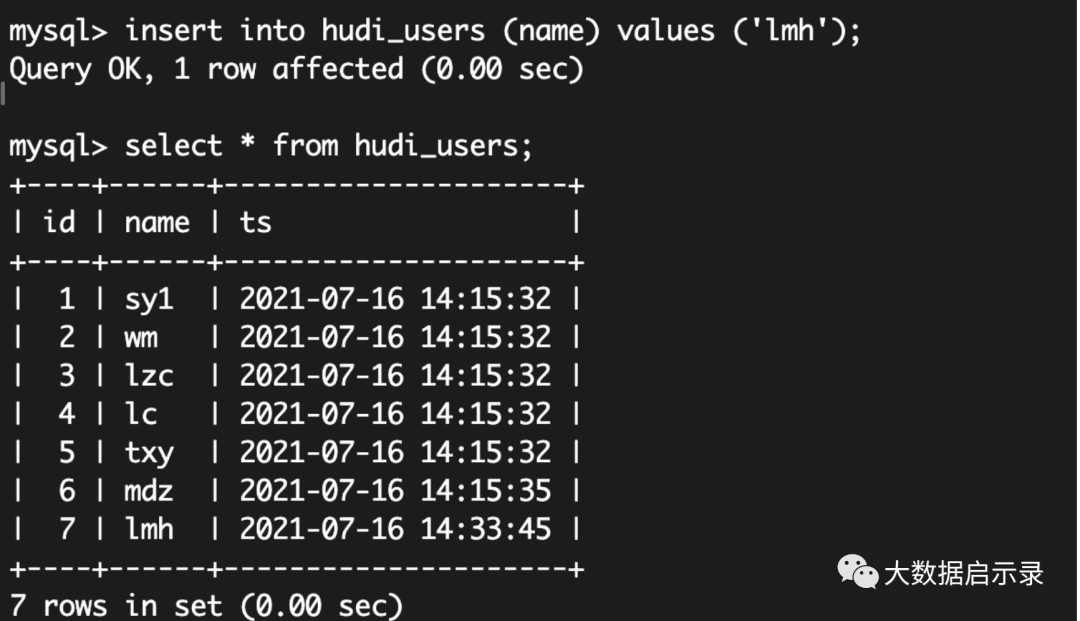
hudi 实时变化
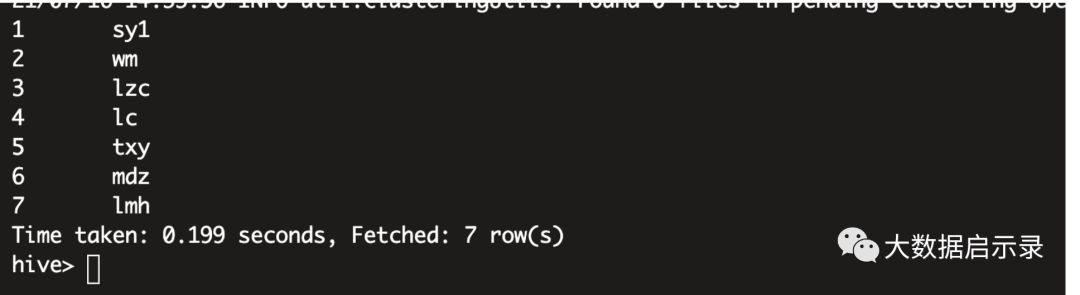
delete from hudi_users where name='lmh';
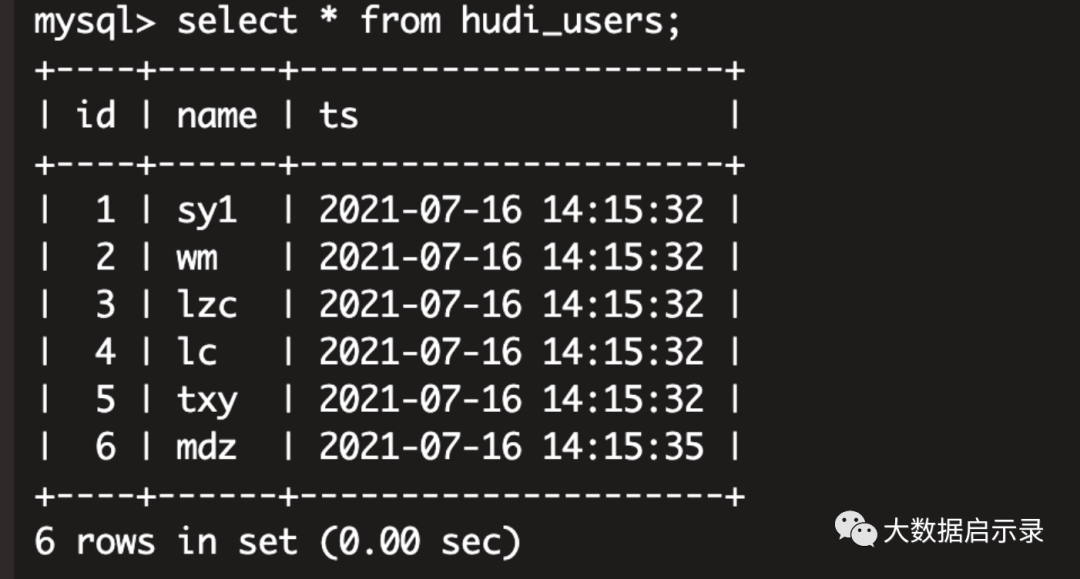
hudi实时变化
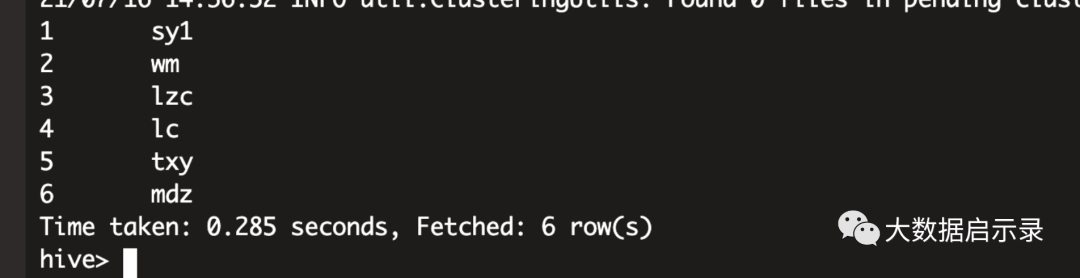
# 统计查询set hive.input.format = org.apache.hudi.hadoop.hive.HoodieCombineHiveInputFormat;select id,name from ods.hudi_users where name='sy'

文章转载自大数据启示录,如果涉嫌侵权,请发送邮件至:contact@modb.pro进行举报,并提供相关证据,一经查实,墨天轮将立刻删除相关内容。
