



下面是 OB 社区版图形化客户端工具使用分享。
作者简介:海芊, Amber, 一个热心技术分享的文档工程师。
个人频道:https://space.bilibili.com/557737255
详细视频请查看:
操作步骤
Step 1:下载并安装 DBeaver
来到 DBeaver 官网,找到下载页面,找到你适用的版本。我用的是 Mac OS X x86 (dmg) 社区版。根据提示自行安装就好。
Step 2:启动 DBeaver
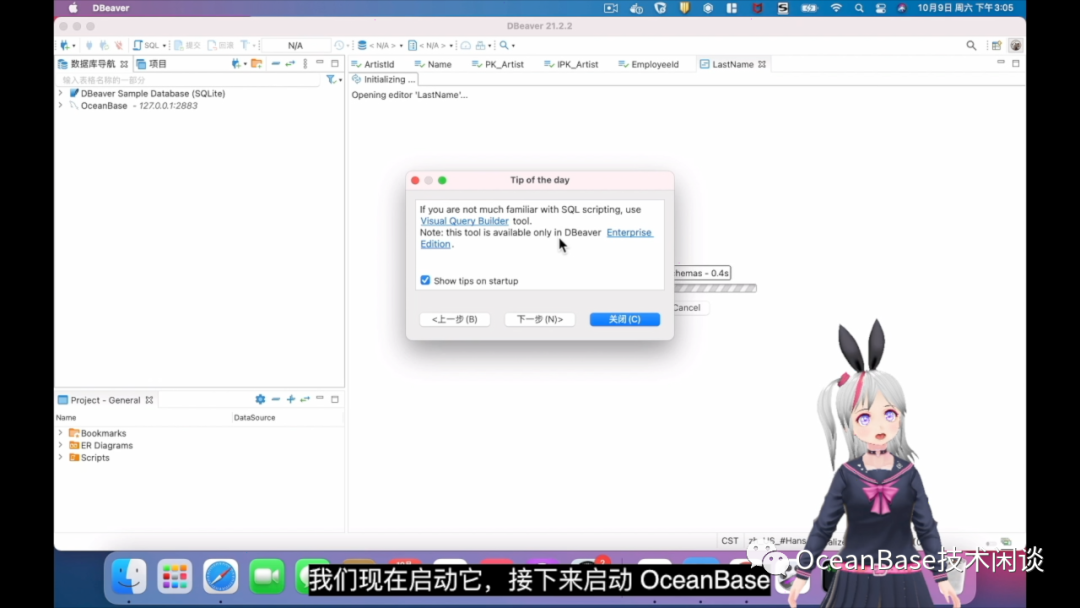
DBeaver 启动后界面如下,因为我们要新建 OceanBase 的连接,所以这里就不创建示例 SQL Lite 连接了。
Step 3:启动 OceanBase
# pull the image
docker pull obpilot/oceanbase-ce
# create and start the container
docker run -itd -m 10G -p 2881:2881 -p 2883:2883 --name oceanbase-ce obpilot/oceanbase-ce:latest
# Enter the container
docker exec -it oceanbase-ce bash
# 查看文档
ls
cat readme.md
# 查看集群列表
obd cluster list
# 启动集群
obd cluster start obdemo
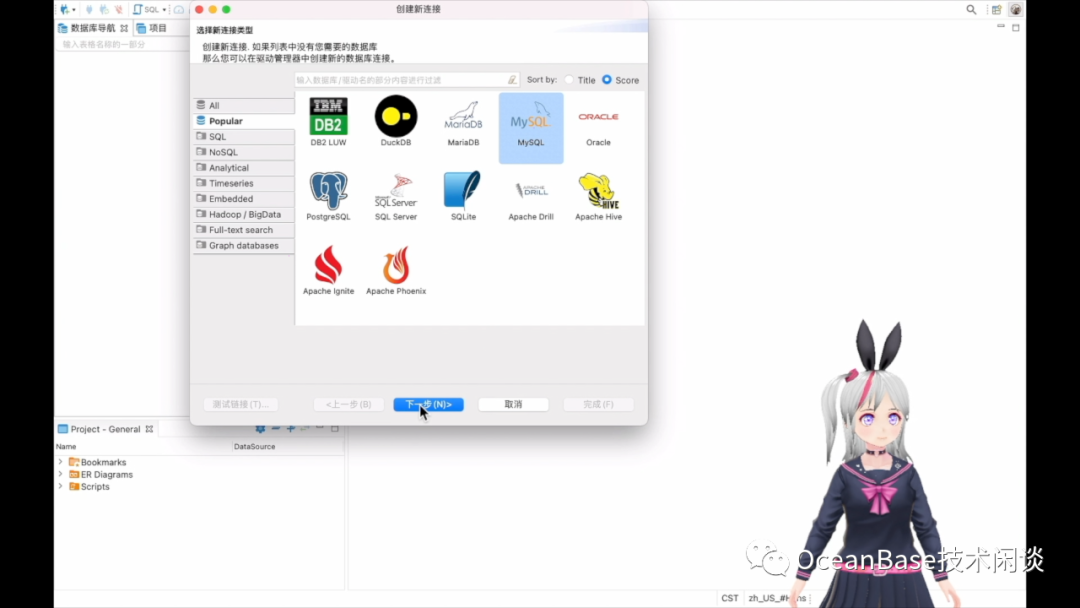
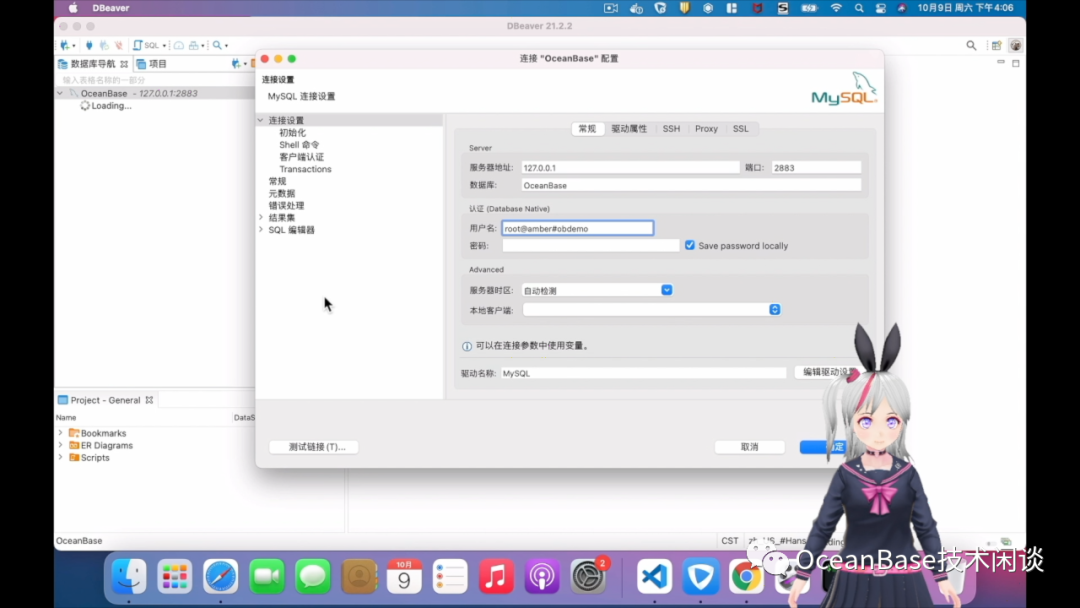
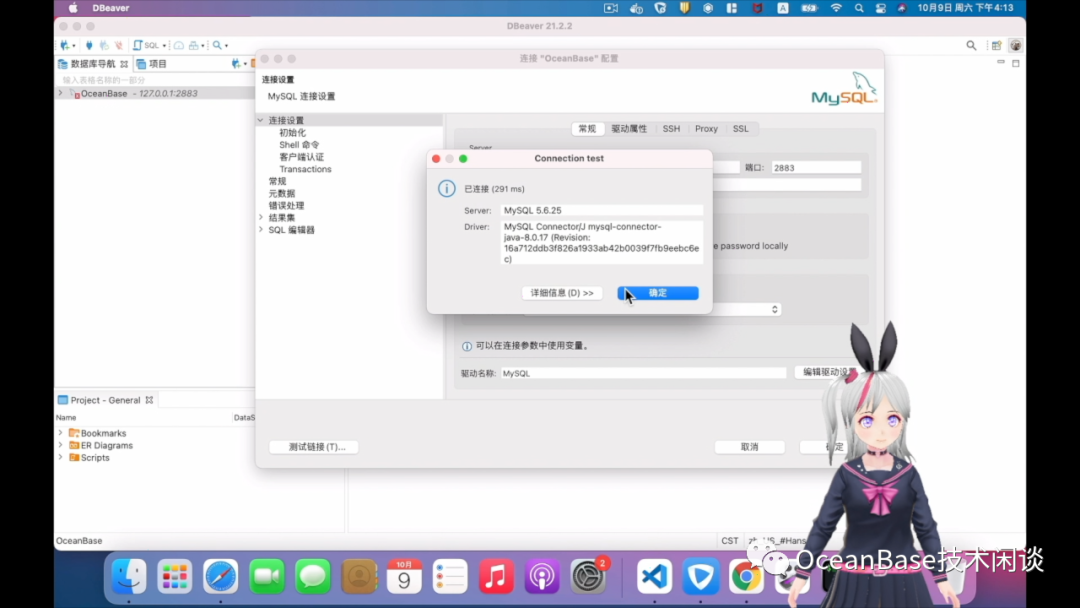
Step 4:创建新数据库连接
Step 5:探索 OceanBase
参考
B站主页:https://space.bilibili.com/557737255
官方 OB docker 镜像:https://hub.docker.com/r/oceanbase/obce-mini
个人 OB docker 镜像:https://hub.docker.com/r/obpilot/oceanbase-ce
DBeaver下载地址:https://dbeaver.io/
提示:微信不允许外链,要复制粘贴到浏览器。

文章转载自数据库技术闲谈,如果涉嫌侵权,请发送邮件至:contact@modb.pro进行举报,并提供相关证据,一经查实,墨天轮将立刻删除相关内容。
