



一、开篇
继续上一章节的动态模块加载,接下来以一个带参数传递的示例来开始。
二、带传参的内核模块示例
这里写了一个简单的hello内核模块(hello.c和Makefile)。
hello.c在昨天的基础上我们增加一个全局静态变量param_count初始化为0,当加载该模块时我们通过在用户态执行insmod命令时对内核模块传递一个参数,该参数会传递给这个全局变量param_count。同时在加载函数中对param_count打印并进行减减操作至0.
/*** @file hello.c* @brief 打印hello进行简单测试* @author zshare* @version v1.0* @date 2022-02-12* @history*/#include <linux/module.h>//对应内核源码中include/linux/module.h#include <linux/moduleparam.h>#include <linux/kernel.h>#include <linux/init.h> //包含了module_init和module_exit的声明#define _log_#ifdef _log_#define kernel_print(format, arg...) printk(format,## arg)#else#define kernel_print(format, arg...) do{}while(0)#endif#define VERSION "V1.0"typedef unsigned char u8;typedef unsigned short u16;typedef unsigned int u32;static u32 param_count = 0;module_param(param_count, uint, 0644);static int __init hello_init(void){kernel_print("hello_init is called.\n");kernel_print("hello module.\n");kernel_print("module param:%d.\n", param_count);while(param_count--){kernel_print("%d ",param_count);}return 0;}static void __exit hello_exit(void){kernel_print("hello_exit is called.\n");kernel_print("bye module.\n");}module_init(hello_init);module_exit(hello_exit);MODULE_LICENSE("GPL");//软件代码接受的许可协议General Public LicenseMODULE_AUTHOR("Share");//声明作者MODULE_DESCRIPTION("Print hello module");//模块简单的描述MODULE_VERSION(VERSION);//模块版本MODULE_ALIAS("HELLO");//模块在用户空间的别名
#Makefileobj-m :=hello.oKERNELDIR =/lib/modules/$(shell uname -r)/buildPWD := $(shell pwd)default:$(MAKE) -C $(KERNELDIR) M=$(PWD) modulesclean:rm -f *o *.mod *.mod.o *mod.c *.symvers *.order
接下来就可以通过make和make clean指令来进行内核模块的编译和清理工作。
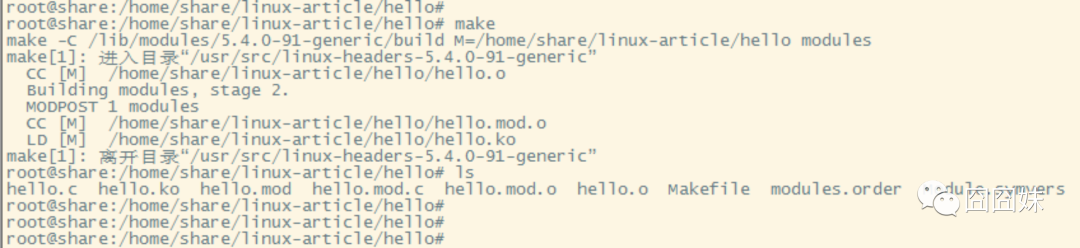
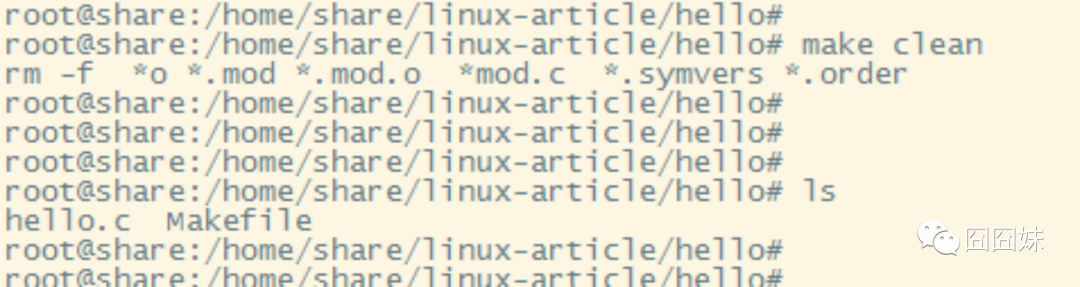
通过指令insmod进行传参加载,指令:insmod hello.ko param_count=5,这样就是给我们定义的全局变量传参为整型数5。
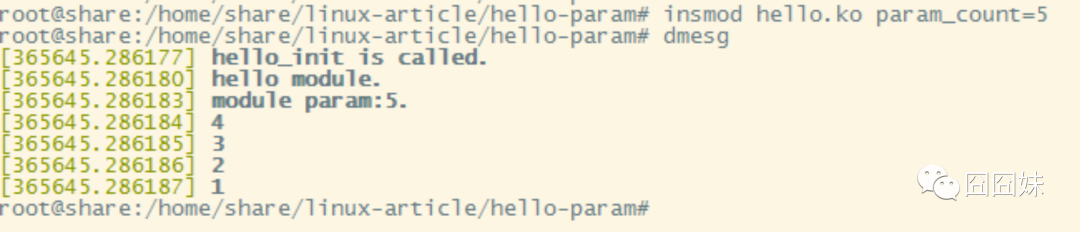
通过dmesg打印可以发现,打印出变量的值为5,同时将该全局变量减减至0退出init函数。
三、参数传递过程
参数是通过内核定义的宏module_param来实现的。源码在include/linux/moduleparam.h
/*** module_param - typesafe helper for a module/cmdline parameter* @value: the variable to alter, and exposed parameter name.* @type: the type of the parameter* @perm: visibility in sysfs.** @value becomes the module parameter, or (prefixed by KBUILD_MODNAME and a* ".") the kernel commandline parameter. Note that - is changed to _, so* the user can use "foo-bar=1" even for variable "foo_bar".** @perm is 0 if the the variable is not to appear in sysfs, or 0444* for world-readable, 0644 for root-writable, etc. Note that if it* is writable, you may need to use kernel_param_lock() around* accesses (esp. charp, which can be kfreed when it changes).** The @type is simply pasted to refer to a param_ops_##type and a* param_check_##type: for convenience many standard types are provided but* you can create your own by defining those variables.** Standard types are:* byte, short, ushort, int, uint, long, ulong* charp: a character pointer* bool: a bool, values 0/1, y/n, Y/N.* invbool: the above, only sense-reversed (N = true).*/#define module_param(name, type, perm) \module_param_named(name, name, type, perm)
name:接收参数的变量名,示例中的param_count。
type:类型内核定义了其标准类型传参,支持:byte, short, ushort, int, uint, long, ulong,charp(字符串指针),bool(布尔类型0/1, y/n, Y/N),invbool( the above, only sense-reversed (N = true))
perm:
0-不出现在sysfs中
0444-所有人可读
0644-root权限可写
注意:type类型的传递一定要是规定的类型,不可通过typedef重定义后再传递,为什么呢?
我们看下module_param的具体实现,也就是module_param_named宏定义:
/*** module_param_named - typesafe helper for a renamed module/cmdline parameter* @name: a valid C identifier which is the parameter name.* @value: the actual lvalue to alter.* @type: the type of the parameter* @perm: visibility in sysfs.** Usually it's a good idea to have variable names and user-exposed names the* same, but that's harder if the variable must be non-static or is inside a* structure. This allows exposure under a different name.*/#define module_param_named(name, value, type, perm) \param_check_##type(name, &(value)); \module_param_cb(name, ¶m_ops_##type, &value, perm); \__MODULE_PARM_TYPE(name, #type)
module_param_named内部会通过##来连接这个type调用一个函数,如果传递的type不是标准值会导致连接时出现新的函数,从而导致编译失败。
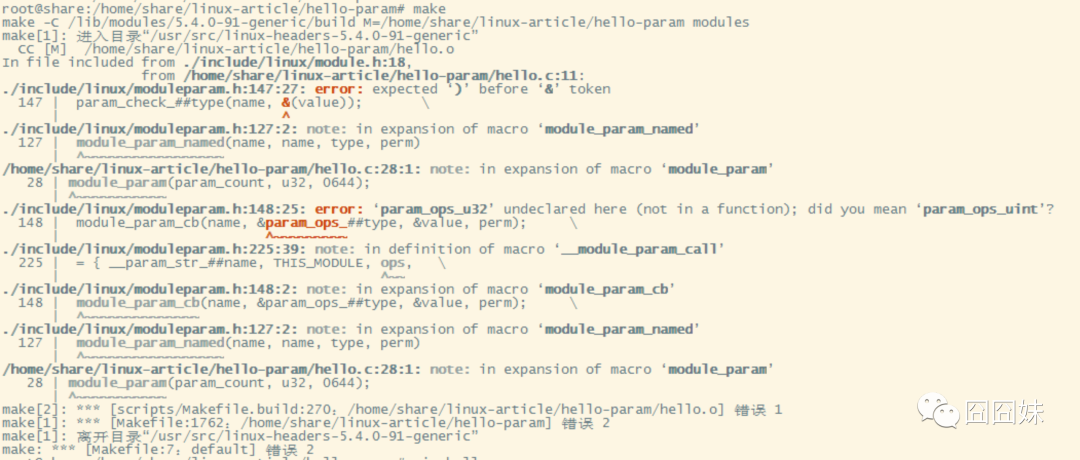
该头文件include/linux/moduleparam.h内实现了对应的type连接函数,举例:
#define param_check_int(name, p) __param_check(name, p, int)
#define param_check_uint(name, p) __param_check(name, p, unsigned int)
#define param_check_long(name, p) __param_check(name, p, long)
四、关于文件
还记得昨天的/sys/module/hello/目录吗,当我们insmod一个模块后,在/sys/module/目录下会创建对应模块的目录,现在我们再看看带参数的加载比昨天多了哪些内容。
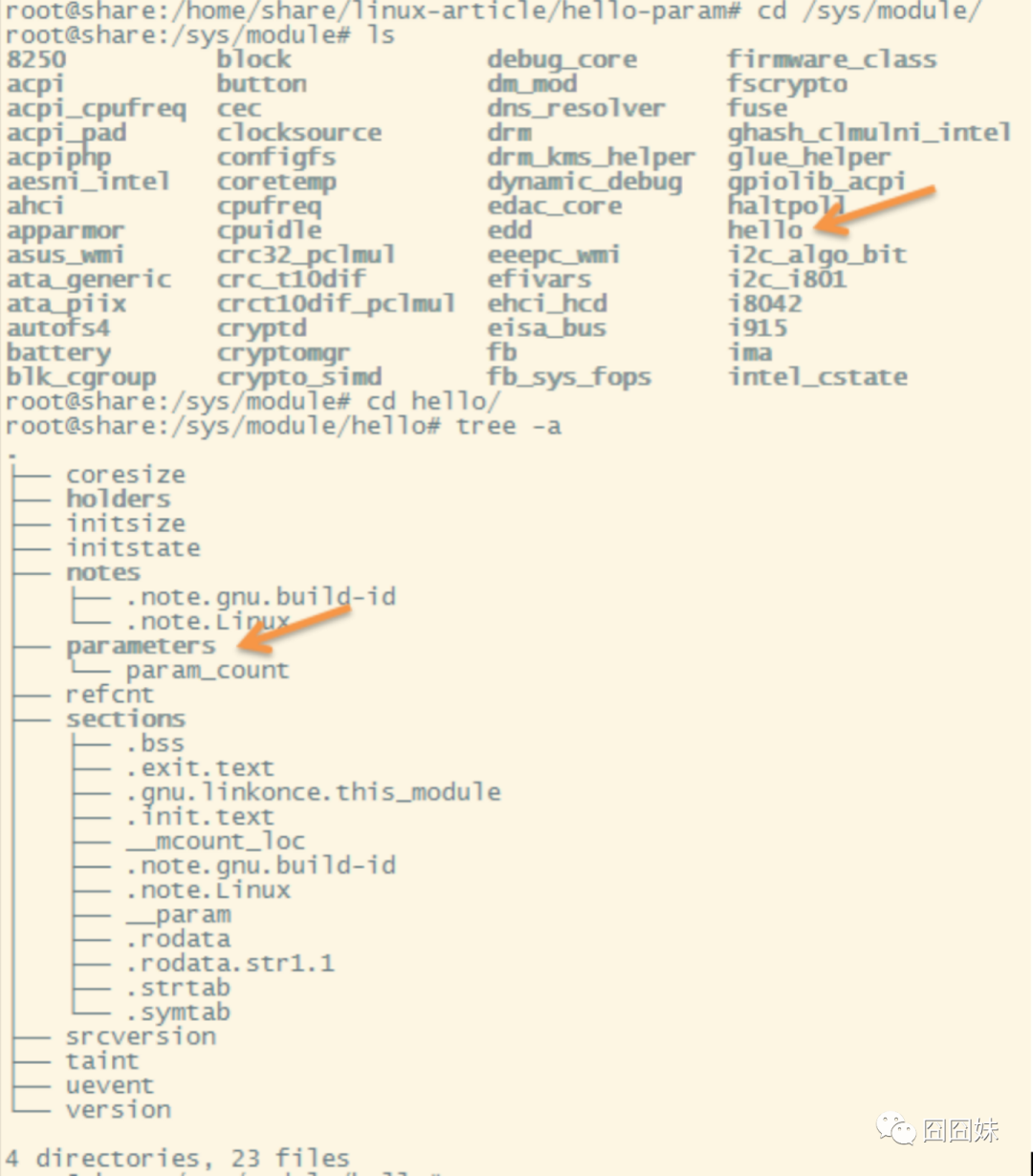
查看/sys/module/hello/后发现比之前不带参数时多了一个文件parameters。parameters目录下还有一个名为param_count的文件,这个名字是不是很眼熟。是的,就是那个接收参数的全局变量,我们通过cat看一下它的内容:

4294967295是不是眼生?没关系,转成十六进制看看恰巧是0xffffffff。为什么呢?是不是因为我们在插入模块时对入参的参数param_count进行了减减操作最后减成0xffffffff了呢?
我们再做个实验,这次不对参数做任何操作试试,我们把循环注释掉:
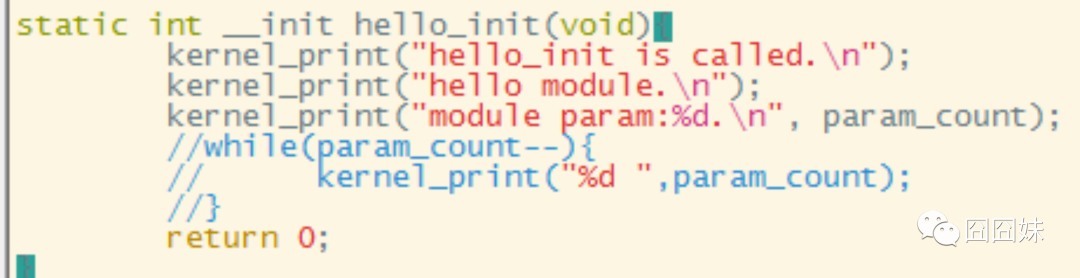
编译运行查看结果,这次我们传递参数值为5且不再进行递减操作:
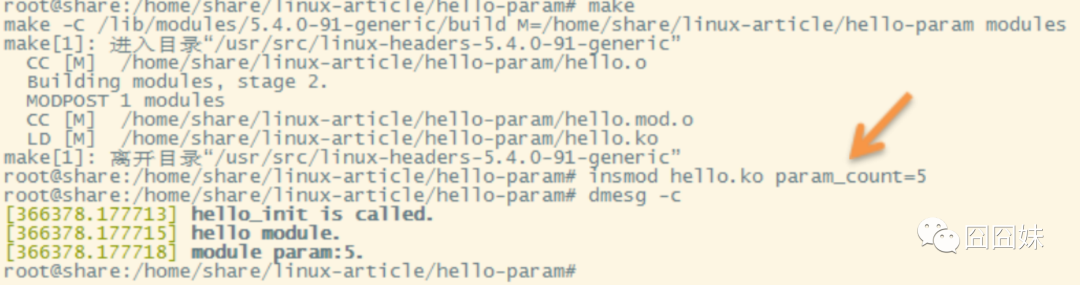
打印正常,我们再来看那个文件内容:
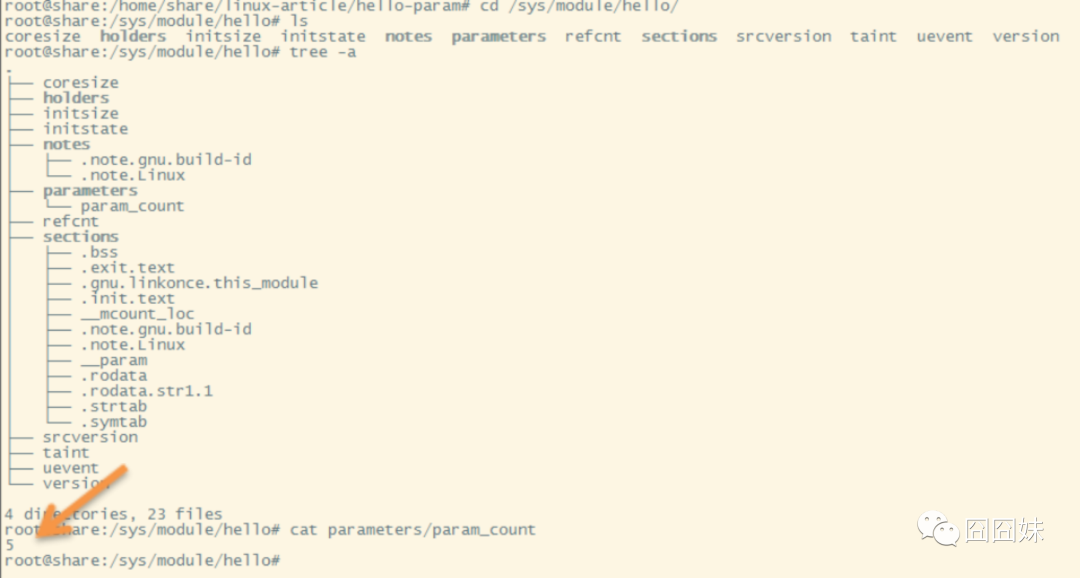
该文件下的值就是5,这也验证了之前的想法。
五、模块符号导出
为了方便模块间相互调用,linux通过导出符号供其它模块使用。
Linux实现了两个宏定义来导出符号方式:
EXPORT_SYMBOL()//把函数向linux内核所有模块公开使用
EXPORT_SYMBOL_GPL()//只允许遵循GPL许可的模块使用(如通过MODULE_LICENSE(“GPL”))
内核导出的模块符号都在/proc/kallsyms文件中。
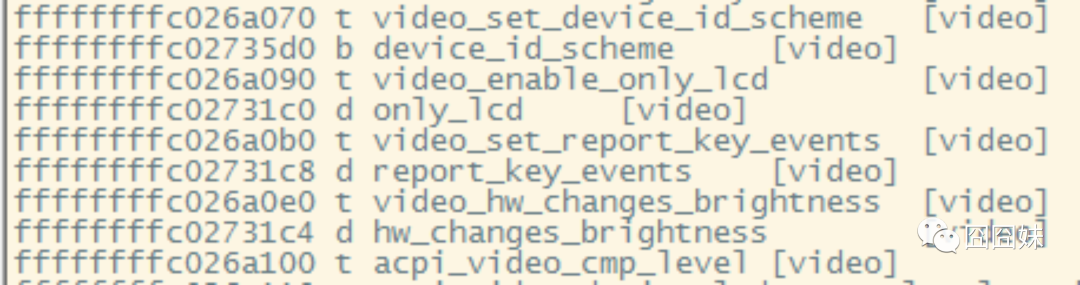
第一列:符号在内核空间的地址;
第二列:类型,大写的符号为全局。
t:代表代码区符号
b:未初始化数据区符号(bss)
d:已初始化数据区符号
第三列:符号名
第四列:哪些内核模块在使用该符号
总结,内核模块加载有两种方式:静态编译和动态加载,动态加载/卸载指令为insmod和rmmod,insmod时可以向内核模块传递参数,内核模块间可以进行函数调用,调用方式需要进行符号导出。内核模块撸到这为止,后续还会更深入撸,现在需要了解内核驱动的字符设备了,下一节我们从最简单的字符设备说起。
