



CDP在使用kerberos时,solr server默认在浏览器中打开失败,需要进行权限设置和浏览器设置。
0. ENV

CDP 7.1.X。
1. 问题现象
浏览器打开solr页面报错:
Kerberos AuthenticationYour browser did not provide the required information to authenticate using Kerberos. Please check that your computer has a valid ticket for communicating with Solr, and thatyour browser is properly configured to provide that ticket when required. For more information, consult Solr's Kerberos documentation .The response from the server was:------------------------------------------HTTP 401 UnauthorizedWWW-Authenticate: Negotiate

通过如下步骤进行解决处理。
2. 在ranger中给普通用户it01添加solr权限
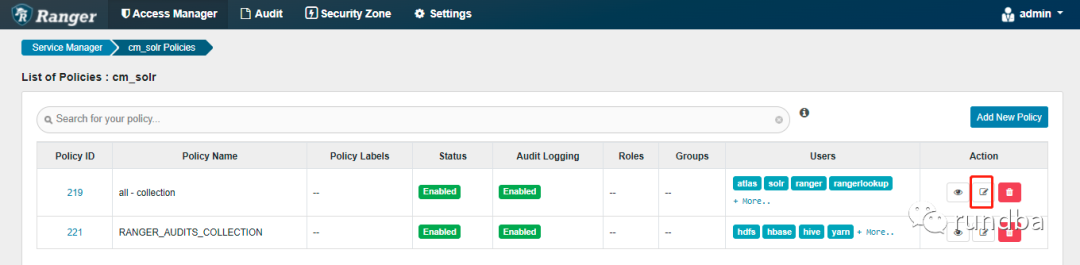
进入Ranger,打开cm_solr

点击219策略(all-cllection) “Action”下的“编辑”
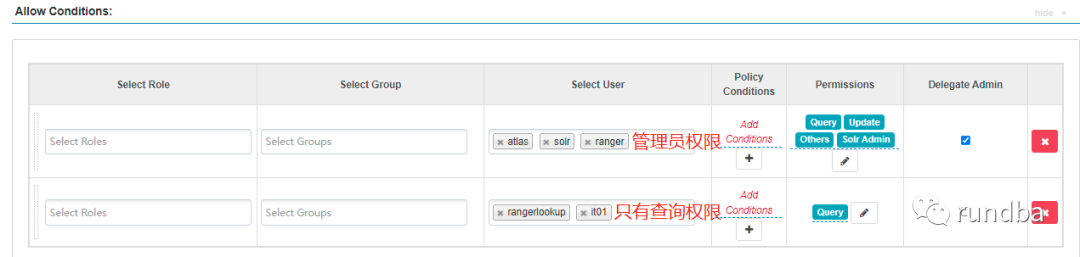
将普通用户,如it01加入到下面只能查询的组,如果需要加入到管理组,则加入到上面。
3. 打开本机it01用户kerberos认证
使用it01登录MIT kerberos客户端
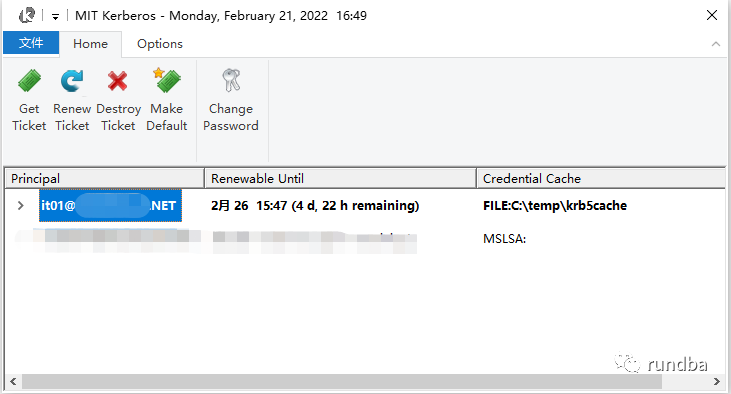
图标栏绿色显示登录正常。

4. Firefox浏览器设置--成功
1)在火狐地址栏输入“about:config”
2)输入信任主机名
network.negotiate-auth.trusted-uris中添加solr server主机名,如”nn01,nn02”,确保浏览器主机名可以正常解析或ping通。如果必要建议将全域名的主机名也一并添加上,如“nn01,nn02,nn01.rundba.com,nn02.rundba.com,datanode08.rundba.com”,至少包含要访问的solr server主机名。

3)不使用sspi
network.auth.use-sspi由Ture更改为flase

4)设置完成,再次打开solr地址
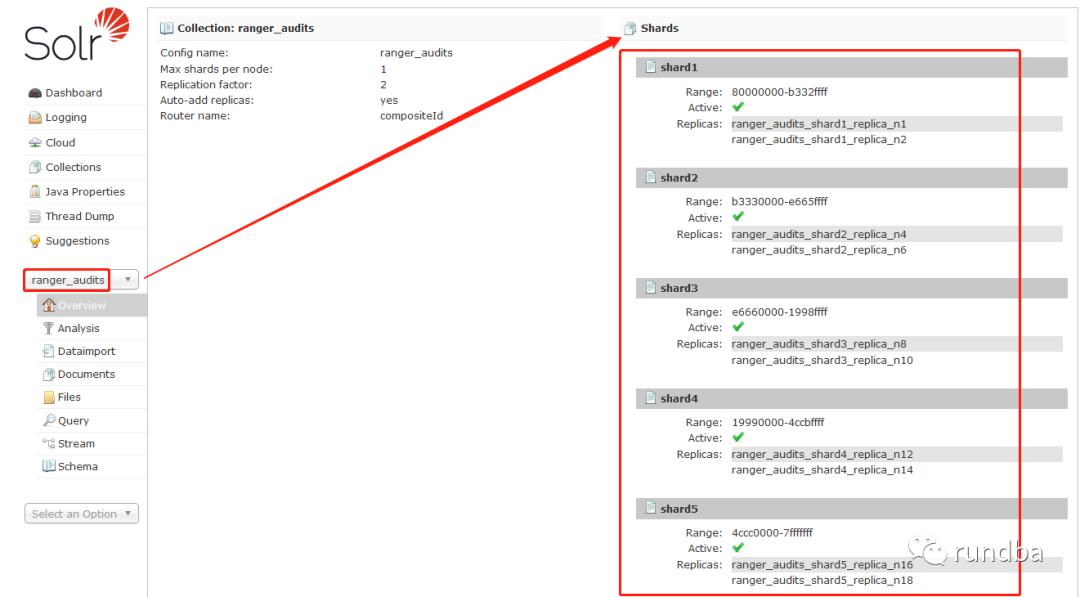
浏览器输入solr server地址:http://datanode08.rundba.com:8993/solr

显示solr分片
旨在交流,不足之处,还望抛砖。
作者:王坤,微信公众号:rundba,欢迎转载,转载请注明出处。
如需公众号转发,请联系wx: landnow。


文章转载自rundba,如果涉嫌侵权,请发送邮件至:contact@modb.pro进行举报,并提供相关证据,一经查实,墨天轮将立刻删除相关内容。
