



1,软件下载地址
https://tank-doc.eyeblue.cn/basic/download.html
2,软件安装
[root@i-EFAF84E5 ~]# tar xvf tank-3.1.2.linux-amd64.tar.gz#查看端口[root@i-EFAF84E5 ~]# cd tank-3.1.2
[root@i-EFAF84E5 tank-3.1.2]# cat conf/tank.json
{
  "ServerPort": 6010,
  "MatterPath": ""
}[root@i-EFAF84E5 tank-3.1.2]#

[root@i-AAB0CE27 tank-3.1.2]# vi conf/tank.json
[root@i-AAB0CE27 tank-3.1.2]##启动软件
[root@i-EFAF84E5 tank-3.1.2]# ./tank
use log file /root/tank-3.1.2/log/tank.log
[INFO ]13:26:03 tank_logger.go:34 [cron job] Every day 00:00 maintain log file.
[WARN ]13:26:03 tank_config.go:124 read config file /root/tank-3.1.2/conf/tank.json
[ERROR]13:26:03 tank_config.go:56 MysqlUsername  is not configured
[ERROR]13:26:03 tank_config.go:140 config file not integrity, installation will start!
[INFO ]13:26:03 tank_application.go:153 App started at http://localhost:6010
3,数据库配置
http://localhost:6010
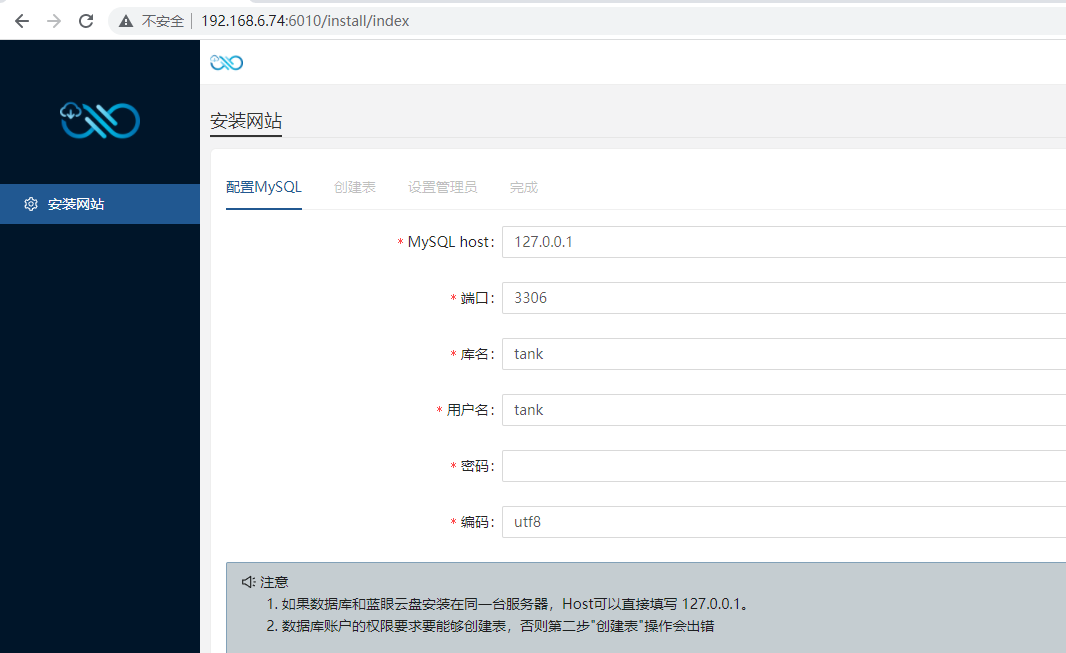
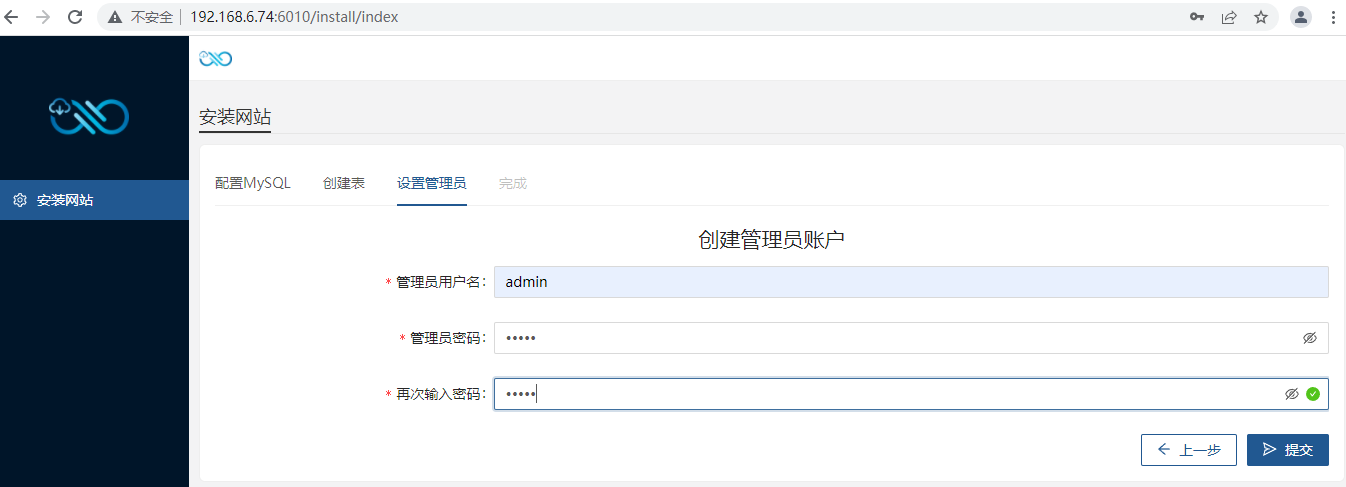
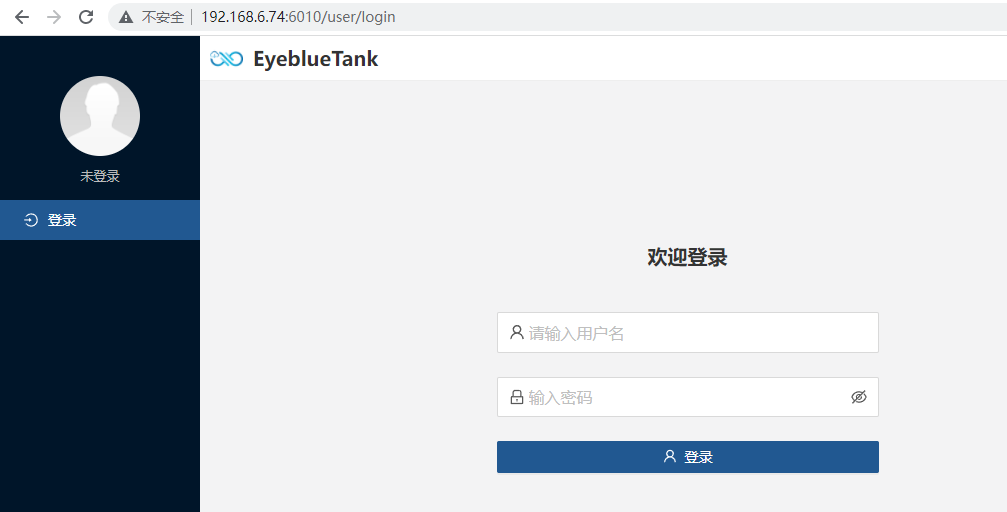
4,完成安装,进入首页
「喜欢这篇文章,您的关注和赞赏是给作者最好的鼓励」
关注作者
【版权声明】本文为墨天轮用户原创内容,转载时必须标注文章的来源(墨天轮),文章链接,文章作者等基本信息,否则作者和墨天轮有权追究责任。如果您发现墨天轮中有涉嫌抄袭或者侵权的内容,欢迎发送邮件至:contact@modb.pro进行举报,并提供相关证据,一经查实,墨天轮将立刻删除相关内容。
