



点击上方蓝字 ● 关注捷创源科技

一、利用PyCharm新建基于PyQt5对话框工程MyMainTest,添加QPlainTextEdit控件,保存主窗口MyQTMainForm.ui文件运行如下:
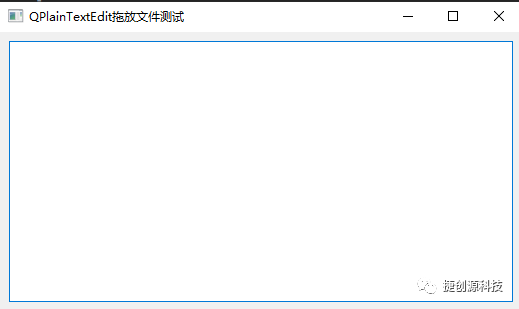
二、新建myqplaintextedit.py文件,创建MyQPlainTextEdit 类继承于QPlainTextEdit ,只允许excel(.xls或.xlsx)文件拖放,及信号发射处理。代码如下:
myqplaintextedit.py
# -*- coding: utf-8 -*-from PyQt5.QtCore import pyqtSignalfrom PyQt5.QtWidgets import QPlainTextEditclass MyQPlainTextEdit(QPlainTextEdit):"""QPlainTextEdit控件实现文件拖放功能"""# 定义一个信号sendmsg = pyqtSignal(object)def __init__(self, parent=None):super(MyQPlainTextEdit, self).__init__(parent)self.setAcceptDrops(True)self.strPathFile = ""def dragEnterEvent(self, e):self.strPathFile = e.mimeData().text().replace('file:///', '')if self.strPathFile.endswith('.xls') or self.strPathFile.endswith('.xlsx'):e.accept()else:self.strPathFile = ""e.ignore()def dropEvent(self, e):super().dropEvent(e) # 加这一句即可# 发射信号self.sendmsg.emit(self.strPathFile)
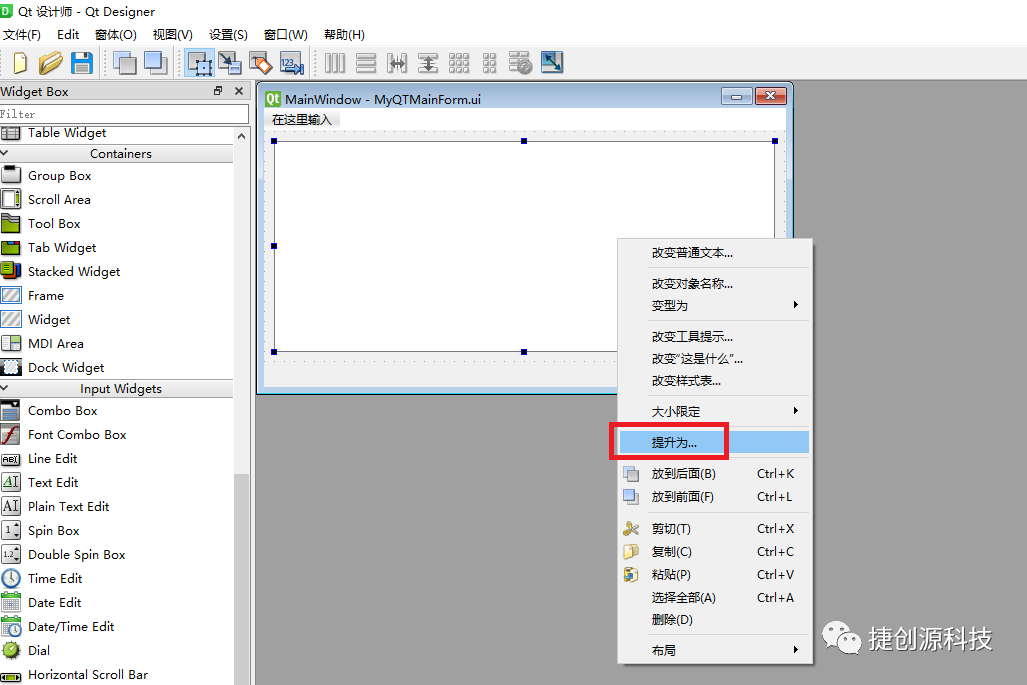
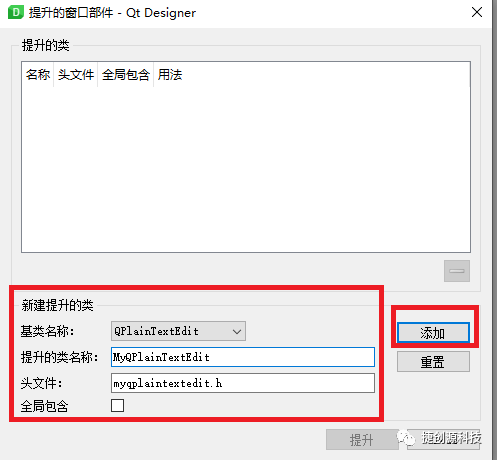
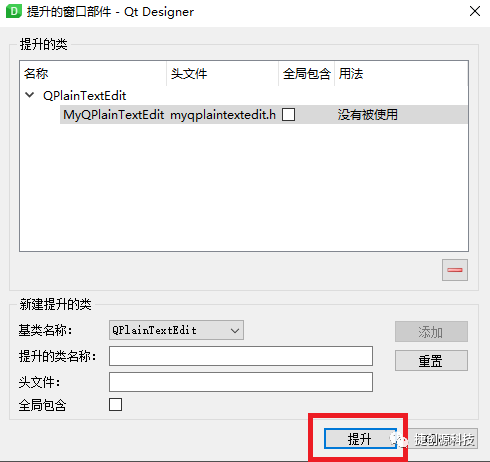
三、使用QT设计器打开主窗口MyQTMainForm.ui 文件,将QPlainTextEdit 提升为MyQPlainTextEdit 类,如下图示:
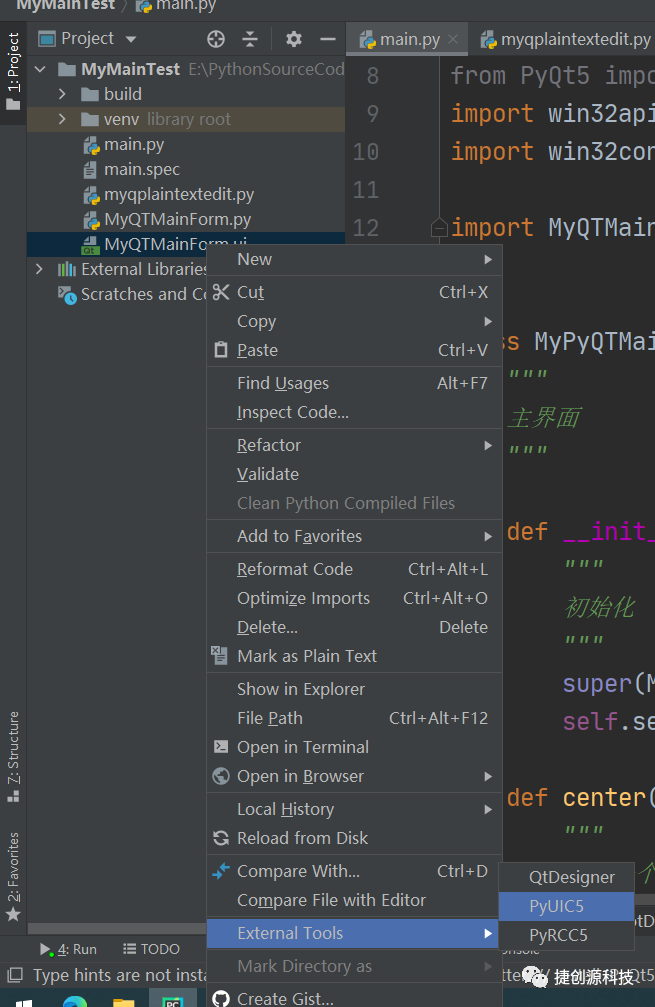
四、将主窗口MyQTMainForm.ui 文件转为MyQTMainForm.py 文件
五、在main.py文件中,添加槽函数,绑定信号和槽函数。
# 绑定信号和槽self.plainTextEdit.sendmsg.connect(self.slotDoDropEvent)
def slotDoDropEvent(self, strXlsFilePath):"""槽函数:QPlainTextEdit控件拖放excel文件后处理函数"""# 文件存在就加载,不存在就提示。if os.path.exists(strXlsFilePath):self.plainTextEdit.setPlainText(strXlsFilePath)print(strXlsFilePath)else:# 提示信息框win32api.MessageBox(0, "文件路径不存在,请先拖放excel文件到编辑框上!", "提示", win32con.MB_ICONWARNING)
main.py主文件中全部代码如下:
"""python主文件"""# -*- coding: utf-8 -*-import osimport sysfrom PyQt5.QtWidgets import QApplication, QMainWindow, QDesktopWidgetfrom PyQt5 import QtCoreimport win32apiimport win32conimport MyQTMainForm # 导入MyQTMainForm.py文件class MyPyQTMainForm(QMainWindow, MyQTMainForm.Ui_MainWindow):"""主界面"""def __init__(self):"""初始化"""super(MyPyQTMainForm, self).__init__()self.setupUi(self)# QPlainTextEdit初始化self.plainTextEdit.clear()# 绑定信号和槽self.plainTextEdit.sendmsg.connect(self.slotDoDropEvent)def center(self):"""定义一个函数使得窗口居中显示"""# 获取屏幕坐标系screen = QDesktopWidget().screenGeometry()# 获取窗口坐标系size = self.geometry()newLeft = (screen.width() - size.width()) 2newTop = (screen.height() - size.height()) 2self.move(int(newLeft), int(newTop))def slotDoDropEvent(self, strXlsFilePath):"""槽函数:QPlainTextEdit控件拖放excel文件后处理函数"""# 文件存在就加载,不存在就提示。if os.path.exists(strXlsFilePath):self.plainTextEdit.setPlainText(strXlsFilePath)print(strXlsFilePath)else:# 提示信息框win32api.MessageBox(0, "文件路径不存在,请先拖放excel文件到编辑框上!", "提示", win32con.MB_ICONWARNING)"""=====================================主函数====================================="""if __name__ == '__main__':app = QApplication(sys.argv)# 创建主窗口对象myPyMainForm = MyPyQTMainForm()# 主窗口显示在屏幕中间myPyMainForm.center()# 禁止最大化按钮# myPyMainForm.setWindowFlags(QtCore.Qt.WindowMinimizeButtonHint | QtCore.Qt.WindowCloseButtonHint)# 禁止拉伸窗口大小# myPyMainForm.setFixedSize(myPyMainForm.width(), myPyMainForm.height())# 显示主界面myPyMainForm.show()sys.exit(app.exec_())
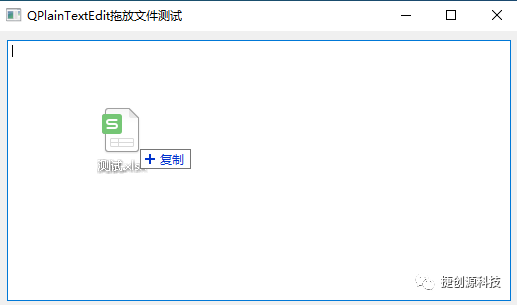
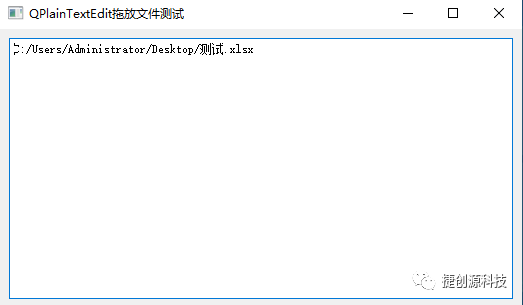
六、运行测试,拖放excel文件如下图:QPlainTextEdit已支持拖放excel文件。
关注上面微信公众号“捷创源科技”,每天获取技术干货,让我们一起成长!
文章转载自捷创源科技,如果涉嫌侵权,请发送邮件至:contact@modb.pro进行举报,并提供相关证据,一经查实,墨天轮将立刻删除相关内容。
