



流转在 HarmonyOS 中泛指多设备分布式操作,也是 HarmonyOS 的亮点之一。
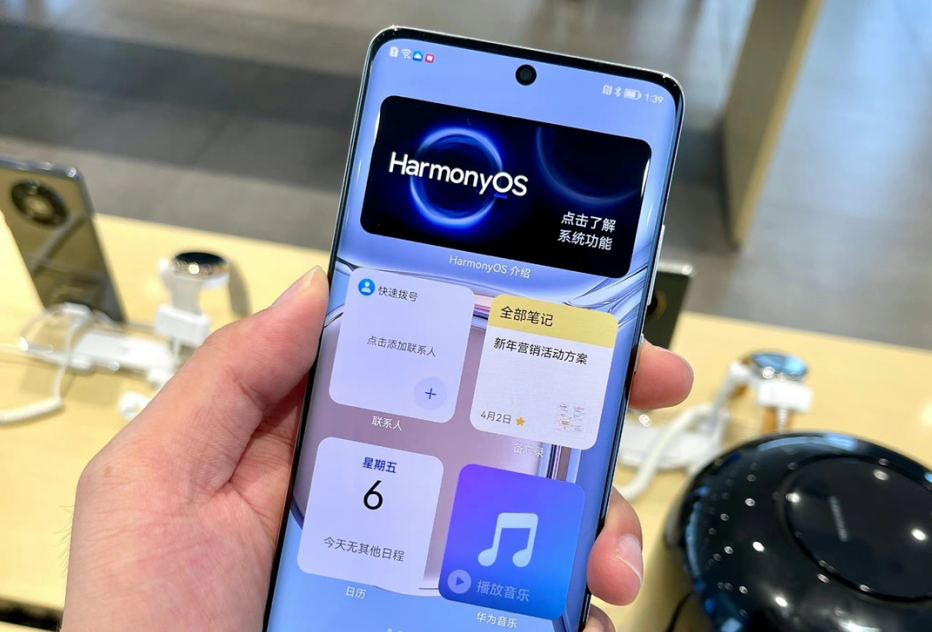
流转按体验可以分为跨端迁移和多端协同,这里主要跟大家讲一下如何进行跨端迁移,以及我在项目开发过程中,所遇到的问题与解决方法。
https://developer.harmonyos.com/cn/docs/documentation/doc-guides/hop-overview-0000001092995092
开发步骤
在开发过程中,我们可以根据业务需求分为以下两种场景:
同个 FA 之间的迁移(Ability1—Ability1)
不同 FA 之间的迁移(Ability1—Ability2)
①同个 FA 之间的迁移
并且将 Ability 中实现的 onStartContinuation()、onSaveData(IntentParams intentParams)、onRestoreData(IntentParams intentParams)的返回值,都设为 true。
public class MainAbility extends Ability implements IAbilityContinuation {

    @Override
    public boolean onStartContinuation() {
        return true;
    }

    @Override
    public boolean onSaveData(IntentParams intentParams) {
        return true;
    }

    @Override
    public boolean onRestoreData(IntentParams intentParams) {
        return true;
    }
    //省略部分代码
     ...
}
"reqPermissions": [
 {
  "name": "ohos.permission.DISTRIBUTED_DATASYNC" },
 {
  "name": "ohos.permission.DISTRIBUTED_DEVICE_STATE_CHANGE" },
 {
  "name": "ohos.permission.GET_DISTRIBUTED_DEVICE_INFO"},
 {
  "name": "ohos.permission.GET_BUNDLE_INFO"}
]
if (canRequestPermission(SystemPermission.DISTRIBUTED_DATASYNC)) {
    // 是否可以申请弹框授权(首次申请或者用户未选择禁止且不再提示)
    requestPermissionsFromUser(
            new String[]{SystemPermission.DISTRIBUTED_DATASYNC}, PERMISSIONS_REQUEST_DISTRIBUTED);
}
定义相关参数、设置流转任务管理服务回调函数、注册流转任务管理服务、管理流转的目标设备,同时需要在流转结束时解注册流转任务管理服务。
    // 流转应用包名
    private String BUNDLE_NAME = "XXX.XXX.XXX";
    // 注册流转任务管理服务后返回的Ability token
    private int abilityToken;
    // 用户在设备列表中选择设备后返回的设备ID
    private String selectDeviceId;
    // 获取流转任务管理服务管理类
    private IContinuationRegisterManager continuationRegisterManager;
    // 设置流转任务管理服务设备状态变更的回调
    private IContinuationDeviceCallback continuationDeviceCallback = new IContinuationDeviceCallback() {
    @Override
    public void onDeviceConnectDone(String deviceId, String deviceType) {
        selectDeviceId = deviceId;
        continuationRegisterManager.updateConnectStatus(abilityToken, selectDeviceId, DeviceConnectState.CONNECTING.getState(), null);
        ...
    }

    @Override
    public void onDeviceDisconnectDone(String s) {
        getUITaskDispatcher().asyncDispatch(() -> {
            continuationRegisterManager.updateConnectStatus(abilityToken, selectDeviceId, DeviceConnectState.DIS_CONNECTING.getState(), null);
        });
        unRegisterContinuation();
    }
};
  // 设置注册流转任务管理服务回调
    private RequestCallback requestCallback = new RequestCallback() {
        @Override
        public void onResult(int result) {
            abilityToken = result;
        }
    };
    ...

    @Override
    public void onStart(Intent intent) {
        ...
        continuationRegisterManager = getContinuationRegisterManager();
    }

    @Override
    public void onStop() {
        super.onStop();
        // 解注册流转任务管理服务
        continuationRegisterManager.unregister(abilityToken, null);
        // 断开流转任务管理服务连接
        continuationRegisterManager.disconnect();
    }
注册流转服务之后我们便可以调起系统流转选择设备弹窗,可以通过 ExtraParams 对设备进行过滤,如不需要过滤,可不传。
ExtraParams params = new ExtraParams();
String[] devTypes = new String[]{ExtraParams.DEVICETYPE_SMART_PHONE, ExtraParams.DEVICETYPE_SMART_WATCH, ExtraParams.DEVICETYPE_SMART_PAD};
params.setDevType(devTypes);
registerContinuation();
// 显示选择设备列表
continuationRegisterManager.showDeviceList(abilityToken, params, new RequestCallback() {
    @Override
    public void onResult(int result) {
    }
});
之后通过 continueAbility 方法传入目标设备的 DeviceID,将运行的 FA 迁移到目标设备,实现业务在设备间无缝迁移。
// 设置流转任务管理服务设备状态变更的回调
private IContinuationDeviceCallback continuationDeviceCallback = new IContinuationDeviceCallback() {
    @Override
    public void onDeviceConnectDone(String deviceId, String deviceType) {
        selectDeviceId = deviceId;
        getUITaskDispatcher().asyncDispatch(() -> {
            continuationRegisterManager.updateConnectStatus(abilityToken, selectDeviceId, DeviceConnectState.CONNECTING.getState(), null);
        });
        if (selectDeviceId != null) {
            continueAbility(selectDeviceId);
        }
        ...
    }

    @Override
    public void onDeviceDisconnectDone(String s) {
          ...
        unRegisterContinuation();
    }

};
主要代码如下:
@Override
public boolean onSaveData(IntentParams saveData) {
      //根据业务需求,在这里去设置需要传递的数据
      saveData.setParam("continueParam", continueParam);
      return true;
 }
@Override
public boolean onRestoreData(IntentParams restoreData) {
      // 远端FA迁移传来的状态数据,开发者可以按照自身业务对这些数据进行处理
      Object data = restoreData.getParam("continueParam");
      getUITaskDispatcher().asyncDispatch(() -> {

        });
      return true;
 }
②不同 FA 之间的迁移
首先我们先在选择设备成功后的回调 IContinuationDeviceCallback 初始化分布式环境。
// 设置流转任务管理服务设备状态变更的回调
private IContinuationDeviceCallback continuationDeviceCallback = new IContinuationDeviceCallback() {
    @Override
    public void onDeviceConnectDone(String deviceId, String deviceType) {
        selectDeviceId = deviceId;
        //省略部分代码
          ...
        try {
            // 初始化分布式环境
            DeviceManager.initDistributedEnvironment(selectDeviceId, new IInitCallback() {
                @Override
                public void onInitSuccess(String success) {

                }

                @Override
                public void onInitFailure(String failure, int result) {
                }
            });
        } catch (RemoteException e) {
            e.printStackTrace();
        }
       ...
    }
  ....
};
之前我们是通过 continueAbility() 方法进行跳转,而现在我们需要通过 Intent 方法进行跳转。
Intent intent = new Intent();
Operation operation = new Intent.OperationBuilder()
        .withDeviceId(deviceId)
        .withBundleName(bundleName)
        .withAbilityName(abilityName)
        .withFlags(Intent.FLAG_ABILITYSLICE_MULTI_DEVICE)
        .build();
intent.setOperation(operation);
IntentParams intentParams = new IntentParams();
//通过IntentParams传递参数
...
startAbility(intent);
③自定义设备选择弹窗
官方 API 提供了 DeviceManager.getDeviceList() 来获取远端设备,具体代码如下。
public static List<DeviceInfo> getDeviceList() {
    // 调用DeviceManager的getDeviceList接口,通过FLAG_GET_ONLINE_DEVICE标记获得在线设备列表
    List<DeviceInfo> onlineDevices = DeviceManager.getDeviceList(DeviceInfo.FLAG_GET_ONLINE_DEVICE);
    // 判断组网设备是否为空
    if (onlineDevices == null) {
        LogUtil.e(TAG, "online devices is null");
        return new ArrayList<>();
    }
    return onlineDevices;
}
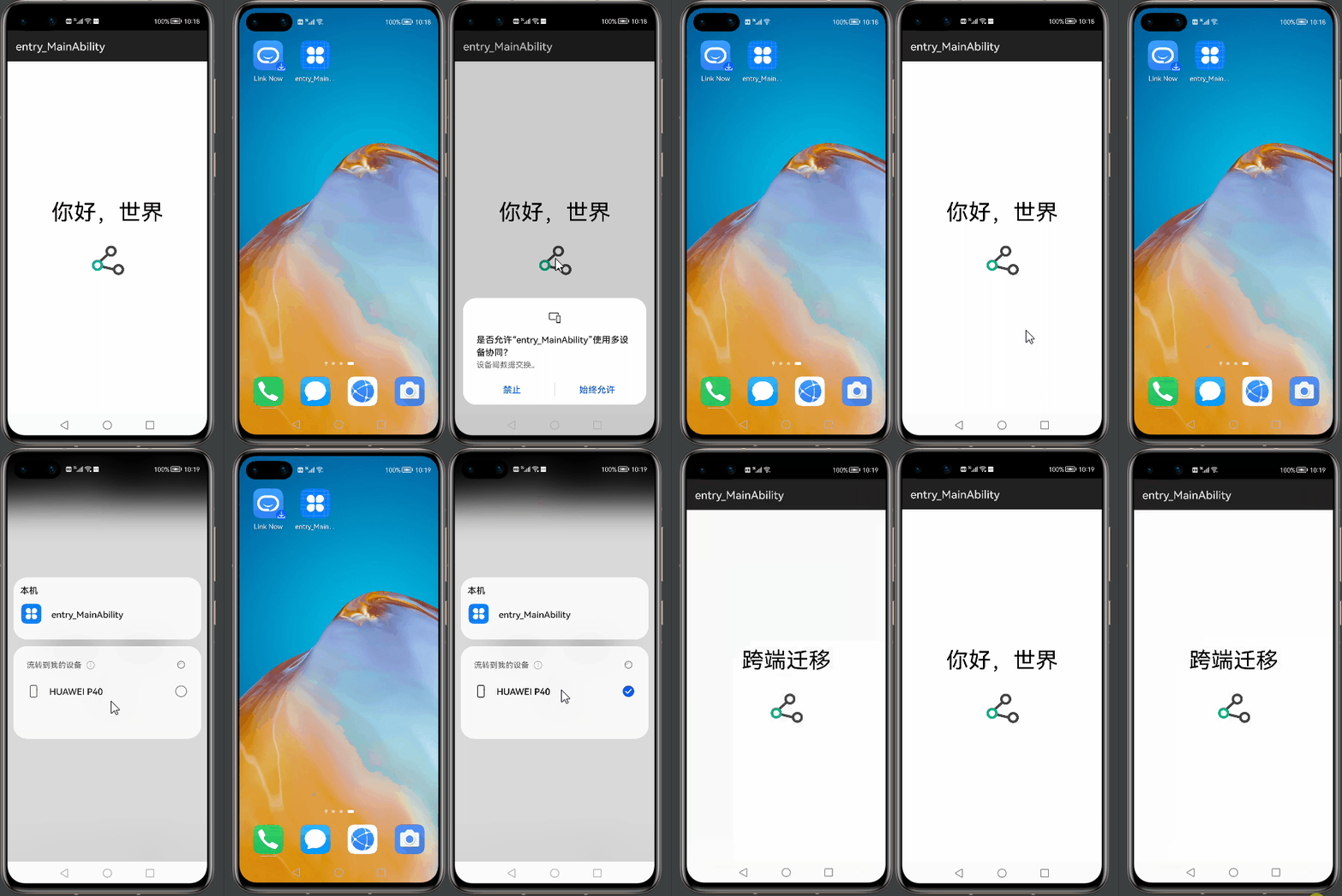
效果展示
效果如下图:
结语
https://harmonyos.51cto.com/posts/9013

求分享
求点赞
求在看
文章转载自鸿蒙技术社区,如果涉嫌侵权,请发送邮件至:contact@modb.pro进行举报,并提供相关证据,一经查实,墨天轮将立刻删除相关内容。
