



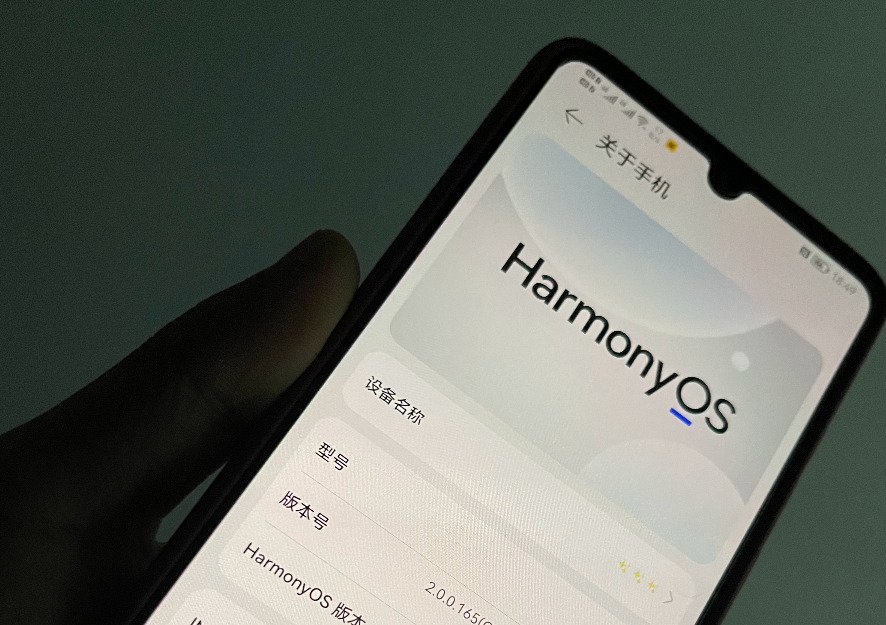
注册登录页面
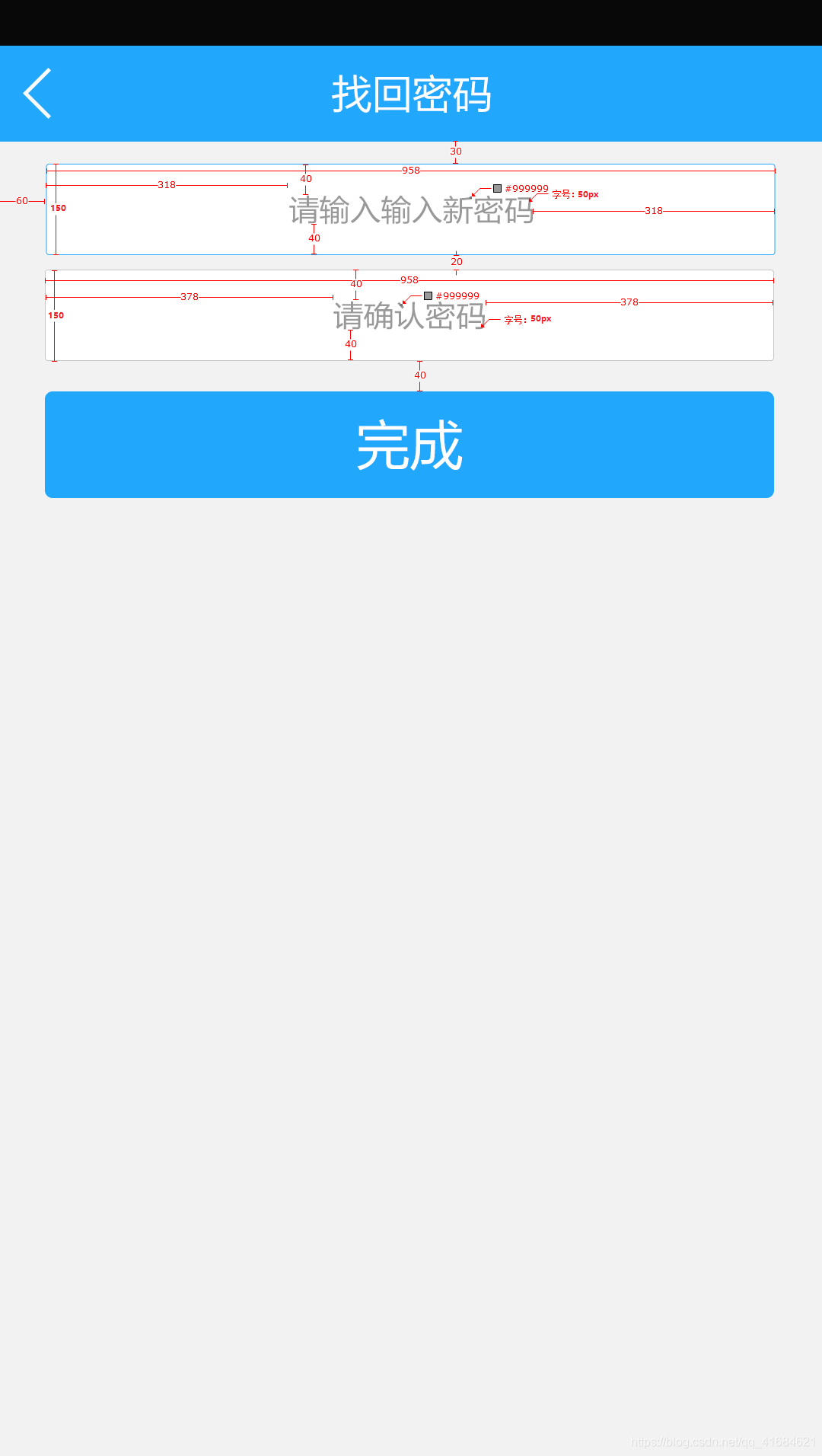
如下图:
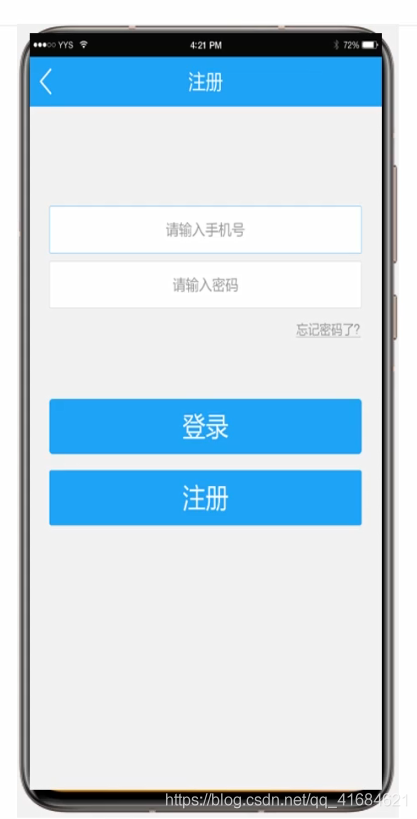
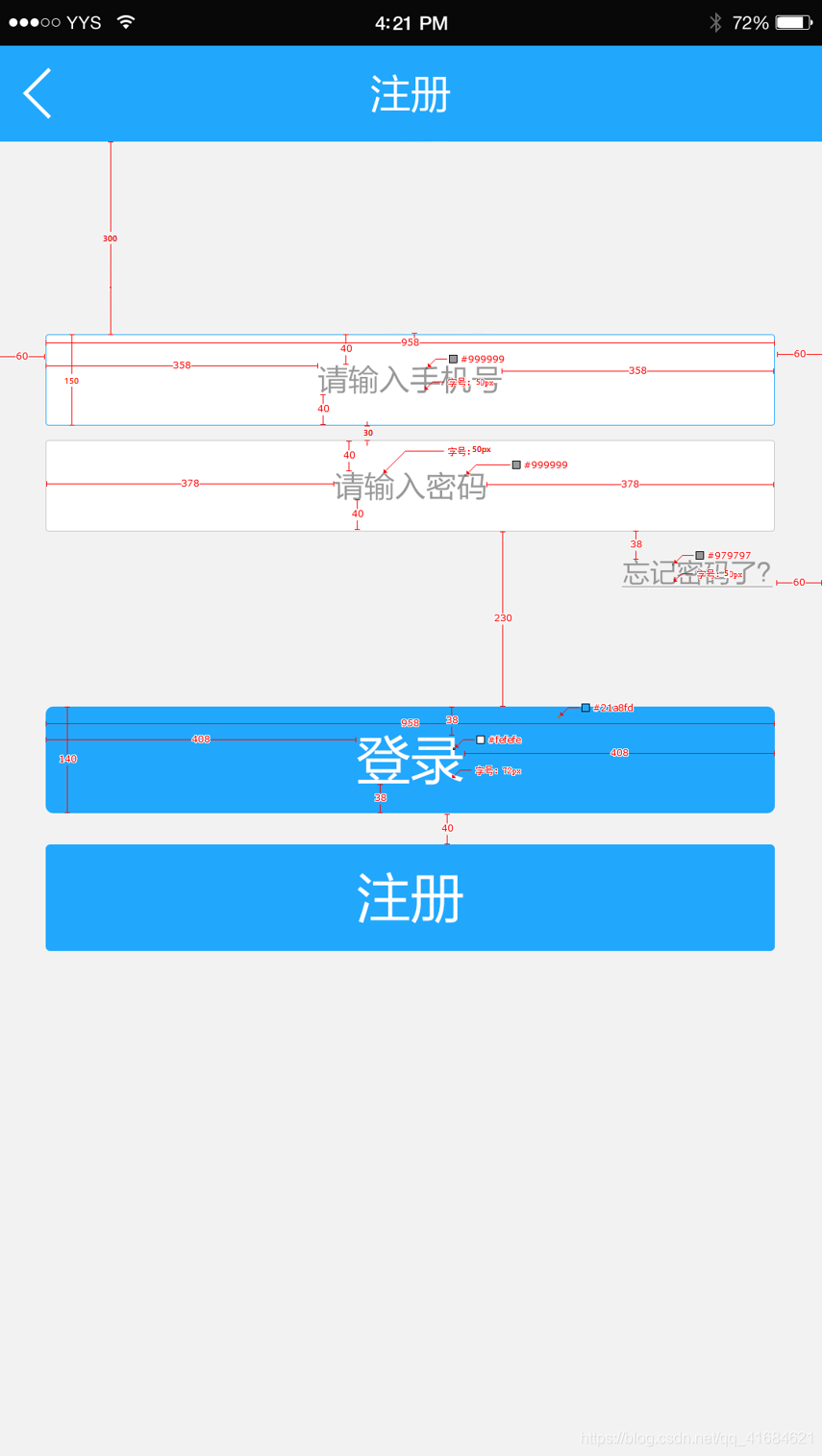
设置的要求如下:
新建项目:TextApplication
上面的数值单位都是 px ,所以要转换成 vp 和 fp
在 1920*1080 分辨率下,1px=1/3vp
P40:1080*2340 的分辨率跟上面的 1920*1080 差不多,所以就可以用1:3 的关系来转换
有关 px,vp,fp 三者的关系可以看看我之前写的博文:https://harmonyos.51cto.com/posts/7507
快速格式化页面对齐:Ctrl+Alt+L
ability_main:
<?xml version="1.0" encoding="utf-8"?>
<DirectionalLayout
    xmlns:ohos="http://schemas.huawei.com/res/ohos"
    ohos:height="match_parent"
    ohos:width="match_parent"
    ohos:background_element="#F2F2F2"
    ohos:orientation="vertical">

    <Text
        ohos:height="50vp"
        ohos:width="319vp"
        ohos:background_element="#FFFFFF"
        ohos:layout_alignment="horizontal_center"
        ohos:text="请输入手机号"
        ohos:text_alignment="center"
        ohos:text_color="#999999"
        ohos:text_size="17fp"
        ohos:top_margin="100vp"
        />

    <Text
        ohos:height="50vp"
        ohos:width="319vp"
        ohos:background_element="#FFFFFF"
        ohos:layout_alignment="horizontal_center"
        ohos:text="请输入密码"
        ohos:text_alignment="center"
        ohos:text_color="#999999"
        ohos:text_size="17fp"
        ohos:top_margin="10vp"
        />

    <Text
        ohos:height="match_content"
        ohos:width="match_content"
        ohos:layout_alignment="right"
        ohos:right_margin="20vp"
        ohos:text="忘记密码了?"
        ohos:text_color="#979797"
        ohos:text_size="17fp"
        ohos:top_margin="13vp"/>

    <Button
        ohos:height="47vp"
        ohos:width="319vp"
        ohos:background_element="#21a8fd"
        ohos:layout_alignment="horizontal_center"
        ohos:text="登录"
        ohos:text_alignment="center"
        ohos:text_color="#FEFEFE"
        ohos:text_size="24fp"
        ohos:top_margin="77vp"
        />

    <Button
        ohos:height="47vp"
        ohos:width="319vp"
        ohos:background_element="#21a8fd"
        ohos:layout_alignment="horizontal_center"
        ohos:text="注册"
        ohos:text_alignment="center"
        ohos:text_color="#FEFEFE"
        ohos:text_size="24fp"
        ohos:top_margin="13vp"
        />

</DirectionalLayout>
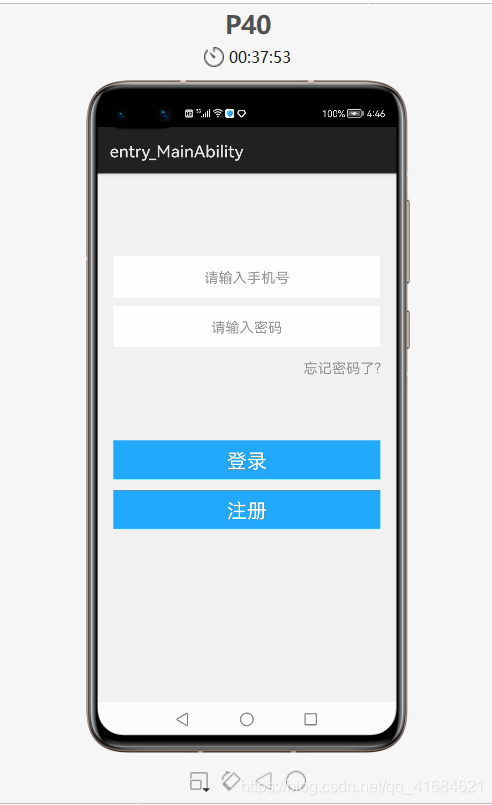
运行:
修改密码页面

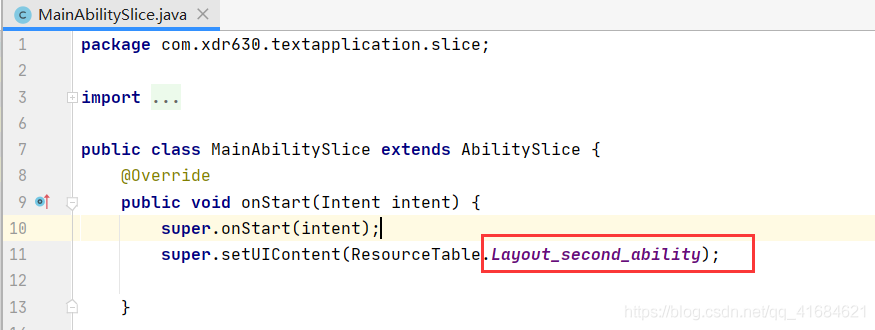
把启动页面设置为第二个页面:
<?xml version="1.0" encoding="utf-8"?>
<DirectionalLayout
    xmlns:ohos="http://schemas.huawei.com/res/ohos"
    ohos:height="match_parent"
    ohos:width="match_parent"
    ohos:background_element="#F2F2F2"
    ohos:orientation="vertical"
    >

    <Text
        ohos:height="50vp"
        ohos:width="319vp"
        ohos:background_element="#FFFFFF"
        ohos:layout_alignment="horizontal_center"
        ohos:text="请输入新密码"
        ohos:text_alignment="center"
        ohos:text_color="#999999"
        ohos:text_size="17fp"
        ohos:top_margin="10vp"
        />

    <Text
        ohos:height="50vp"
        ohos:width="319vp"
        ohos:background_element="#FFFFFF"
        ohos:layout_alignment="horizontal_center"
        ohos:text="请确认新密码"
        ohos:text_alignment="center"
        ohos:text_color="#999999"
        ohos:text_size="17fp"
        ohos:top_margin="10vp"
        />

    <Button
        ohos:height="47vp"
        ohos:width="319vp"
        ohos:background_element="#21a8fd"
        ohos:layout_alignment="horizontal_center"
        ohos:text="完成"
        ohos:text_alignment="center"
        ohos:text_color="#FEFEFE"
        ohos:text_size="24vp"
        ohos:top_margin="12vp"
        />

</DirectionalLayout>
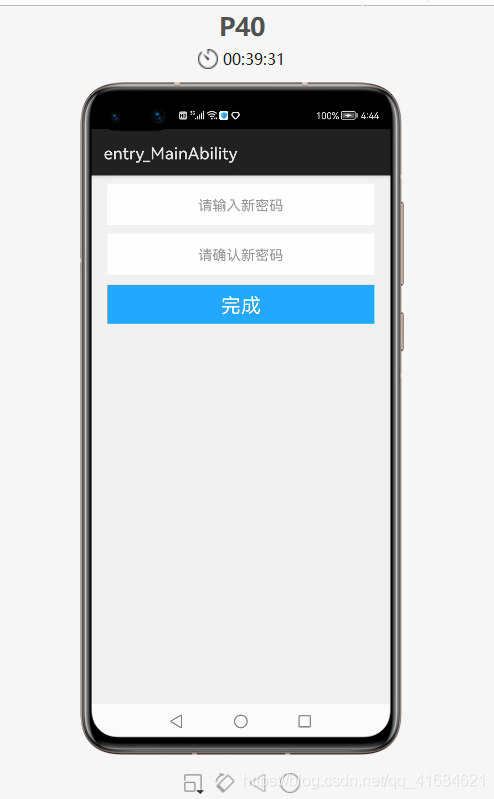
运行:
👇点击关注鸿蒙技术社区👇
了解鸿蒙一手资讯

点“阅读原文”了解更多
文章转载自鸿蒙技术社区,如果涉嫌侵权,请发送邮件至:contact@modb.pro进行举报,并提供相关证据,一经查实,墨天轮将立刻删除相关内容。
