



本文主要描述对鸿蒙幻灯片组件、跑马灯组件、提示框、提示菜单、页面跳转以及对话框的应用。

01
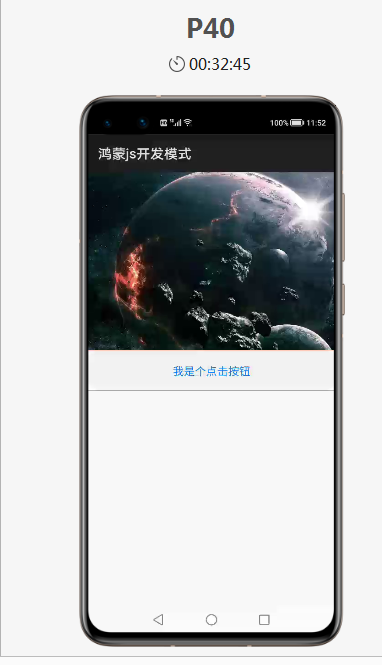
幻灯片组件:<image-animator>
<div class="container">
    <div class="c1">
        <!--幻灯片组件-->
        <image-animator class="image-animator" duration="10s" fixedsize="false" images="{{imagesDatas}}">
        </image-animator>
    </div>
</div>
.container {
    width: 100%;
    height: 1500px;
    display: flex;
    flex-direction: column;
}
.c1{
    width: 100%;
    height: 35%;
}
.image-animator{
    width: 100%;
    height: 100%;
}
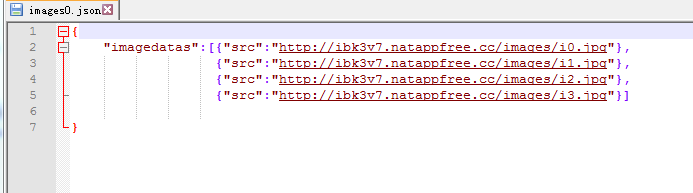
import fetch from '@system.fetch';

export default {
    data: {
        imagesDatas:[]

    },

    onInit(){
        fetch.fetch({
            //url对应的地址为通过内网穿透工具natapp映射出的nginx反向代理服务的地址
            url:'http://ibk3v7.natappfree.cc/text/images0.json',
            responseType:"json",
            success:(resp)=>{
                let datas = JSON.parse(resp.data);
                this.imagesDatas = datas.imagedatas;

            }
        });
    }
02
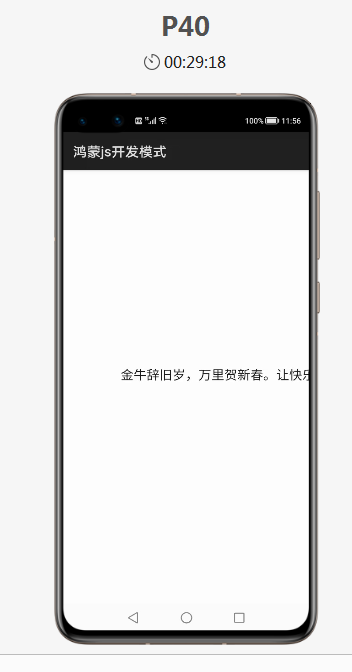
跑马灯组件:<marquee>
<div class="container">
    <marquee>金牛辞旧岁,万里贺新春。让快乐与你同行,让健康与你相伴,将美好与团圆满满托付于你</marquee>
</div>
03
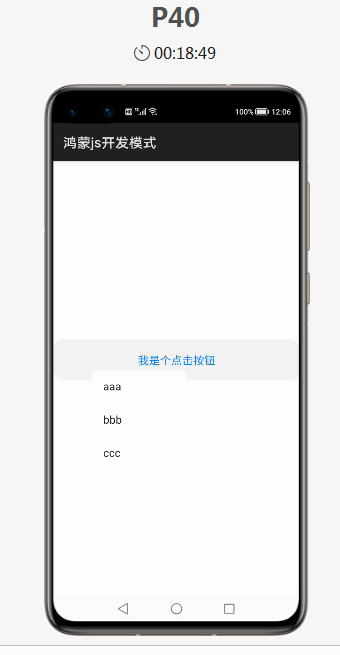
鸿蒙弹出菜单、提示框、页面跳转
<div class="container">
    <div class="c1">
        <!--幻灯片组件-->
<!--        <image-animator class="image-animator" duration="10s" fixedsize="false" images="{{imagesDatas}}">-->
<!--        </image-animator>-->
    </div>
    <div class="c2">
        <button onclick="clickbutton">我是个点击按钮</button>
    </div>
    <!--弹出菜单-->
    <menu id="menuid" onselected="selectmenu">
        <option value="aaa">aaa</option>
        <option value="bbb">bbb</option>
        <option value="ccc">ccc</option>
    </menu>

</div>
.container {
    width: 100%;
    height: 1500px;
    display: flex;
    flex-direction: column;
}
.c1{
    width: 100%;
    height: 35%;
}
.c2{
    width: 100%;
    height: 8%;
}
import prompt from '@system.prompt';
import router from '@system.router';
export default {
    data: {
    },

    //点击按钮触发 弹出显示菜单 事件
    clickbutton(){
        //显示id为 menuid 的菜单,此菜单出现位置默认为屏幕左上角原点,可通过在show()中添加坐标来改变
        //this.$element("menuid").show();

        this.$element("menuid").show({
            x:100,
            y:550
        });

    },
    //选中弹出菜单中的项触发事件
    selectmenu(e){
        let path = e.value;
        //鸿蒙的提示框
        prompt.showToast({
            message:path
        });

        if(path=="aaa"){
            //鸿蒙提供的页面跳转
            router.push({
                uri:'pages/aaa/aaa'
            });

        }else if(path=="bbb"){
            router.push({
               uri:'pages/bbb/bbb'
            });
        }else if(path=="ccc"){
            router.push({
               uri:'pages/ccc/ccc'
            });
        }
    }
}
04
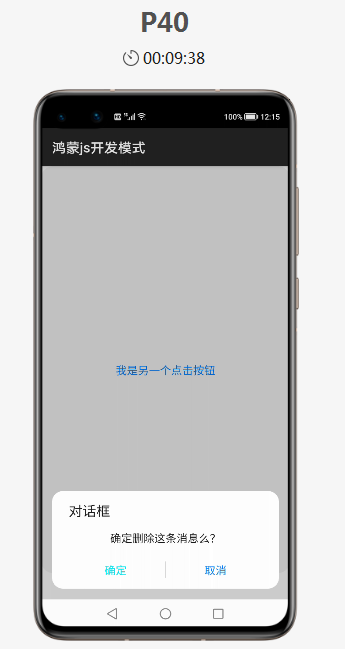
鸿蒙的对话框
<div class="container">
    <button onclick="onclick">我是另一个点击按钮</button>
</div>
import prompt from '@system.prompt';
export default {
    data: {

    },
    onclick(){
        //鸿蒙的对话框
        prompt.showDialog({
            title:"对话框",
            message:"确定删除这条消息么?",
            buttons:[{"text":"确定","color":"#00E5EE"},
                     {"text":"取消","color":"#00E5EE"}],
            success:function(e){
                if(e.index==0){
                    //鸿蒙的提示框
                    prompt.showToast({
                        message:"您点击了确定"
                    });
                }else if(e.index==1){
                    prompt.showToast({
                        message:"您点击了取消"
                    });
                }
            }
        });
    }
}
👇扫码关注鸿蒙技术社区👇
专注开源技术,共建鸿蒙生态


点“阅读原文”了解更多
文章转载自鸿蒙技术社区,如果涉嫌侵权,请发送邮件至:contact@modb.pro进行举报,并提供相关证据,一经查实,墨天轮将立刻删除相关内容。
