



高级设置
Authelia
进入 Nginx Proxy Manager
,找到 Authelia
域名 auth.laosu.ml
对应的 Proxy Hosts
,进入编辑状态,并切换到 Advanced
界面
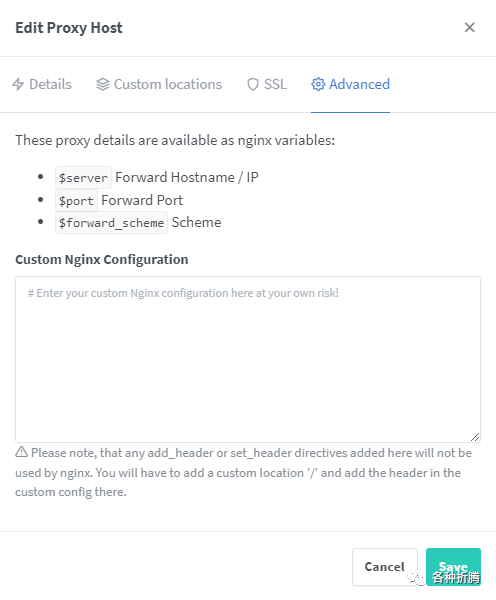
在 Custom Nginx Configuration
中粘贴下面的代码
location  {
    set $upstream_authelia http://192.168.0.199:9091; # authelia 的 ip 和端口
    proxy_pass $upstream_authelia;
    client_body_buffer_size 128k;

    #Timeout if the real server is dead
    proxy_next_upstream error timeout invalid_header http_500 http_502 http_503;

    # Advanced Proxy Config
    send_timeout 5m;
    proxy_read_timeout 360;
    proxy_send_timeout 360;
    proxy_connect_timeout 360;

    # Basic Proxy Config
    proxy_set_header Host $http_host; # 原为 $host,按照作者建议改为 $http_host;
    proxy_set_header X-Real-IP $remote_addr;
    proxy_set_header X-Forwarded-For $proxy_add_x_forwarded_for;
    proxy_set_header X-Forwarded-Proto $scheme;
    proxy_set_header X-Forwarded-Host $host;
    proxy_set_header X-Forwarded-Uri $request_uri;
    proxy_set_header X-Forwarded-Ssl on;
    proxy_redirect  http://  $scheme://;
    proxy_http_version 1.1;
    proxy_set_header Connection "";
    proxy_cache_bypass $cookie_session;
    proxy_no_cache $cookie_session;
    proxy_buffers 64 256k;

    set_real_ip_from 192.168.0.0/24; #根据你的网段进行修改
    real_ip_header X-Forwarded-For;
    real_ip_recursive on;
}
粘贴前有两处需要修改👇
第一处要改成你的群晖主机的 IP
和Authelia
的端口
set $upstream_authelia http://192.168.0.199:9091;
第二处根据你的网段进行修改
set_real_ip_from 192.168.0.0/24; #根据你的网段进行修改
受保护的域
| 域名 | 用途 | 规则 |
|---|---|---|
https://ad.laosu.ml | Adminer的访问地址 | one_factor |
https://sp1.laosu.ml | speed test的访问地址 | one_factor |
https://nas.laosu.ml | 群晖管理界面的访问地址 | two_factor |
https://n8n.laosu.ml | n8n的访问地址 | two_factor |
每个受保护的域,不管是 one_factor
还是 two_factor
,都要进入 Nginx Proxy Manager
,找到对应的 Proxy Hosts
,进入编辑状态,并切换到 Advanced
界面,在 Custom Nginx Configuration
中粘贴下面的代码
location authelia {
    internal;
    set $upstream_authelia http://192.168.0.199:9091/api/verify; # authelia 的 ip 和端口
    proxy_pass_request_body off;
    proxy_pass $upstream_authelia;
    proxy_set_header Content-Length "";

    # Timeout if the real server is dead
    proxy_next_upstream error timeout invalid_header http_500 http_502 http_503;
    client_body_buffer_size 128k;
    proxy_set_header Host $http_host;
    proxy_set_header X-Original-URL $scheme://$http_host$request_uri;
    proxy_set_header X-Real-IP $remote_addr;
    proxy_set_header X-Forwarded-For $remote_addr;
    proxy_set_header X-Forwarded-Proto $scheme;
    proxy_set_header X-Forwarded-Host $http_host;
    proxy_set_header X-Forwarded-Uri $request_uri;
    proxy_set_header X-Forwarded-Ssl on;
    proxy_redirect  http://  $scheme://;
    proxy_http_version 1.1;
    proxy_set_header Connection "";
    proxy_cache_bypass $cookie_session;
    proxy_no_cache $cookie_session;
    proxy_buffers 4 32k;

    send_timeout 5m;
    proxy_read_timeout 240;
    proxy_send_timeout 240;
    proxy_connect_timeout 240;
}

    location  {
        set $upstream_speedtest http://192.168.0.199:8180;  # 更改应用的名称, IP 和端口
        proxy_pass $upstream_speedtest;  # 更改应用的名称,一般可以用 upstream_应用名称 的方式

		auth_request authelia;
		auth_request_set $target_url $scheme://$http_host$request_uri;
		auth_request_set $user $upstream_http_remote_user;
		auth_request_set $groups $upstream_http_remote_groups;
		proxy_set_header Remote-User $user;
		proxy_set_header Remote-Groups $groups;
		error_page 401 =302 https://auth.laosu.ml:444/?rd=$target_url; # 改为你的 authelia 域名,有端口也要带上

		client_body_buffer_size 128k;

		proxy_next_upstream error timeout invalid_header http_500 http_502 http_503;

		send_timeout 5m;
		proxy_read_timeout 360;
		proxy_send_timeout 360;
		proxy_connect_timeout 360;

		proxy_set_header Host $http_host;
		proxy_set_header X-Real-IP $remote_addr;
		proxy_set_header X-Forwarded-For $proxy_add_x_forwarded_for;
		proxy_set_header X-Forwarded-Proto $scheme;
		proxy_set_header X-Forwarded-Host $http_host;
		proxy_set_header X-Forwarded-Uri $request_uri;
		proxy_set_header X-Forwarded-Ssl on;
		proxy_redirect  http://  $scheme://;
		proxy_http_version 1.1;
		proxy_set_header Connection "";
		proxy_cache_bypass $cookie_session;
		proxy_no_cache $cookie_session;
		proxy_buffers 64 256k;

		set_real_ip_from 192.168.0.0/16; #根据你的网段进行修改
		real_ip_header X-Forwarded-For;
		real_ip_recursive on;
    }
粘贴前有几处需要修改👇
第一处要改成你的群晖主机的 IP
和Authelia
的端口
set $upstream_authelia http://192.168.0.199:9091/api/verify; # authelia 的 ip 和端口
第二处是修改 $upstream_speedtest
,一般按照应用的名称、容器的名称改,主要是便于识别,例如:$upstream_adminer
、$upstream_n8n
等后面的地址 http://192.168.0.199:8180
则需要按照你的应用来设置,这是老苏安装的speedtest
应用
        set $upstream_speedtest http://192.168.0.199:8180;  # 更改应用的名称, IP 和端口
        proxy_pass $upstream_speedtest;  # 更改应用的名称,一般可以用 upstream_应用名称 的方式
第三处需要改为你的 authelia
的域名,如果和老苏一样没有备案的话,这里必须把端口带上
error_page 401 =302 https://auth.laosu.ml:444/?rd=$target_url; # 改为你的 authelia 域名,有端口也要带上
第四处根据你的网段进行修改
set_real_ip_from 192.168.0.0/16; #根据你的网段进行修改
运行
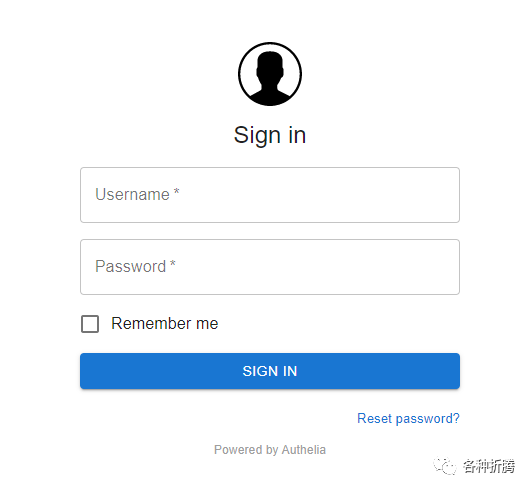
先打开 https://auth.laosu.ml:444
,出现了 authelia
的登录界面
按照我们前面在
users_database.yml
中的设置,账号为authelia
,密码为123456
;这里老苏只是示例,如果你也这么设,那设不设的也没啥区别
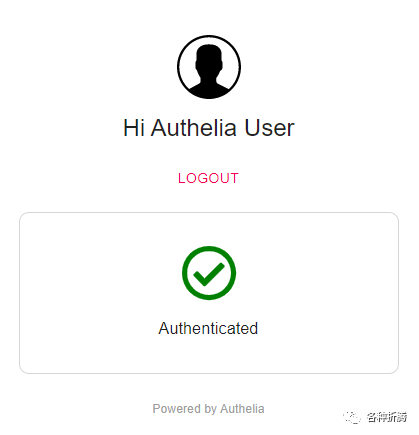
登录成功后
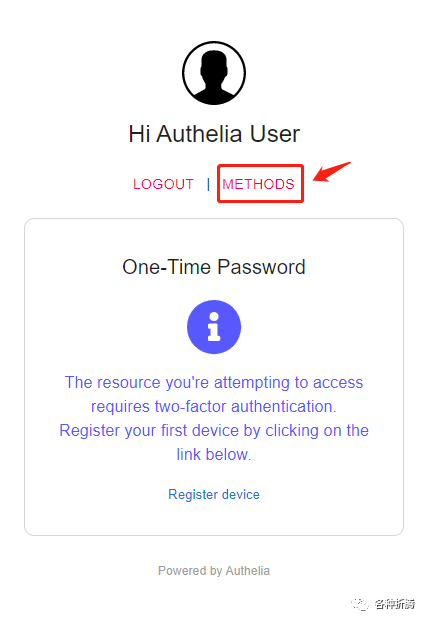
如果设置了 two_factor
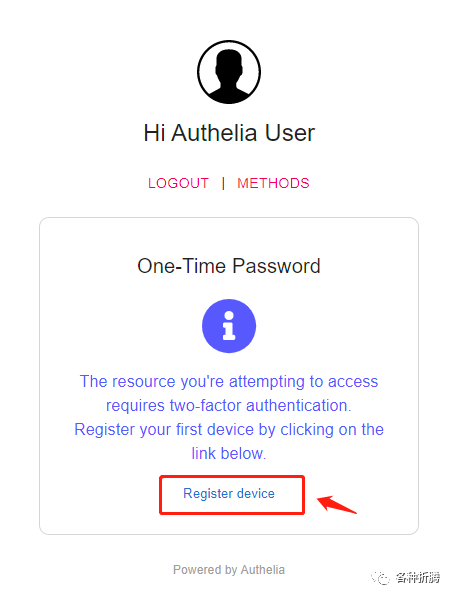
,会显示需要注册设备
接下来试试 https://sp1.laosu.ml:444
,出现了 authelia
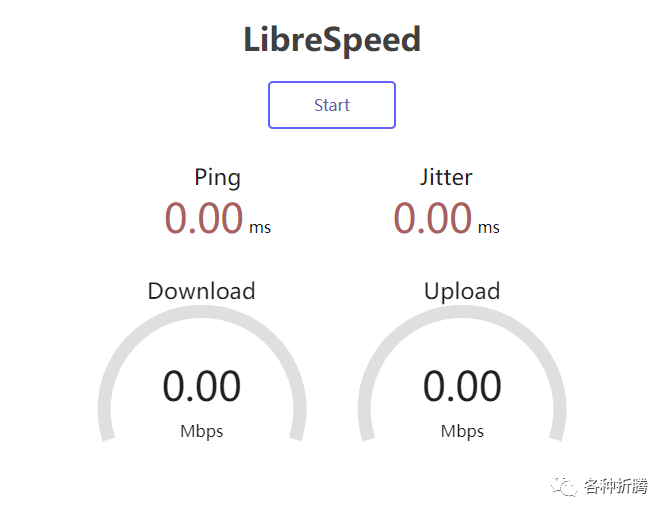
的登录界面,输入账号、密码,登录成功直接打开了测试界面
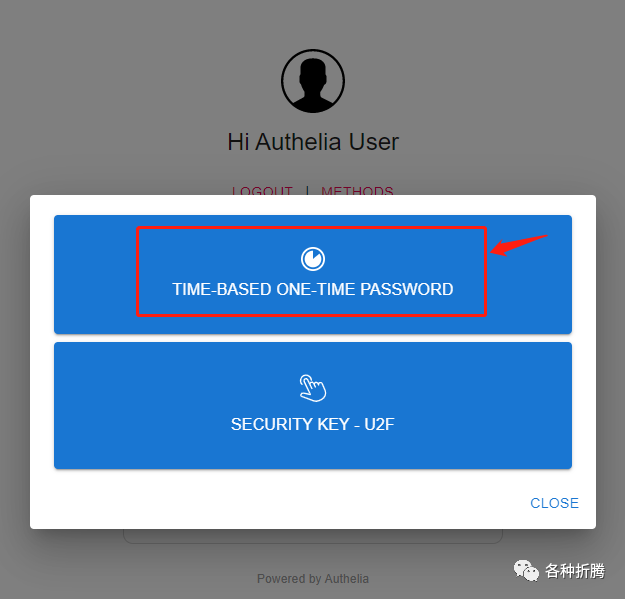
打开 https://n8n.laosu.ml:444
,这个通行规则是 two_factor
,需要点 METHODS
,选择 TOTP
点 Register device
可以注册设备
一次性密码(
One-Time Password
,简称OTP
),又称 “一次性口令”,是指只能使用一次的密码。一次性密码是根据专门算法、每隔60
秒生成一个不可预测的随机数字组合,iKEY
一次性密码已在金融、电信、网游等领域被广泛应用,有效地保护了用户的安全。【百度百科】
OTP
软件挺多的,比如老苏用的 Microsoft Authenticator
,还有 Google Authenticator
、 FreeOTP
等等
右上角显示发送邮件

进邮箱,点中间蓝色的 Register
按钮
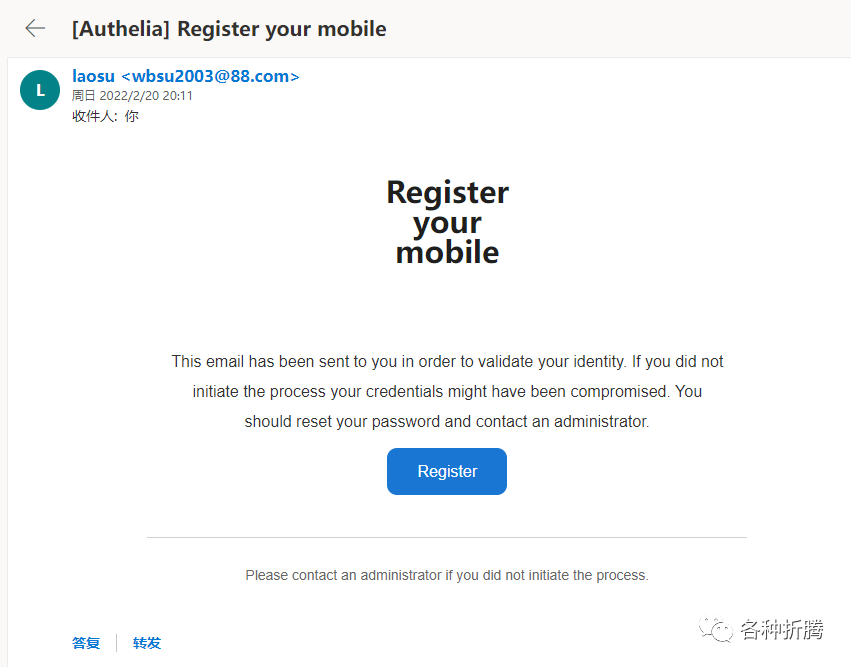
如果页面错误,看看 url
中是不是少了端口,老苏用的 444
端口是非标端口( SSL
默认端口为 443
,所以老苏认为 444
是非标的),需要自己加,加好了在地址栏中直接回车刷新页面就可以了
按作者的说法,可能需要到
v4.34
才会修复非标准端口运行的问题
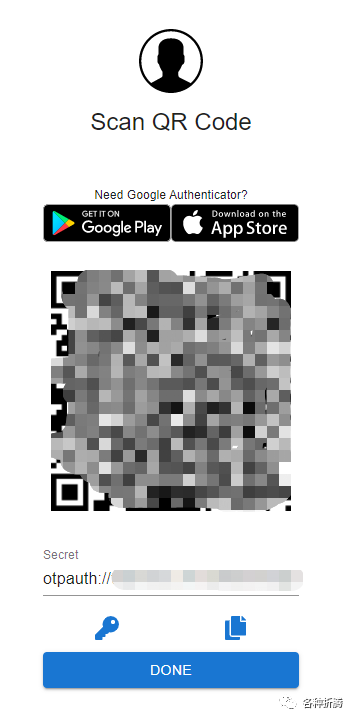
老苏用的是 Microsoft Authenticator
,打开后通过 添加账号
--> 个人账号
--> 扫描 QR 码
回到网页的登录界面,刷新后会显示 6
个方框
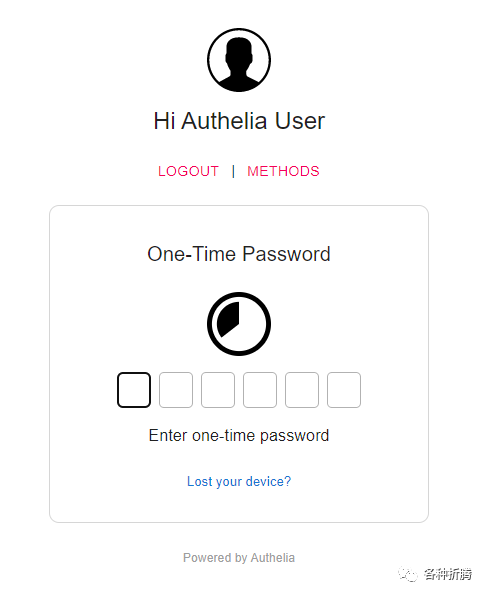
填入 Microsoft Authenticator
中的 6
位数字,验证通过后就可以看到 n8n
的界面了
结语
有了 Authelia
,再配合 Fail2ban
防止暴力破解,公网访问的安全性问题会得到很大的保障。
虽然官方强调 OpenID Connect
仍处于预览阶段,但实际上Authelia
已经支持 OIDC
认证,不过限于篇幅,还是留到下回吧。
下期预告👉『 Outline使用Authelia实现本地认证
』,文章将讨论如何实现 Outline
通过 Authelia
的 OIDC
完成本地认证,而不再需要借助基于公网的第三方认证。
参考文档
authelia/authelia: The Single Sign-On Multi-Factor portal for web apps
地址:https://github.com/authelia/autheliaHome - Authelia
地址:https://www.authelia.com/docs/Running authelia on a non standard HTTPs port. Base href is not valid. · Issue #2765 · authelia/authelia
地址:https://github.com/authelia/authelia/issues/2765Authelia - SSO and 2FA portal
地址:https://www.blackvoid.club/authelia-sso-and-2fa-portal/Self-Hosted SSO with Authelia and NGINX
地址:https://matwick.ca/authelia-nginx-sso/Setup Authelia to work... | The Homelab Wiki
地址:https://thehomelab.wiki/books/dns-reverse-proxy/page/setup-authelia-to-work-with-nginx-proxy-managerAuthelia: Install Guide on Unraid + NGINX (Brief) - YouTube
地址:https://www.youtube.com/watch?app=desktop&v=fr-t7sGrYtISkyPi/README.md at main · Just5KY/SkyPi
地址:https://github.com/Just5KY/SkyPi/blob/main/Authelia/README.md
@所有人:写文不易,如果你都看到了这里,请点个赞
和在看
,分享给更多的朋友;为确保你能收到每一篇文章,请主页右上角设置星标。
