



报错信息:
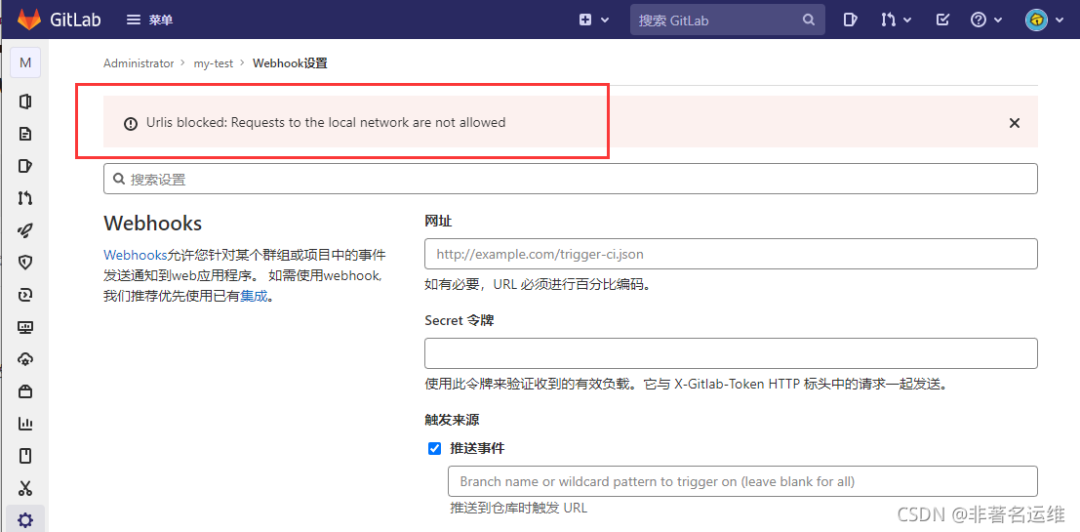
Gitlab配置webhook报错:Urlis blocked: Requests to the local network are not allowed解决。
Urlis blocked: Requests to the local network are not allowedUrlis blocked: Requests to the local network are not allowedUrlis blocked: Requests to the local network are not allowedUrlis blocked: Requests to the local network are not allowedUrlis blocked: Requests to the local network are not allowedUrlis blocked: Requests to the local network are not allowed
问题原因:
在Gitlab 10.6以后的版本为了安全起见,默认不允许向本地网络发送webhook请求,但是可以使用管理员身份修改默认设置!
解决方法:
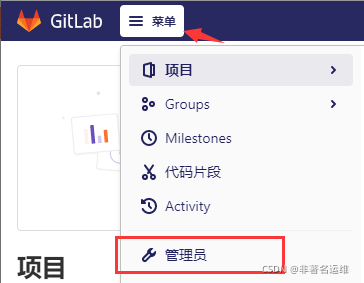
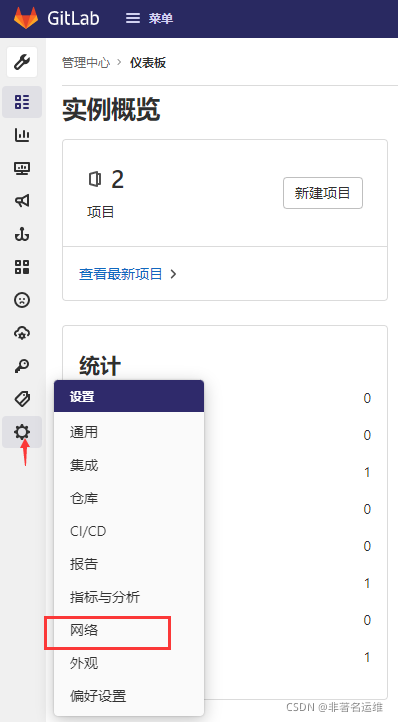
以管理员身份登录Gitlab后,进入adminarea,点击菜单(首页顶层一行有个小扳手图标)点击进入,接着左侧菜单栏---->settings(设置)下一级---->network(网络)---->outbound requests expend(外发请求)前面打勾(□ Allow requests to the local network from web hooks and services-允许Webhook和服务对本地网络的请求)即可!
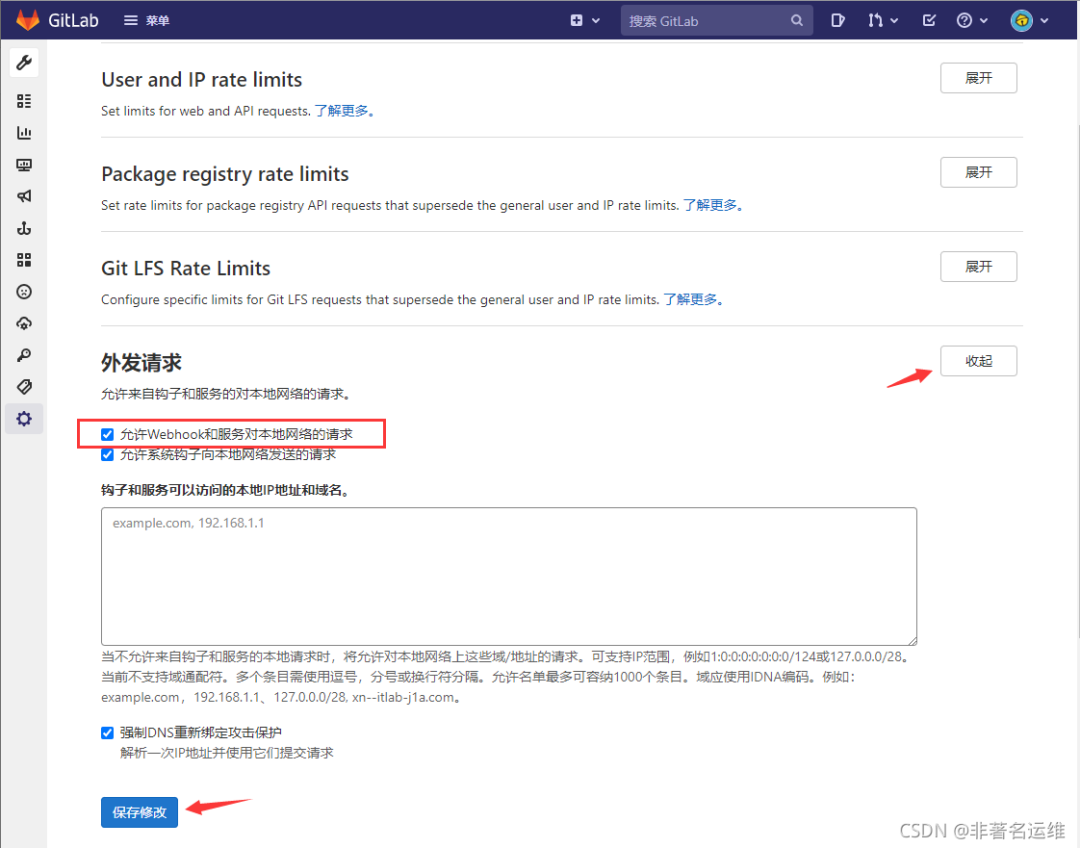
配置后即可允许向本地网络发送webhook请求。
温馨提示
如果您喜欢本文,就请动动您的发财手为本文留言转发在看,想获取更多运维相关内容,请记得关注我。
点个[在看],是对我最大的支持!

文章转载自非著名运维,如果涉嫌侵权,请发送邮件至:contact@modb.pro进行举报,并提供相关证据,一经查实,墨天轮将立刻删除相关内容。
