



Table of Contents
版本信息
linux:~ # lsb_release -a
LSB Version: core-2.0-noarch:core-2.0-%{_target_arch}:graphics-2.0-noarch:graphics-2.0-x86_64
Distributor ID: SUSE LINUX
Description: SuSE Linux 9.3 (x86-64)
Release: 9.3
Codename: n/a
linux:~ #
安装必备软件
yast2 -i gcc gcc-32bit gcc-c++
yast2 -i openssh
yast2 -i cpio
SUSElinux配置实现xmanager远程桌面连接linux
修改配置文件/etc/sysconfig/displaymanager
linux:~ # egrep -v '^$|^#' /etc/sysconfig/displaymanager
DISPLAYMANAGER="kdm"
DISPLAYMANAGER_REMOTE_ACCESS="yes"
DISPLAYMANAGER_ROOT_LOGIN_REMOTE="yes"
DISPLAYMANAGER_STARTS_XSERVER="yes"
DISPLAYMANAGER_XSERVER_TCP_PORT_6000_OPEN="yes"
KDM_SHUTDOWN="auto"
KDM_USERS=""
KDM_GREETSTRING=""
DISPLAYMANAGER_AUTOLOGIN="fy"
DISPLAYMANAGER_PASSWORD_LESS_LOGIN="no"
DISPLAYMANAGER_KDM_THEME="SUSE"
linux:~ #
修改配置文件/etc/X11/xdm/Xaccess
linux:~ # egrep -v '^$|^#'  /etc/X11/xdm/Xaccess
*                                       #any host can get a login window
*               CHOOSER BROADCAST       #any indirect host can get a chooser
linux:~ #
修改配置文件/etc/X11/xdm/xdm-config
linux:~ # grep 'requestPort' /etc/X11/xdm/xdm-config
!DisplayManager.requestPort:    0
linux:~ #
修改配置文件/etc/gdm/custom.conf
linux:~ # egrep -v '^$' /etc/gdm/custom.conf
# GDM configuration storage
[xdmcp]
# SuSEconfig: displaymanager:DISPLAYMANAGER_REMOTE_ACCESS
Enable=true
Port=177
[chooser]
[security]
# SuSEconfig: displaymanager:~DISPLAYMANAGER_XSERVER_TCP_PORT_6000_OPEN
DisallowTCP=false
# SuSEconfig: displaymanager:DISPLAYMANAGER_ROOT_LOGIN_REMOTE
AllowRemoteRoot=true
[debug]
linux:~ #
Windows 11 xmanager安装oracle client
Windows 11安装Xmanager7
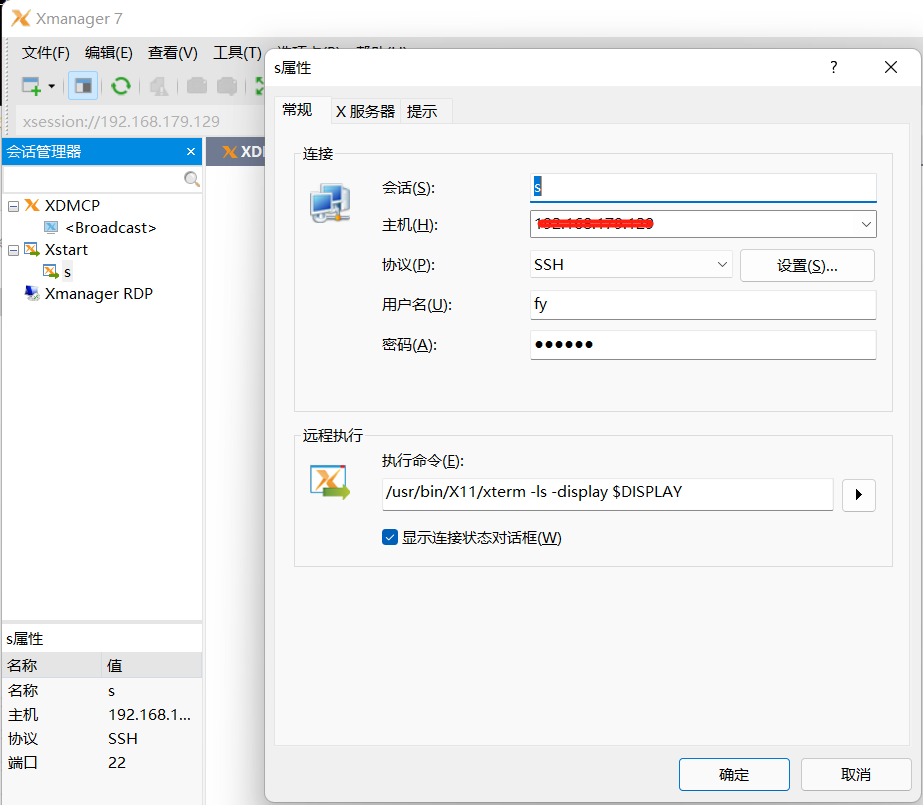
配置Xmanager7中登录suse信息
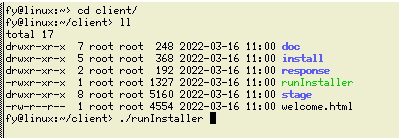
suse执行runInstaller
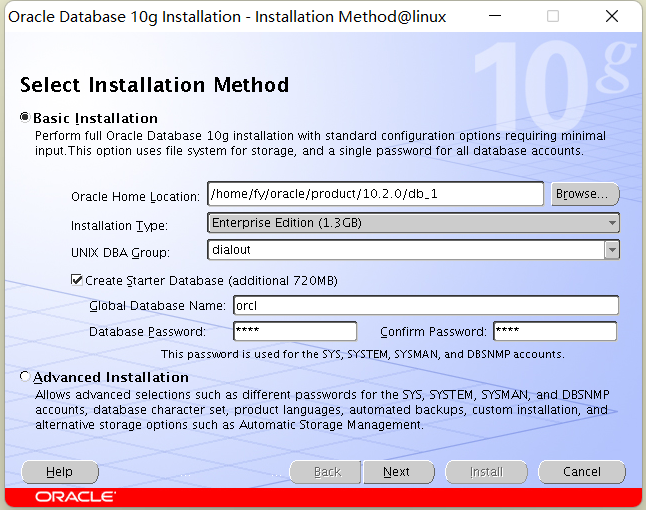
suse图形化步骤
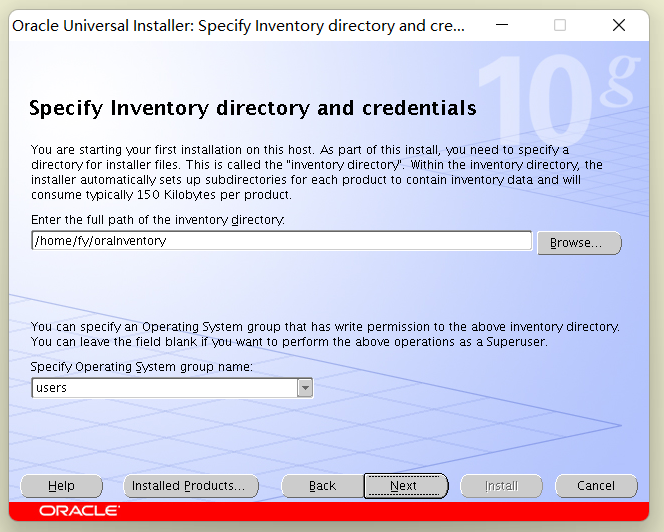
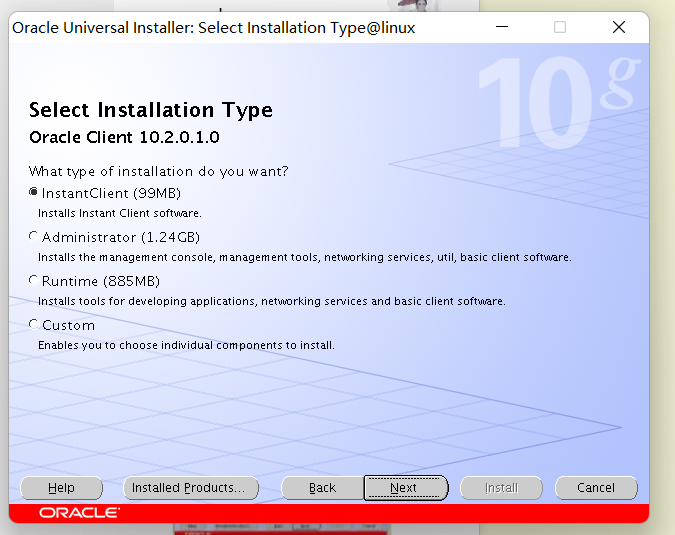
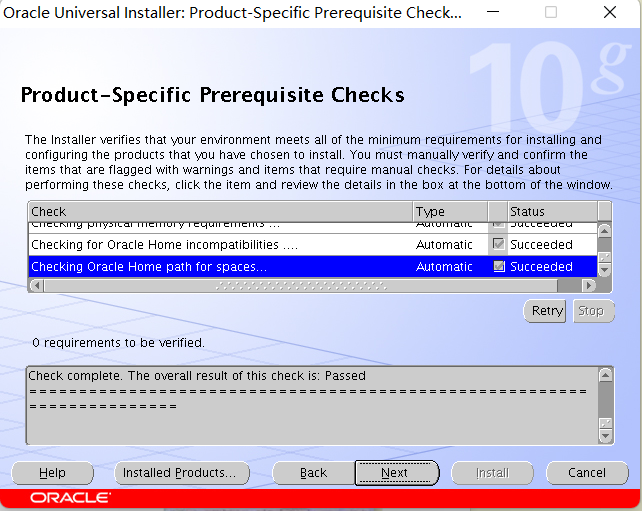
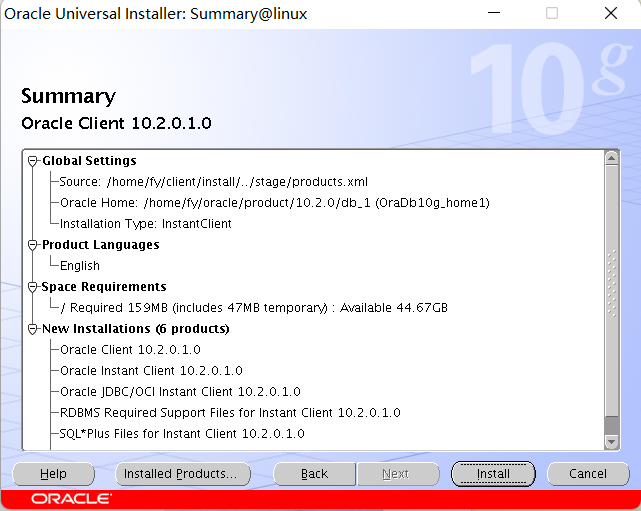
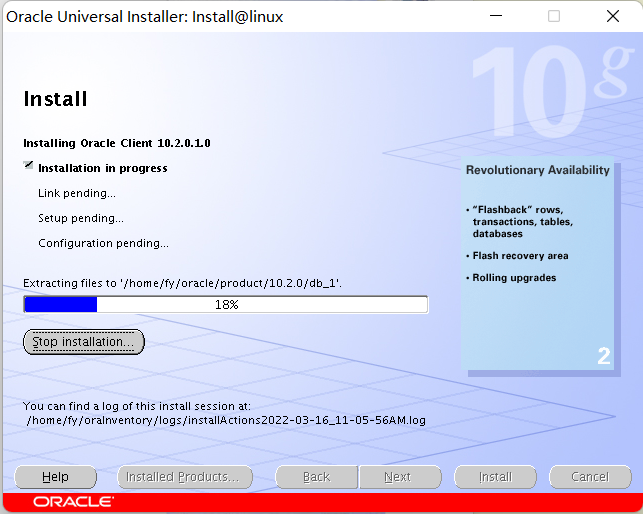
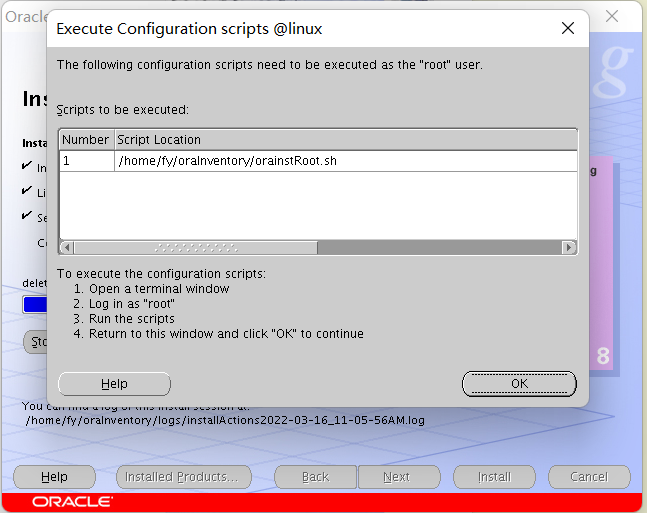
linux:/home/fy/oraInventory # /home/fy/oraInventory/orainstRoot.sh
Changing permissions of /home/fy/oraInventory to 770.
Changing groupname of /home/fy/oraInventory to users.
The execution of the script is complete
linux:/home/fy/oraInventory #
参考:
https://www.pianshen.com/article/32071995378/
最后修改时间:2022-03-16 22:31:36
「喜欢这篇文章,您的关注和赞赏是给作者最好的鼓励」
关注作者
【版权声明】本文为墨天轮用户原创内容,转载时必须标注文章的来源(墨天轮),文章链接,文章作者等基本信息,否则作者和墨天轮有权追究责任。如果您发现墨天轮中有涉嫌抄袭或者侵权的内容,欢迎发送邮件至:contact@modb.pro进行举报,并提供相关证据,一经查实,墨天轮将立刻删除相关内容。
