




Hi!大家好呀!我是你们努力的喵哥!
在进行产品开发的过程中,编写数据库表结构文档,是对技术人员工程规范的基础要求。但是在现实情况,对于很多中小型规模的研发团队,经常是没有做,或者将字段的说明写到数据库字段注释中。
在这样的情况下,字段注释维护会非常繁琐。如果,在多个技术成员多版本的迭代下,那么还可能造成更迭误差。这样会对,以后的工作或者后继开发者,造成极大的困扰。
所以,所有的团队都应该维护一份数据表结构文档。但是,传统手写的表结构文档也是存在更新繁琐的问题。
因此,喵哥给大家推荐一个开源项目 screw。screw 是一款一键生成数据库表结构文档的小工具。screw 中文名是螺丝钉。寓意数据库开发中,一颗永不生锈的螺丝钉一样的小工具。

特点
简洁、轻量、设计良好
多数据库支持
多种格式文档
灵活扩展
支持自定义模板
数据库支持
MySQL
MariaDB
TIDB
Oracle
SqlServer
PostgreSQL
Cache DB
文档生成支持
html
word
markdwon
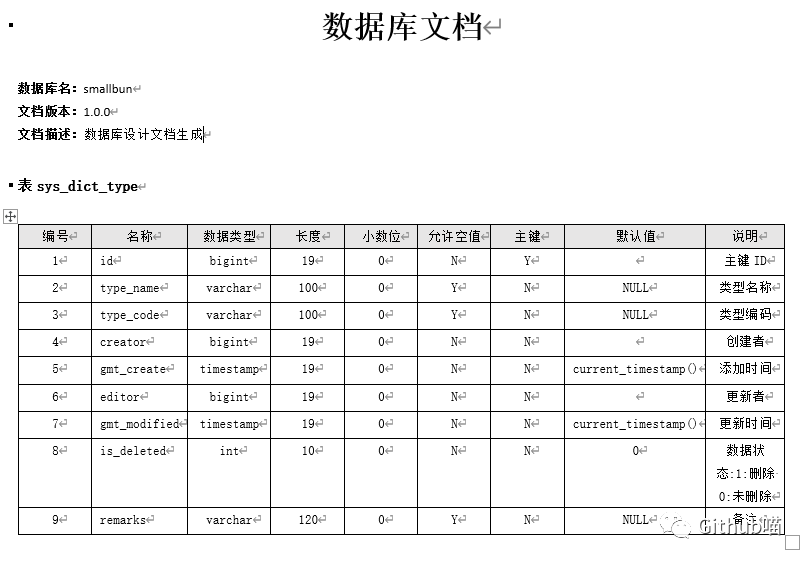
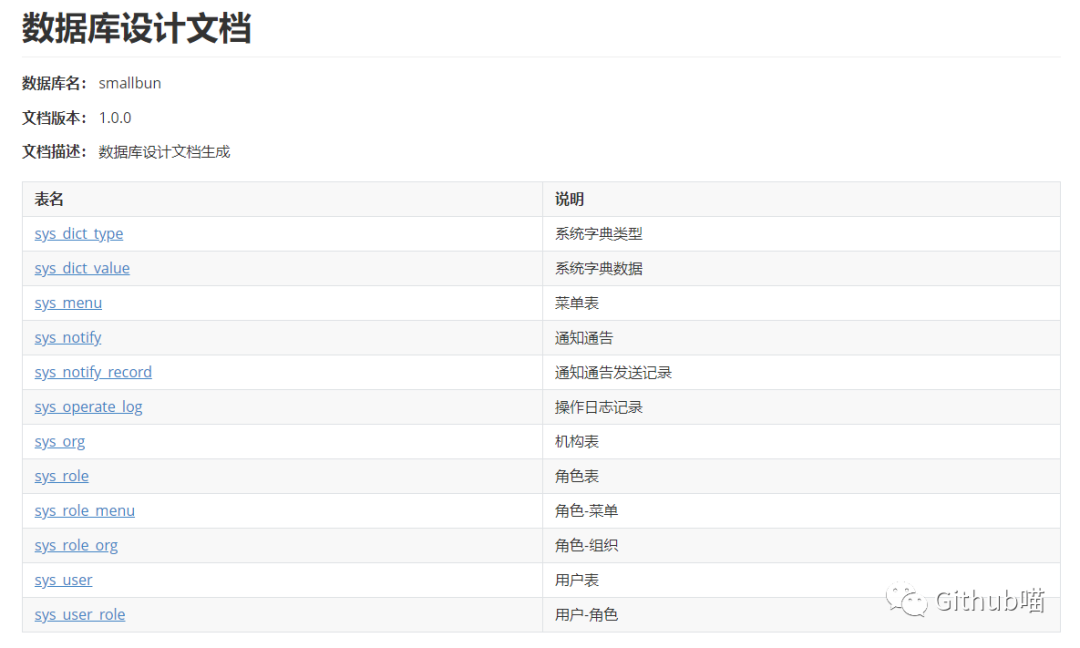
文档截图
html
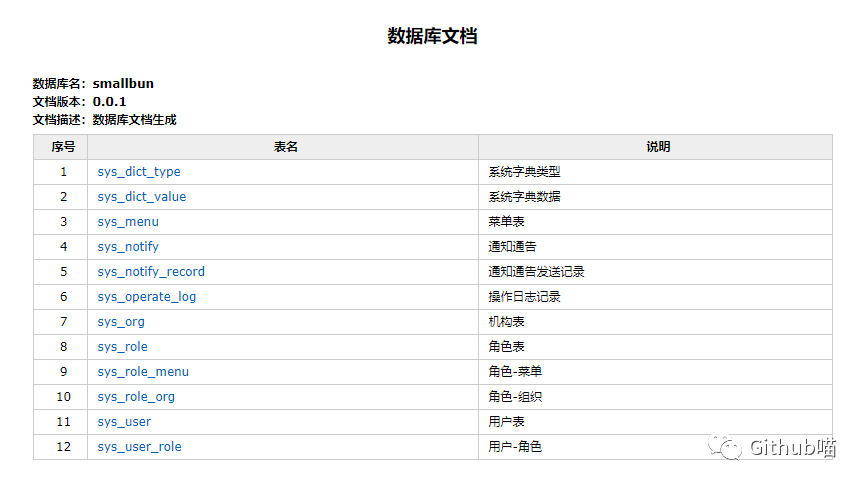
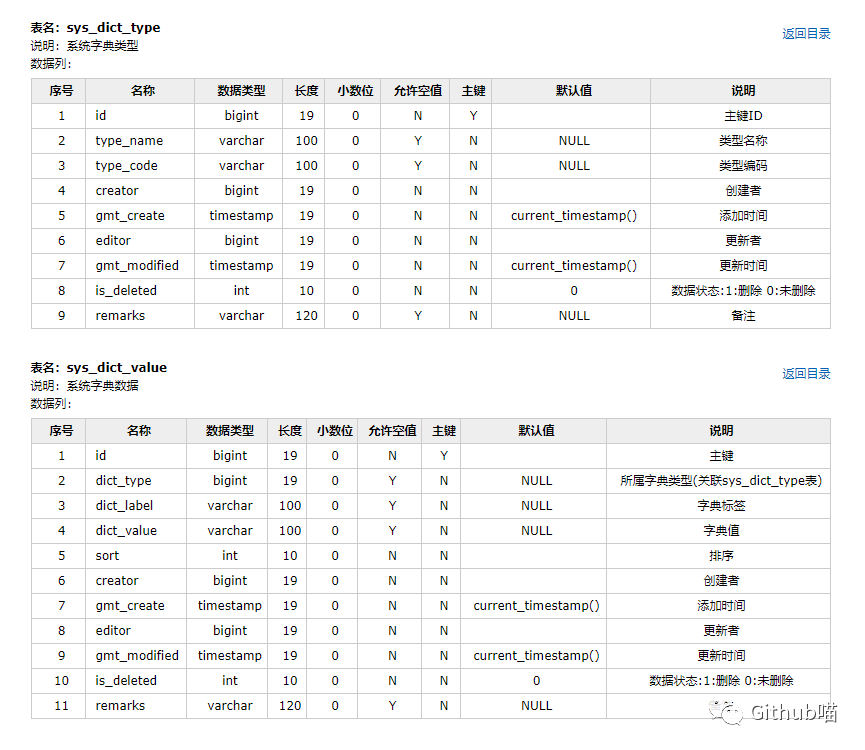
word
markdwon

普通方式
引入依赖
cn.smallbun.screwscrew-core${lastVersion}
编写代码
/**
 * 文档生成
 */
void documentGeneration() {
   //数据源
   HikariConfig hikariConfig = new HikariConfig();
   hikariConfig.setDriverClassName("com.mysql.cj.jdbc.Driver");
   hikariConfig.setJdbcUrl("jdbc:mysql://127.0.0.1:3306/database");
   hikariConfig.setUsername("root");
   hikariConfig.setPassword("password");
   //设置可以获取tables remarks信息
   hikariConfig.addDataSourceProperty("useInformationSchema", "true");
   hikariConfig.setMinimumIdle(2);
   hikariConfig.setMaximumPoolSize(5);
   DataSource dataSource = new HikariDataSource(hikariConfig);
   //生成配置
   EngineConfig engineConfig = EngineConfig.builder()
         //生成文件路径
         .fileOutputDir(fileOutputDir)
         //打开目录
         .openOutputDir(true)
         //文件类型
         .fileType(EngineFileType.HTML)
         //生成模板实现
         .produceType(EngineTemplateType.freemarker)
         //自定义文件名称
         .fileName("自定义文件名称").build();

   //忽略表
   ArrayList<String> ignoreTableName = new ArrayList<>();
   ignoreTableName.add("test_user");
   ignoreTableName.add("test_group");
   //忽略表前缀
   ArrayList<String> ignorePrefix = new ArrayList<>();
   ignorePrefix.add("test_");
   //忽略表后缀
   ArrayList<String> ignoreSuffix = new ArrayList<>();
   ignoreSuffix.add("_test");
   ProcessConfig processConfig = ProcessConfig.builder()
         //指定生成逻辑、当存在指定表、指定表前缀、指定表后缀时,将生成指定表,其余表不生成、并跳过忽略表配置
		 //根据名称指定表生成
		 .designatedTableName(new ArrayList<>())
		 //根据表前缀生成
		 .designatedTablePrefix(new ArrayList<>())
		 //根据表后缀生成
		 .designatedTableSuffix(new ArrayList<>())
         //忽略表名
         .ignoreTableName(ignoreTableName)
         //忽略表前缀
         .ignoreTablePrefix(ignorePrefix)
         //忽略表后缀
         .ignoreTableSuffix(ignoreSuffix).build();
   //配置
   Configuration config = Configuration.builder()
         //版本
         .version("1.0.0")
         //描述
         .description("数据库设计文档生成")
         //数据源
         .dataSource(dataSource)
         //生成配置
         .engineConfig(engineConfig)
         //生成配置
         .produceConfig(processConfig)
         .build();
   //执行生成
   new DocumentationExecute(config).execute();
}
Maven 插件
<build>
    <plugins>
        <plugin>
            <groupId>cn.smallbun.screw</groupId>
            <artifactId>screw-maven-plugin</artifactId>
            <version>${lastVersion}</version>
            <dependencies>
                <!-- HikariCP -->
                <dependency>
                    <groupId>com.zaxxer</groupId>
                    <artifactId>HikariCP</artifactId>
                    <version>3.4.5</version>
                </dependency>
                <!--mysql driver-->
                <dependency>
                    <groupId>mysql</groupId>
                    <artifactId>mysql-connector-java</artifactId>
                    <version>8.0.20</version>
                </dependency>
            </dependencies>
            <configuration>
                <!--username-->
                <username>root</username>
                <!--password-->
                <password>password</password>
                <!--driver-->
                <driverClassName>com.mysql.cj.jdbc.Driver</driverClassName>
                <!--jdbc url-->
                <jdbcUrl>jdbc:mysql://127.0.0.1:3306/xxxx</jdbcUrl>
                <!--生成文件类型-->
                <fileType>HTML</fileType>
                <!--打开文件输出目录-->
                <openOutputDir>false</openOutputDir>
                <!--生成模板-->
                <produceType>freemarker</produceType>
                <!--文档名称 为空时:将采用[数据库名称-描述-版本号]作为文档名称-->
                <fileName>测试文档名称</fileName>
                <!--描述-->
                <description>数据库文档生成</description>
                <!--版本-->
                <version>${project.version}</version>
                <!--标题-->
                <title>数据库文档</title>
            </configuration>
            <executions>
                <execution>
                    <phase>compile</phase>
                    <goals>
                        <goal>run</goal>
                    </goals>
                </execution>
            </executions>
        </plugin>
    </plugins>
</build>
screw 项目的作者是「平凡故事」。screw 已经开源并维护了2个月,在 github 已经收获了394 Star。
作为一个为技术人员准备的小工具,screw 真的非常高效简洁。喵哥,强力推荐大家使用。
项目地址:https://github.com/pingfangushi/screw
往期精彩内容:
...
关注Github喵,回复「进阶」,
领取喵哥推荐的技术进阶知识大礼包!!!
扫描二维码
获取更多内容
Github喵


文章转载自Github喵,如果涉嫌侵权,请发送邮件至:contact@modb.pro进行举报,并提供相关证据,一经查实,墨天轮将立刻删除相关内容。
