



Table of Contents
参考
https://www.cnblogs.com/chenfool/p/7411626.html
安装基本包
linux-mi1t:/softinstall # yast -i zypper
linux-mi1t:/softinstall # yast -i openssh
配置ssh密码验证登录
linux-mi1t:~ # cat /etc/ssh/sshd_config  | grep -i "PasswordAuthentication"
PasswordAuthentication yes
linux-mi1t:~ #

linux-mi1t:/softinstall # /etc/init.d/sshd restart
准备oracle安装包
linux-mi1t:/softinstall # mkdir /softinstall
linux-mi1t:/softinstall # cd /softinstall
... 上传oracle安装包 ...
linux-mi1t:/softinstall # ll
total 2489716
-rw-r--r-- 1 root root 1395582860 Mar 21 15:36 p13390677_112040_Linux-x86-64_1of7.zip
-rw-r--r-- 1 root root 1151304589 Mar 21 15:36 p13390677_112040_Linux-x86-64_2of7.zip
-rw-r--r-- 1 root root      32330 Mar 21 15:35 p18841764_112040_Linux-x86-64.zip
-rw-r--r-- 1 root root      44600 Mar 21 15:35 p19692824_112040_Linux-x86-64.zip
linux-mi1t:/softinstall #

linux-mi1t:/softinstall # unzip p13390677_112040_Linux-x86-64_1of7.zip
linux-mi1t:/softinstall # unzip p13390677_112040_Linux-x86-64_2of7.zip
linux-mi1t:/softinstall # unzip p18841764_112040_Linux-x86-64.zip
linux-mi1t:/softinstall # unzip p19692824_112040_Linux-x86-64.zip
配置/etc/security/limits.conf
#oracle software
oracle soft nproc 2047
oracle hard nproc 16384
oracle soft nofile 1024
oracle hard nofile 65536
配置/etc/pam.d/login
#oracle software
session required /lib/security/pam_limits.so
session required pam_limits.so
配置/etc/sysctl.conf
fs.file-max = 6815744
fs.aio-max-nr = 1048576
kernel.shmall = 2097152
kernel.shmmax = 2147483648
kernel.shmmni = 4096
kernel.sem = 250 32000 100 128
net.ipv4.ip_local_port_range = 9000 65500
net.core.rmem_default = 4194304
net.core.rmem_max = 4194304
net.core.wmem_default = 262144
net.core.wmem_max=1048576
sysctl生效
sysctl -p
配置swapfile
dd if=/dev/zero of=/swapfile count=4096 bs=1MiB
chmod 600 /swapfile
# 激活交换空间
mkswap /swapfile
swapon /swapfile
# 查看是否激活交换空间
swapon -s
# /etc/fstab
/swapfile none swap sw 0 0
配置 /etc/profile
if [ $USER = "oracle" ] ; then
   if [ $SHELL = "/bin/ksh" ] ; then
      ulimit -p 16384
      ulimit -n 65536
   else
      ulimit -u 16384 -n 65536
   fi
fi
安装oracle依赖
linux-mi1t:/softinstall # zypper install gcc-32bit
linux-mi1t:/softinstall # zypper install gcc-c++
linux-mi1t:/softinstall # zypper install libaio-devel
linux-mi1t:/softinstall # zypper install libaio-devel-32bit
linux-mi1t:/softinstall # zypper install libstdc++43-devel-32bit
linux-mi1t:/softinstall # zypper install libstdc++-devel-4.3
linux-mi1t:/softinstall # zypper install sysstat-8.1.5
创建oracle 系统用户
linux-mi1t:/softinstall # groupadd oracle
linux-mi1t:/softinstall # useradd -g oracle -m oracle
linux-mi1t:/softinstall # passwd oracle
创建oracle必须的目录
linux-mi1t:/softinstall # cd /home/oracle
linux-mi1t:/softinstall # mkdir app
linux-mi1t:/softinstall # mkdir app/oracle
linux-mi1t:/softinstall # mkdir app/data
linux-mi1t:/softinstall # mkdir app/product
配置oracle用户 .bash_profile
## oracle
umask 022
export ORACLE_BASE=/home/oracle/app
export ORACLE_HOME=$ORACLE_BASE/oracle/product/11.2.0/dbhome_1
export ORACLE_SID=orcl
export PATH=$PATH:$HOME/bin:$ORACLE_HOME/bin
export LD_LIBRARY_PATH=$ORACLE_HOME/lib:/usr/lib
安装oracle 11g
linux-mi1t:/softinstall # cd /home/oracle
linux-mi1t:/softinstall #  mv /softinstall/database ./
linux-mi1t:/home/oracle # chown -R oracle:oracle database
linux-mi1t:/home/oracle # chown -R oracle:oracle app
linux-mi1t:/softinstall # cd database/
## oracle登录图形化界面
linux-mi1t:/softinstall # ./runInstaller   ## user:oracle  必须以图形化界面安装
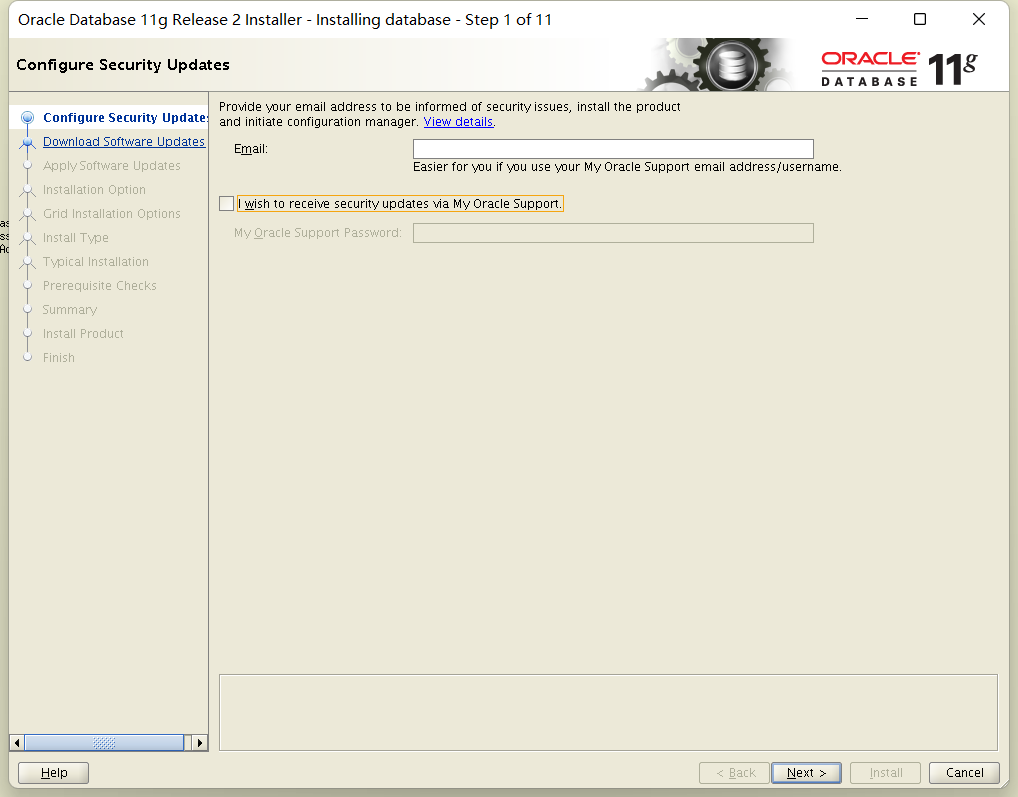
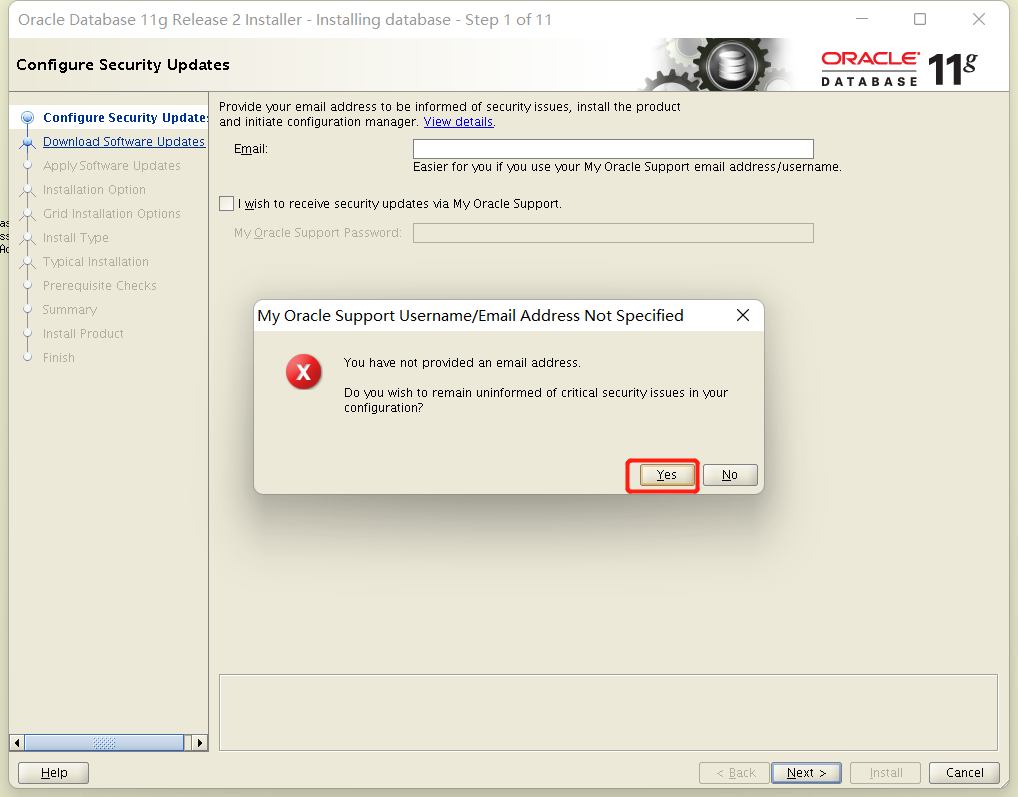
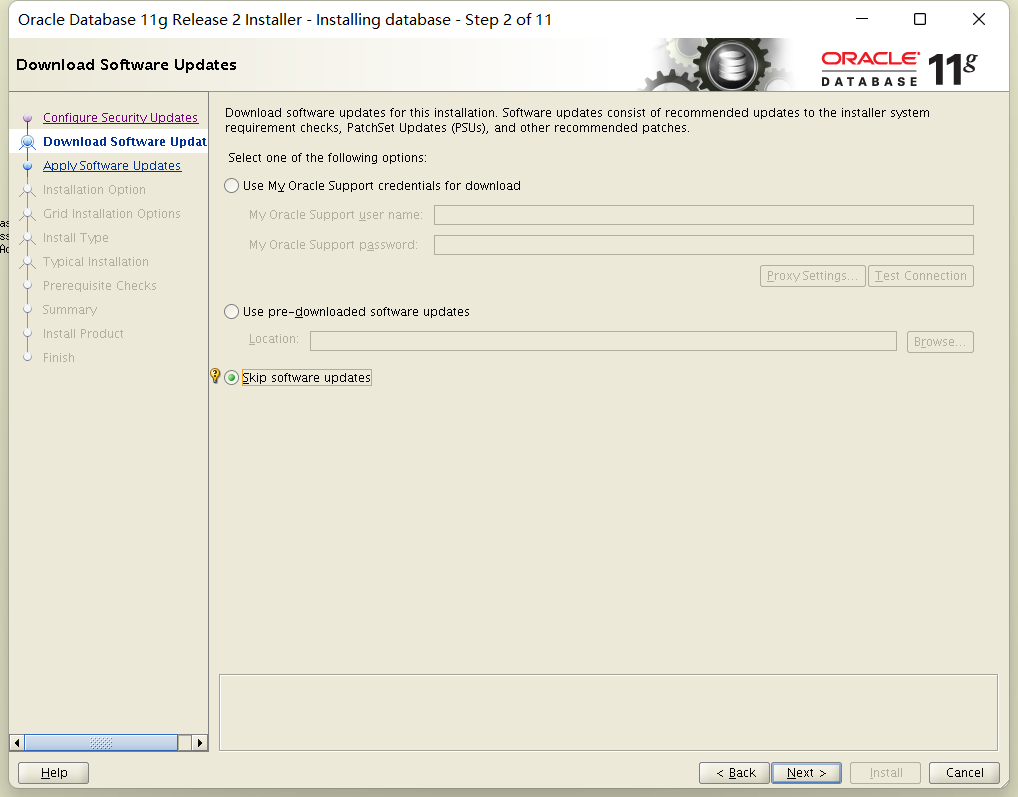
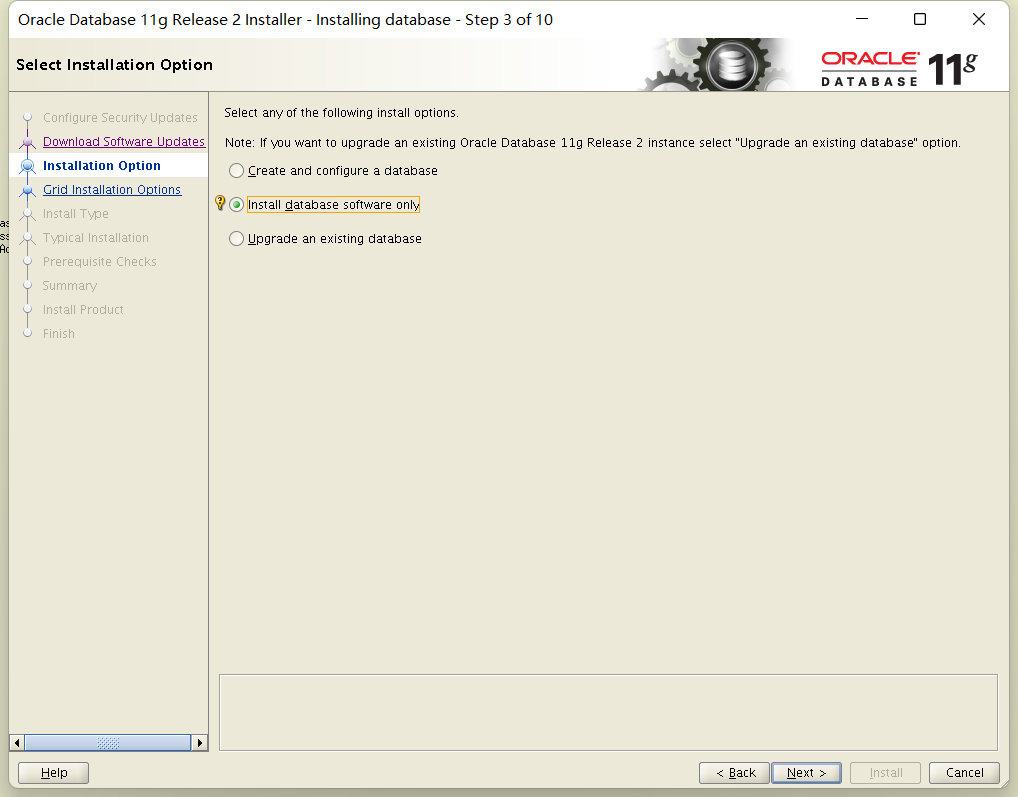
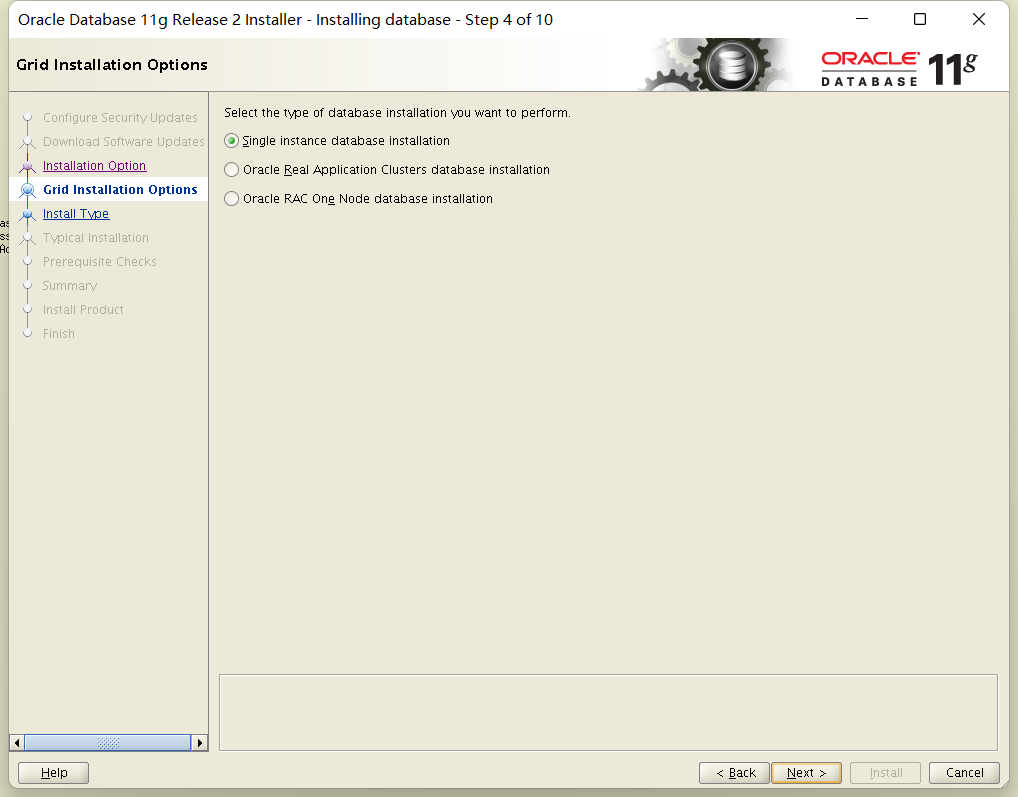
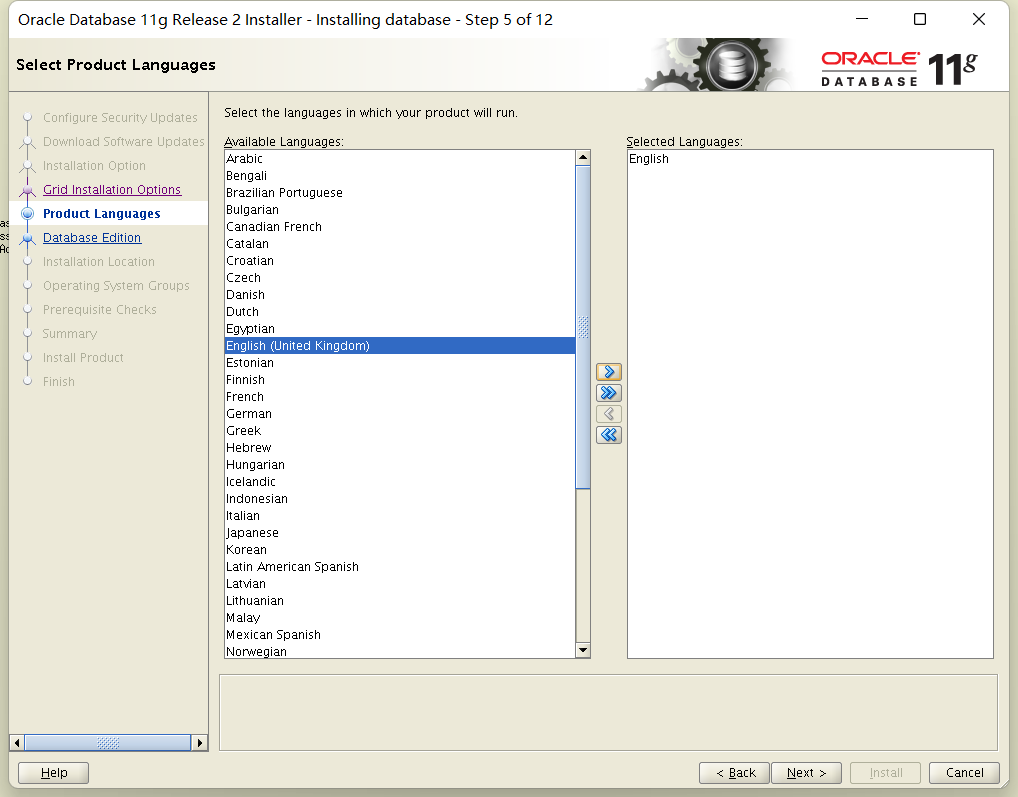
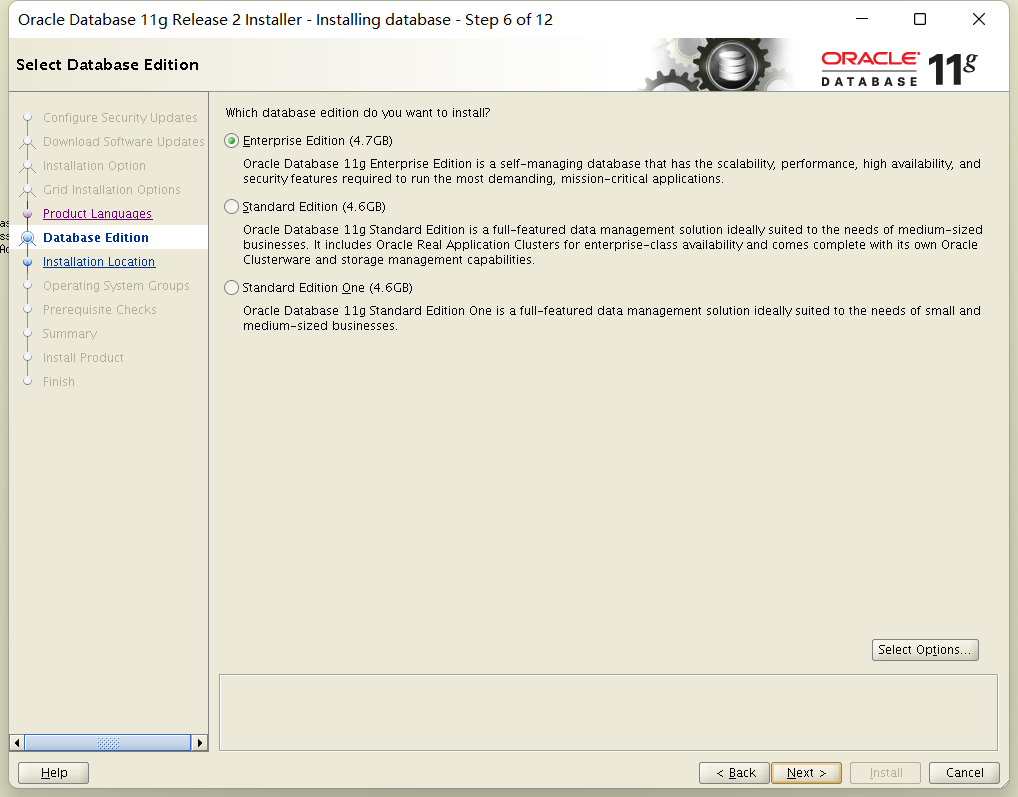


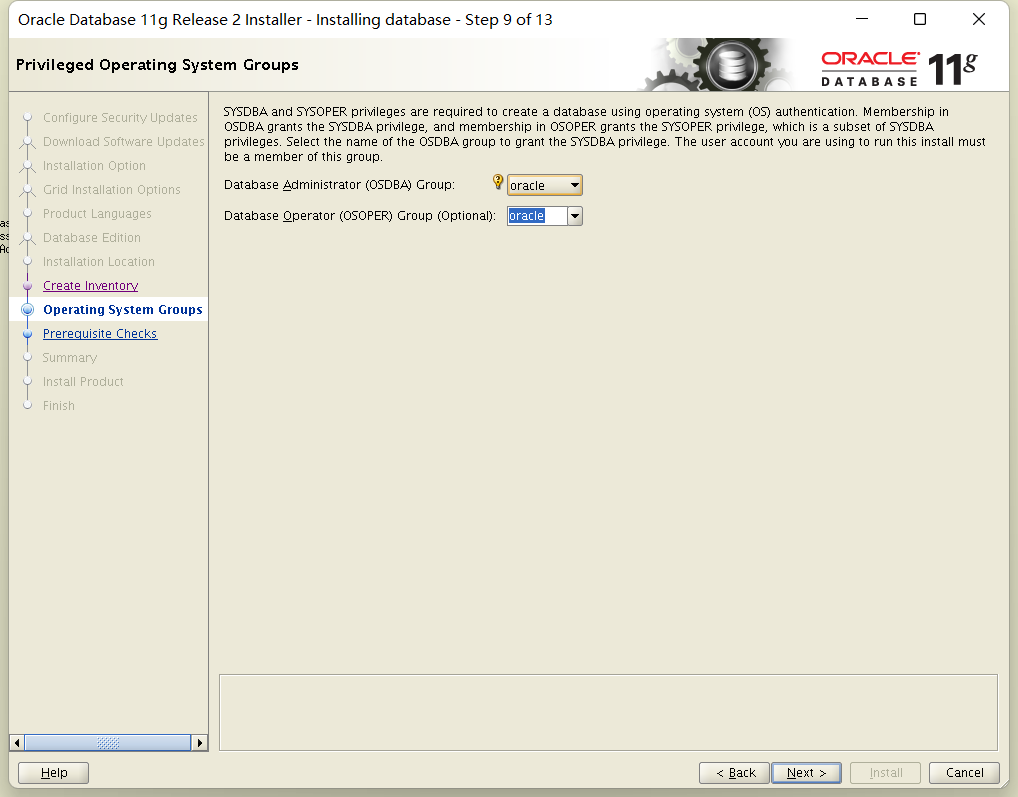
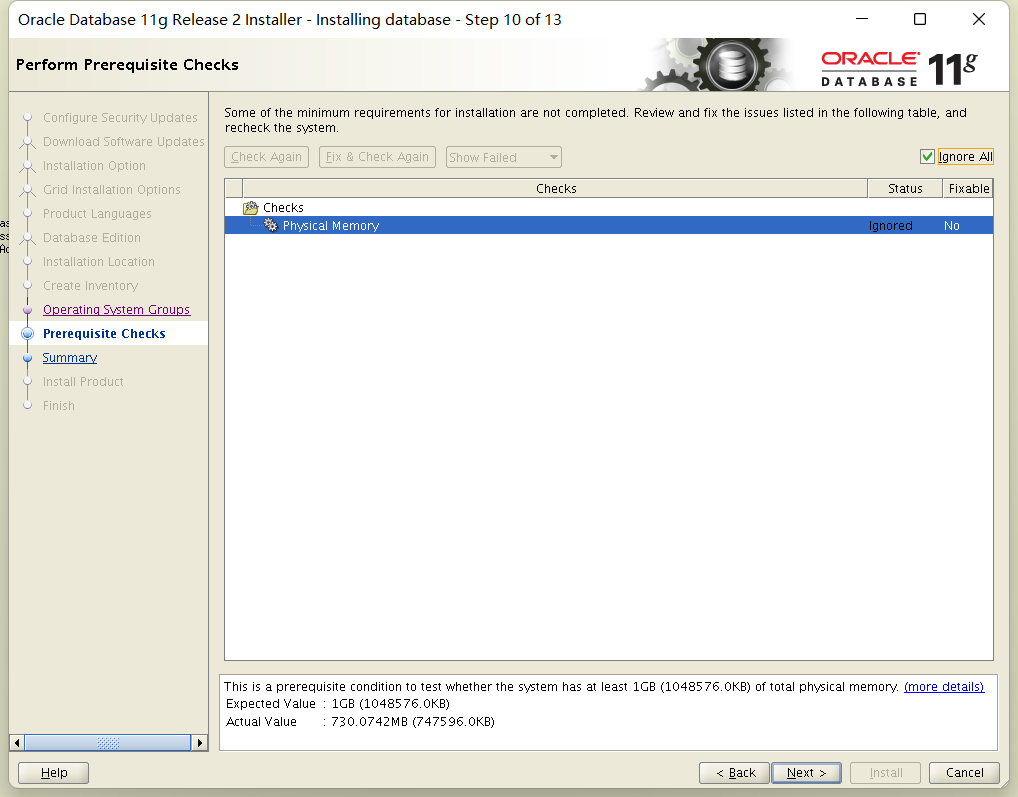
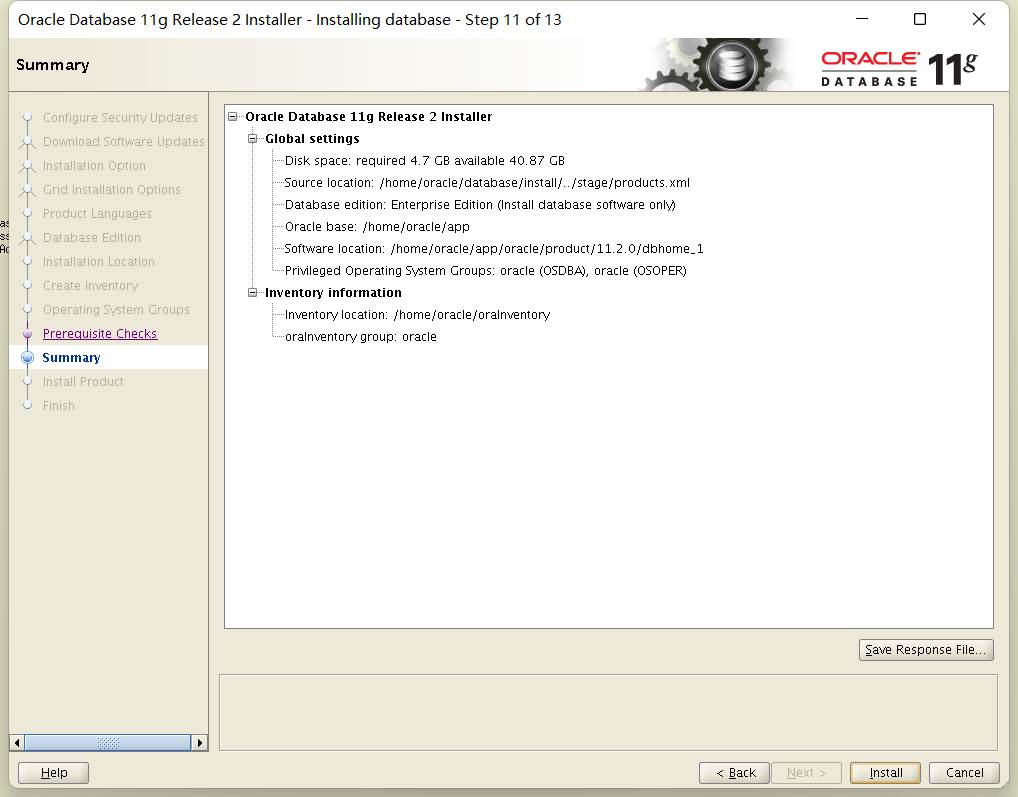
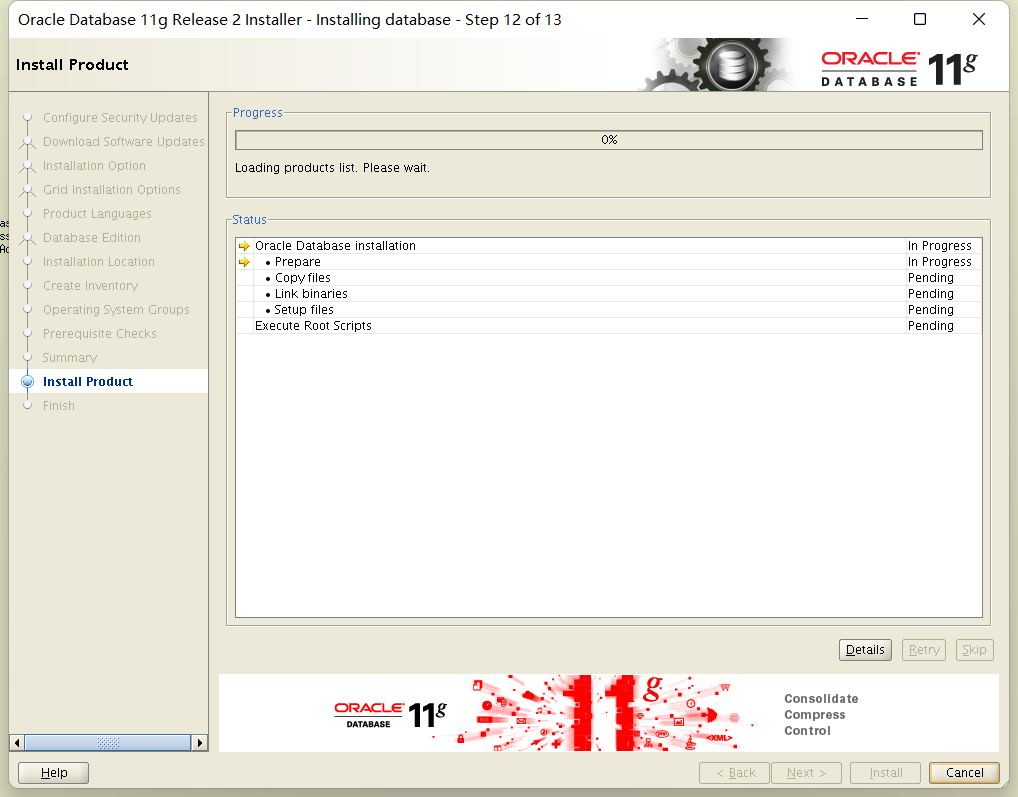

linux-mi1t:/home/oracle/oraInventory # bash /home/oracle/app/oracle/product/11.2.0/dbhome_1/root.sh

linux-mi1t:/home/oracle/oraInventory # bash /home/oracle/oraInventory/orainstRoot.sh
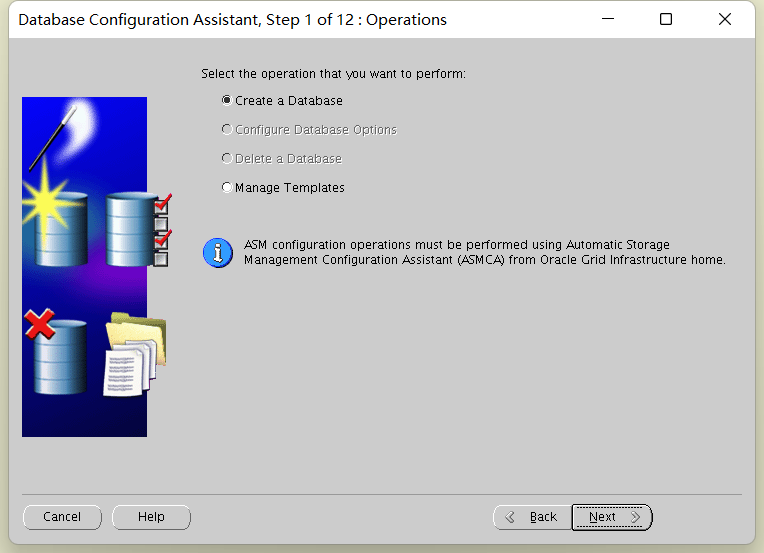
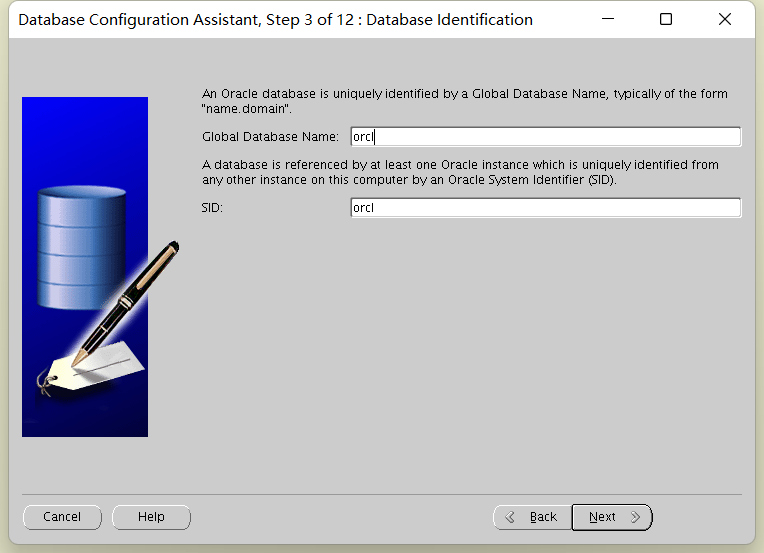
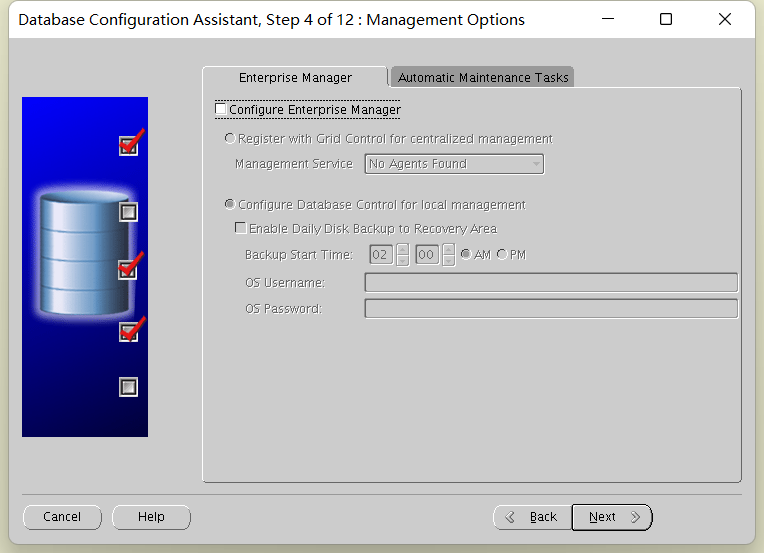
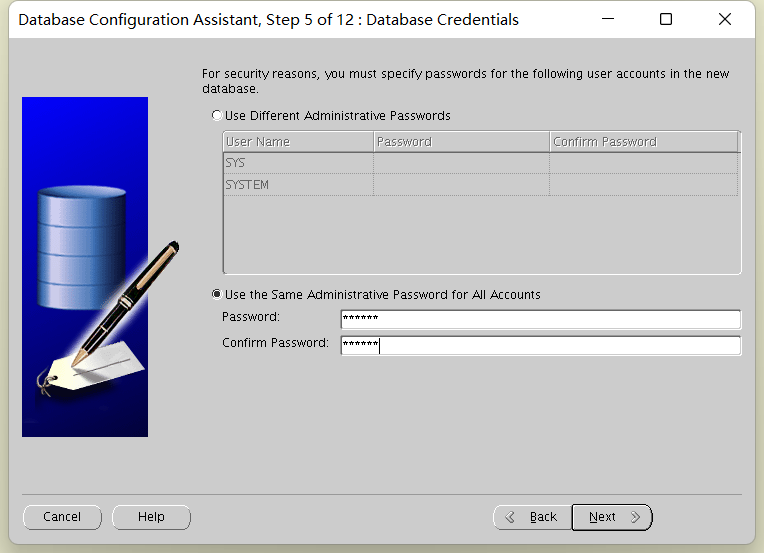
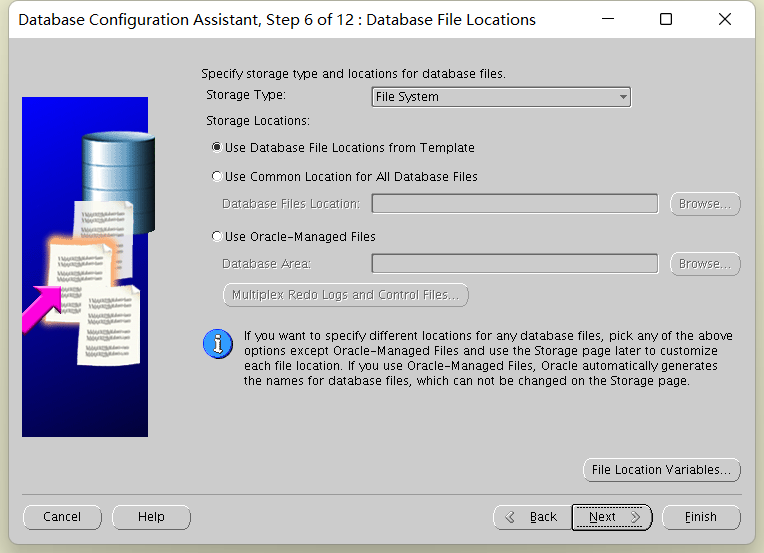
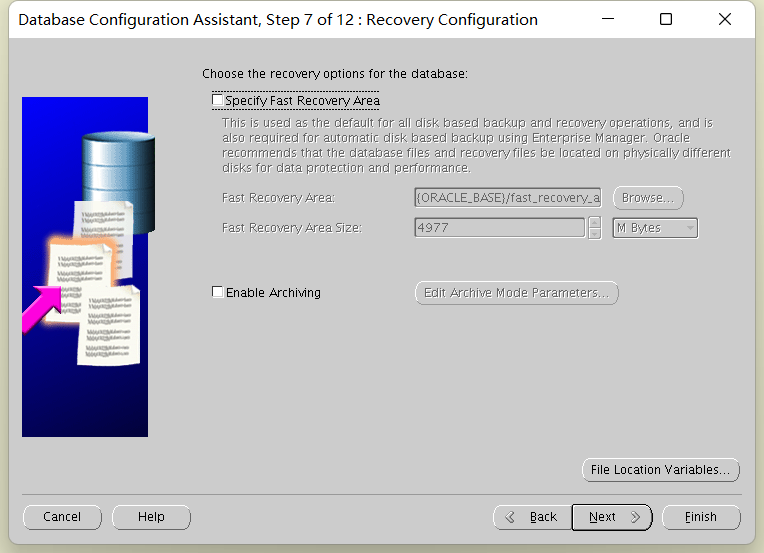
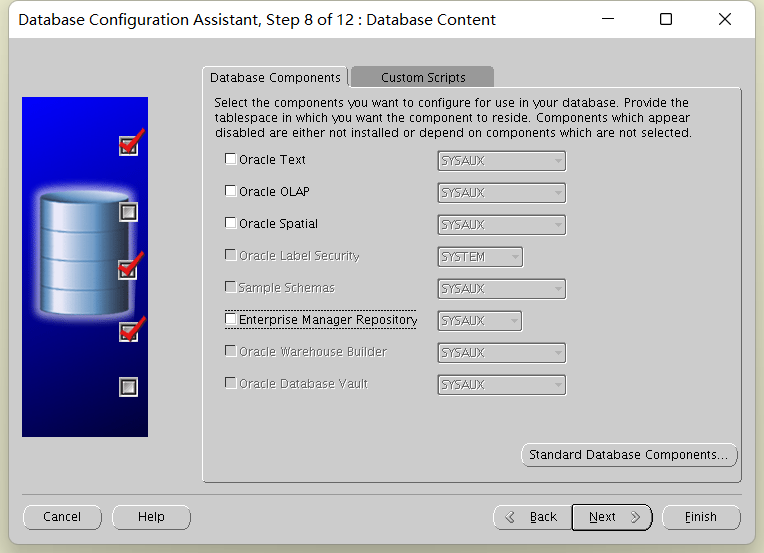
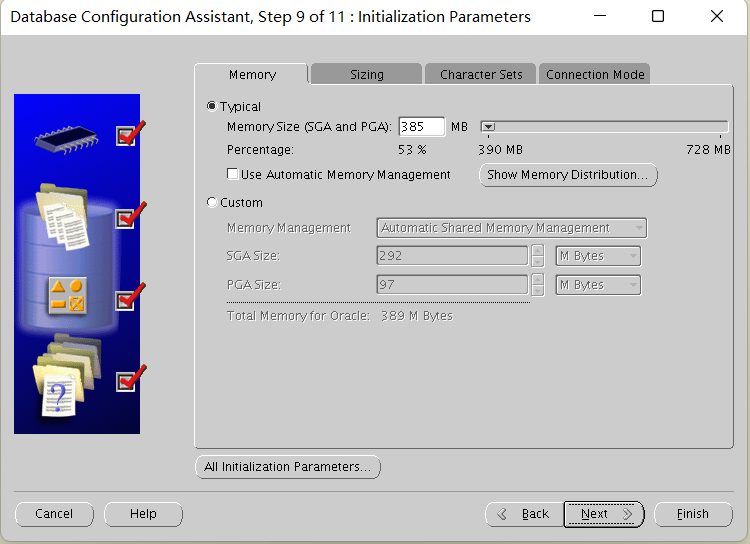
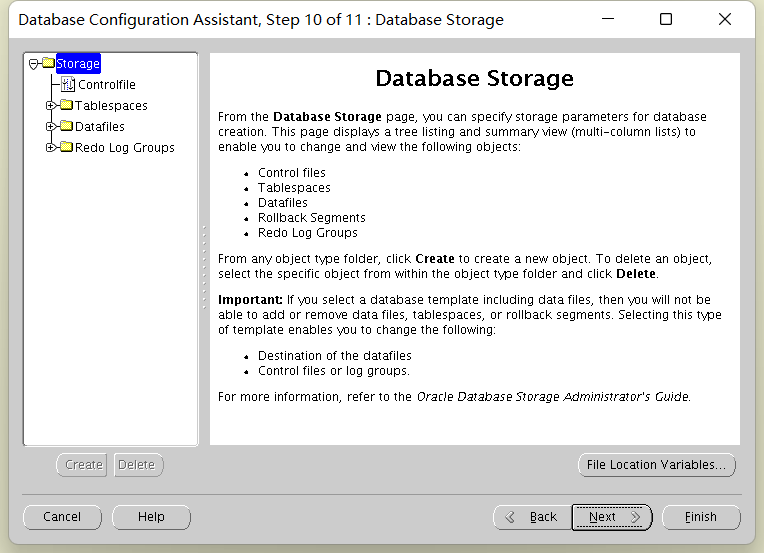
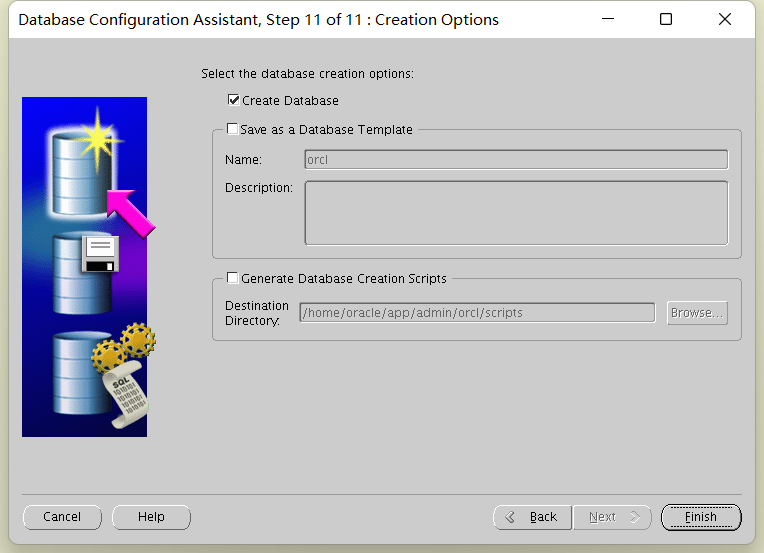
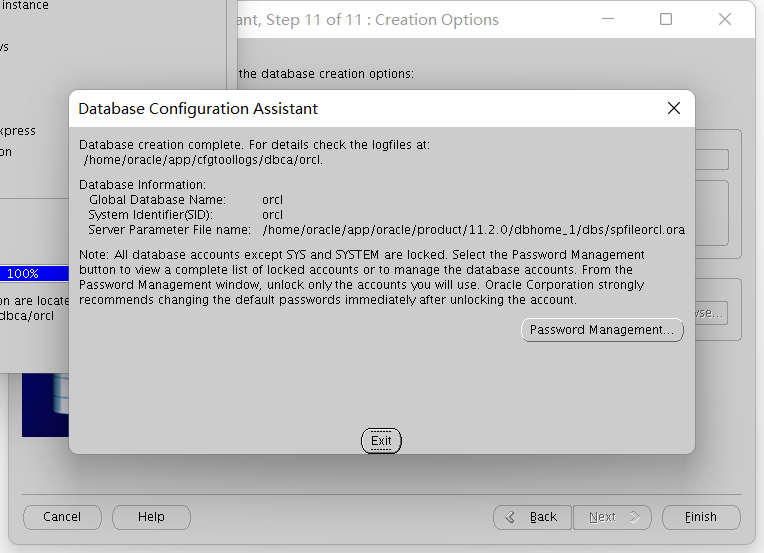
数据库建库
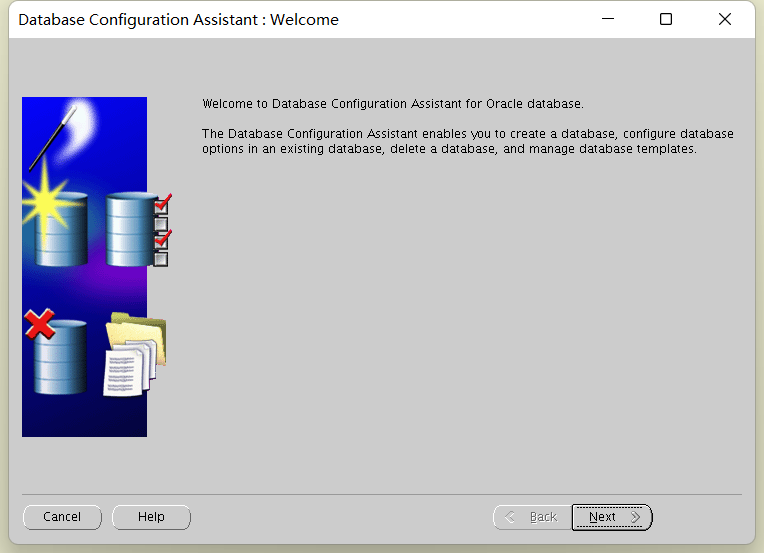
oracle$> dbca ## user:oracle 必须以图形化界面安装


最后修改时间:2022-03-22 09:26:16
「喜欢这篇文章,您的关注和赞赏是给作者最好的鼓励」
关注作者
【版权声明】本文为墨天轮用户原创内容,转载时必须标注文章的来源(墨天轮),文章链接,文章作者等基本信息,否则作者和墨天轮有权追究责任。如果您发现墨天轮中有涉嫌抄袭或者侵权的内容,欢迎发送邮件至:contact@modb.pro进行举报,并提供相关证据,一经查实,墨天轮将立刻删除相关内容。
