ansible是一款优秀的Linux服务器批量运维管理软件,通过ansible可管理各种Linux发行版,如中标麒麟、Redhat、SUSE、Ubuntu等版本。ansible基于python开发,通过ssh协议与被管理服务器进行通信,不需要在被管理服务器安装agent,只需要将管理机器上的ssh的公钥文件上传到被管理服务器的受信任主机列表当中。
被管理服务器数量较少时可通过scp等方式来一台一台上传ssh公钥文件,如果被管理服务器数量较大,则可通过expect等方式批量上传ssh公钥文件到被管理服务器。
中标麒麟操作系统生成ssh公钥文件的方法
[root@flower1 ~]# ssh-keygen -t rsaGenerating public/private rsa key pair.Enter file in which to save the key (/root/.ssh/id_rsa):Enter passphrase (empty for no passphrase):Enter same passphrase again:Your identification has been saved in root/.ssh/id_rsa.Your public key has been saved in root/.ssh/id_rsa.pub.The key fingerprint is:df:71:f6:3e:bb:bb:6c:38:91:f4:bc:70:a1:dd:86:a9 root@flower1The key's randomart image is:+--[ RSA 2048]----+| || || || . . || S o Ooo|| . . Oo*o|| . ..=.o|| Eo.= || o*B|
上传管理机的ssh公钥文件到被管理服务器并添加到信任主机列表当中
例子:
#scp -r root/.ssh/id_rsa.pub root@192.168.0.100:/root
登录的ssh 登录到192.168.0.100
#cat id_rsa.pub >> root/.ssh/authorized_keys
批量上传ssh公钥文件可参考以下这个脚本
脚本文件名:scp_id_rsa_pub.sh#!/bin/bashif [ ! -n "$1" ];thenecho "请传入正确的IP地址列表"exitfiaddrsa_pub="cat id_rsa.pub >> root/.ssh/authorized_keys"cat $1 |while read linedo/usr/bin/expect <<EOFspawn scp -r root/.ssh/id_rsa.pub root@$line:/rootset timeout 30expect {"yes/no" { send "yes\r";exp_continue}"*assword" { send “123456\r”}}expect eofspawn ssh root@$lineset timeout 30expect {"yes/no" { send "yes\r";exp_continue}"*assword" { send “123456\r";exp_continue}"root" { send "$addrsa_pub\r"}}expect eofEOFecho $line >>fuwuqi_cp_rsa_success.txtdone脚本使用方法:#bash scp_id_rsa_pub.sh 服务器IP地址列表.txt
例子:服务器IP地址列表.txt
192.168.0.101192.168.0.102192.168.0.103192.168.0.104
ssh公钥上传完毕,接下来开始配置管理机的操作系统建议为中标麒麟服务器操作系统,需要安装ansible,在机器连互联网的情况下上,可通过easy_install ansible进行安装。
ansible默认配置文件位于/etc/ansible/ansible.cfg
[defaults]inventory=/etc/ansible/ #默认inventory文件存放目录remote_user=root #表示使用root用户来连接被管理的服务器/etc/ansible/hosts #inventory配置文件存放目录,用于对被管理的服务器进行分组和分类
/etc/ansible/hosts inventory文件内容,采用INI的格式,将主机进行分组
[weijiagu-group]192.168.0.101192.168.0.102192.168.0.103192.168.0.104
ansible最基本的用法
ansible “192.168.0.105” -m ping #针对单台机器192.168.0.105执行ping,测试被管理机与管理机有没有正确建立通信# -m 模块名 表示调用ansible的某个模块,ansible weijiagu-group -m ping #针对weijiagu-weijia-group这个组里面的主机执行ping,测试被管理机与管理机有没有正确建立通信# -m 模块名 表示调用ansible的某个模块,
ansible 自带了许多模块,可在终端中输入ansible-doc 模块名,查看一个模块的使用办法
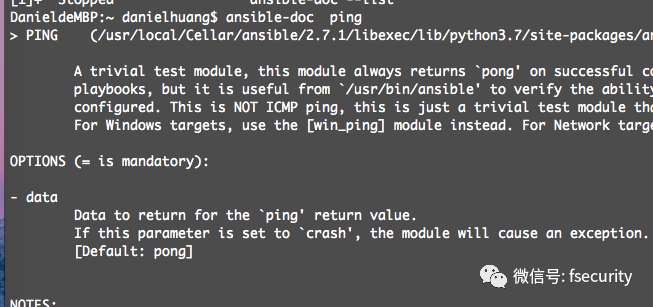
ansible常见模块
ping 使用方法

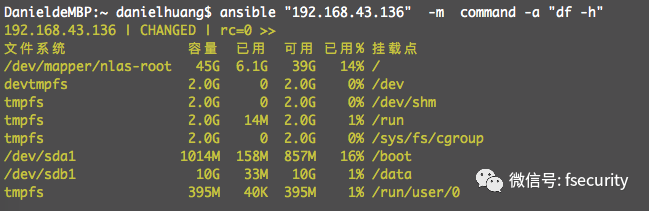
command 运行Linux系统命令的模块,command模块是最常见的模块
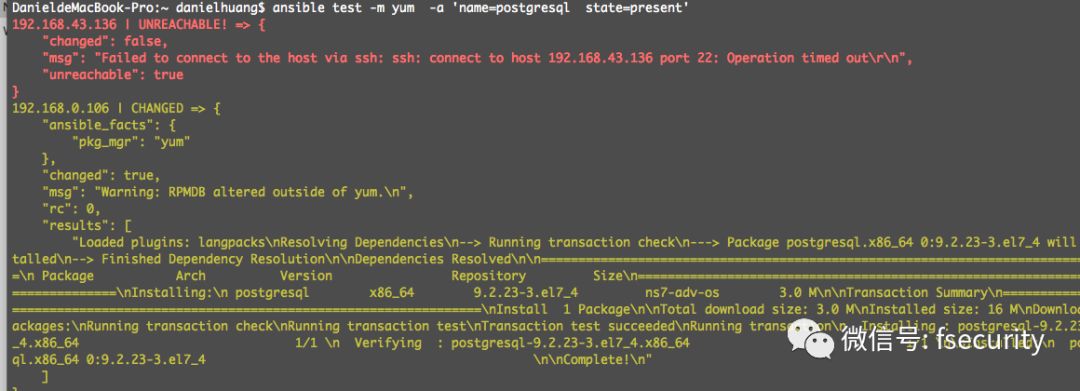
yum 通过yum模块安装、删除rpm包
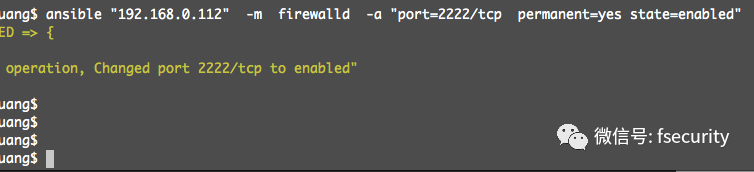
firewalld 用于设置被管理机器的主机防火墙规则
例如:将2222/tcp添加到开放端口当中
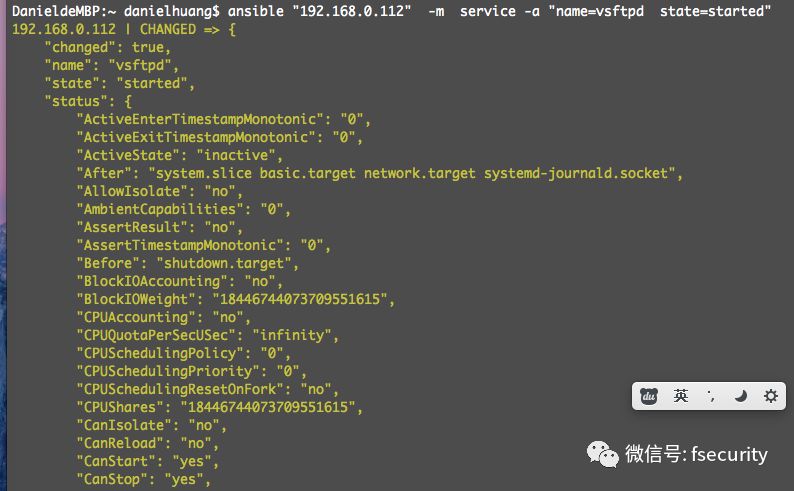
service 用于设置被管理的机器的服务列表
例如:启动vsftpd服务
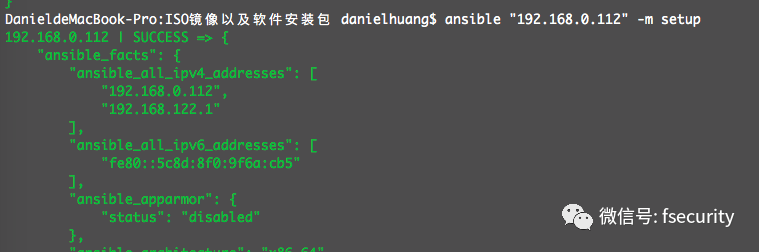
setup 用于查看被管理机器的详细信息