



安装zabbix5 Server
下载地址 https://www.zabbix.com/cn/download?zabbix=6.0&os_distribution=centos&os_version=7&db=&ws=)添加 Zabbix 软件仓库[root@bogon opt]# rpm -Uvh https://repo.zabbix.com/zabbix/5.0/rhel/7/x86_64/zabbix-release-5.0-1.el7.noarch.rpm[root@bogon opt]# yum clean allLoaded plugins: fastestmirror, product-id, search-disabled-repos, subscription-managerThis system is not registered with an entitlement server. You can use subscription-manager to register.Cleaning repos: base extras updates zabbix zabbix-non-supportedCleaning up list of fastest mirrors[root@bogon opt]# yum search zabbix============================================ N/S matched: zabbix =============================================pcp-export-pcp2zabbix.x86_64 : Performance Co-Pilot tools for exporting PCP metrics to Zabbixpcp-export-zabbix-agent.x86_64 : Module for exporting PCP metrics to Zabbix agentzabbix-agent.x86_64 : Old Zabbix Agentzabbix-agent2.x86_64 : New Zabbix Agentzabbix-get.x86_64 : Zabbix Getzabbix-java-gateway.x86_64 : Zabbix java gatewayzabbix-js.x86_64 : Zabbix JSzabbix-proxy-mysql.x86_64 : Zabbix proxy for MySQL or MariaDB databasezabbix-proxy-pgsql.x86_64 : Zabbix proxy for PostgreSQL databasezabbix-proxy-sqlite3.x86_64 : Zabbix proxy for SQLite3 databasezabbix-release.noarch : Zabbix repository configurationzabbix-sender.x86_64 : Zabbix Senderzabbix-server-mysql.x86_64 : Zabbix server for MySQL or MariaDB databasezabbix-server-pgsql.x86_64 : Zabbix server for PostgresSQL databaseName and summary matches only, use "search all" for everything.[root@bogon opt]#安装 Server[root@bogon ~]# yum install zabbix-server-pgsql安装web[root@bogon opt]# yum install centos-release-scl[root@bogon opt]# yum install zabbix-web-pgsql-scl zabbix-apache-conf-scl创建zabbix数据库和zabbix用户[pg12@bogon pgdata]$ psqlpsql (13.2)Type "help" for help.postgres=# create database zabbix;CREATE DATABASEpostgres=# create user zabbix nocreatedb nocreaterole nosuperuser password '123456';CREATE ROLEpostgres=# grant create,connect on DATABASE zabbix to zabbix ;GRANTpostgres=# \q[pg12@bogon pgdata]$导入数据[root@bogon pg12]# zcat /usr/share/doc/zabbix-server-pgsql*/create.sql.gz | sudo -u zabbix /opt/pg12/bin/psql -p 11016 zabbix[root@bogon pg12]# su - pg12[pg12@bogon pgdata]$ psql -d zabbix -U zabbixpsql (13.2)Type "help" for help.zabbix=> select * from pg_tables where tableowner='zabbix' limit 5;schemaname | tablename | tableowner | tablespace | hasindexes | hasrules | hastriggers | rowsecurity------------+-----------------+------------+------------+------------+----------+-------------+-------------public | screens_items | zabbix | | t | f | t | fpublic | group_prototype | zabbix | | t | f | t | fpublic | maintenances | zabbix | | t | f | t | fpublic | screen_user | zabbix | | t | f | t | fpublic | hstgrp | zabbix | | t | f | t | f(5 rows)zabbix=> \q[pg12@bogon pgdata]$
修改zabbix_server配置文件
[root@bogon zabbix]# cat zabbix_server.conf |grep DBDBHost=localhostDBName=zabbixDBUser=zabbixDBPassword=<password>DBPort=5432[root@bogon zabbix]#在 DBPassword 参数中输入由 \PosgreSQL 创建的 Zabbix数据库密码。
启动 zabbix server 进程
运行以下命令以启动zabbix server 进程:
[root@bogon zabbix]# systemctl start zabbix-server[root@bogon zabbix]# systemctl enable zabbix-serverCreated symlink from /etc/systemd/system/multi-user.target.wants/zabbix-server.service to /usr/lib/systemd/system/zabbix-server.service.[root@bogon zabbix]#启动后会默认创建zabbix用户和组
SELinux 配置
在 enforcing 模式下启用 SELinux 状态后,您需要执行以下命令以启用 Zabbix 前端和 Zabbix server 之间的通信:
[root@bogon zabbix]# setenforce 0[root@bogon zabbix]# iptables -F[root@localhost ~]# setsebool -P httpd_can_connect_zabbix on[root@localhost ~]# setsebool -P httpd_can_network_connect_db on
安装zabbix agent
[root@bogon zabbix]# yum install zabbix-agent
修改zabbix_agent配置文件
vim zabbix_agentd.conf修改如下内容Server=127.0.0.1,10.110.42.123 #zabbix服务器地址ServerActive=127.0.0.1,10.110.42.123 #zabbix服务器地址Hostname=Zabbix server #与zabbix server一致
启动zabbix_agent
[root@bogon zabbix]# systemctl enable zabbix-agentCreated symlink from /etc/systemd/system/multi-user.target.wants/zabbix-agent.service to /usr/lib/systemd/system/zabbix-agent.service.[root@bogon zabbix]# systemctl start zabbix-agent
安装zabbix_sender
[root@bogon bin]# yum install zabbix-sender
Zabbix 前端配置
取消 "date.timezone" 注释,并为其设置正确的时区(亚洲/上海)。
[root@bogon opt]# cat etc/opt/rh/rh-php72/php-fpm.d/zabbix.conf[zabbix]user = apachegroup = apachelisten = var/opt/rh/rh-php72/run/php-fpm/zabbix.socklisten.acl_users = apachelisten.allowed_clients = 127.0.0.1pm = dynamicpm.max_children = 50pm.start_servers = 5pm.min_spare_servers = 5pm.max_spare_servers = 35pm.max_requests = 200php_value[session.save_handler] = filesphp_value[session.save_path] = var/opt/rh/rh-php72/lib/php/session/php_value[max_execution_time] = 300php_value[memory_limit] = 128Mphp_value[post_max_size] = 16Mphp_value[upload_max_filesize] = 2Mphp_value[max_input_time] = 300php_value[max_input_vars] = 10000php_value[date.timezone] = Asia/Shanghai[root@bogon opt]#
启动前端服务
[pg12@bogon ~]# systemctl restart httpd rh-php72-php-fpm[pg12@bogon ~]# systemctl enable http rh-php72-php-fpm
配置zabbix
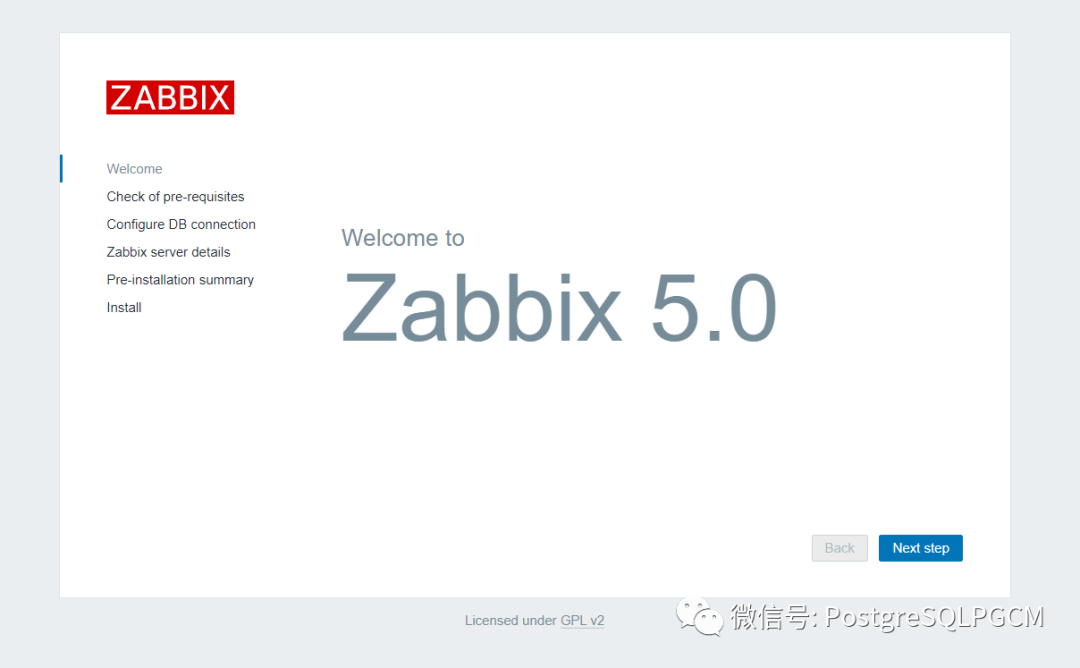
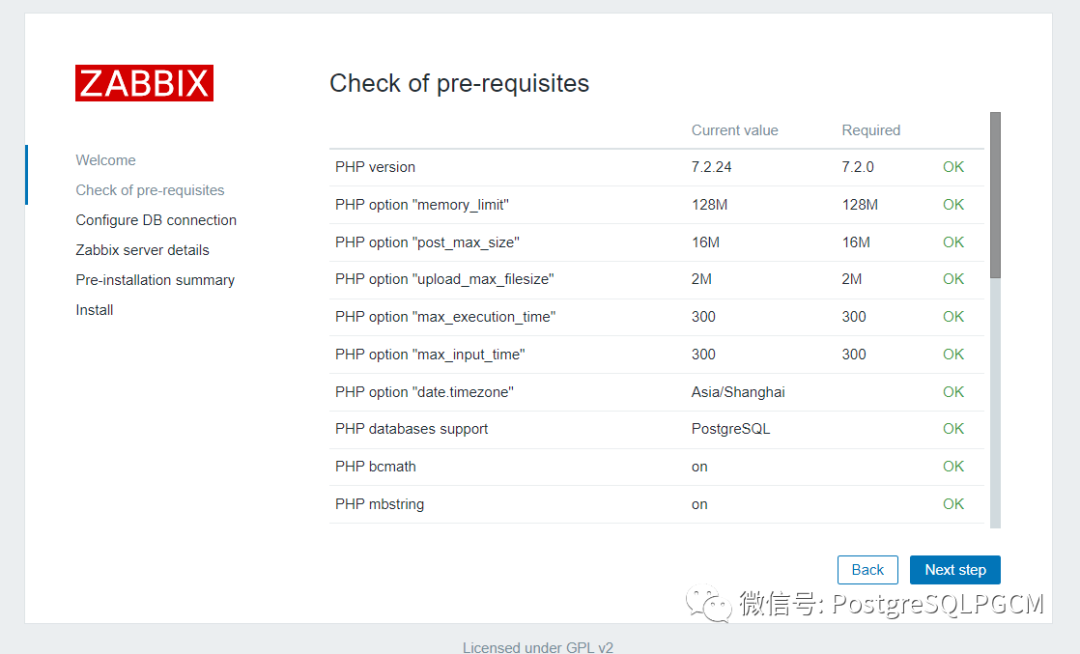
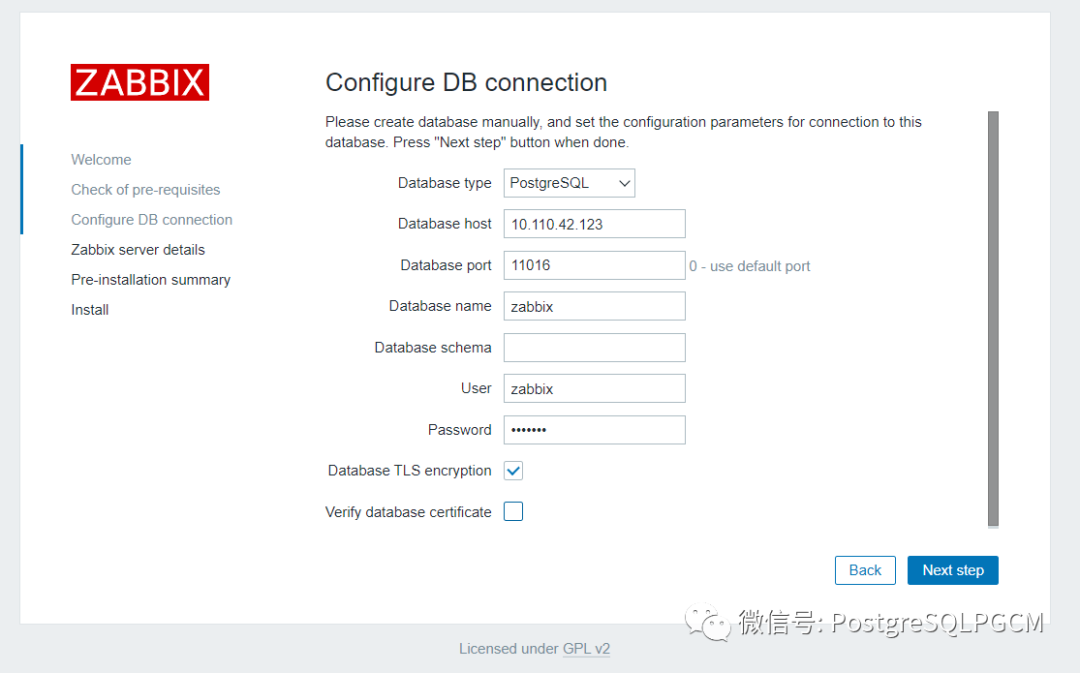
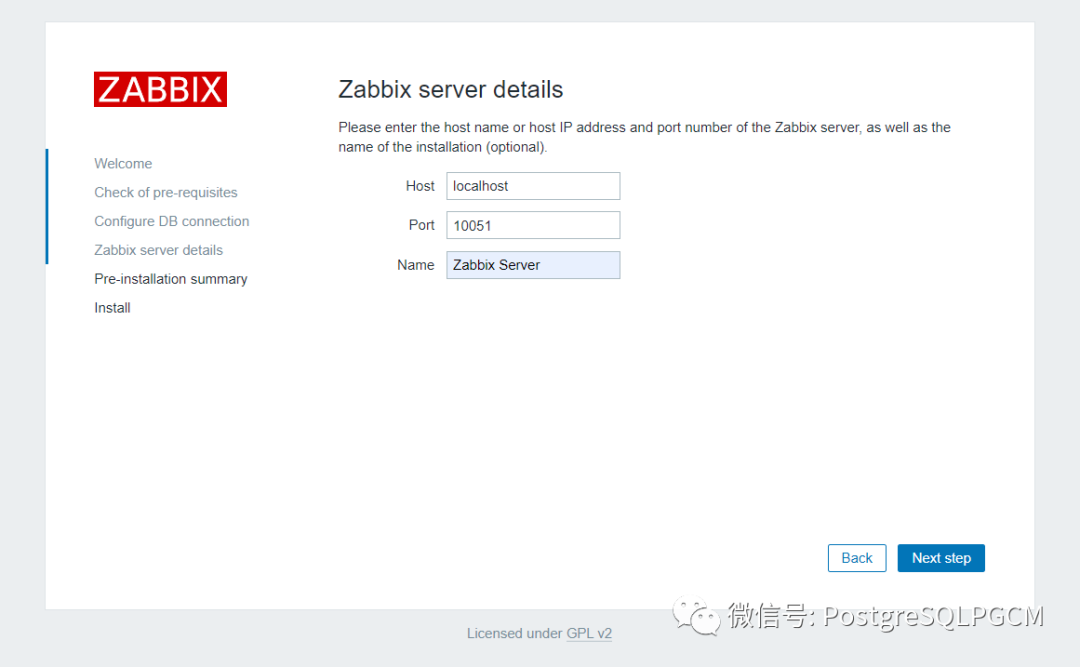
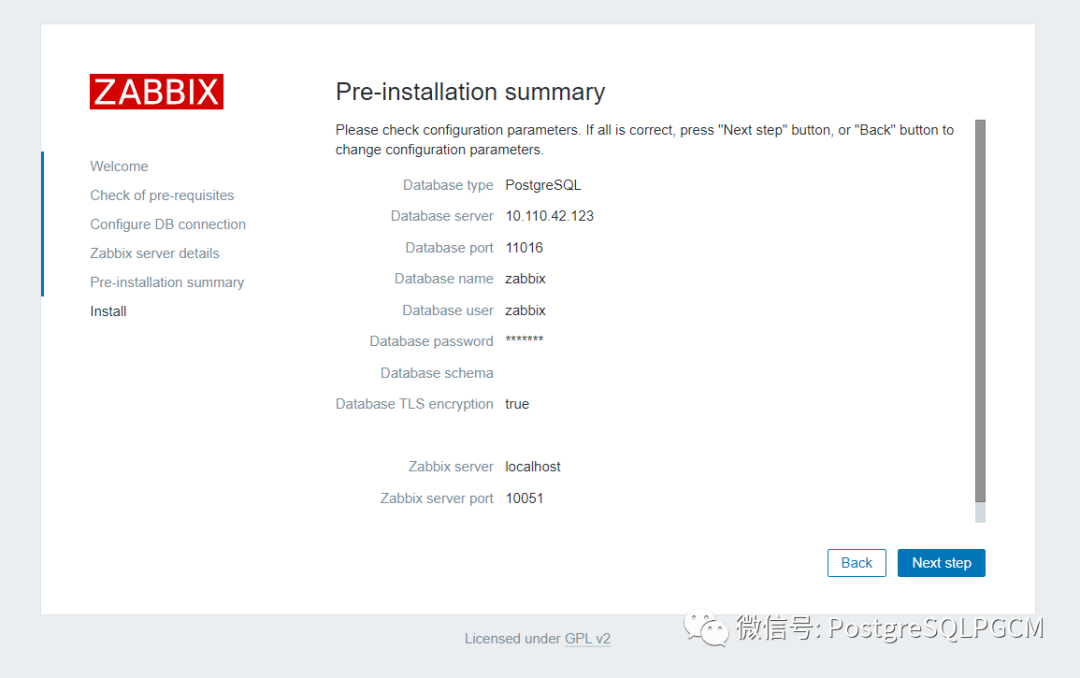
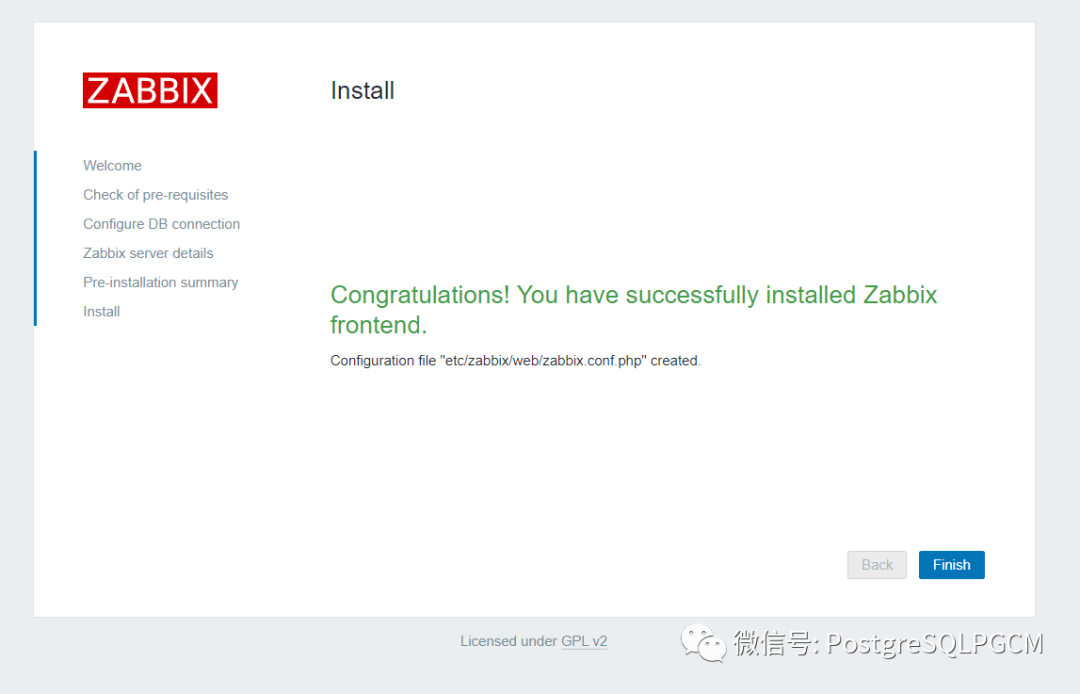
登录到zabbix,默认账号/密码(Admin/zabbix)

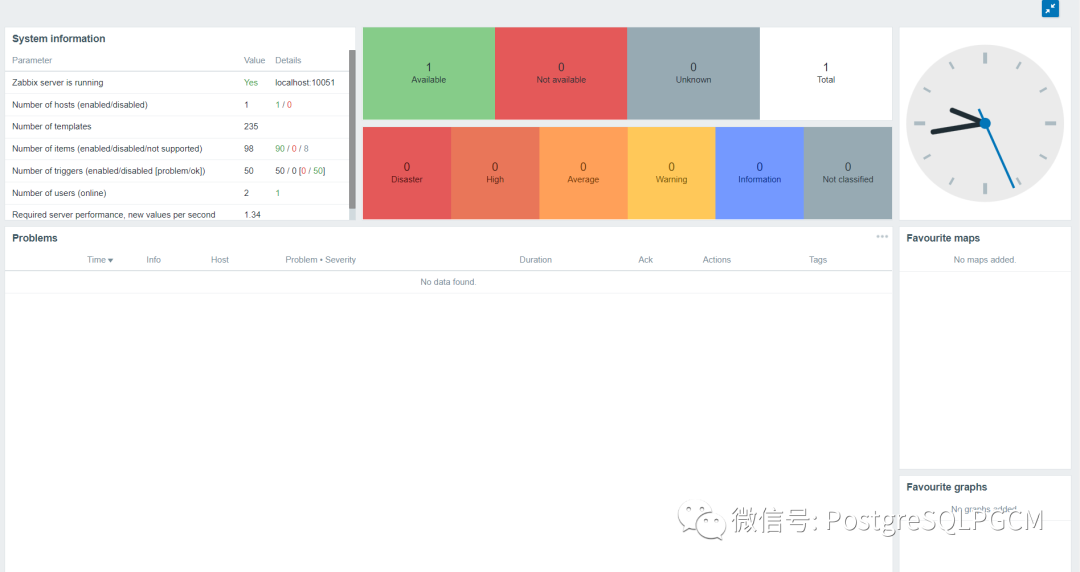
修改zabbix显示语言
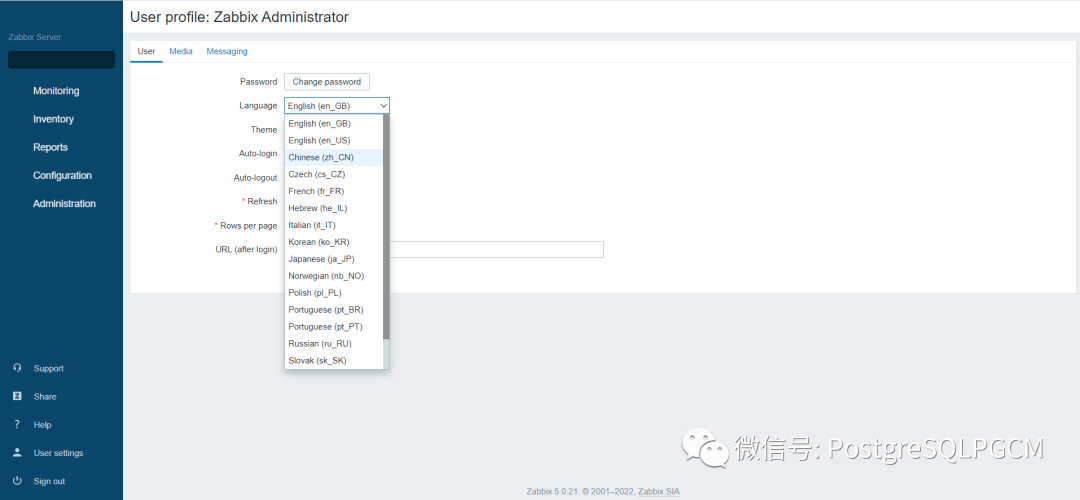
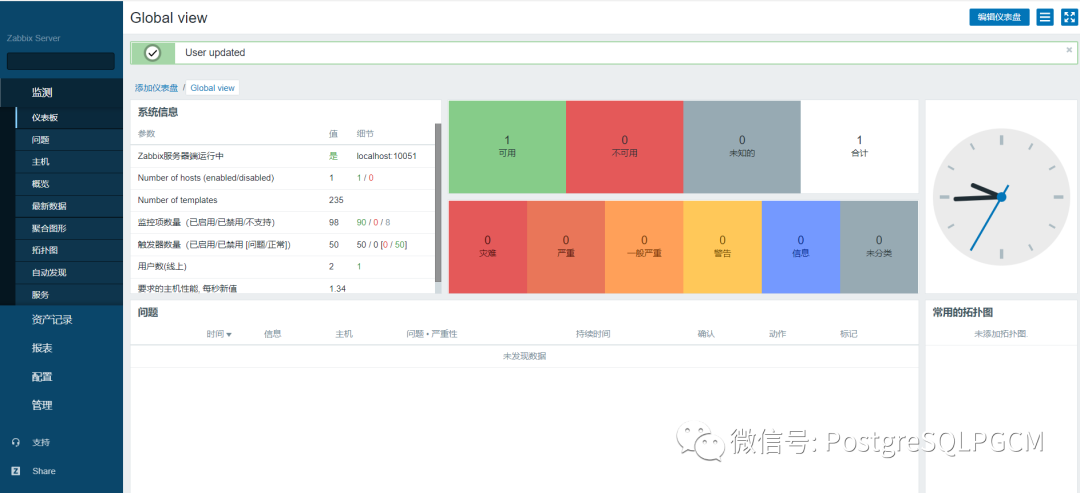
通过监测可以看到一些服务器的监控信息
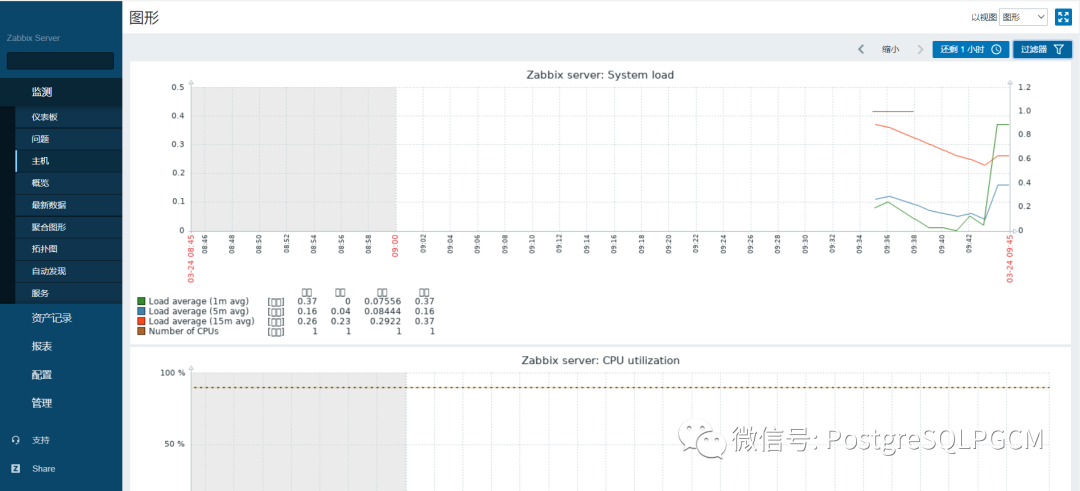
发现在页面底部出现乱码,现在解决web页面乱码问题
在windows中找到中文字体simkai.ttf上传到/opt目录下
[root@bogon pg_monz]# cd /usr/share/zabbix/assets/fonts/[root@bogon fonts]# lltotal 0lrwxrwxrwx. 1 root root 33 Mar 22 01:47 graphfont.ttf -> /etc/alternatives/zabbix-web-font[root@bogon fonts]# cd /etc/alternatives/[root@bogon alternatives]# ll zabbix-web-fontlrwxrwxrwx. 1 root root 38 Mar 22 01:47 zabbix-web-font -> /usr/share/fonts/dejavu/DejaVuSans.ttf[root@bogon alternatives]# cd usr/share/fonts/dejavu/[root@bogon dejavu]# ll DejaVuSans.ttf-rw-r--r--. 1 root root 720012 Feb 27 2011 DejaVuSans.ttf[root@bogon dejavu]# cp DejaVuSans.ttf DejaVuSans.ttf_bak[root@bogon dejavu]# cp opt/simkai.ttf DejaVuSans.ttfcp: overwrite ‘DejaVuSans.ttf’? y[root@bogon dejavu]#
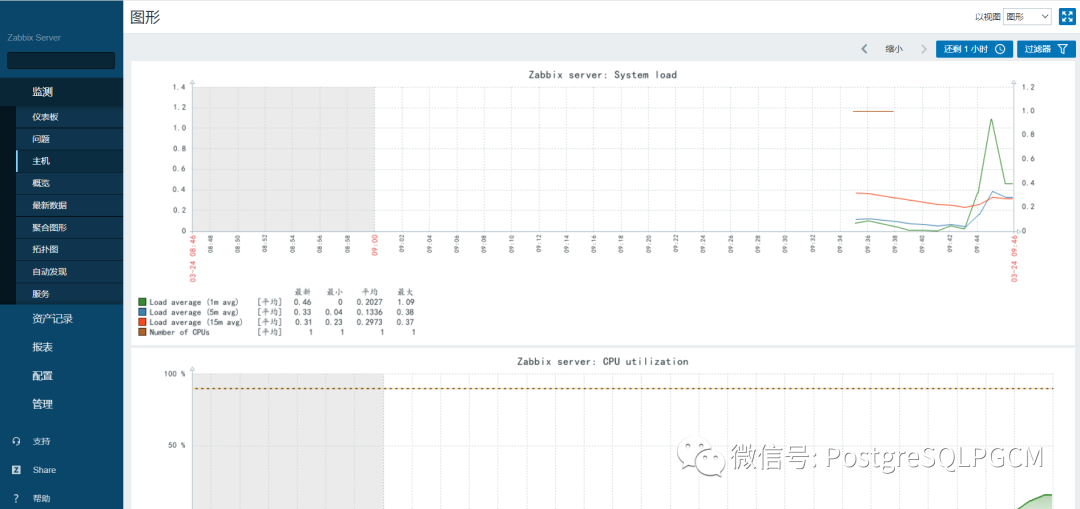
可以看到乱码已经解决
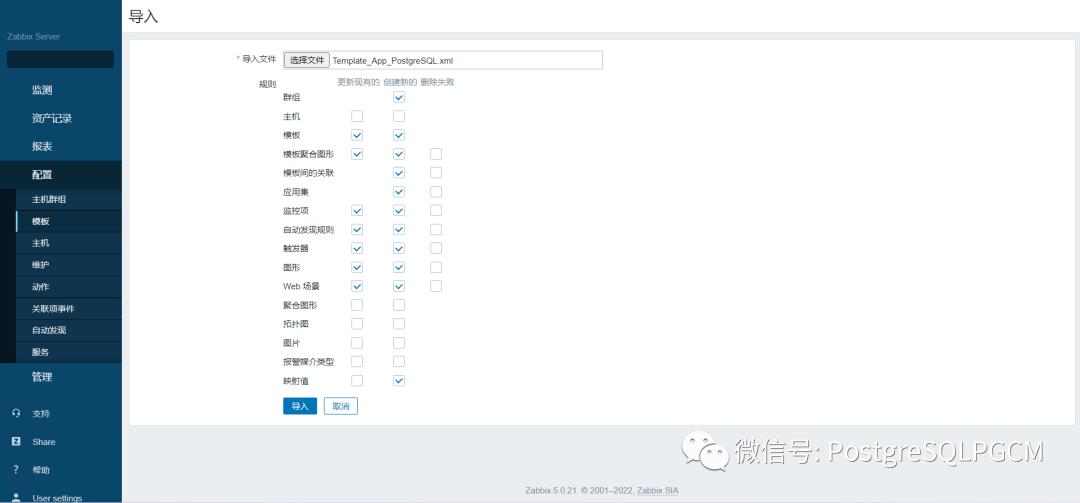
通过导入pg_monz模板监控PG数据库( pg_monz中的脚本psql命令路径需要修改否则服务获取到数据库数据)
[root@bogon opt]# unzip pg_monz-master.zip[root@bogon opt]# cd pg_monz-master/pg_monz/[root@bogon pg_monz]# cp usr-local-etc/* usr/local/etc/[root@bogon pg_monz]# ll usr/local/etc/total 8-rw-r--r--. 1 root root 119 Mar 23 02:42 pgpool_funcs.conf-rw-r--r--. 1 root root 65 Mar 23 02:42 pgsql_funcs.conf[root@bogon pg_monz]#修改pgsql_funcs.conf配置文件[root@bogon pg_monz]# cat usr/local/etc/pgsql_funcs.confPGHOST=127.0.0.1PGPORT=5432PGROLE=pg12PGDATABASE=postgres[root@bogon pg_monz]#脚本文件赋权[root@bogon pg_monz]# cp usr-local-bin/* usr/local/bin/[root@bogon pg_monz]# chmod a+x usr/local/bin/*.sh[root@bogon pg_monz]#修改agent参数文件[root@bogon pg_monz]# cp zabbix_agentd.d/userparameter_pgsql.conf /etc/zabbix/zabbix_agentd.d/[root@bogon pg_monz]# ll /etc/zabbix/zabbix_agentd.d/userparameter_pgsql.conf-rw-r--r--. 1 root root 3108 Mar 23 02:46 /etc/zabbix/zabbix_agentd.d/userparameter_pgsql.conf[root@bogon pg_monz]#
创建主机并使用模板
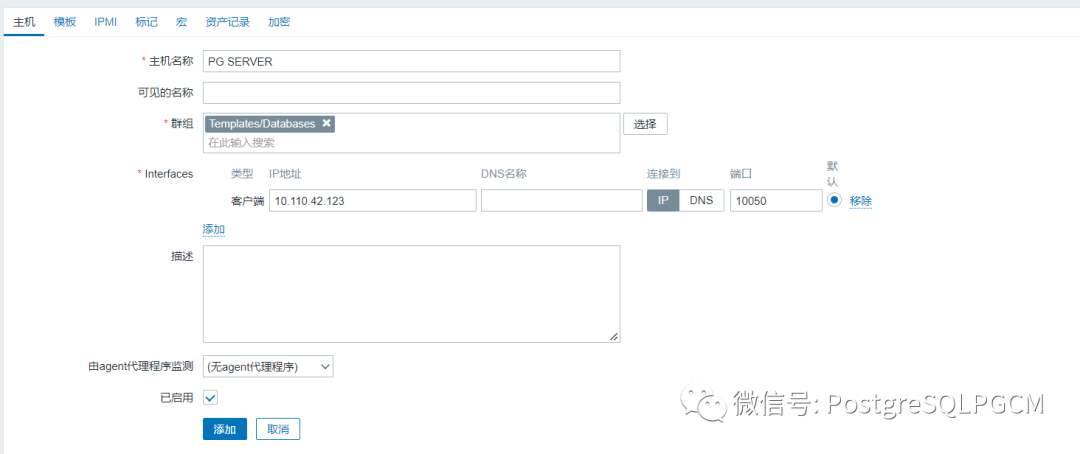

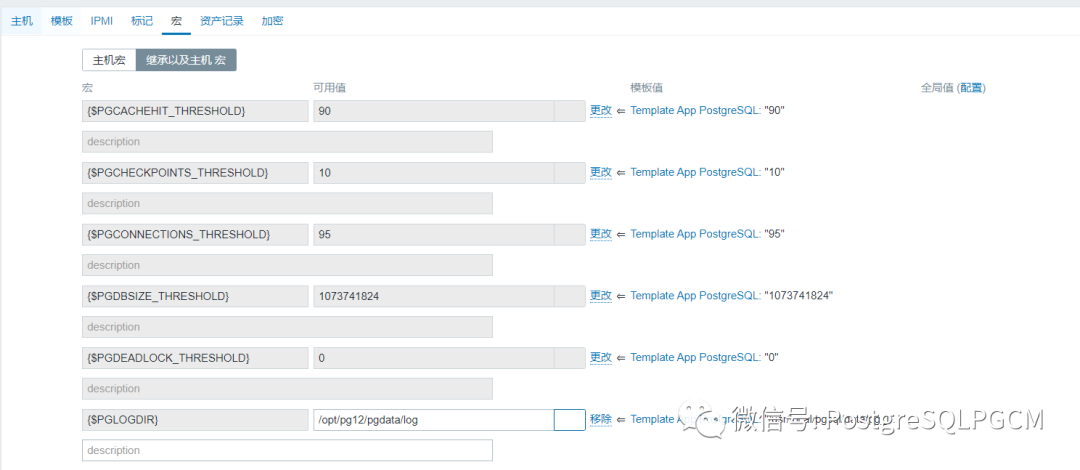
修改模板的宏
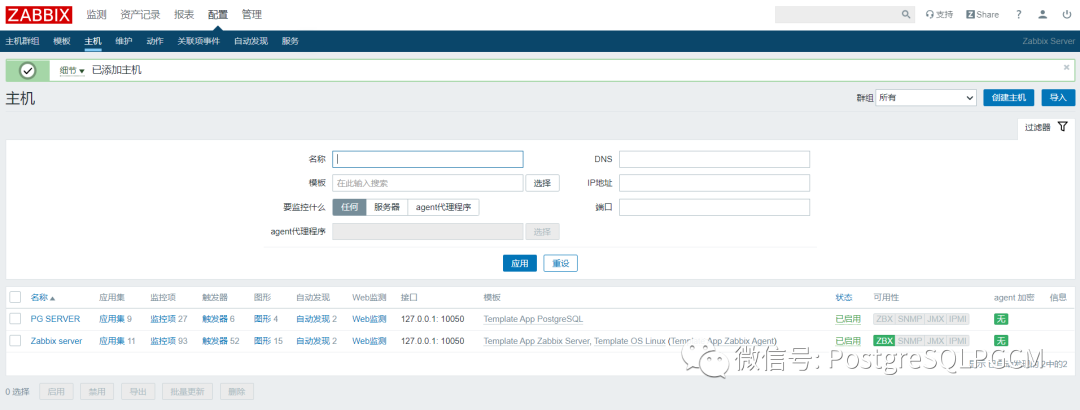
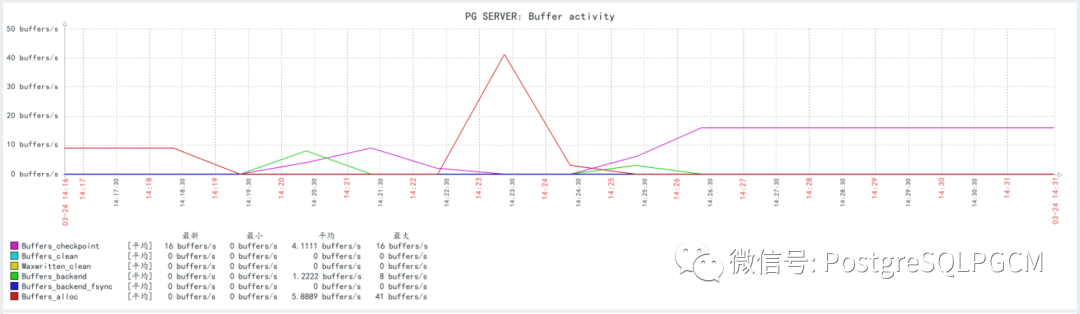
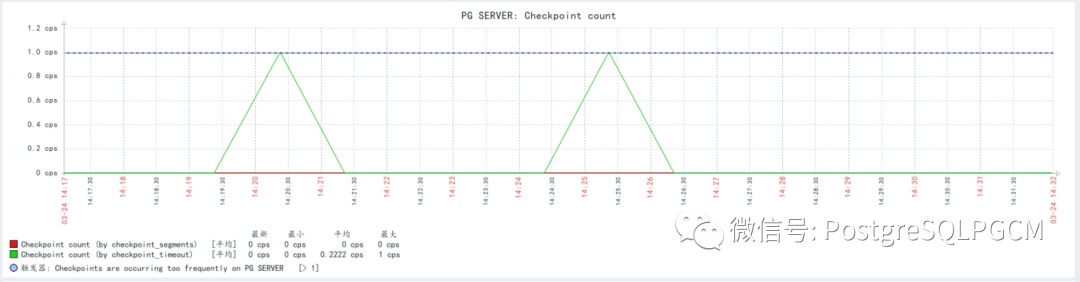
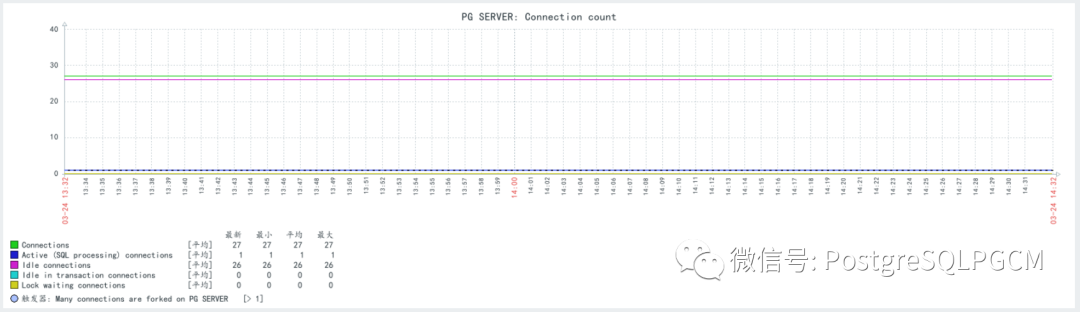
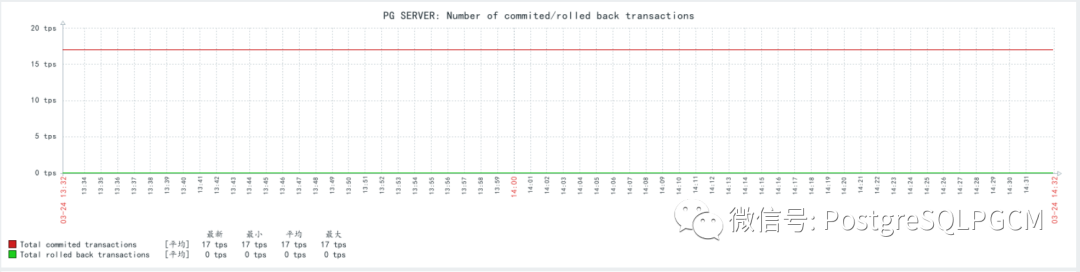
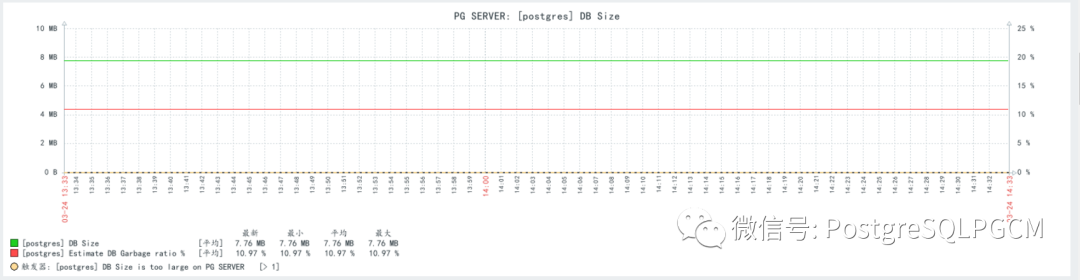
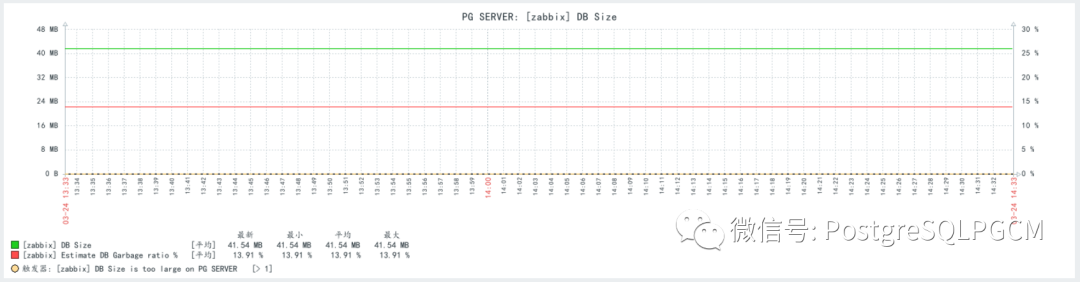
刚装好是没有任何数据的,执行pgbench给数据库一定压力,可以看到检测数据了
文章转载自PostgreSQL数据库工作学习随笔,如果涉嫌侵权,请发送邮件至:contact@modb.pro进行举报,并提供相关证据,一经查实,墨天轮将立刻删除相关内容。
