



点击上方“IT那活儿”公众号,关注后了解更多内容,不管IT什么活儿,干就完了!!!
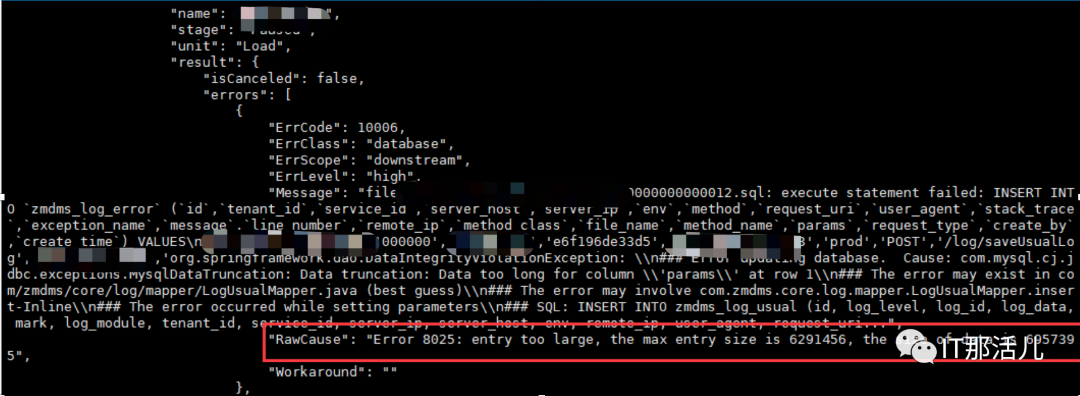
通过查询对应版本(V5.0)的错误代码发现如下:

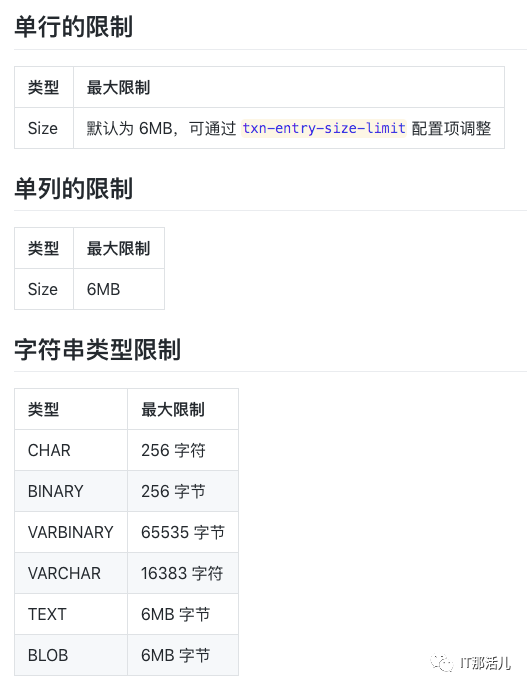
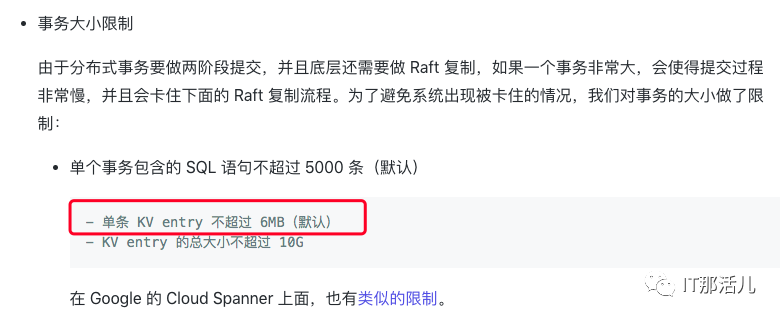
2. TiDB中相关的限制
解决方案一:DM任务配置Yaml忽略该表
block-allow-list:
instance:
do-dbs: ["dms_prod"]
ignore-tables:
- db-name: "dms_prod"
tbl-name: "dms_log_error" -–不同步的表名
解决方案二:修改Tidb数据库的集群参数

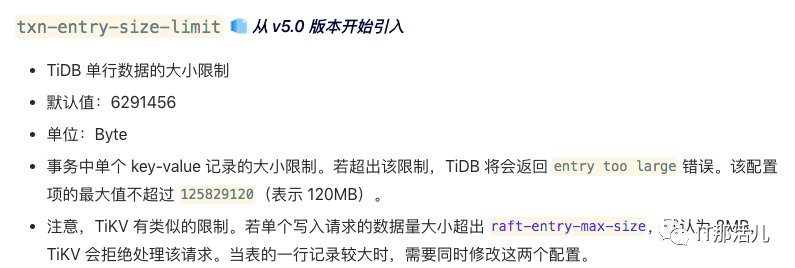
raft-entry-max-size: 15MB,
max-grpc-send-msg-len: 15728640,
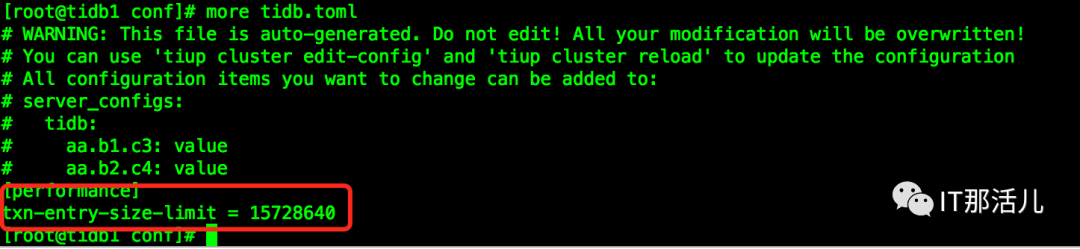
txn-entry-size-limit: 15728640
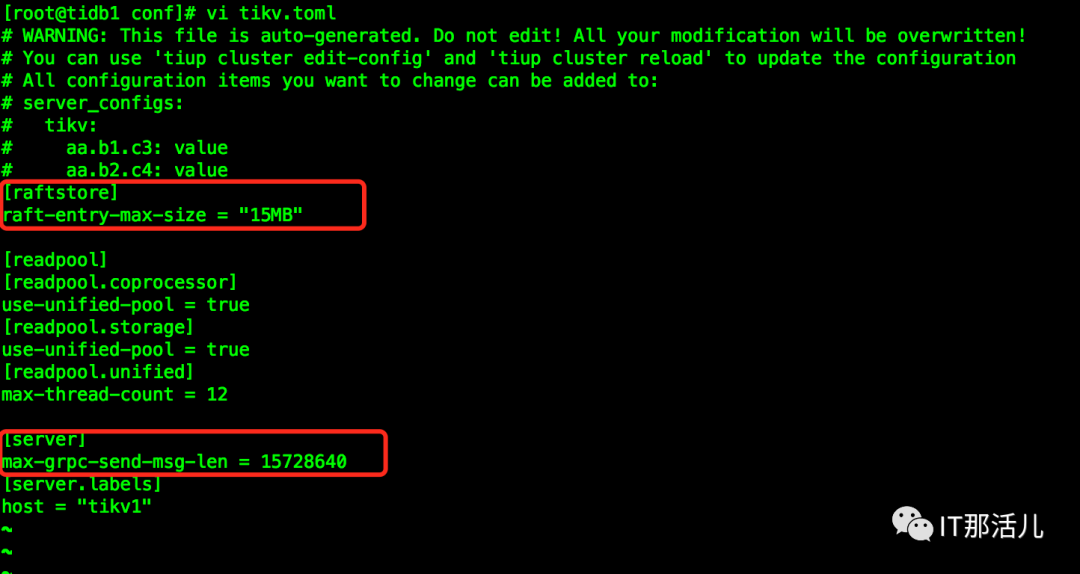
[root@tidb1 conf]# vi tikv.toml
# WARNING: This file is auto-generated. Do not edit! All your modification will be overwritten!
# You can use 'tiup cluster edit-config' and 'tiup cluster reload' to update the configuration
# All configuration items you want to change can be added to:
# server_configs:
# tikv:
# aa.b1.c3: value
# aa.b2.c4: value
[raftstore]
……
[root@tidb1 conf]# cp tikv.toml tikv.toml.bak20211229
[root@tidb1 conf]# tiup cluster edit-config tidb-test
Starting component `cluster`: root/.tiup/components/cluster/v1.6.1/tiup-cluster edit-config tidb-test
global:
user: tidb
ssh_port: 22
ssh_type: builtin
deploy_dir: data1/tidb-deploy
data_dir: data1/tidb-data
……
[root@tidb1 conf]# tiup cluster edit-config tidb-test
Starting component `cluster`: root/.tiup/components/cluster/v1.6.1/tiup-cluster edit-config tidb-test
global:
user: tidb
ssh_port: 22
ssh_type: builtin
deploy_dir: data1/tidb-deploy
data_dir: /data1/tidb-data
os: linux
monitored:
node_exporter_port: 9100
blackbox_exporter_port: 9115
deploy_dir: /data1/tidb-deploy/monitored-9100
data_dir: /data1/tidb-data/monitored-9100
log_dir: /data1/tidb-deploy/monitored-9100/log
server_configs:
tidb:
performance.txn-entry-size-limit: 15728640
tikv:
raftstore.raft-entry-max-size: 15MB
readpool.coprocessor.use-unified-pool: true
readpool.storage.use-unified-pool: true
readpool.unified.max-thread-count: 12
server.max-grpc-send-msg-len: 15728640
pd:
replication.location-labels:
- host
tiflash: {}
tiflash-learner: {}
pump: {}
drainer: {}
cdc: {}
tidb_servers:
server_configs: tidb: {}
tikv:
:wq
Please check change highlight above, do you want to apply the change? [y/N]:(default=N) y
Applying changes...
Applied successfully, please use `tiup cluster reload tidb-test [-N <nodes>] [-R <roles>]` to reload config.
[root@tidb1 conf]# tiup cluster reload tidb-test
Starting component `cluster`: /root/.tiup/components/cluster/v1.6.1/tiup-cluster reload tidb-test
Will reload the cluster tidb-test with restart policy is true, nodes: , roles: .
Do you want to continue? [y/N]:(default=N) y
+ [ Serial ] - SSHKeySet: privateKey=/root/.tiup/storage/cluster/clusters/tidb-test/ssh/id_rsa, publicKey=/root/.tiup/storage/cluster/clusters/tidb-test/ssh/id_rsa.pub
+ [Parallel] - UserSSH: user=tidb, host=XXX.XX.134.134
… … …
Upgrading component pd
Restarting instance XXX.XX.134.133:2379
Restart instance XXX.XX.134.133:2379 success
…
Upgrading component tikv
Restarting instance XXX.XX.134.133:20160
Restart instance XXX.XX.134.133:20160 success
Evicting 1 leaders from store XXX.XX.134.134:20160...
Still waitting for 1 store leaders to transfer...
…
Upgrading component tidb
Restarting instance XXX.XX.134.133:4000
Restart instance XXX.XX.134.133:4000 success
…
Upgrading component alertmanager
Restarting instance XXX.XX.134.133:9093
Restart instance XXX.XX.134.133:9093 success
Reloaded cluster `tidb-test` successfully

Found cluster newer version:
The latest version: v1.8.1
Local installed version: v1.6.1
Update current component:   tiup update cluster
Update all components:      tiup update --all
1. 调整TiDB的参数会影响到数据库性能
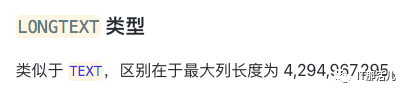
2. 在TiDB中使用longtext字段

本文作者:陈 聪
本文来源:IT那活儿(上海新炬王翦团队)

文章转载自IT那活儿,如果涉嫌侵权,请发送邮件至:contact@modb.pro进行举报,并提供相关证据,一经查实,墨天轮将立刻删除相关内容。
