



gpg 是GNU Privacy Guard的缩写,从名字上描述叫GNU版的隐私保护软件,即加密软件。它是一种加密软件,所使用的算法有:
公钥: RSA, ELG, DSA, ECDH, ECDSA, EDDSA
加密: IDEA, 3DES, CAST5, BLOWFISH, AES, AES192, AES256, TWOFISH,CAMELLIA128, CAMELLIA192, CAMELLIA256
哈希: SHA1, RIPEMD160, SHA256, SHA384, SHA512, SHA224
压缩: Uncompressed, ZIP, ZLIB, BZIP2
在Windows版的Git中,gpg是预装的,可以直接使用。gpg存数据的home目录在:
Home: c/Users/Administrator/.gnupg
默认这个目录是空的,当我们执行命令时,这个目录中会生成相应的文件。可以先执行 gpg --help 查看一下有哪些支持的命令,以及版本信息:
$ gpg --helpgpg (GnuPG) 2.2.11-unknownlibgcrypt 1.8.4Copyright (C) 2018 Free Software Foundation, Inc.License GPLv3+: GNU GPL version 3 or later <https://gnu.org/licenses/gpl.html>This is free software: you are free to change and redistribute it.There is NO WARRANTY, to the extent permitted by law.Home: /c/Users/Administrator/.gnupgSupported algorithms:Pubkey: RSA, ELG, DSA, ECDH, ECDSA, EDDSACipher: IDEA, 3DES, CAST5, BLOWFISH, AES, AES192, AES256, TWOFISH,CAMELLIA128, CAMELLIA192, CAMELLIA256Hash: SHA1, RIPEMD160, SHA256, SHA384, SHA512, SHA224Compression: Uncompressed, ZIP, ZLIB, BZIP2Syntax: gpg [options] [files]Sign, check, encrypt or decryptDefault operation depends on the input data
从帮助信息,我们得知 gpg 的用途有:
sign 签名
check 检查签名
encrypt 加密文件
decrypt 解密文件
我们先查看一下本机的公钥:
$ cd ~/.gnupg/$ gpg --list-keysgpg: keybox '/c/Users/Administrator/.gnupg/pubring.kbx' createdgpg: c/Users/Administrator/.gnupg/trustdb.gpg: trustdb created
此时会生成两个文件
$ file *pubring.kbx: GPG keybox database version 1, created-at Fri May 27 15:07:09 2022, last-maintained Fri May 27 15:07:09 2022trustdb.gpg: GPG key trust database version 3
生成两个数据库文件,当我们查看key时,读的就是这两个文件。此时还没有生成密钥,.gnupg 目录还没有密钥文件。
我们生成一个密钥对:
$ gpg --gen-keygpg (GnuPG) 2.2.11-unknown; Copyright (C) 2018 Free Software Foundation, Inc.This is free software: you are free to change and redistribute it.There is NO WARRANTY, to the extent permitted by law.Note: Use "gpg --full-generate-key" for a full featured key generation dialog.GnuPG needs to construct a user ID to identify your key.Real name: hyang0Email address: hyang0@dingtalk.comYou selected this USER-ID:"hyang0 <hyang0@dingtalk.com>"Change (N)ame, (E)mail, or (O)kay/(Q)uit? OWe need to generate a lot of random bytes. It is a good idea to performsome other action (type on the keyboard, move the mouse, utilize thedisks) during the prime generation; this gives the random numbergenerator a better chance to gain enough entropy.We need to generate a lot of random bytes. It is a good idea to performsome other action (type on the keyboard, move the mouse, utilize thedisks) during the prime generation; this gives the random numbergenerator a better chance to gain enough entropy.gpg: key 37970DCC2449EFA9 marked as ultimately trustedgpg: directory '/c/Users/Administrator/.gnupg/openpgp-revocs.d' createdgpg: revocation certificate stored as '/c/Users/Administrator/.gnupg/openpgp-revocs.d/0F14EAC47ABC2B64895B6EBC37970DCC2449EFA9.rev'public and secret key created and signed.pub rsa2048 2022-05-27 [SC] [expires: 2024-05-26]0F14EAC47ABC2B64895B6EBC37970DCC2449EFA9uid hyang0 <hyang0@dingtalk.com>sub rsa2048 2022-05-27 [E] [expires: 2024-05-26]
中间要求输入密码,在解密文件时会用到。
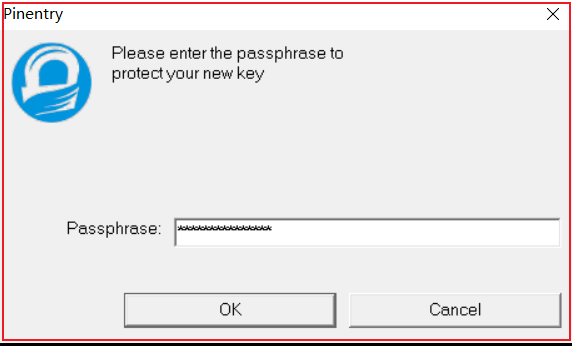
此时会生成一对密钥,即有公钥又有私钥
$ gpg --list-keysgpg: checking the trustdbgpg: marginals needed: 3 completes needed: 1 trust model: pgpgpg: depth: 0 valid: 1 signed: 0 trust: 0-, 0q, 0n, 0m, 0f, 1ugpg: next trustdb check due at 2024-05-26/c/Users/Administrator/.gnupg/pubring.kbx-----------------------------------------pub rsa2048 2022-05-27 [SC] [expires: 2024-05-26]0F14EAC47ABC2B64895B6EBC37970DCC2449EFA9uid [ultimate] hyang0 <hyang0@dingtalk.com>sub rsa2048 2022-05-27 [E] [expires: 2024-05-26]Administrator@MS-OIPXDHWZIYJO MINGW64 ~/.gnupg$ gpg --list-secret-keys/c/Users/Administrator/.gnupg/pubring.kbx-----------------------------------------sec rsa2048 2022-05-27 [SC] [expires: 2024-05-26]0F14EAC47ABC2B64895B6EBC37970DCC2449EFA9uid [ultimate] hyang0 <hyang0@dingtalk.com>ssb rsa2048 2022-05-27 [E] [expires: 2024-05-26]Administrator@MS-OIPXDHWZIYJO MINGW64 ~/.gnupg$ find../openpgp-revocs.d./openpgp-revocs.d/0F14EAC47ABC2B64895B6EBC37970DCC2449EFA9.rev./private-keys-v1.d./private-keys-v1.d/B05AE222221AF5FD5C702C5A9B2C18F27822F0FE.key./private-keys-v1.d/BC5A93F2F569E12AE420EDE4D36414175795F2CC.key./pubring.kbx./pubring.kbx~./S.gpg-agent./S.gpg-agent.browser./S.gpg-agent.extra./S.gpg-agent.ssh./trustdb.gpg
我们试着用生成的密钥加密文件,我们准备一个文本文件
$ cat a.txttest
加密文件
$ gpg -e a.txtYou did not specify a user ID. (you may use "-r")Current recipients:Enter the user ID. End with an empty line: hyang0Current recipients:rsa2048/4B8C0DFF29C7F427 2022-05-27 "hyang0 <hyang0@dingtalk.com>"Enter the user ID. End with an empty line:Administrator@MS-OIPXDHWZIYJO MINGW64 ~/test$ lsa.txt a.txt.gpg
加密后的文件以 *.gpg 结尾,可以通过 file 查看文件信息
$ file *a.txt: ASCII texta.txt.gpg: PGP RSA encrypted session key - keyid: FF0D8C4B 27F4C729 RSA (Encrypt or Sign) 2048b .
解密文件
$ gpg -d a.txt.gpggpg: encrypted with 2048-bit RSA key, ID 4B8C0DFF29C7F427, created 2022-05-27"hyang0 <hyang0@dingtalk.com>"test
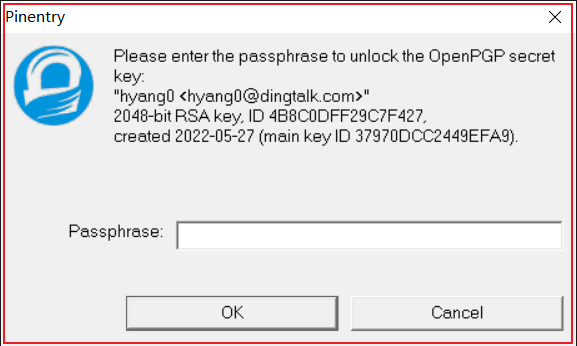
因为加密的文件中已含了密钥信息,此时 gpg 会在本地找密钥解密,中间要求输入密码。解密后的内容输出在屏幕上。如果想将解密后的内容输出到文件,可以执行以下命令:
$ gpg -o a.out -d a.txt.gpggpg: encrypted with 2048-bit RSA key, ID 4B8C0DFF29C7F427, created 2022-05-27"hyang0 <hyang0@dingtalk.com>"Administrator@MS-OIPXDHWZIYJO MINGW64 ~/test$ cat a.outtest
gpg 默认使用的加密算法是RSA算法,是一种非对称加密算法。所谓的非对称即,使用公钥对数据进行加密,使用对应的私钥进行解密。因为加密和解密使用的是两个不同的密钥,所以这种算法被叫作非对称加密算法。
为什么被叫作公钥?因为它可以用来加密,如果我加密的内容和你加密的内容一样,说明这段内容没有被篡改。单拿一个公钥没有用,只能加密,不能解密,这个功能可以用来做签名验证。因为公钥可以随便给别人,所以它被叫做公钥。而私钥是可以用来解密的,只能是自己保存。
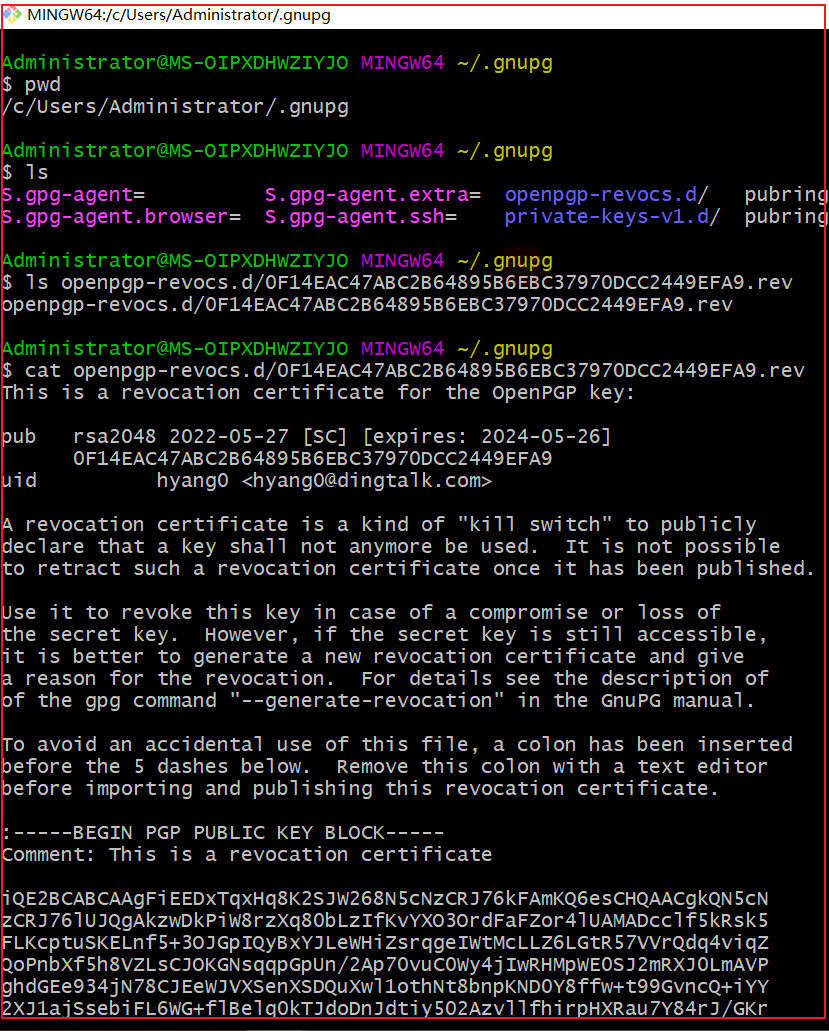
我们来看一段公钥长什么样:
删除公钥和私钥
$ gpg --delete-secret-keys hyang0$ gpg --delete-keys hyang0
因为密钥为一对,如果需要删除的话,可以先删私钥再删公钥。
删除后,查看密钥,使用 list 命令实际读取的是gpg数据库文件
gpg --list-secret-keysgpg --list-keys
参考:
https://www.ruanyifeng.com/blog/2013/07/gpg.html
https://www.apache.org/dyn/closer.cgi/hadoop/common/
