



Linux中已经自带了Python2.7.5,之前也安装了python3.6,但是当前代码运行需要python3.7,所以需要安装python3.7,也不能影响之前安装的其他版本的python。
linux自带Python2.7.5,如下:
[root@T-zichan-odb1-16-26 ~]# python --version
Python 2.7.5
[root@T-zichan-odb1-16-26 ~]# python
Python 2.7.5 (default, Nov  6 2016, 00:28:07)
[GCC 4.8.5 20150623 (Red Hat 4.8.5-11)] on linux2
Type "help", "copyright", "credits" or "license" for more information.
>>> exit()
2.当前代码运行需要python3.7,所以需要安装python3.7
[root@T-zichan-odb1-16-26 ~]# whereis pythonpython: /usr/bin/python /usr/bin/python2.7 /usr/bin/python3.6 /usr/bin/python3.6m /usr/lib/python2.7 /usr/lib/python3.6 /usr/lib64/python2.7 /usr/lib64/python3.6 /etc/python /usr/include/python2.7 /usr/include/python3.6m /usr/share/man/man1/python.1.gz[root@T-zichan-odb1-16-26 ~]# ls -l /usr/bin/python*lrwxrwxrwx. 1 root root 7 4月 10 2019 /usr/bin/python -> python2lrwxrwxrwx. 1 root root 9 4月 10 2019 /usr/bin/python2 -> python2.7-rwxr-xr-x. 1 root root 7136 11月 6 2016 /usr/bin/python2.7lrwxrwxrwx 1 root root 9 4月 11 2019 /usr/bin/python3 -> python3.6lrwxrwxrwx 1 root root 18 4月 11 2019 /usr/bin/python36 -> /usr/bin/python3.6-rwxr-xr-x 2 root root 11408 3月 29 2019 /usr/bin/python3.6-rwxr-xr-x 2 root root 11408 3月 29 2019 /usr/bin/python3.6m
/usr/bin/python,/usr/bin/python2和python3都是软链接,/usr/bin/python指向/usr/bin/python2,而/usr/bin/python2最终又指向/usr/bin/python2.7
/usr/bin/python3和/usr/bin/python36都指向python3.6
3.安装python3.7
3.1下载python3.7
下载地址:
https://www.python.org/downloads/source/
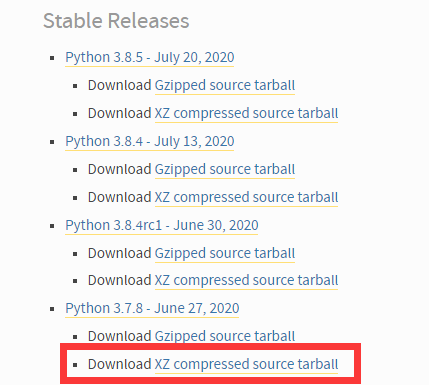
下载完成后解压压缩包
tar -zxvf Python-3.7.8.tgz
3.2安装依赖包
yum -y install zlib-devel bzip2-devel openssl-devel ncurses-devel sqlite-devel readline-devel tk-devel gcc makeyum install libffi-devel
3.3 编译安装并创建软链接
cd Python-3.7.8./configure --prefix=/usr/bin/python3.7makemake installln -s /usr/bin/python3.7/bin/python3.7 /usr/bin/python37
3.4验证
[root@T-zichan-odb1-16-26 Python-3.7.8]# python37
Python 3.7.8 (default, Jul 27 2020, 17:24:09)
[GCC 4.8.5 20150623 (Red Hat 4.8.5-39)] on linux
Type "help", "copyright", "credits" or "license" for more information.
>>> exit()
没有影响到其他版本的python
[root@T-zichan-odb1-16-26 ~]# python3
Python 3.6.6 (default, Mar 29 2019, 00:03:27)
[GCC 4.8.5 20150623 (Red Hat 4.8.5-36)] on linux
Type "help", "copyright", "credits" or "license" for more information.
>>> exit()
[root@T-zichan-odb1-16-26 ~]# python
Python 2.7.5 (default, Nov  6 2016, 00:28:07)
[GCC 4.8.5 20150623 (Red Hat 4.8.5-11)] on linux2
Type "help", "copyright", "credits" or "license" for more information.
>>> exit()
