



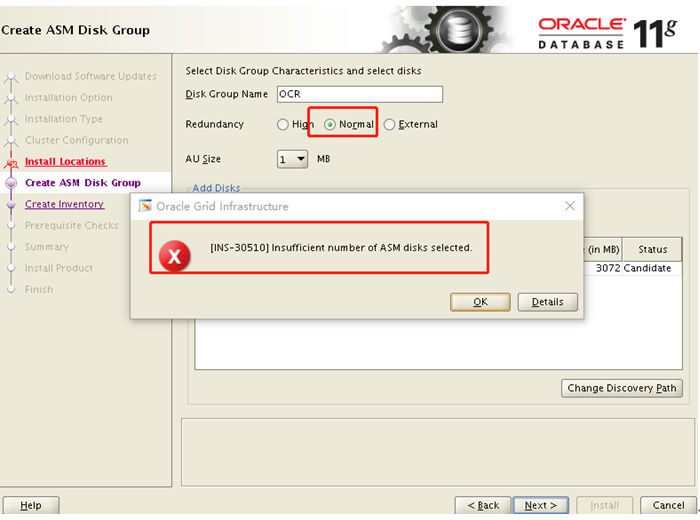
1、INS-30510: Insufficient number of ASM disksselected.
原因:
错误的原因是由于磁盘数和冗余层级不匹配:
如果创建用来存放OCR和VOTEDISK的ASM磁盘组,那么External、Normal、High三种冗余级别对应的Failgroup个数是1、3、5。也就是说,创建这三种冗余级别的磁盘组至少分别需要1、3、5个ASM磁盘。
如果创建用于非OCR和VOTEDISK存储的ASM磁盘组,那么External、Normal、High三种冗余级别对应的Failgroup至少是1、2、3。也就是说,创建这三种冗余级别的磁盘组至少分别需要1、2、3个ASM磁盘。
如果没有遵循创建ASM磁盘组的规则,将收到以下报错信息:
INS-30510: Insufficient number of ASM disksselected.
解决:
这里只有1块盘,选择external。
2、[INS-08101] Unexpected error while executing the action at state: ‘performChecks’
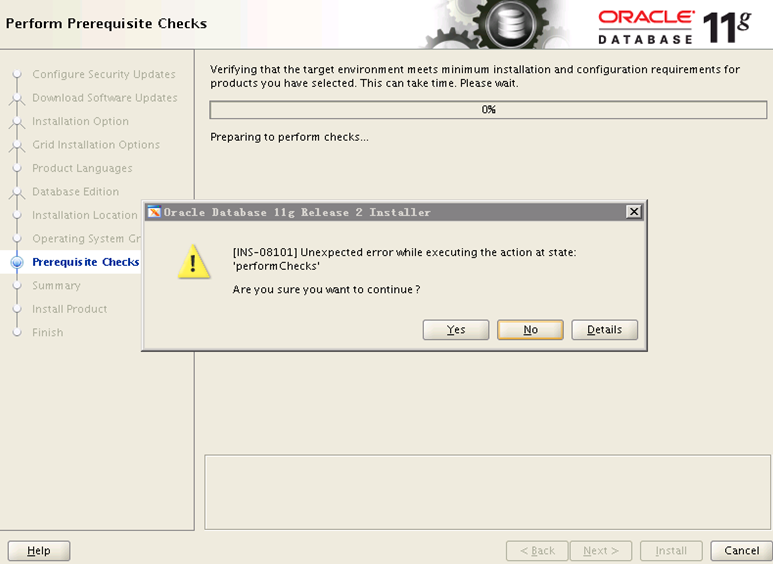
该问题是在原先12c的环境中,铲掉12C之后安装11g 的软件,做预检查的时候,报的错。
原因:
原有的12c环境没删干净,部分目录还残留之前12c的信息,导致预检查过不去。
解决:
rm –rf /tmp/*
rm –rf /etc/oracle/*
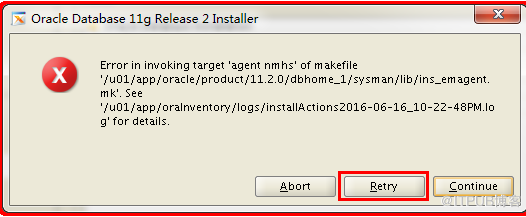
3、Error in invoking target ‘agent nmhs’ of makefile

参考:
http://blog.itpub.net/29475508/viewspace-2120836/
解决方案
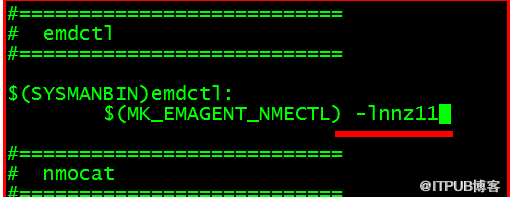
在makefile中添加链接libnnz11库的参数
修改$ORACLE_HOME/sysman/lib/ins_emagent.mk,将
$(MK_EMAGENT_NMECTL)修改为:$(MK_EMAGENT_NMECTL) -lnnz11
建议修改前备份原始文件
[oracle@ysserver ~]$ cd $ORACLE_HOME/sysman/lib
[oracle@ysserver lib]$ cp ins_emagent.mk ins_emagent.mk.bak
[oracle@ysserver lib]$ vi ins_emagent.mk
进入vi编辑器后  命令模式输入/NMECTL 进行查找,快速定位要修改的行
在后面追加参数-lnnz11        第一个是字母l   后面两个是数字1
保存退出后Retry
4、swap空间不足
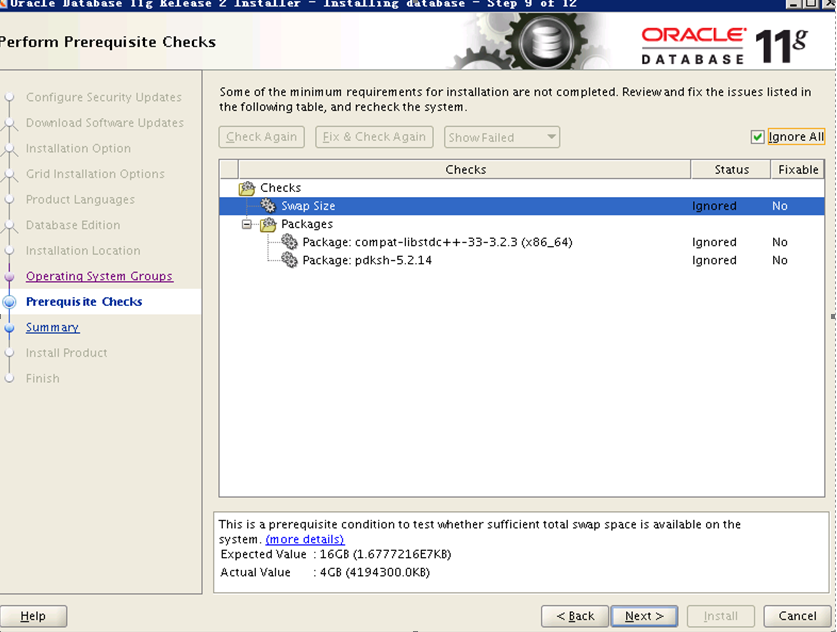
解决:
调整swap分区
方法1:用文件作为Swap分区
1、查看当前swap大小
free -m
2、使用dd命令创建一个4G大小的文件
dd if=/dev/zero of=/etc/swap_file bs=1M count=4096
3、格式化为swap格式
mkswap /etc/swap_file
4、启用swap文件
swapon /etc/swap_file
5、再次查看当前swap大小
free -m
6、使其重启后生效,将原来的swap注销掉,添加以下新的
vim /etc/fstab
5、缺少需要的包compat-libstdc+±33-3.2.3
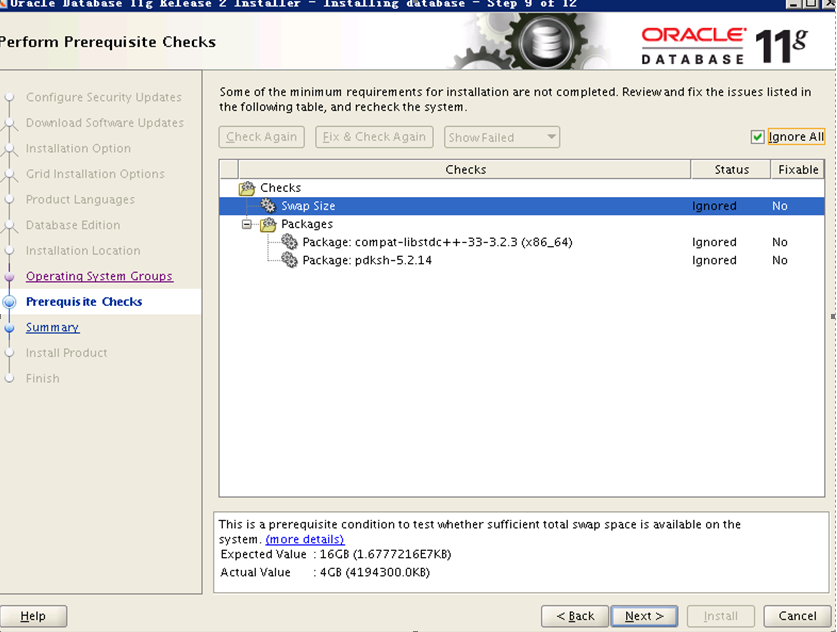
解决:
缺少包,如附件,使用yum安装必要包。
compat-libstdc+±33-3.2.3-72.el7.x86_64.rpm
6、执行root.sh报错ohasd failed to start
详细报错信息:
Entries will be added to the /etc/oratab file as needed by
Database Configuration Assistant when a database is created
Finished running generic part of root script.
Now product-specific root actions will be performed.
Using configuration parameter file: /opt/grid/products/11.2.0/crs/install/crsconfig_params
Creating trace directory
User ignored Prerequisites during installation
Installing Trace File Analyzer
OLR initialization - successful
Adding Clusterware entries to inittab
ohasd failed to start
Failed to start the Clusterware. Last 20 lines of the alert log follow:
2018-06-06 19:23:35.563:
[client(24185)]CRS-2101:The OLR was formatted using version 3.
^CINT at /opt/grid/products/11.2.0/crs/install/crsconfig_lib.pm line 1446.
/opt/grid/products/11.2.0/perl/bin/perl -I/opt/grid/products/11.2.0/perl/lib -I/opt/grid/products/11.2.0/crs/install /opt/grid/products/11.2.0/crs/install/rootcrs.pl execution failed
Oracle root script execution aborted!
报错原因:
导致这个错误是因为Linux 7版本采用 systemd 方式启动进GI进程而非linux 7 之前版本采用 initd 方式启动进程, root.sh 脚本是采用initd 方式进行启动进程。 此类问题是oracle 已知bug 。
解决方法:
方法一:
a. 创建服务ohas.service的服务文件并赋予权限
touch /usr/lib/systemd/system/ohas.service
chmod 777 /usr/lib/systemd/system/ohas.service
b. 往ohas.service服务文件添加启动ohasd的相关信息
vi /usr/lib/systemd/system/ohas.service
添加以下信息:
[Unit]
Description=Oracle High Availability Services
After=syslog.target
[Service]
ExecStart=/etc/init.d/init.ohasd run >/dev/null 2>&1 Type=simple
Restart=always
[Install]
WantedBy=multi-user.target
重新加载守护进程
systemctl daemon-reload
设置守护进程自动启动
systemctl enable ohas.service
手工启动ohas服务
systemctl start ohas.service
在执行root.sh
方法二:
在执行root.sh 脚本之前
patch 18370031 for 11.2.0.4
如果RAC  需在两个节点上都大补丁, 补丁apply 完毕之后 执行root.sh
