



送 福 利 啦
关注HarmonyOS技术社区,回复【鸿蒙】送小米小爱音箱mini(数量不多,先到先得),还可以免费下载鸿蒙入门资料!
👇扫码立刻关注👇

专注开源技术,共建鸿蒙生态
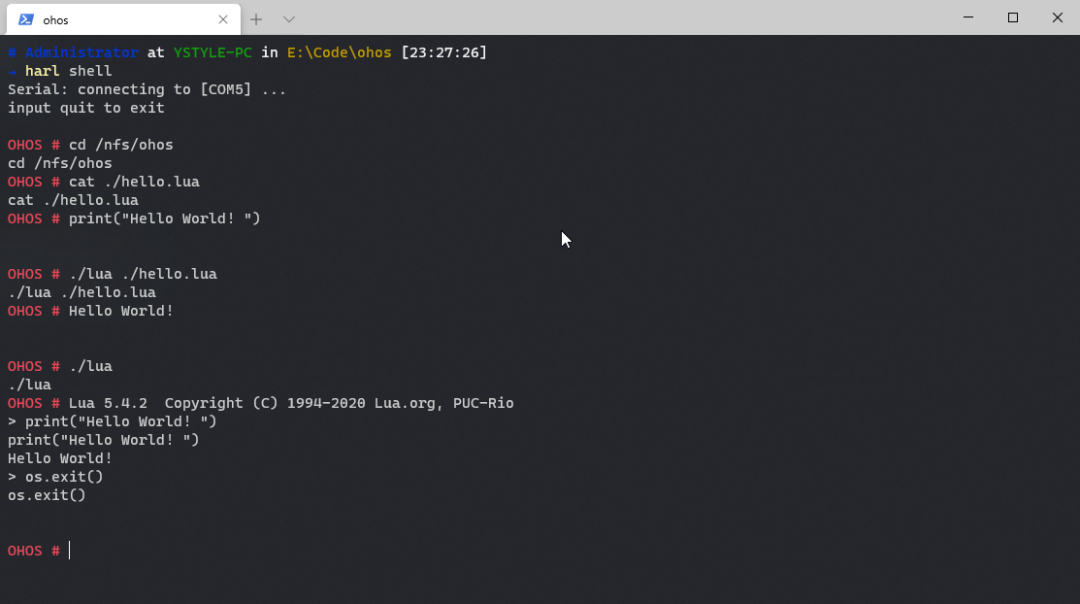
本文作者将给大家分享:移植 lua 到鸿蒙—在鸿蒙上用 lua 跑 hello world。
https://gitee.com/hiharmonica/lua
https://gitee.com/hiharmonica/lua/releases/v5.4.2
01
准备环境
安装 docker
docker pull ystyle/open-harmony
PS:本文使用与鸿蒙系统一同编译的方法。如果自己有本地环境,可以把 lua 项目放鸿蒙代码目录里(或者使用软接连)。
02
下载 lua 官方代码
mkdir -p ~/code/ohos/cd ~/code/ohos/git clone https://github.com/lua/lua.git
03
编写 BUILD.gn 文件
# Copyright (c) 2020 YSTYLE(lxy5266@live.com)# Licensed under the Apache License, Version 2.0 (the "License");# you may not use this file except in compliance with the License.# You may obtain a copy of the License at## http://www.apache.org/licenses/LICENSE-2.0## Unless required by applicable law or agreed to in writing, software# distributed under the License is distributed on an "AS IS" BASIS,# WITHOUT WARRANTIES OR CONDITIONS OF ANY KIND, either express or implied.# See the License for the specific language governing permissions and# limitations under the License.import("//build/lite/config/component/lite_component.gni")import("//build/lite/ndk/ndk.gni")static_library("hello_world") { sources = [ "lapi.c", "lauxlib.c", "lbaselib.c", "lcode.c", "lcorolib.c", "lctype.c", "ldblib.c", "ldebug.c", "ldo.c", "ldump.c", "lfunc.c", "lgc.c", "linit.c", "liolib.c", "llex.c", "lmathlib.c", "lmem.c", "loadlib.c", "lobject.c", "lopcodes.c", "loslib.c", "lparser.c", "lstate.c", "lstring.c", "lstrlib.c", "ltable.c", "ltablib.c", "ltests.c", "ltm.c", "lua.c", "lundump.c", "lutf8lib.c", "lvm.c", "lzio.c" ] include_dirs = [ "include", ]}lite_component("camera_app") { target_type = "executable" features = [ ":hello_world", ]}ndk_lib("app_sample") { deps = [ ":hello_world" ] head_files = [ "include" ]}
static_library 里的 source 参照 lua/makefile。
04
编译脚本
cd ~/code/ohos/luatouch build-ohos.shchmod +x build-ohos.sh
set -erm -rf ./out ./bindocker run --rm -ti \ -e HARDWARE=ipcamera_hi3516dv300 \ -v ${PWD}/out:/OpenHarmony/out \ -v ${PWD}:/OpenHarmony/applications/sample/camera/app \ ystyle/open-harmonymkdir -p ./bincp ./out/ipcamera_hi3516dv300/bin/camera_app ./bin/luatar -zcf lua-5.4.2-ohos.tar.gz ./binecho 'build success!'
cd ~/code/ohos/lua./build-ohos.sh# 看到 ohos ipcamera_hi3516dv300 build success! build success! 就编译成功了。
编译后软件在鸿蒙的 ./out/ipcamera_hi3516dv300/bin/camera_app
脚本会把 lua 单独打包出来
单独的 lua 可执行文件在 bin 目录
05
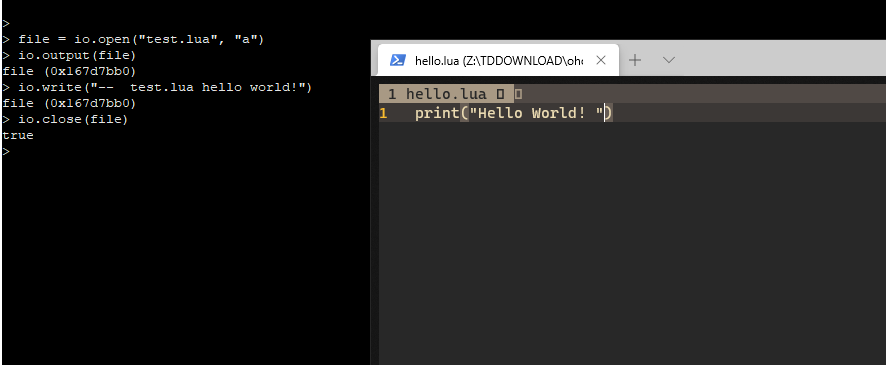
演示
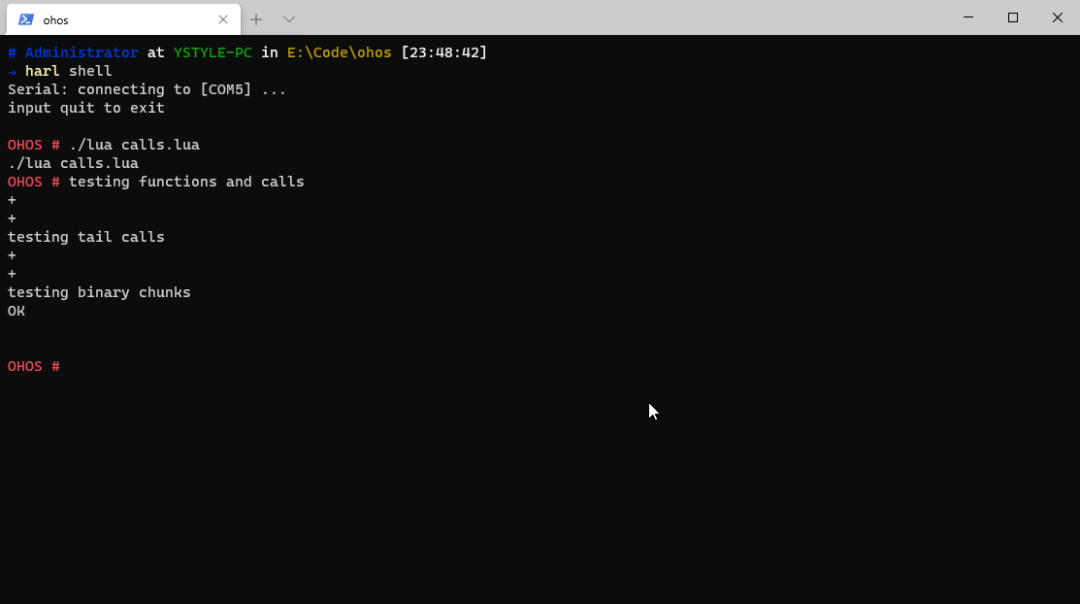
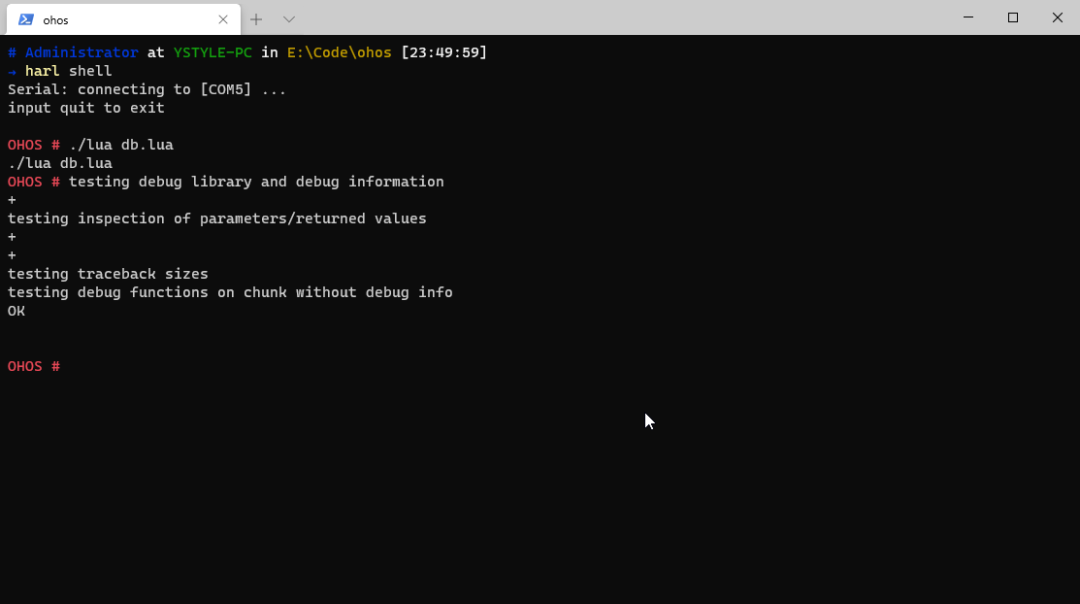
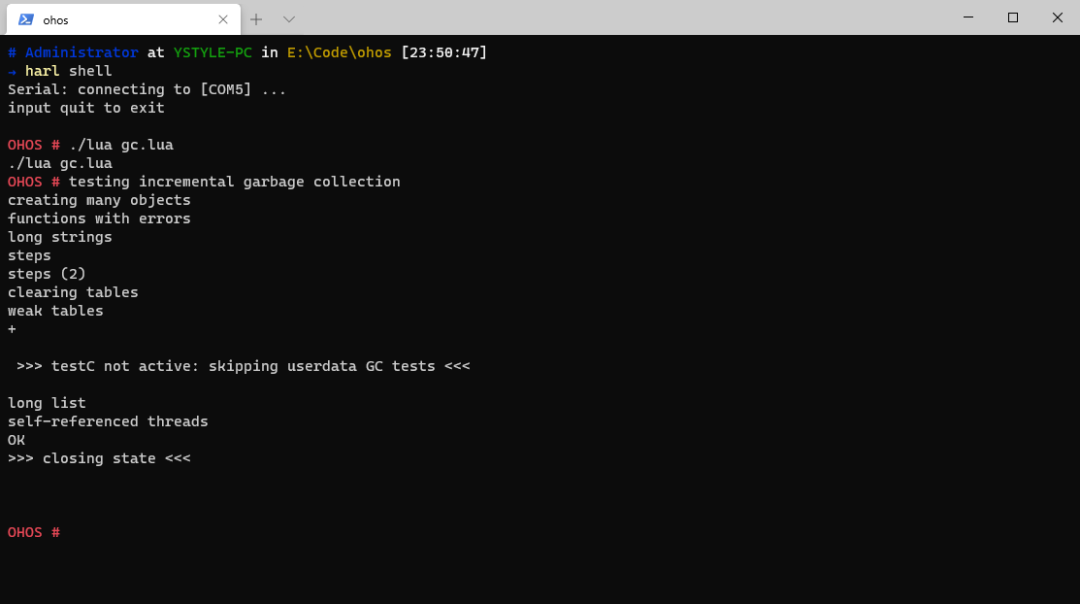
官方测试用例 3
http://ystyle.top/2020/11/07/porting-Lua-to-openharmony/

点“阅读原文”了解更多
文章转载自51CTO技术栈,如果涉嫌侵权,请发送邮件至:contact@modb.pro进行举报,并提供相关证据,一经查实,墨天轮将立刻删除相关内容。
