



FreeNAS介绍:
FreeNAS是一套免费的NAS服务器,它能将一部普通PC变成网络存储服务器。,基于FreeBSD操作系统。
FreeNAS支持CIFS (samba)、 FTP、 NFS protocols, Software RAID (0,1,5) 及 web 界面的设定工具。用户可通过Windows、Macs、FTP、SSH 及网络文件系统 (NFS) 来访问存储服务器。
服务器要求:
操作系统:FreeNAS-11.2-RELEASE-U1.iso
IP地址:192.198.146.104
内存要求:8GB
安装配置FreeNAS 11.2:
1、下载FreeNAS 11镜像文件
下载链接:https://download.freenas.org/11.2/STABLE/U1/x64/FreeNAS-11.2-RELEASE-U1.iso
2、安装FreeNAS 11
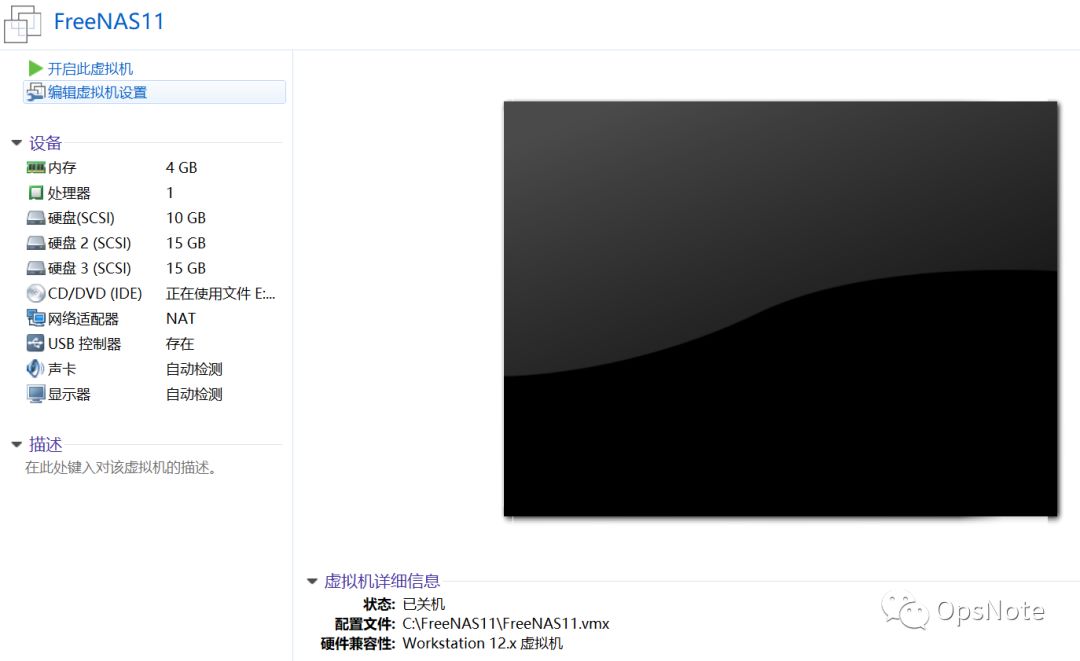
选择其他---FreeBSD 64位,如下图:
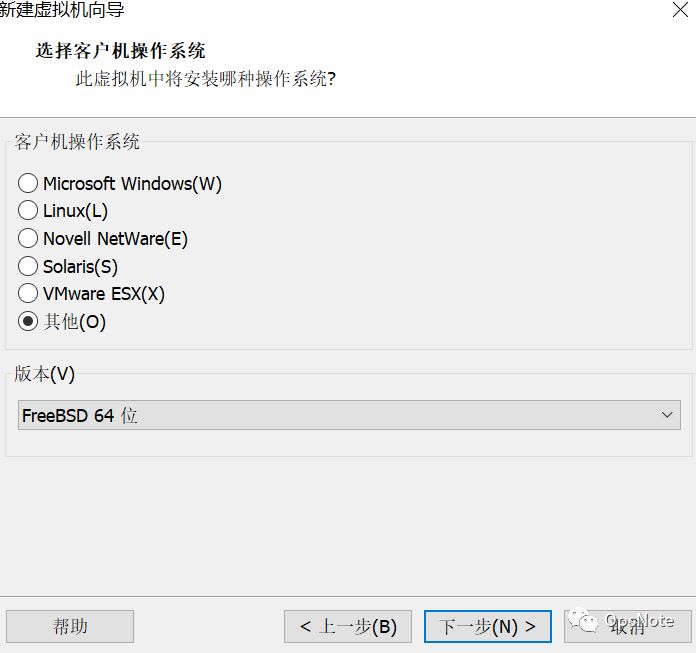

磁盘分配10G,用于安装freenas11,如下图:

添加两个15G磁盘,选择SCSI接口,如下图:


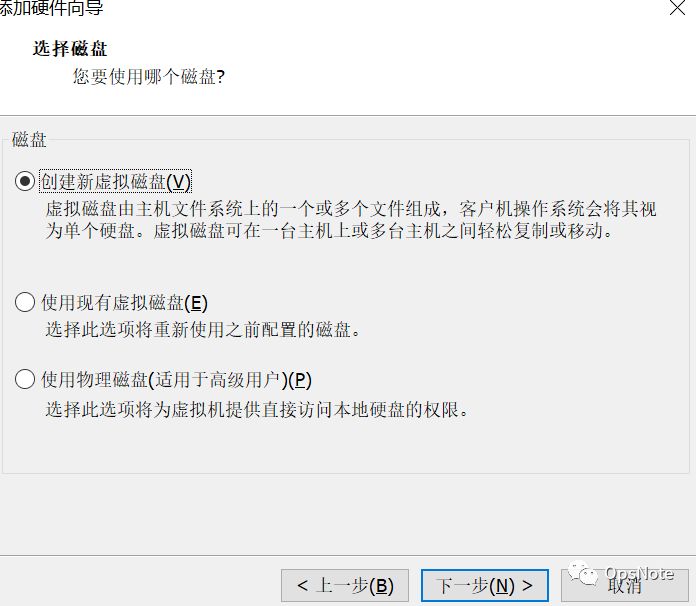
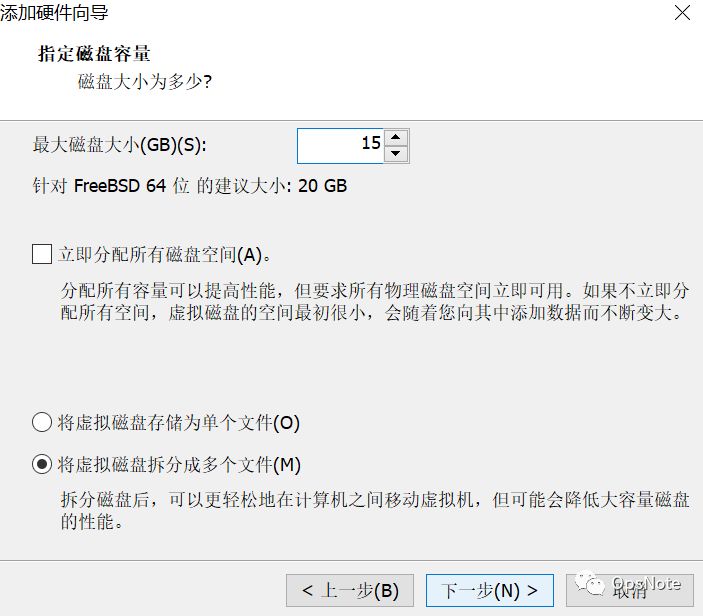
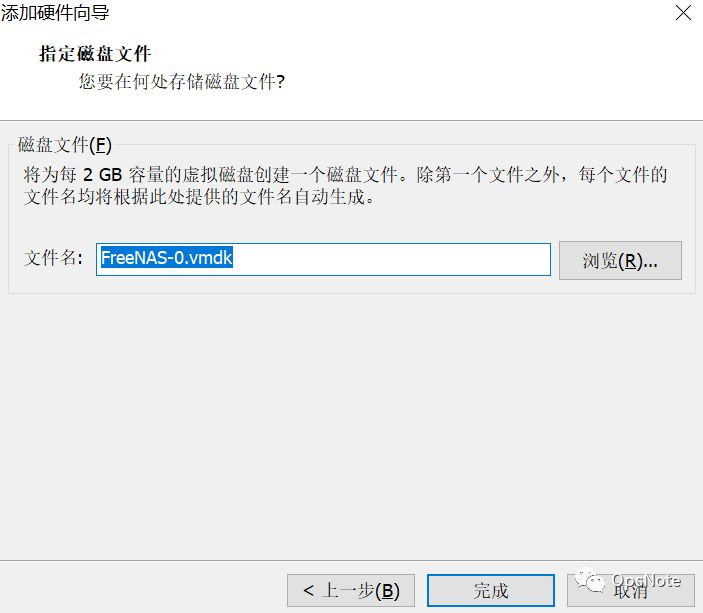
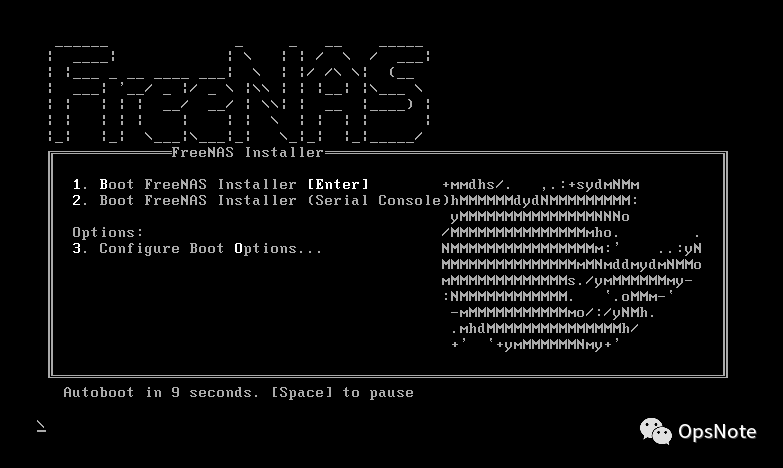
按回车键安装freenas11,如下图:
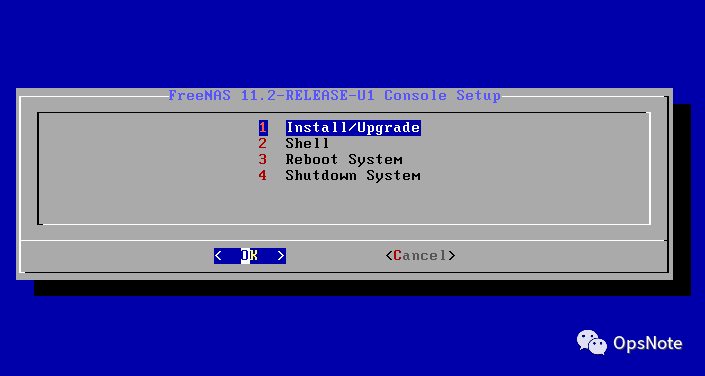
选中Install/Upgrade,然后选择OK后回车,如下图:
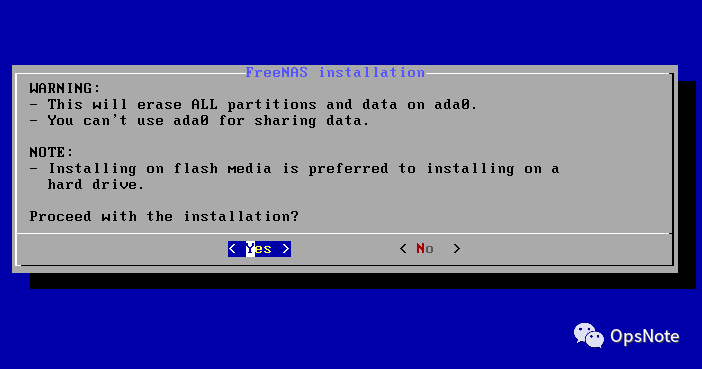
选择Yes后回车后回车,如下图:(freenas服务器最好8G以上内存,用于测试请忽略)

选择将freenas安装在哪个硬盘中,这里选择安装在10G硬盘中,如下图:

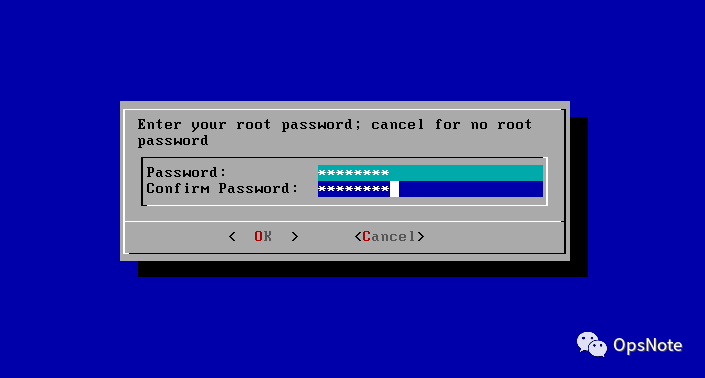
设置root账号密码,如下图:
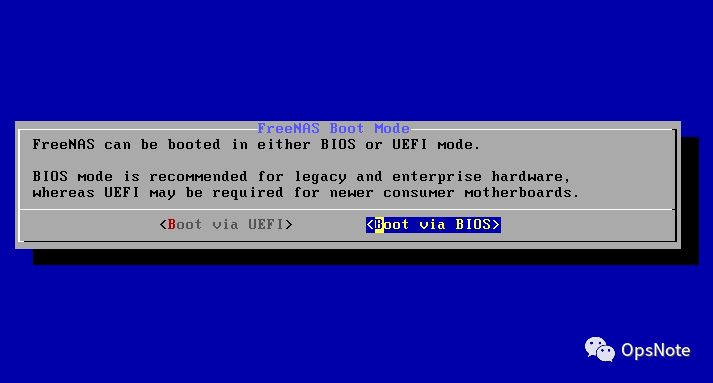
按照默认选择后回车,如下图:
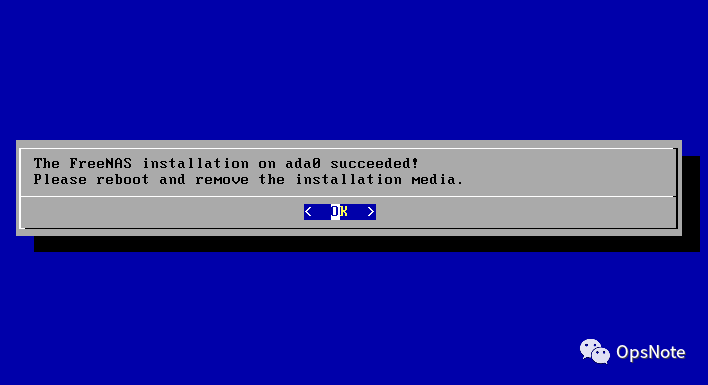
选择OK后按回车,成功完成安装,如下图:
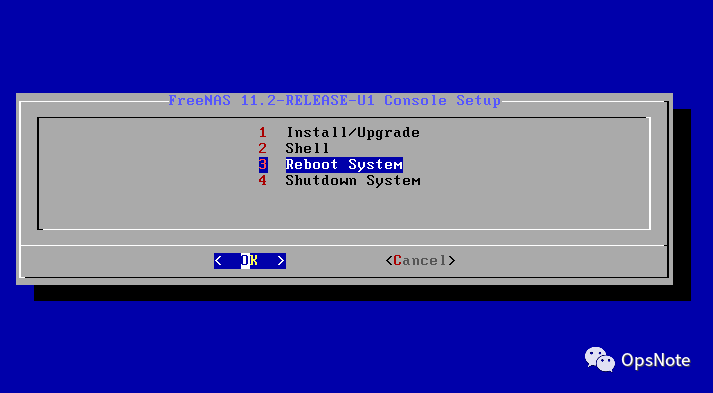
选择Reboot System重启服务器,或者Shutdown System关机服务器,如下图:
3、配置FreeNAS 11
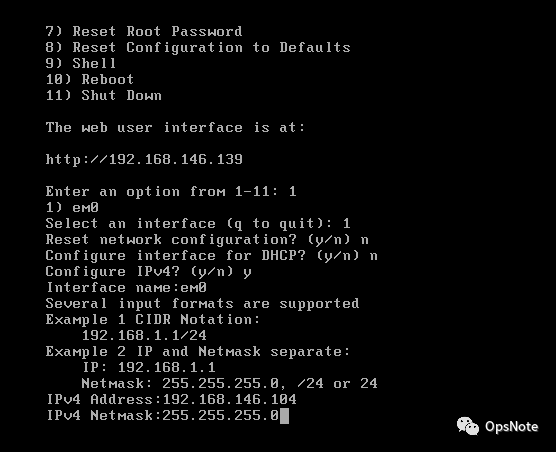
设置freenas管理IP,如下图:
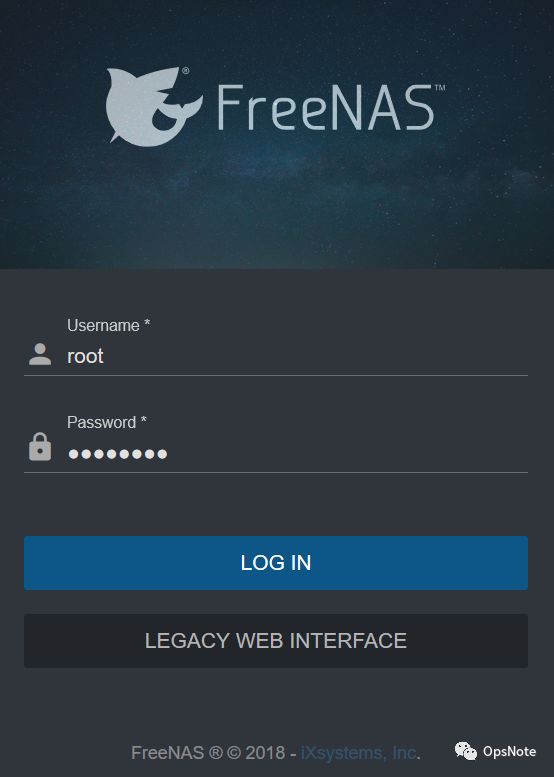
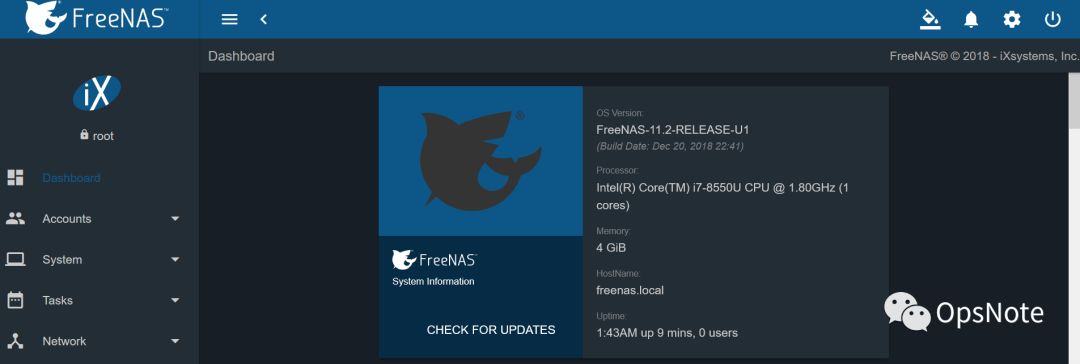
使用root账号密码登陆freenas web控制台,如下图:
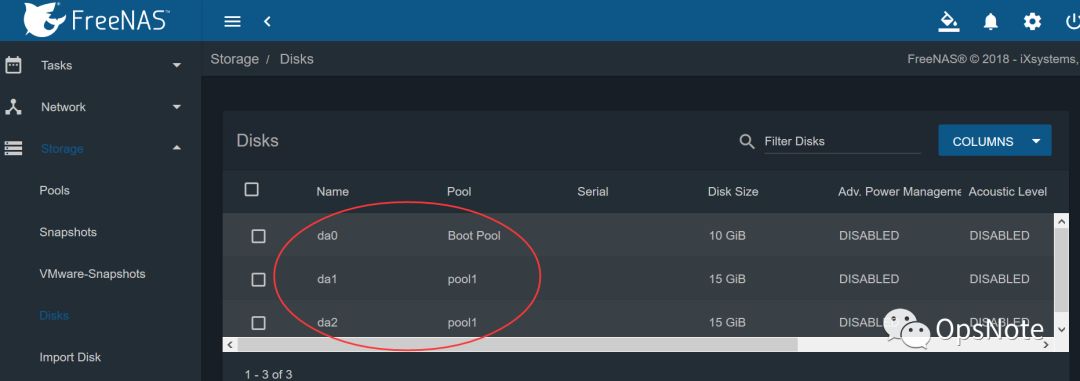
确认磁盘,如下图:
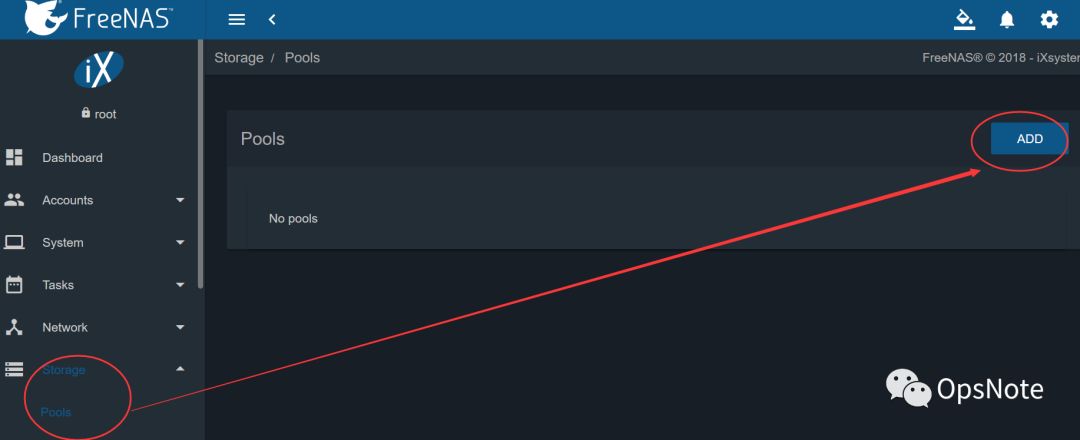
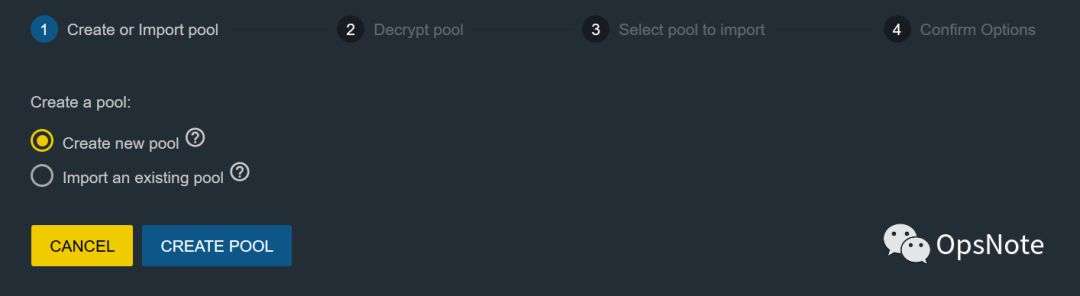
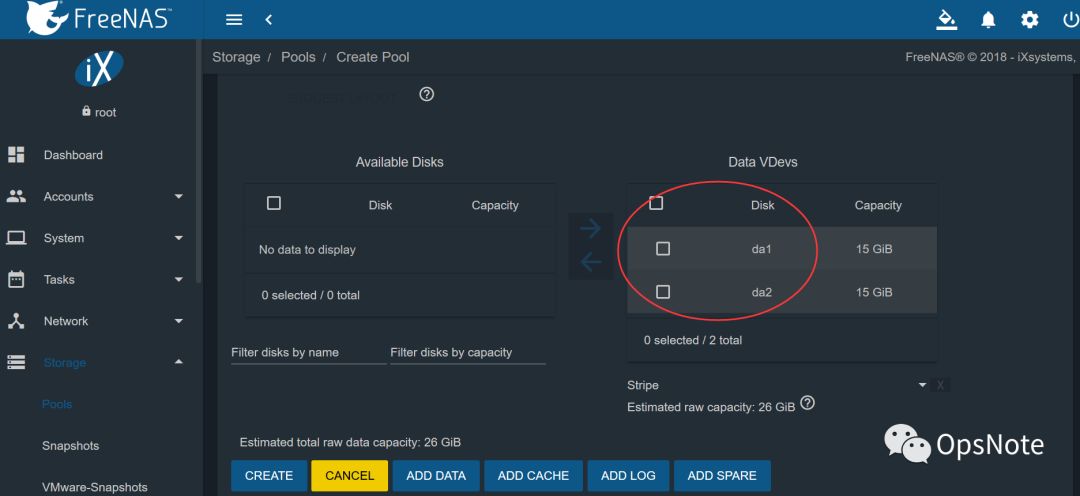
Storage---Pools---ADD里面添加池,选择可选择的硬盘,然后选择是“条带(Stripe)”还是“镜像”,如下图:
卷类型说明:
Stripe: 至少需要一个磁盘
Mirror: 至少需要两个磁盘
RAIDZ1: 至少需要三个磁盘
RAIDZ2: 至少需要四个磁盘
RAIDZ3: 至少需要五个磁盘
log device: 至少需要一个专用设备,建议使用快速,低延迟,电源保护的SSD
cache device: 至少需要一个专用设备,建议使用SSD
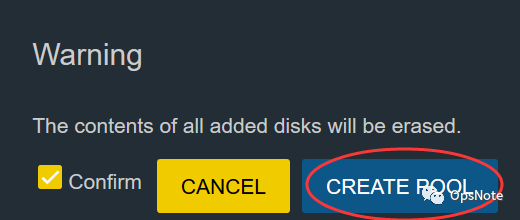
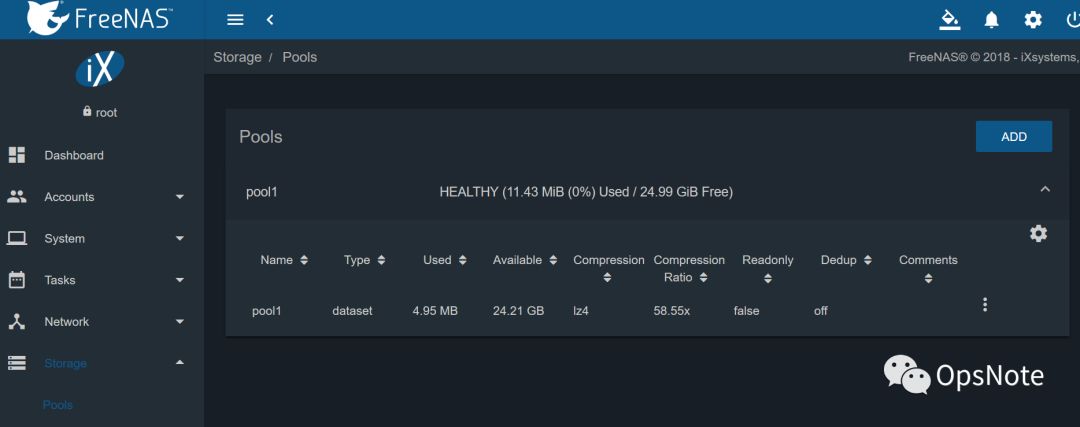
备注:可以再在pool1上新建Dataset数据集。
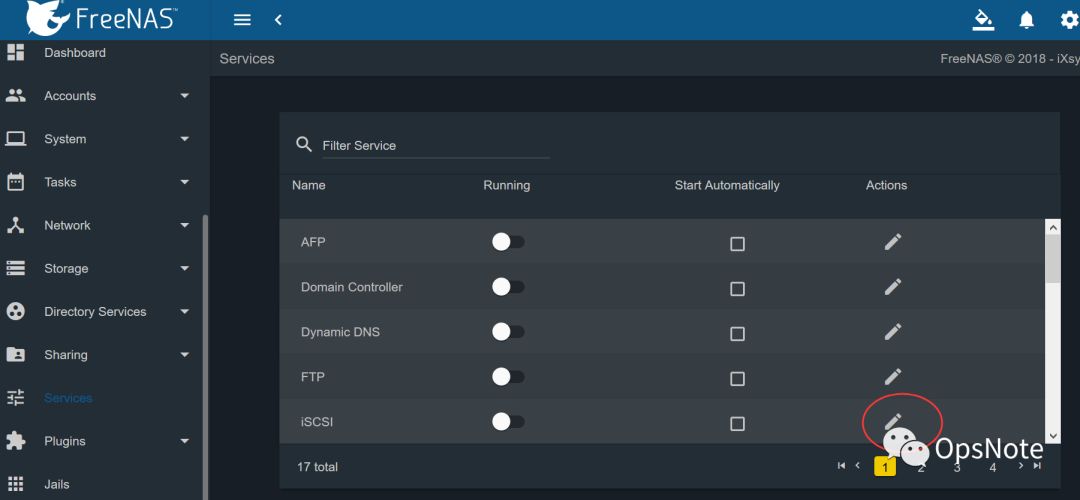
在Services中点击iSCSI后面的编辑按钮,如下图:
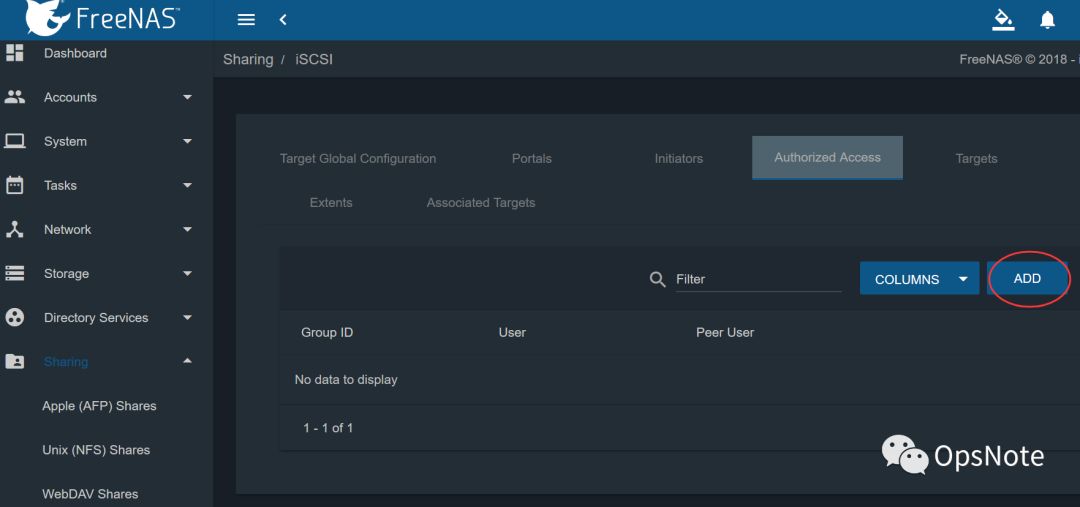
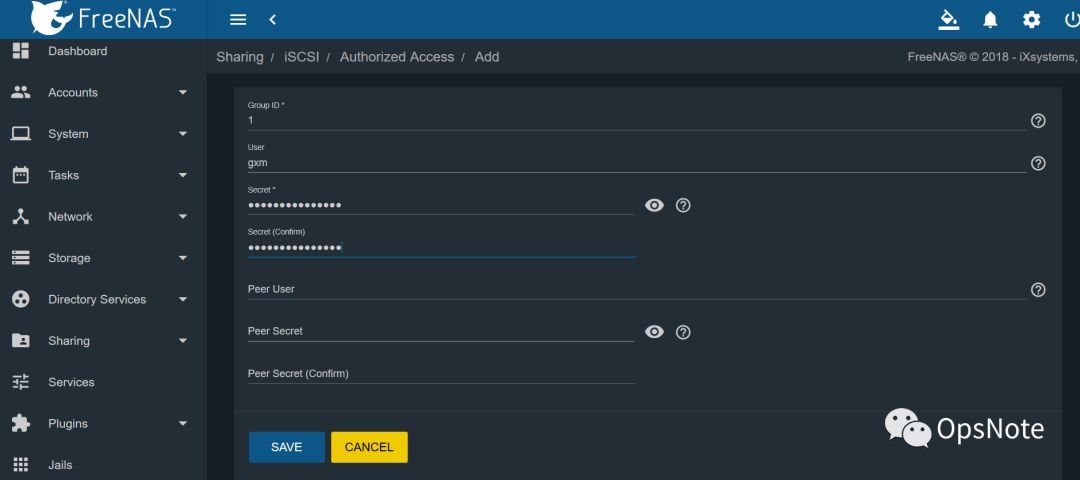
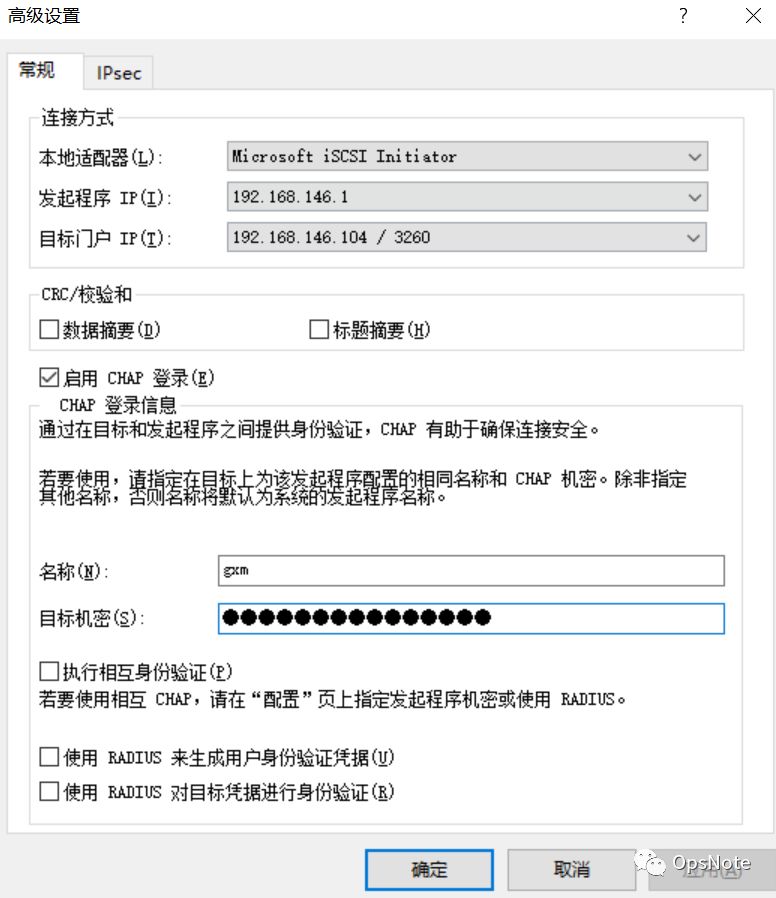
Authorized Access---ADD,添加授权访问用户,用户名gxm,密码ab12cd34ef98gh(注意密码需要12到16位,否则SAVE不可点),如下图:
Portals---ADD,新增入口设置iSCSI客户端连接的IP地址和端口。如下图:
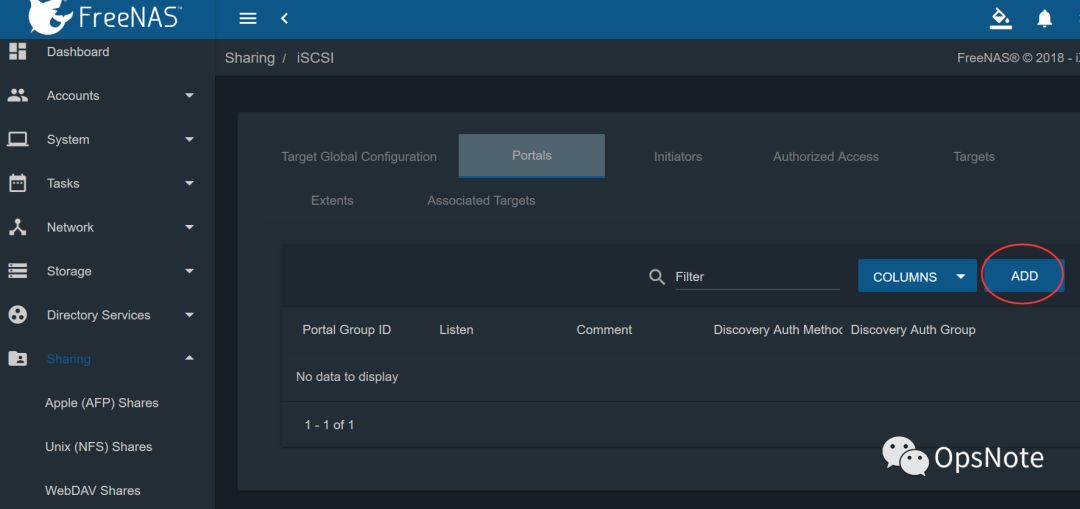
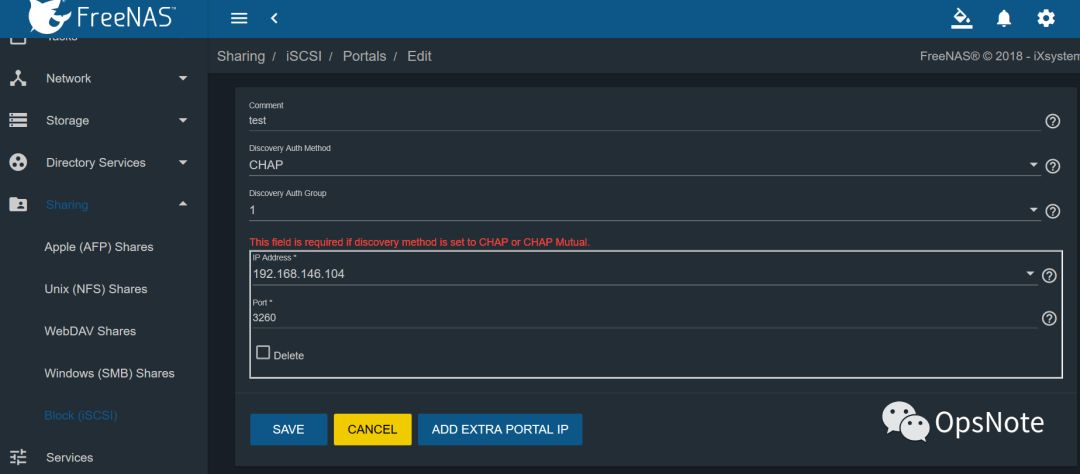
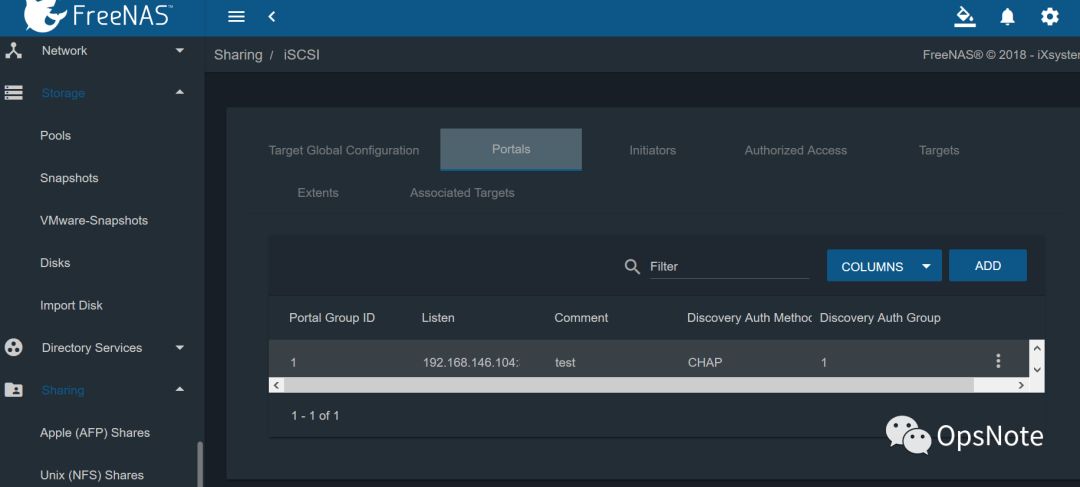
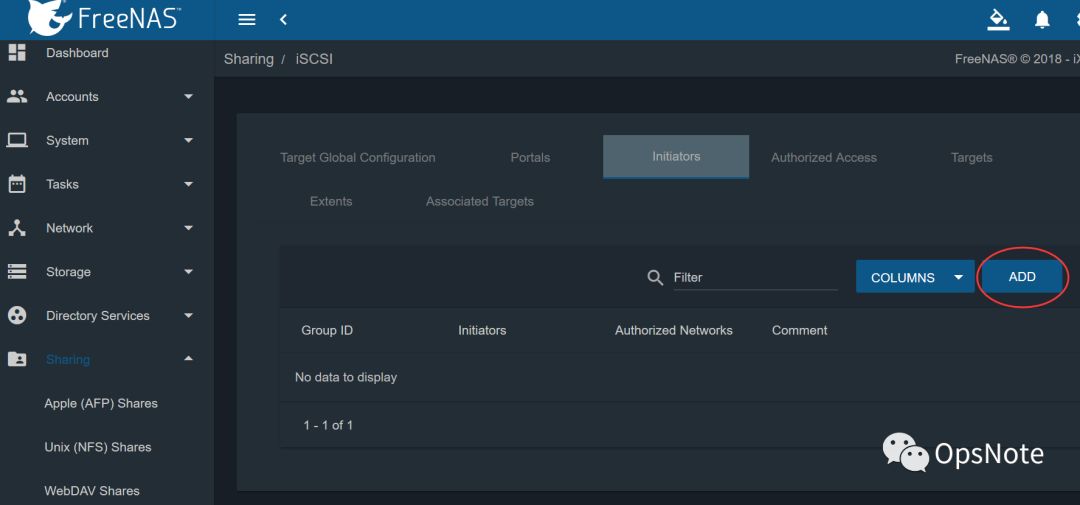
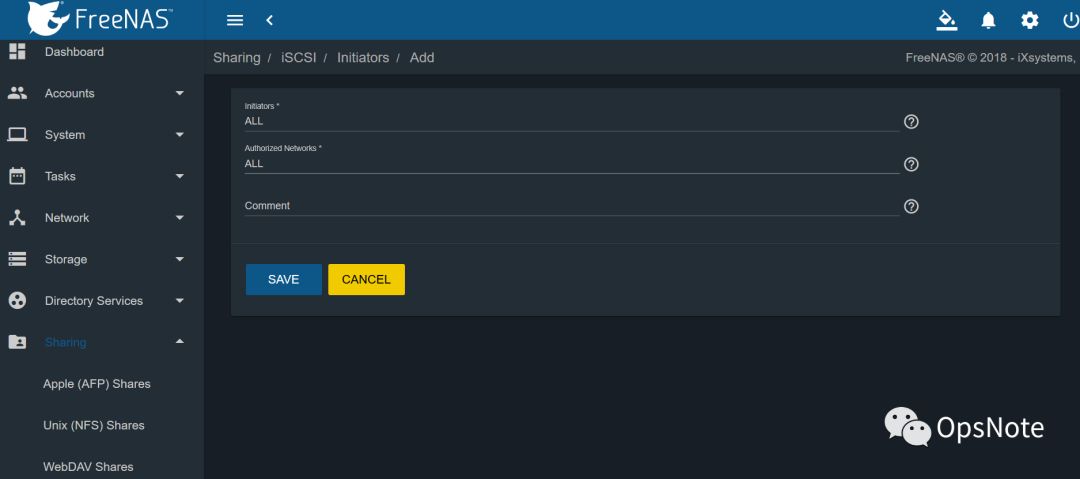
Initiators---ADD,设置指定网卡运行访问,这里全部允许,如下图:
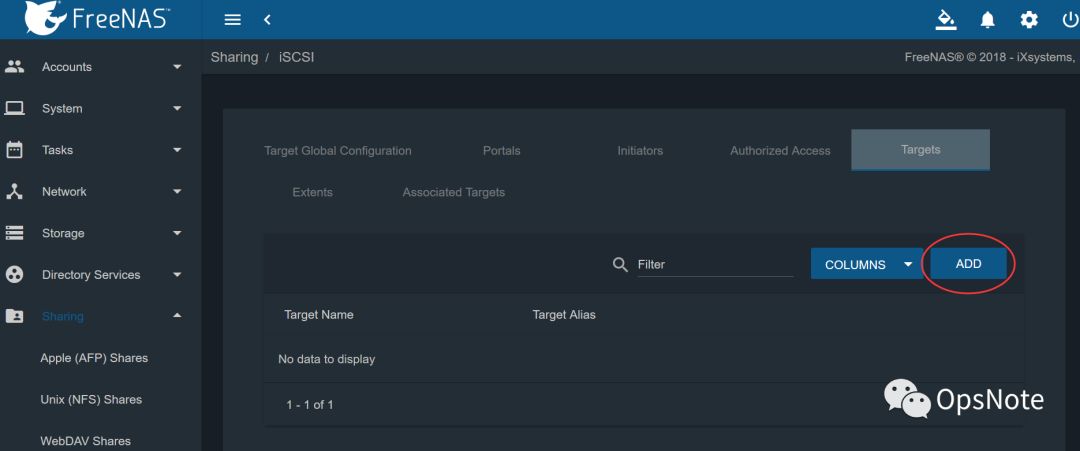
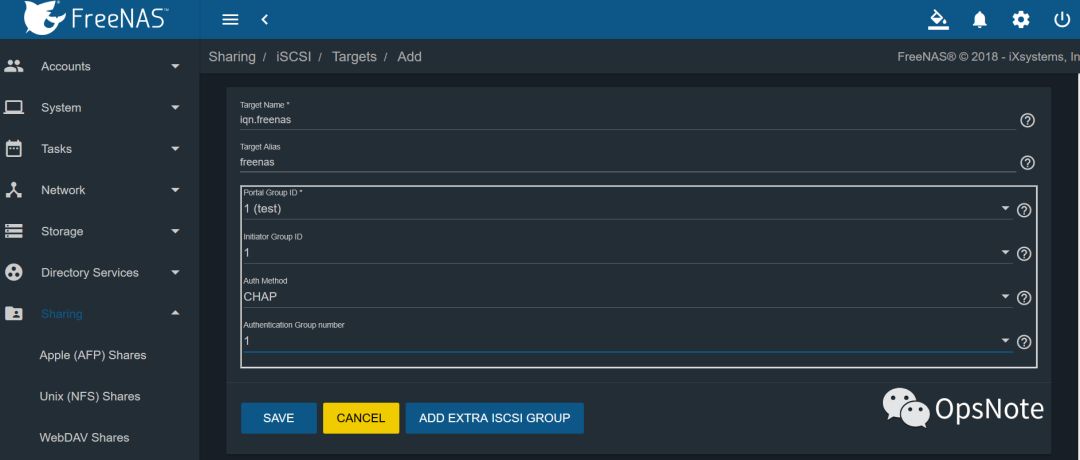
Targets---ADD,添加iSCSI目标,Target名称最好以iqn开头,这样可以随机启动,如下图:
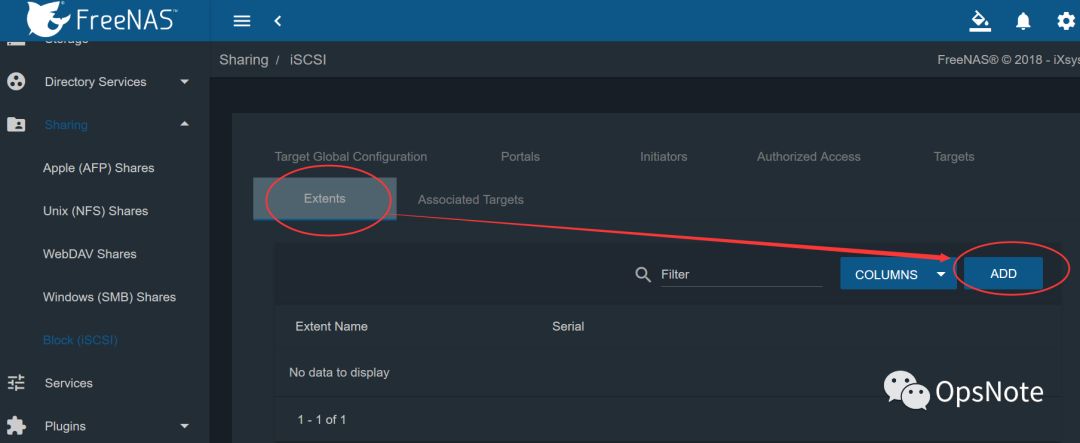
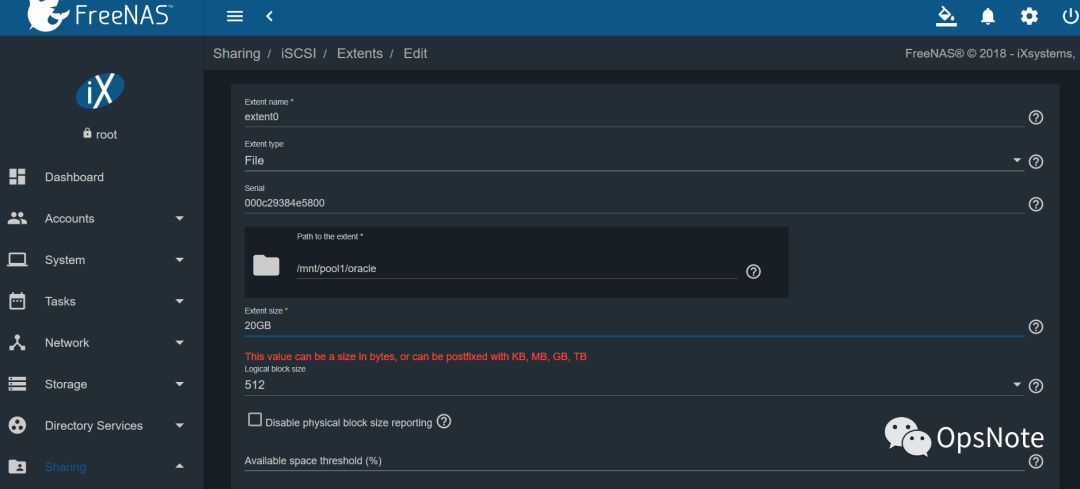
Extents---ADD,设置挂载目录,如下图/mnt/pool1/oracle:
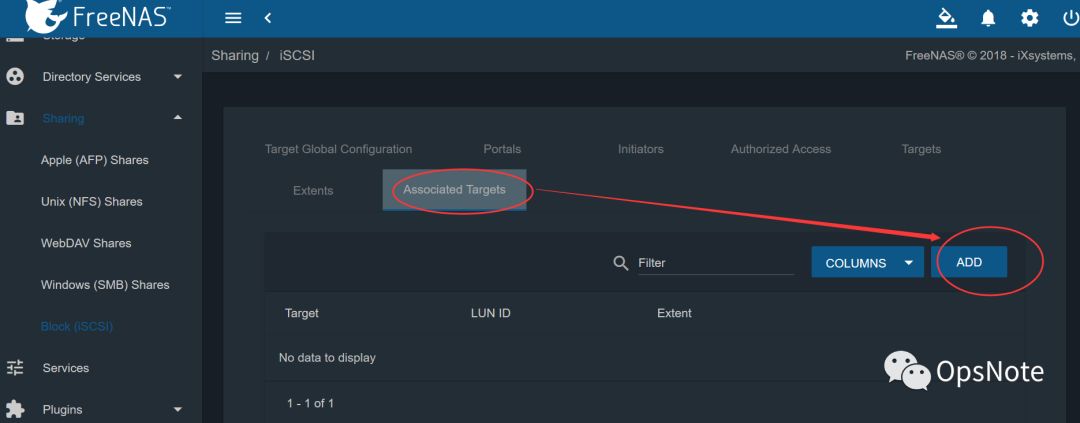
Associated Targets---ADD,设置关联Targets,如下图:
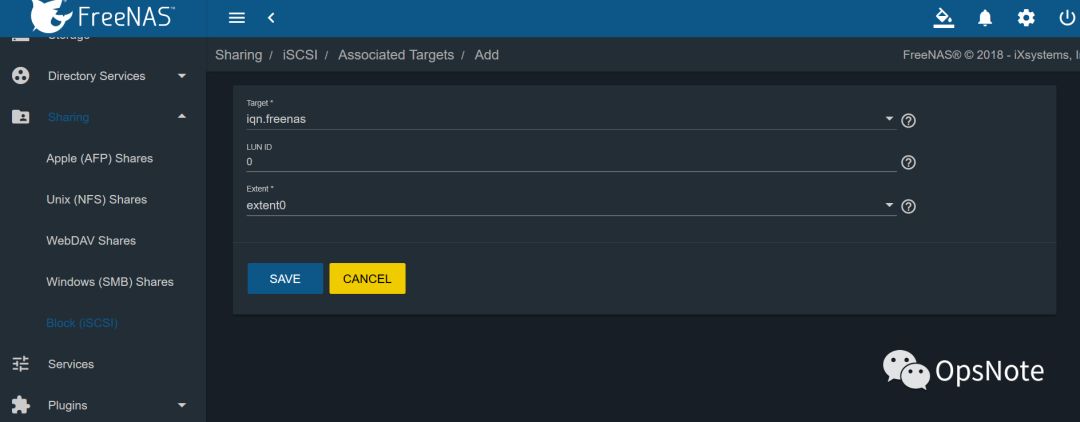
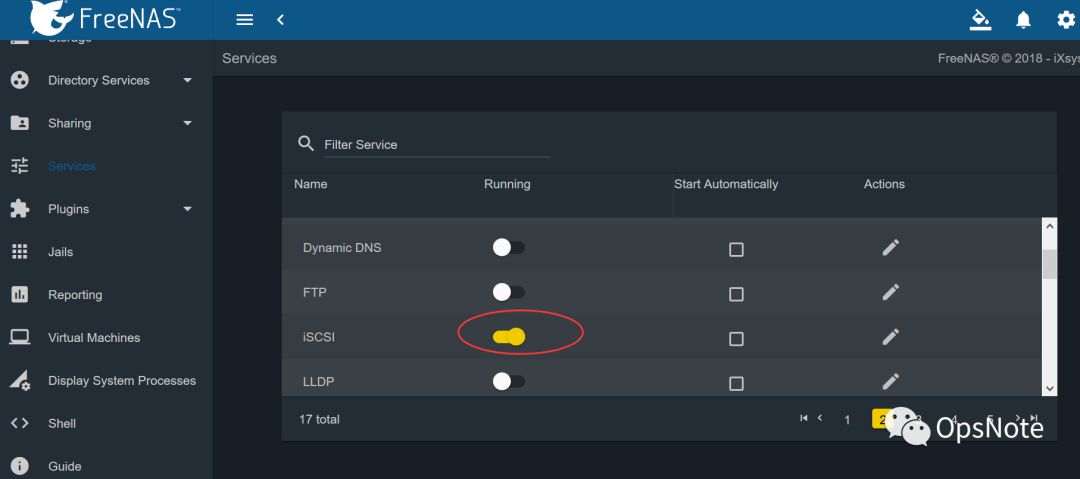
也可以用以前版本的模式设置
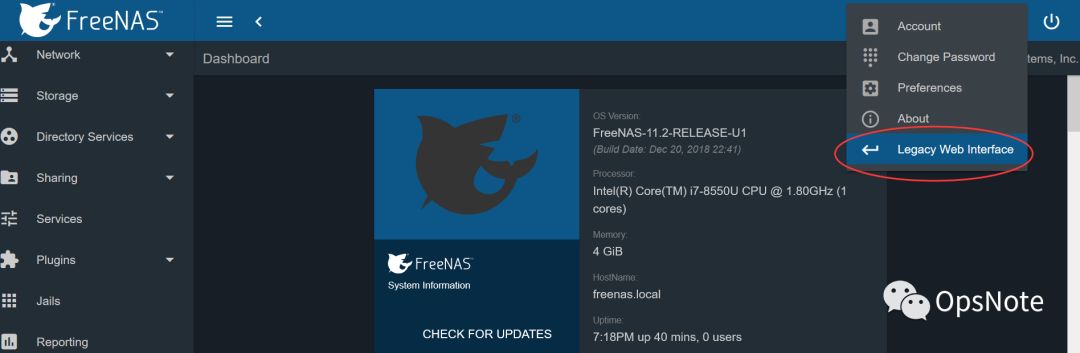
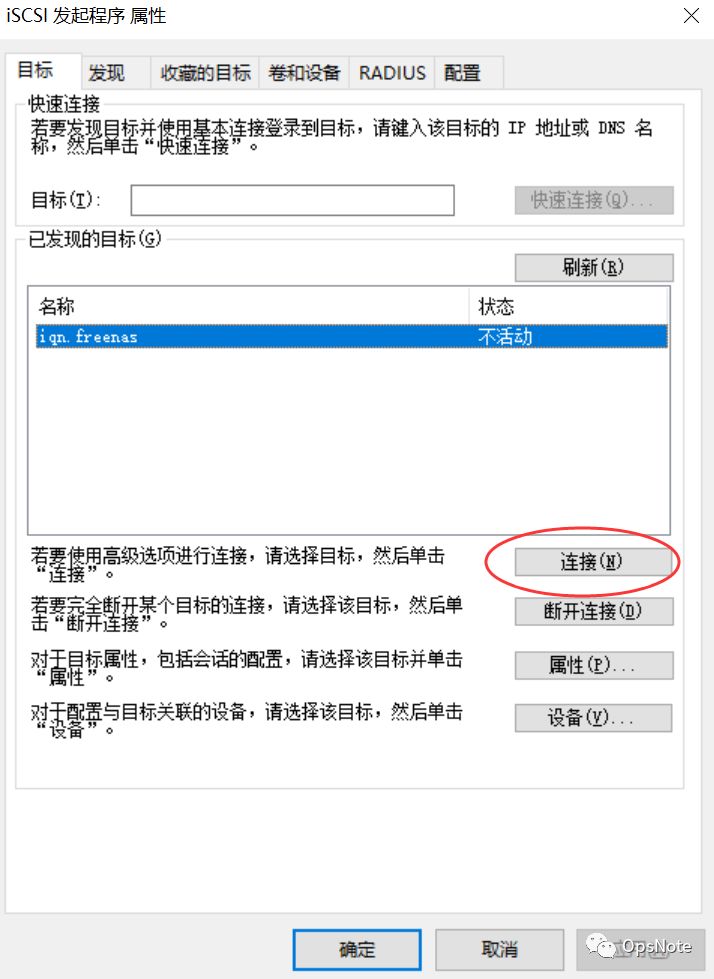
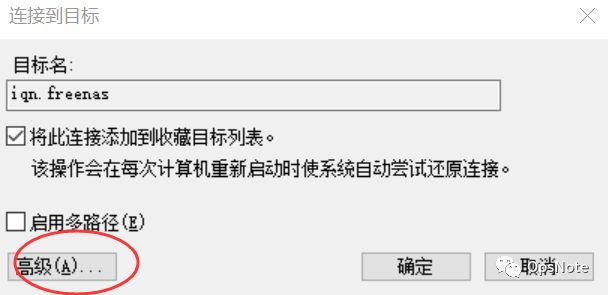
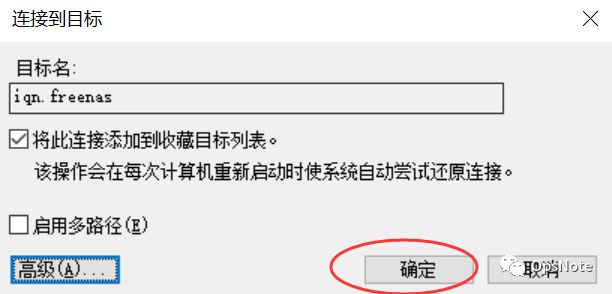
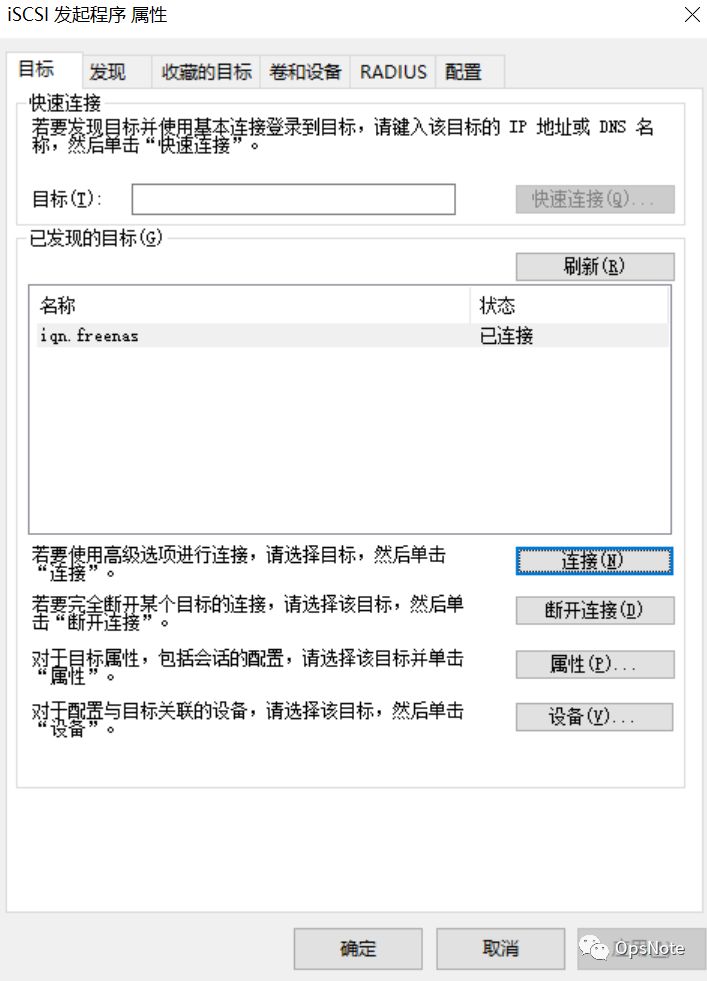
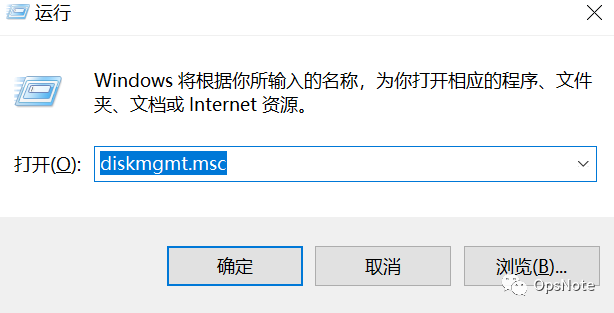
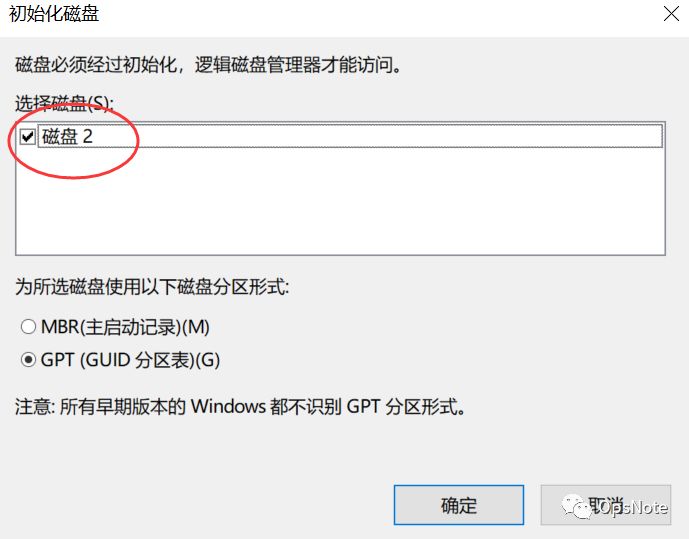
4、windows iSCSI连接
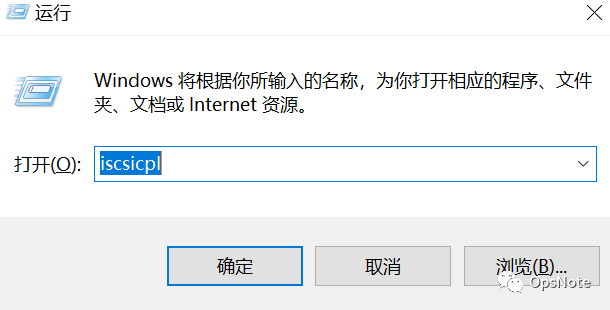
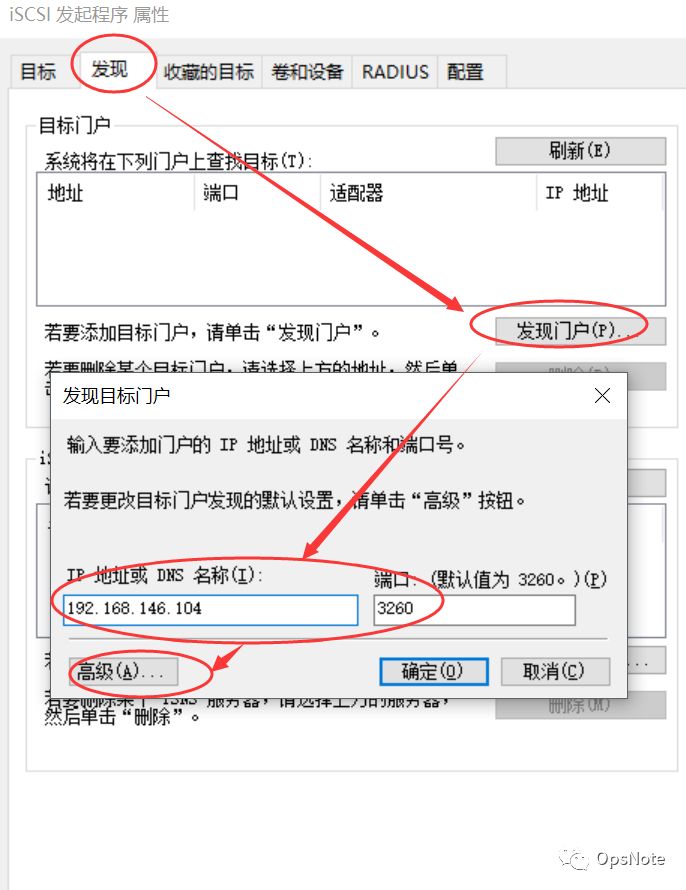
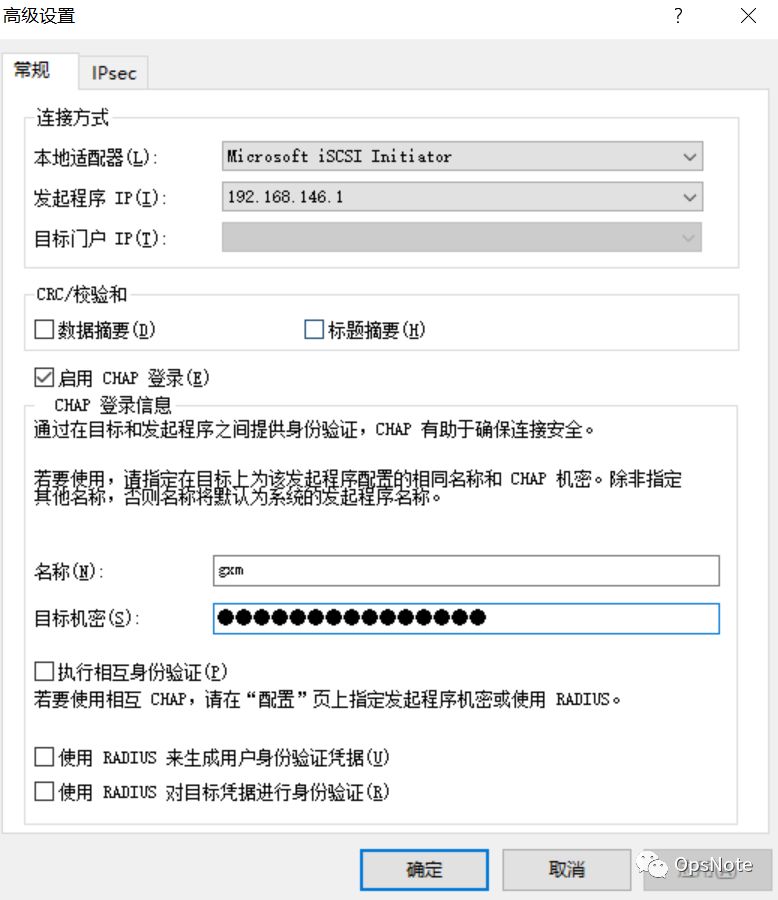
5、linux iSCSI连接
备注:配置文件介绍:
/etc/iscsi/iscsid.conf:主要的配置文件,用来连结到 iSCSI target 的设定;
/sbin/iscsid:启动 iSCSI initiator 的主要服务程序;
/sbin/iscsiadm:用来管理 iSCSI initiator 的主要设定程序;
iscsid服务:让本机模拟成为 iSCSI initiater 的主要服务;
iscsi服务:在本机成为 iSCSI initiator 之后,启动此脚本,让我们可以登入 iSCSI target。所以 iscsid 先启动后,才能启动这个服务。为了防呆,所以 etc/init.d/iscsi 已经写了一个启动指令, 启动 iscsi 前尚未启动 iscsid ,则会先呼叫 iscsid 才继续处理 iscsid
第一台:
[root@localhost ~]# yum install iscsi-initiator-utils[root@localhost ~]# systemctl enable iscsid[root@localhost ~]# systemctl enable iscsi#不需要启动
[root@localhost ~]# vi etc/iscsi/iscsid.conf# *************# CHAP Settings# *************# To enable CHAP authentication set node.session.auth.authmethod# to CHAP. The default is None.node.session.auth.authmethod = CHAP# To set a CHAP username and password for initiator# authentication by the target(s), uncomment the following lines:node.session.auth.username = gxmnode.session.auth.password = ab12cd34ef98gh# To set a CHAP username and password for target(s)# authentication by the initiator, uncomment the following lines:#node.session.auth.username_in = username#node.session.auth.password_in = password# To enable CHAP authentication for a discovery session to the target# set discovery.sendtargets.auth.authmethod to CHAP. The default is None.discovery.sendtargets.auth.authmethod = CHAP# To set a discovery session CHAP username and password for the initiator# authentication by the target(s), uncomment the following lines:discovery.sendtargets.auth.username = gxmdiscovery.sendtargets.auth.password = ab12cd34ef98gh
[root@localhost ~]# iscsiadm -m discovery -t sendtargets -p 192.168.146.104192.168.146.104:3260,1 iqn.freenas选项与参数:-m discovery :使用侦测的方式进行 iscsiadmin 指令功能;-t sendtargets :透过 iscsi 的协议,侦测后面的设备所拥有的 target 数据;-p IP:port :就是那部 iscsi 设备的 IP 与埠口,不写埠口预设是 3260。
[root@localhost ~]# cat /etc/iscsi/initiatorname.iscsiInitiatorName=192.168.146.104:3260,1 iqn.freenas[root@localhost ~]# iscsiadm -m node -T iqn.freenas -p 192.168.146.104 -lLogging in to [iface: default, target: iqn.freenas, portal: 192.168.146.104,3260] (multiple)Login to [iface: default, target: iqn.freenas, portal: 192.168.146.104,3260] successful.
[root@localhost ~]# fdisk -l磁盘 dev/sda:21.5 GB, 21474836480 字节,41943040 个扇区Units = 扇区 of 1 * 512 = 512 bytes扇区大小(逻辑/物理):512 字节 512 字节I/O 大小(最小/最佳):512 字节 512 字节磁盘标签类型:dos磁盘标识符:0x000b0c8a设备 Boot Start End Blocks Id System/dev/sda1 * 2048 1026047 512000 83 Linux/dev/sda2 1026048 41943039 20458496 8e Linux LVM磁盘 dev/mapper/rhel-root:18.8 GB, 18756927488 字节,36634624 个扇区Units = 扇区 of 1 * 512 = 512 bytes扇区大小(逻辑/物理):512 字节 512 字节I/O 大小(最小/最佳):512 字节 / 512 字节磁盘 dev/mapper/rhel-swap:2147 MB, 2147483648 字节,4194304 个扇区Units = 扇区 of 1 * 512 = 512 bytes扇区大小(逻辑/物理):512 字节 512 字节I/O 大小(最小/最佳):512 字节 512 字节磁盘 dev/sdb:21.5 GB, 21474836480 字节,41943040 个扇区Units = 扇区 of 1 * 512 = 512 bytes扇区大小(逻辑/物理):512 字节 512 字节I/O 大小(最小/最佳):512 字节 1048576 字节[root@localhost ~]# pvcreate dev/sdb[root@localhost ~]# vgcreate vg-oracle dev/sdb[root@localhost ~]# vgdisplay[root@localhost ~]# lvcreate -l 5119 -n da_oracle vg-oracle[root@localhost ~]# lvdisplay[root@localhost ~]# mkfs -t ext4 dev/vg-oracle/da_oracle[root@localhost ~]# mkdir oracle[root@localhost ~]# mount dev/mapper/vg--oracle-da_oracle oracle/[root@localhost ~]# df -h[root@localhost ]# umount dev/mapper/vg--oracle-da_oracle[root@localhost ]# iscsiadm -m node -T iqn.freenas -p 192.168.146.104 -uLogging out of session [sid: 15, target: iqn.freenas, portal: 192.168.146.104,3260]Logout of [sid: 15, target: iqn.freenas, portal: 192.168.146.104,3260] successful.
第二台:
[root@localhost ~]# yum install iscsi-initiator-utils[root@localhost ~]# systemctl start iscsi[root@localhost ~]# systemctl enable iscsi
[root@localhost ~]# vi /etc/iscsi/iscsid.conf# *************# CHAP Settings# *************# To enable CHAP authentication set node.session.auth.authmethod# to CHAP. The default is None.node.session.auth.authmethod = CHAP# To set a CHAP username and password for initiator# authentication by the target(s), uncomment the following lines:node.session.auth.username = gxmnode.session.auth.password = ab12cd34ef98gh;# To set a CHAP username and password for target(s)# authentication by the initiator, uncomment the following lines:#node.session.auth.username_in = username#node.session.auth.password_in = password# To enable CHAP authentication for a discovery session to the target# set discovery.sendtargets.auth.authmethod to CHAP. The default is None.discovery.sendtargets.auth.authmethod = CHAP# To set a discovery session CHAP username and password for the initiator# authentication by the target(s), uncomment the following lines:discovery.sendtargets.auth.username = gxmdiscovery.sendtargets.auth.password = ab12cd34ef98gh
[root@localhost ~]# iscsiadm -m discovery -t sendtargets -p 192.168.146.104192.168.146.104:3260,1 iqn.freenas选项与参数:-m discovery :使用侦测的方式进行 iscsiadmin 指令功能;-t sendtargets :透过 iscsi 的协议,侦测后面的设备所拥有的 target 数据;-p IP:port :就是那部 iscsi 设备的 IP 与埠口,不写埠口预设是 3260。
[root@localhost ~]# cat /etc/iscsi/initiatorname.iscsiInitiatorName=192.168.146.104:3260,1 iqn.freenas[root@localhost ~]# iscsiadm -m node -T iqn.freenas -p 192.168.146.104 -lLogging in to [iface: default, target: iqn.freenas, portal: 192.168.146.104,3260] (multiple)Login to [iface: default, target: iqn.freenas, portal: 192.168.146.104,3260] successful.[root@localhost ~]# vgchange -ay1 logical volume(s) in volume group "vg-oracle" now active2 logical volume(s) in volume group "rhel" now active[root@localhost ~]# lvscanACTIVE '/dev/vg-oracle/da_oracle' [20.00 GiB] inheritACTIVE '/dev/rhel/swap' [2.00 GiB] inheritACTIVE '/dev/rhel/root' [17.47 GiB] inherit[root@localhost ~]# fdisk -l磁盘 /dev/sda:21.5 GB, 21474836480 字节,41943040 个扇区Units = 扇区 of 1 * 512 = 512 bytes扇区大小(逻辑/物理):512 字节 / 512 字节I/O 大小(最小/最佳):512 字节 / 512 字节磁盘标签类型:dos磁盘标识符:0x000b0c8a设备 Boot Start End Blocks Id System/dev/sda1 * 2048 1026047 512000 83 Linux/dev/sda2 1026048 41943039 20458496 8e Linux LVM磁盘 /dev/mapper/rhel-root:18.8 GB, 18756927488 字节,36634624 个扇区Units = 扇区 of 1 * 512 = 512 bytes扇区大小(逻辑/物理):512 字节 / 512 字节I/O 大小(最小/最佳):512 字节 / 512 字节磁盘 /dev/mapper/rhel-swap:2147 MB, 2147483648 字节,4194304 个扇区Units = 扇区 of 1 * 512 = 512 bytes扇区大小(逻辑/物理):512 字节 / 512 字节I/O 大小(最小/最佳):512 字节 / 512 字节磁盘 /dev/sdb:21.5 GB, 21474836480 字节,41943040 个扇区Units = 扇区 of 1 * 512 = 512 bytes扇区大小(逻辑/物理):512 字节 / 512 字节I/O 大小(最小/最佳):512 字节 / 1048576 字节磁盘 /dev/mapper/vg--oracle-da_oracle:21.5 GB, 21470642176 字节,41934848 个扇区Units = 扇区 of 1 * 512 = 512 bytes扇区大小(逻辑/物理):512 字节 / 512 字节I/O 大小(最小/最佳):512 字节 / 1048576 字节[root@localhost ~]# mount /dev/mapper/vg--oracle-da_oracle /oracle[root@localhost ~]# df -h文件系统 容量 已用 可用 已用% 挂载点/dev/mapper/rhel-root 18G 1.3G 17G 7% /devtmpfs 903M 0 903M 0% /devtmpfs 913M 0 913M 0% /dev/shmtmpfs 913M 8.6M 904M 1% /runtmpfs 913M 0 913M 0% /sys/fs/cgroup/dev/sda1 497M 125M 373M 26% /boottmpfs 183M 0 183M 0% /run/user/0/dev/mapper/vg--oracle-da_oracle 20G 45M 19G 1% /oracle[root@localhost /]# umount /dev/mapper/vg--oracle-da_oracle[root@localhost /]# iscsiadm -m node -T iqn.freenas -p 192.168.146.104 -uLogging out of session [sid: 15, target: iqn.freenas, portal: 192.168.146.104,3260]Logout of [sid: 15, target: iqn.freenas, portal: 192.168.146.104,3260] successful.
