一、背景
二、实现启动项目时数据库表初始化
1、添加mysql依赖
1    <dependency>
2        <groupId>mysql</groupId>
3        <artifactId>mysql-connector-java</artifactId>
4        <version>5.1.35</version>
5    </dependency>
2、yml配置mysql
(1)schema配置的是生成表结构的schema.sql的路径。
(2)data配置的是插入测试数据的data.sql的路径。
(3)initialization-mode配置参数always,意思是每次重启项目都执行sql语言,初始化数据库表和数据。
 1  datasource:
 2    name: test
 3    url: jdbc:mysql://127.0.0.1:3306/test
 4    driver-class-name: com.mysql.jdbc.Driver
 5    username: root
 6    password: 123456
 7    schema: classpath:schema.sql
 8    data: classpath:data.sql
 9    initialization-mode: always
10#    separator: $$$

3、schema.sql文件如下,保存在resources路径下,如下。
1DROP TABLE IF EXISTS `user`;
2CREATE TABLE `user` (
3  `uid` int(11) NOT NULL AUTO_INCREMENT,
4  `uname` varchar(255) NOT NULL,
5  `upwd` varchar(255) NOT NULL,
6  PRIMARY KEY (`uid`)
7) ENGINE=InnoDB  DEFAULT CHARSET=utf8;
4、data.sql插入测试数据,内容如下。
(1)多插入一批,后面会做基于mybatis做分页功能,会用到。
1insert into `user`(uname,upwd) VALUES('test','password')
2insert into `user`(uname,upwd) VALUES('test','password')
3insert into `user`(uname,upwd) VALUES('test','password')
4insert into `user`(uname,upwd) VALUES('test','password')
5insert into `user`(uname,upwd) VALUES('test','password')
6insert into `user`(uname,upwd) VALUES('test','password')
7insert into `user`(uname,upwd) VALUES('test','password')
8insert into `user`(uname,upwd) VALUES('test','password')
5、以上就配置完成了,启动项目后就会生成表和表数据。
6、问题
(1)出现这个bug错误,可以打开上面的注释,在一个个sql语句之间加$$$断句。
1separator:$$$
Caused by: com.mysql.jdbc.exceptions.jdbc4.MySQLSyntaxErrorException: You have an error in your SQL syntax; check the manual that corresponds to your MySQL server version for the right syntax to use near 'create procedure p() begin declare row_num int' at line 1
三、基于注解实现mybatis查询
1、引入mybatis依赖
1<dependency>
2            <groupId>org.mybatis.spring.boot</groupId>
3            <artifactId>mybatis-spring-boot-starter</artifactId>
4            <version>2.0.1</version>
5</dependency>
2、在spring boot启动类上配置mapper扫描路径。
 1@SpringBootApplication
 2@MapperScan("com.example.demo.mapper")
 3@ComponentScan({ "com.example.demo.*" })
 4public class DemoApplication {
 5
 6    public static void main(String[] args) {
 7        SpringApplication.run(DemoApplication.class, args);
 8    }
 9
10}
3、在mapper扫描路径下新建mapper类
(1)使用@Select注解写sql查询。
(2)使用@Results注解写要查询的字段以及数据库表字段和User实体类的映射。
(3)mapper类上加@Mapper注解
 1@Mapper
 2public interface TestMapper {
 3
 4    @Results({
 5            @Result(column = "uid",property = "uid"),
 6            @Result(column = "uname",property = "uname"),
 7            @Result(column = "upwd",property = "upwd")
 8    })
 9    @Select("select * from user ")
10    List<User> selectUser();
11}
(4)@Results注解配置的字段其他方法也需要的复用的话可以这样写。
1@Results(id="getusers",value = {
2            @Result(column = "uid",property = "uid"),
3            @Result(column = "uname",property = "uname"),
4            @Result(column = "upwd",property = "upwd")
5    })
(5)其他方法引用的话使用@ResultMap注解,里面传id值。
1 @ResultMap("getusers")
4、User实体类如下。
 1public class User {
 2    private Integer uid;
 3
 4    private String uname;
 5
 6    private String upwd;
 7
 8    public Integer getUid() {
 9        return uid;
10    }
11
12    public void setUid(Integer uid) {
13        this.uid = uid;
14    }
15
16    public String getUname() {
17        return uname;
18    }
19
20    public void setUname(String uname) {
21        this.uname = uname == null ? null : uname.trim();
22    }
23
24    public String getUpwd() {
25        return upwd;
26    }
27
28    public void setUpwd(String upwd) {
29        this.upwd = upwd == null ? null : upwd.trim();
30    }
31}
5、在service写该基于注解的接口方法。
1    /**
2     * 基于注解返回结果
3     *
4     * @return
5     */
6    List<User> selectUser();
6、serviceImpl实现如下。
 1/**
 2 * UserServiceImpl
 3 *
 4 * @author jiankang.xu
 5 * @date 2021/8/29
 6 */
 7@Service
 8public class UserServiceImpl implements UserService {
 9
10    @Autowired
11    private TestMapper testMapper;
12
13
14    @Override
15    public List<User> selectUser() {
16        return testMapper.selectUser();
17    }
18}
7、controller层写请求方法。
 1@Controller
 2@RequestMapping("/mapper")
 3public class UserMapperController {
 4
 5    @Autowired
 6    private UserService userService;
 7
 8    @RequestMapping("all")
 9    @ResponseBody
10    public List<User> getAllUser(){
11        return userService.selectUser();
12    }
13
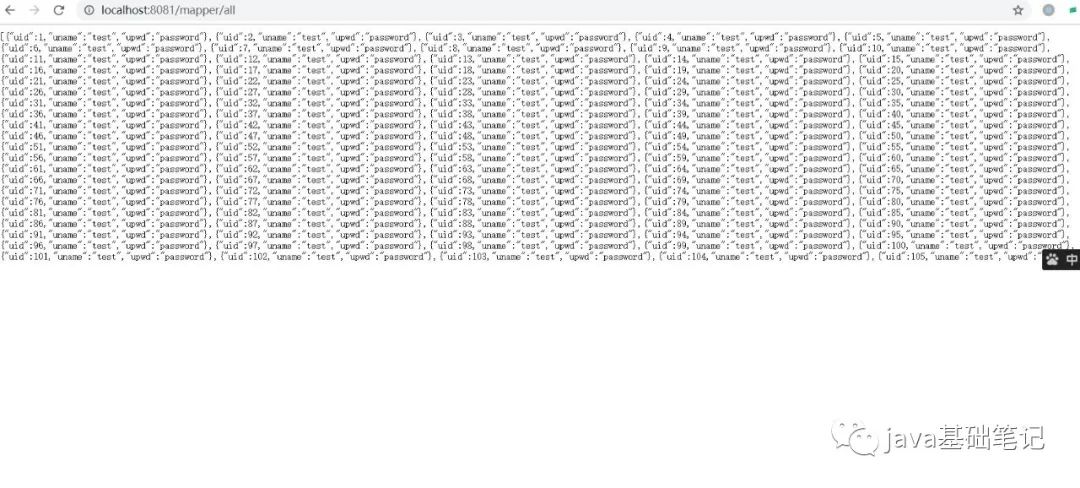
14}
8、请求该接口结果如下。