



编者按:
本文作者系Walt,关注SQL开发,Oracle、MySQL、PostgreSQL、TiDB等数据库,AWS、Azure、OCI等公有云计算架构和技术。
个人主页: https://blog.csdn.net/lukeUnique。
SQL专栏课程:https://www.modb.pro/course/125
【免责声明】本公众号文章仅代表个人观点,与任何公司无关。

编辑|SQL和数据库技术(ID:SQLplusDB)
Multipass是什么?
对于小编而言,使用最多的虚拟机是VMvare和Virtual Box,但是有时候安装完虚拟机以后还需要下载OS镜像非常麻烦。
偶然间发现了Multipass。一个轻量级的虚拟机管理器,仅需一个命令就可以安装Ubuntu 环境。
Multipass可以在Linux、 Windows 和 macOS上都可以安装,小编用的是Windows 10,所以本文将以Windows为例探索Multipass。
本质上而言,Multipass用于管理各平台上的虚拟机引擎,例如:
Hyper-V 和 VirtualBox(Windows)KVM(Linux)HyperKit(macOS)
所以使用前需要安装相应的虚拟机引擎,再通过Multipass进行管理。
安装虚拟机Virtual Box
通过官网下载免费的Virtual Box并安装。
https://www.virtualbox.org/wiki/Downloads


安装Multipass
访问如下网址:
https://multipass.run/install
选择Windows版本下载:
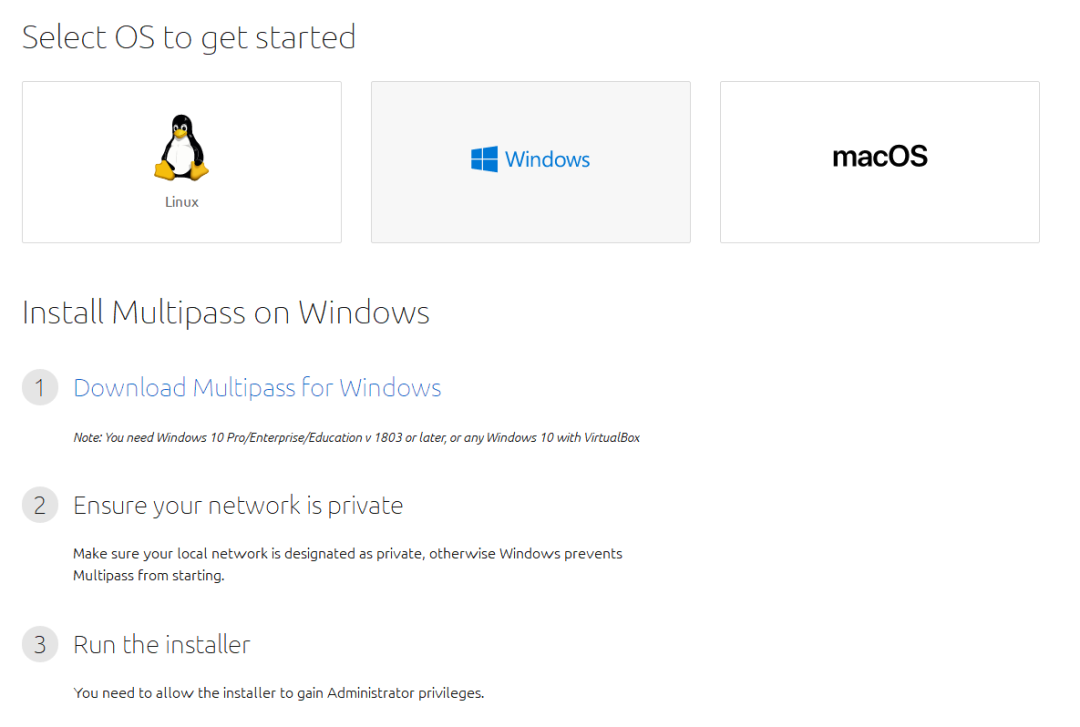
安装文件非常小,仅有20多M。

双击安装,接着下一步即可。
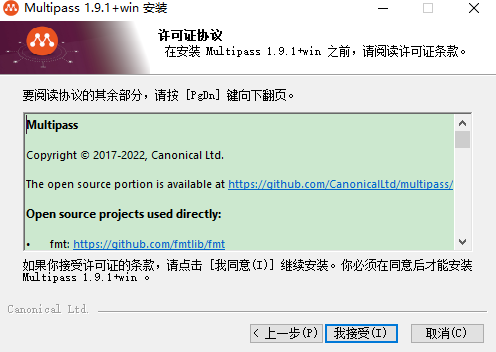
我安装过Virtual Box,所以选择了【Oracle VM Virtual Box】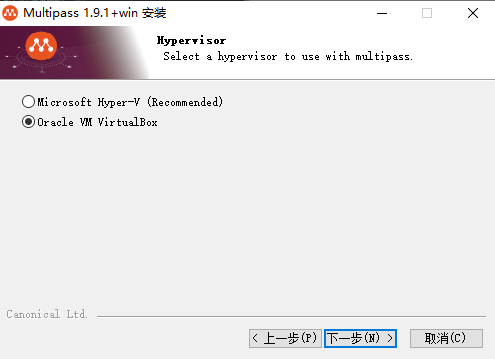
添加环境变量。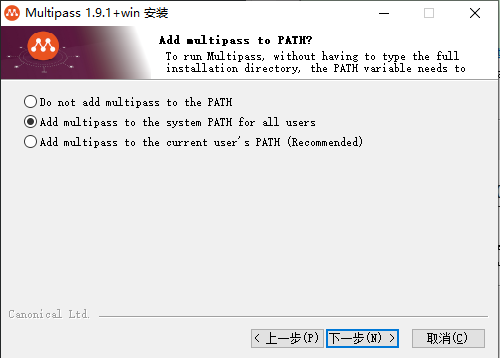
选择安装路径。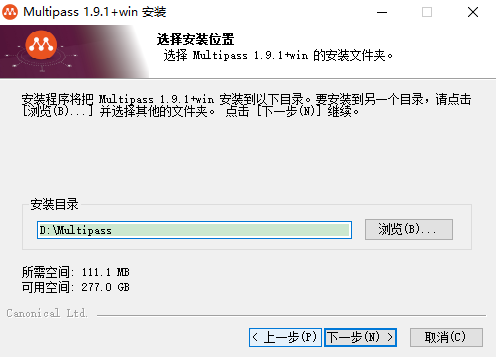

安装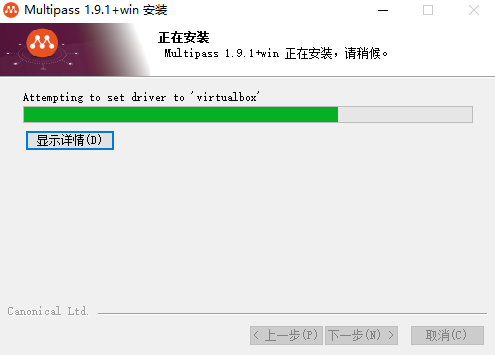
安装完成之后就可以使用了。
使用Multipass
Multipass的使用帮助
在命令行输入multipass,可以获得Multipass的使用帮助。
C:\Users\Administrator>multipassUsage: multipass [options] <command>Create, control and connect to Ubuntu instances.This is a command line utility for multipass, aservice that manages Ubuntu instances.Options:-?, -h, --help Displays help on commandline options.--help-all Displays help including Qt specific options.-v, --verbose Increase logging verbosity. Repeat the 'v' in the shortoption for more detail. Maximum verbosity is obtained with 4(or more) v's, i.e. -vvvv.Available commands:alias Create an aliasaliases List available aliasesauthenticate Authenticate clientdelete Delete instancesexec Run a command on an instancefind Display available images to create instances fromget Get a configuration settinghelp Display help about a commandinfo Display information about instanceslaunch Create and start an Ubuntu instancelist List all available instancesmount Mount a local directory in the instancenetworks List available network interfacespurge Purge all deleted instances permanentlyrecover Recover deleted instancesrestart Restart instancesset Set a configuration settingshell Open a shell on a running instancestart Start instancesstop Stop running instancessuspend Suspend running instancestransfer Transfer files between the host and instancesumount Unmount a directory from an instanceunalias Remove an aliasversion Show version details
查看安装的Multipass版本信息
C:\Users\Administrator>multipass versionmultipass 1.9.1+winmultipassd 1.9.1+win
创建实例
multipass launch命令用于创建实例。
可以通过下面命令,创建实例。
multipass launch --name <实例名称>multipass launch -n <实例名称>
如果不指定name参数,multipass会随机生成一个实例名。
查看创建的实例。
C:\Users\Administrator>multipass listNo instances found. --》当前没有创建任何实例
例:
--下载镜像C:\Users\Administrator>multipass launchRetrieving image: 5%
--创建实例acceptable-joeyC:\Users\Administrator>multipass launchStarting acceptable-joey -
** launch第一次创建实例时会首先消耗几分钟下载镜像,之后launch会直接创建实例。
查看实例列表
C:\Users\Administrator>multipass listName State IPv4 Imageacceptable-joey Running N/A Ubuntu 20.04 LTS
通过如下命令查看实例信息
multipass info <实例名称>
例:C:\Users\Administrator>multipass info acceptable-joeyName: acceptable-joeyState: RunningIPv4: N/ARelease: Ubuntu 20.04.4 LTSImage hash: 75a04c7eed58 (Ubuntu 20.04 LTS)Load: 0.24 0.17 0.07Disk usage: 1.4G out of 4.7GMemory usage: 137.7M out of 976.9MMounts: --
创建命名的实例:
C:\Users\Administrator>multipass launch -n testLaunched: testC:\Users\Administrator>multipass launch --name test2Launched: test2C:\Users\Administrator>multipass listName State IPv4 Imageacceptable-joey Running N/A Ubuntu 20.04 LTStest Running N/A Ubuntu 20.04 LTStest2 Running N/A Ubuntu 20.04 LTS
删除实例multipass delete test2 --purgeC:\Users\Administrator>multipass listName State IPv4 Imageacceptable-joey Running N/A Ubuntu 20.04 LTStest Running N/A Ubuntu 20.04 LTS
关闭和启动实例
C:\Users\Administrator>multipass stop acceptable-joeyC:\Users\Administrator>multipass stop testC:\Users\Administrator>multipass listName State IPv4 Imageacceptable-joey Stopped -- Ubuntu 20.04 LTStest Stopped -- Ubuntu 20.04 LTSC:\Users\Administrator>multipass start testC:\Users\Administrator>multipass listName State IPv4 Imageacceptable-joey Stopped -- Ubuntu 20.04 LTStest Running N/A Ubuntu 20.04 LTS
使用实例
通过multipass shell 开始使用实例的命令行。
multipass shell <实例名称>
例:C:\Users\Administrator>multipass shell testWelcome to Ubuntu 20.04.4 LTS (GNU/Linux 5.4.0-120-generic x86_64)* Documentation: https://help.ubuntu.com* Management: https://landscape.canonical.com* Support: https://ubuntu.com/advantageSystem information as of Wed Jun 22 21:29:00 CST 2022System load: 0.0 Processes: 102Usage of : 29.1% of 4.67GB Users logged in: 0Memory usage: 19% IPv4 address for enp0s3: 10.0.2.15Swap usage: 0%1 update can be applied immediately.To see these additional updates run: apt list --upgradableTo run a command as administrator (user "root"), use "sudo <command>".See "man sudo_root" for details.ubuntu@test:~$ pwd/home/ubuntuubuntu@test:~$ hostnametestubuntu@test:~$ iduid=1000(ubuntu) gid=1000(ubuntu) groups=1000(ubuntu),4(adm),20(dialout),24(cdrom),25(floppy),27(sudo),29(audio),30(dip),44(video),46(plugdev),117(netdev),118(lxd)
这就是一台ubuntu的虚拟机,可以尽情使用了。哈哈!后续文章更加精彩,欢迎关注本公众号。
——End——
专注于技术不限于技术!
用碎片化的时间,一点一滴地提高数据库技术和个人能力。
欢迎关注!
MySQL相关:
手把手教你在Windows 10安装MySQL 8.0(详细图文)
MySQL入门:Linux 6 RPM方式安装MySQL 8.0
Oracle 和 Mysql 的索引在Null字段上处理的异同
又是一个时代进程,MySQL 5.6结束其生命周期(EOL)
Python相关:
操作系统相关:
