前言
记录总结Hadoop源码编译打包过程,根据源码里的文档,一开始以为不支持在Windows系统上打包,只支持Unix和Mac,所以这里我在自己虚拟机centos7系统上编译,后来在文档后面部分才发现也支持在Windows上编译,不过还需要安装Visual Studio 2010,可能不如还不如在虚拟机上编译简单,如果想尝试在Windows上编译,可以看源码里的文档BUILDING.txt
中Building on Windows
的部分
代码
因之前没有下载过hadoop的源码,所以需要先下载hadoop的源码
1git clone https://github.com/apache/hadoop.git
git命令克隆源码,克隆的过程中可能会有异常:
1error: unable to create file hadoop-yarn-project/hadoop-yarn/hadoop-yarn-server/hadoop-yarn-server-resourcemanager/src/test/java/org/apache/hadoop/yarn/server/resourcemanager/monitor/capacity/mockframework/ProportionalCapacityPreemptionPolicyMockFramework.java: Filename too long
2error: unable to create file hadoop-yarn-project/hadoop-yarn/hadoop-yarn-server/hadoop-yarn-server-timelineservice-documentstore/src/main/java/org/apache/hadoop/yarn/server/timelineservice/documentstore/collection/document/flowactivity/FlowActivityDocument.java: Filename too long
3error: unable to create file hadoop-yarn-project/hadoop-yarn/hadoop-yarn-server/hadoop-yarn-server-timelineservice-hbase/hadoop-yarn-server-timelineservice-hbase-client/src/main/java/org/apache/hadoop/yarn/server/timelineservice/reader/filter/TimelineFilterUtils.java: Filename too long
4error: unable to create file hadoop-yarn-project/hadoop-yarn/hadoop-yarn-server/hadoop-yarn-server-timelineservice-hbase/hadoop-yarn-server-timelineservice-hbase-client/src/main/java/org/apache/hadoop/yarn/server/timelineservice/reader/filter/package-info.java: Filename too long
5error: unable to create file hadoop-yarn-project/hadoop-yarn/hadoop-yarn-server/hadoop-yarn-server-timelineservice-hbase/hadoop-yarn-server-timelineservice-hbase-client/src/main/java/org/apache/hadoop/yarn/server/timelineservice/storage/HBaseStorageMonitor.java: Filename too long
6error: unable to create file hadoop-yarn-project/hadoop-yarn/hadoop-yarn-server/hadoop-yarn-server-timelineservice-hbase/hadoop-yarn-server-timelineservice-hbase-client/src/main/java/org/apache/hadoop/yarn/server/timelineservice/storage/HBaseTimelineReaderImpl.java: Filename too long
7error: unable to create file hadoop-yarn-project/hadoop-yarn/hadoop-yarn-server/hadoop-yarn-server-timelineservice-hbase/hadoop-yarn-server-timelineservice-hbase-client/src/main/java/org/apache/hadoop/yarn/server/timelineservice/storage/HBaseTimelineSchemaCreator.java: Filename too long
8error: unable to create file hadoop-yarn-project/hadoop-yarn/hadoop-yarn-server/hadoop-yarn-server-timelineservice-hbase/hadoop-yarn-server-timelineservice-hbase-client/src/main/java/org/apache/hadoop/yarn/server/timelineservice/storage/HBaseTimelineWriterImpl.java: Filename too long
9fatal: cannot create directory at 'hadoop-yarn-project/hadoop-yarn/hadoop-yarn-server/hadoop-yarn-server-timelineservice-hbase/hadoop-yarn-server-timelineservice-hbase-client/src/main/java/org/apache/hadoop/yarn/server/timelineservice/storage/application': Filename too long
因文件名过长,不能创建文件,只需要修改配置
1git config --global core.longpaths true
删除clone失败的文件,重新clone就可以了,然后切换自己想要打包的版本分支,我这里使用的是分支3.3.1: branch-3.3.1
这里最好在虚拟机上clone代码,如果在Windows系统上克隆代码再上传到虚拟机上,则在编译打包时会出现脚本因行结尾字符不一致导致的问题,后面有说明解决方法
环境
BUILDING.txt
源码BUILDING.txt里,对必要环境依赖做了说明:
 1----------------------------------------------------------------------------------
 2Requirements:
 3
 4* Unix System
 5* JDK 1.8
 6* Maven 3.3 or later
 7* Protocol Buffers 3.7.1 (if compiling native code)
 8* CMake 3.1 or newer (if compiling native code)
 9* Zlib devel (if compiling native code)
10* Cyrus SASL devel (if compiling native code)
11* One of the compilers that support thread_local storage: GCC 4.8.1 or later, Visual Studio,
12  Clang (community version), Clang (version for iOS 9 and later) (if compiling native code)
13* openssl devel (if compiling native hadoop-pipes and to get the best HDFS encryption performance)
14* Linux FUSE (Filesystem in Userspace) version 2.6 or above (if compiling fuse_dfs)
15* Doxygen ( if compiling libhdfspp and generating the documents )
16* Internet connection for first build (to fetch all Maven and Hadoop dependencies)
17* python (for releasedocs)
18* bats (for shell code testing)
19* Node.js / bower / Ember-cli (for YARN UI v2 building)
20
21----------------------------------------------------------------------------------
22
已有环境依赖
Unix System Centos7系统
JDK1.8 开发常用 (1.8.0_45)
Maven 3.3 or later 开发常用 (3.8.1)
git (clone代码用)
Python 3.8.0 (之前有使用需求,非必要)
Node v12.16.3
Native libraries
可以看到如果要编译Hadoop Native libraries,需要安装很多依赖,如果选择不编译则会简单很多,这里选择编译,关于Hadoop Native libraries,大家如果有不懂的可以自己查资料了解
Hadoop源码文档里提供了Ubuntu 14.04的安装命令,因为这里是centos系统,将apt-get
改成yum
试一下
(其实也提供了centos的安装命令,不过是centos8,不知centos8和7的差别大不大,我没有再尝试,因为我已经安装完依赖并打包成功了)
1yum install -y build-essential autoconf automake libtool cmake zlib1g-dev pkg-config libssl-dev libsasl2-dev
结果发现autoconf
和automake
已安装,build-essential zlib1g-dev pkg-config libssl-dev libsasl2-dev找不到相关的包,这样只安装了cmake
 1No package build-essential available.
 2Package autoconf-2.69-11.el7.noarch already installed and latest version
 3Package automake-1.13.4-3.el7.noarch already installed and latest version
 4No package zlib1g-dev available.
 5No package pkg-config available.
 6No package libssl-dev available.
 7No package libsasl2-dev available
 8                                                                                                                                                                                                                                          4/
 9Installed:
10  cmake.x86_64 0:2.8.12.2-2.el7
11Dependency Installed:
12  libarchive.x86_64 0:3.1.2-14.el7_7
13Updated:
14  libtool.x86_64 0:2.4.2-22.el7_3
但是cmake的版本为2.8:
1$ cmake -version
2cmake version 2.8.12.2
而所需要的版本是>=3.1 版本不符合,需要升级版本,网上查资料,记录安装过程:
升级cmake
首先卸载原先2.8版本的cmake
1yum -y remove cmake
下载cmakge的安装包:https://cmake.org/files/v3.23/cmake-3.23.0-rc1.tar.gz
解压
1tar -zxvf cmake-3.23.0-rc1.tar.gz
编译
1cd cmake-3.23.0-rc1
2./configure
编译过程中报以下异常:
1-- Could NOT find OpenSSL, try to set the path to OpenSSL root folder in the system variable OPENSSL_ROOT_DIR (missing: OPENSSL_CRYPTO_LIBRARY OPENSSL_INCLUDE_DIR)
没有OpenSSL,上面的Requirements里也需要安装OpenSSL,那么先安装OpenSSL
1yum install openssl openssl-devel -y
安装完后,重新编译cmake
编译成功后安装
1make -j$(nproc) (比较慢)
2sudo make install
安装完成后验证cmake版本:
1$ cmake -version
2cmake version 3.23.0-rc1
3
4CMake suite maintained and supported by Kitware (kitware.com/cmake).
参考:https://blog.csdn.net/qq_22938603/article/details/122964218
zlib
因按照文档上的命令很多依赖没有安装成功,那么我们单独尝试安装,这里发现zlib已经安装过了
1$ yum list installed | grep zlib-devel
2zlib-devel.x86_64                1.2.7-18.el7                          @base
openssl
openssl 在升级cmake时也安装过了
1$ yum list installed | grep openssl-devel
2openssl-devel.x86_64             1:1.0.2k-25.el7_9                     @updates
安装 Protocol Buffers 3.7.1
1curl -L -s -S https://github.com/protocolbuffers/protobuf/releases/download/v3.7.1/protobuf-java-3.7.1.tar.gz -o protobuf-3.7.1.tar.gz
2tar xzf protobuf-3.7.1.tar.gz --strip-components 1 -C protobuf-3.7-src && cd protobuf-3.7-src
3./configure
4make -j$(nproc) (比较慢)
5sudo make install
如果命令下载比较慢,也可以直接在浏览器上下载再上传,安装完成后验证一下protoc的版本
1$ protoc --version
2libprotoc 3.7.1
安装fuse
不清楚fuse_dfs是干啥的,这里也没用到,不过试着装了一下
 1$ yum list installed | grep fuse
 2发现没有安装,再查找fuse
 3$ yum list  | grep fuse
 4https://sbt.bintray.com/rpm/repodata/repomd.xml: [Errno 14] HTTPS Error 502 - Bad Gateway
 5Trying other mirror.
 6fuse.x86_64                               2.9.2-11.el7                 base
 7fuse-devel.i686                           2.9.2-11.el7                 base
 8fuse-devel.x86_64                         2.9.2-11.el7                 base
 9fuse-libs.i686                            2.9.2-11.el7                 base
10fuse-libs.x86_64                          2.9.2-11.el7                 base
11fuse-overlayfs.x86_64                     0.7.2-6.el7_8                extras
12fuse3.x86_64                              3.6.1-4.el7                  extras
13fuse3-devel.x86_64                        3.6.1-4.el7                  extras
14fuse3-libs.x86_64                         3.6.1-4.el7                  extras
15fuseiso.x86_64                            20070708-15.el7              base
16fusesource-pom.noarch                     1.9-7.el7                    base
17glusterfs-fuse.x86_64                     6.0-61.el7                   updates
18gvfs-fuse.x86_64                          1.36.2-5.el7_9               updates
19ostree-fuse.x86_64                        2019.1-2.el7                 extras
1yum install -y fuse.x86_64
打包
到这里感觉自己所需要的依赖都已经装好了,先试一下,看一下有没有问题,这里第一次编译打包时需要下载很多依赖,比较慢,具体还依赖自己的网络环境
打包命令:
拷贝源码里的文档:
 1----------------------------------------------------------------------------------
 2Building distributions:
 3
 4Create binary distribution without native code and without documentation:
 5
 6  $ mvn package -Pdist -DskipTests -Dtar -Dmaven.javadoc.skip=true
 7
 8Create binary distribution with native code and with documentation:
 9
10  $ mvn package -Pdist,native,docs -DskipTests -Dtar
11
12Create source distribution:
13
14  $ mvn package -Psrc -DskipTests
15
16Create source and binary distributions with native code and documentation:
17
18  $ mvn package -Pdist,native,docs,src -DskipTests -Dtar
19
20Create a local staging version of the website (in /tmp/hadoop-site)
21
22  $ mvn clean site -Preleasedocs; mvn site:stage -DstagingDirectory=/tmp/hadoop-site
23
24Note that the site needs to be built in a second pass after other artifacts.
25
26----------------------------------------------------------------------------------
根据自己的需求这里选择了下面的参数:
1mvn clean package -Pdist,native -DskipTests -Dtar
异常1
1/root/workspace/hadoop/hadoop-project/../dev-support/bin/dist-copynativelibs: line 16: $'\r': command not found
2: invalid option namep/hadoop-project/../dev-support/bin/dist-copynativelibs: line 17: set: pipefail
3/root/workspace/hadoop/hadoop-project/../dev-support/bin/dist-copynativelibs: line 18: $'\r': command not found
4/root/workspace/hadoop/hadoop-project/../dev-support/bin/dist-copynativelibs: line 21: syntax error near unexpected token `$'\r''
5'root/workspace/hadoop/hadoop-project/../dev-support/bin/dist-copynativelibs: line 21: `function bundle_native_lib()
6
参考文章:https://blog.csdn.net/heihaozi/article/details/113602205
解决方法:
1yum install -y dos2unix
2dos2unix  dev-support/bin/*
异常2
 1[INFO] --- frontend-maven-plugin:1.11.2:yarn (yarn install) @ hadoop-yarn-applications-catalog-webapp ---
 2[INFO] Running 'yarn ' in /root/workspace/hadoop/hadoop-yarn-project/hadoop-yarn/hadoop-yarn-applications/hadoop-yarn-applications-catalog/hadoop-yarn-applications-catalog-webapp/target
 3[INFO] yarn install v1.7.0
 4[INFO] info No lockfile found.
 5[INFO] [1/4] Resolving packages...
 6[INFO] warning angular-route@1.6.10: For the actively supported Angular, see https://www.npmjs.com/package/@angular/core. AngularJS support has officially ended. For extended AngularJS support options, see https://goo.gle/angularjs-path-forward.
 7[INFO] warning angular@1.6.10: For the actively supported Angular, see https://www.npmjs.com/package/@angular/core. AngularJS support has officially ended. For extended AngularJS support options, see https://goo.gle/angularjs-path-forward.
 8[INFO] info There appears to be trouble with your network connection. Retrying...
 9[INFO] [2/4] Fetching packages...
10[INFO] error winston@3.7.2: The engine "node" is incompatible with this module. Expected version ">= 12.0.0".
11[INFO] error Found incompatible module
12[INFO] info Visit https://yarnpkg.com/en/docs/cli/install for documentation about this command.
13[INFO] ------------------------------------------------------------------------
14
15ERROR] Failed to execute goal com.github.eirslett:frontend-maven-plugin:1.11.2:yarn (yarn install) on project hadoop-yarn-applications-catalog-webapp: Failed to run task: 'yarn ' failed. org.apache.commons.exec.ExecuteException: Process exited with an error: 1 (Exit value: 1) -> [Help 1]
16[ERROR]
17[ERROR] To see the full stack trace of the errors, re-run Maven with the -e switch.
18[ERROR] Re-run Maven using the -X switch to enable full debug logging.
19[ERROR]
20[ERROR] For more information about the errors and possible solutions, please read the following articles:
21[ERROR] [Help 1] http://cwiki.apache.org/confluence/display/MAVEN/MojoFailureException
22[ERROR]
23[ERROR] After correcting the problems, you can resume the build with the command
24[ERROR]   mvn <args> -rf :hadoop-yarn-applications-catalog-webapp
这里说是因为node版本不匹配,需要版本">= 12.0.0",但是我本地node版本是v12.16.3,而且我没有编译for YARN UI v2 building,应该用不到node,但是这里确实报了异常,通过查看目录hadoop-yarn-applications-catalog-webapp/target/node
发现里面有yarn和node,所以文档上讲的有点问题,再打包hadoop-yarn-applications-catalog-webapp
也用到了node,但是应该不是我本地的node应该是源码里依赖自带的,那么去对应项目里的pom查找,果然有yarn和node的依赖,我们将<nodeVersion>v8.11.3</nodeVersion>
改为<nodeVersion>v12.16.3</nodeVersion>
再打包,果然成功解决了上面的异常,并打包成功(我不确定有没有不改代码就可以解决这个异常并打包成功的方法)
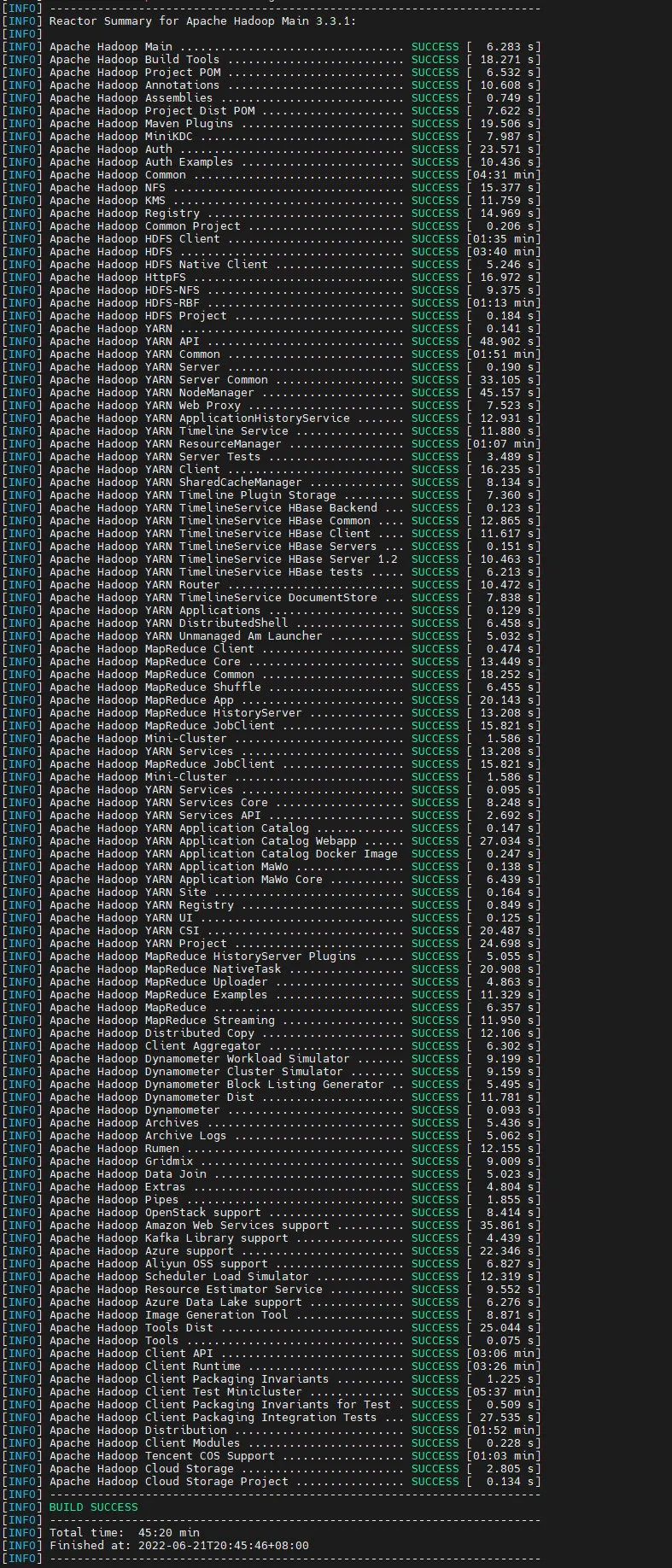
打包成功
编译打包过程比较漫长,需要下载110个项目的依赖,中间下载依赖时可能还会卡住,这里我选择停掉命令重新打包,尝试几次后,编译打包成功
  1[INFO] ------------------------------------------------------------------------
  2[INFO] Reactor Summary for Apache Hadoop Main 3.3.1:
  3[INFO]
  4[INFO] Apache Hadoop Main ................................. SUCCESS [  6.283 s]
  5[INFO] Apache Hadoop Build Tools .......................... SUCCESS [ 18.271 s]
  6[INFO] Apache Hadoop Project POM .......................... SUCCESS [  6.532 s]
  7[INFO] Apache Hadoop Annotations .......................... SUCCESS [ 10.608 s]
  8[INFO] Apache Hadoop Assemblies ........................... SUCCESS [  0.749 s]
  9[INFO] Apache Hadoop Project Dist POM ..................... SUCCESS [  7.622 s]
 10[INFO] Apache Hadoop Maven Plugins ........................ SUCCESS [ 19.506 s]
 11[INFO] Apache Hadoop MiniKDC .............................. SUCCESS [  7.987 s]
 12[INFO] Apache Hadoop Auth ................................. SUCCESS [ 23.571 s]
 13[INFO] Apache Hadoop Auth Examples ........................ SUCCESS [ 10.436 s]
 14[INFO] Apache Hadoop Common ............................... SUCCESS [04:31 min]
 15[INFO] Apache Hadoop NFS .................................. SUCCESS [ 15.377 s]
 16[INFO] Apache Hadoop KMS .................................. SUCCESS [ 11.759 s]
 17[INFO] Apache Hadoop Registry ............................. SUCCESS [ 14.969 s]
 18[INFO] Apache Hadoop Common Project ....................... SUCCESS [  0.206 s]
 19[INFO] Apache Hadoop HDFS Client .......................... SUCCESS [01:35 min]
 20[INFO] Apache Hadoop HDFS ................................. SUCCESS [03:40 min]
 21[INFO] Apache Hadoop HDFS Native Client ................... SUCCESS [  5.246 s]
 22[INFO] Apache Hadoop HttpFS ............................... SUCCESS [ 16.972 s]
 23[INFO] Apache Hadoop HDFS-NFS ............................. SUCCESS [  9.375 s]
 24[INFO] Apache Hadoop HDFS-RBF ............................. SUCCESS [01:13 min]
 25[INFO] Apache Hadoop HDFS Project ......................... SUCCESS [  0.184 s]
 26[INFO] Apache Hadoop YARN ................................. SUCCESS [  0.141 s]
 27[INFO] Apache Hadoop YARN API ............................. SUCCESS [ 48.902 s]
 28[INFO] Apache Hadoop YARN Common .......................... SUCCESS [01:51 min]
 29[INFO] Apache Hadoop YARN Server .......................... SUCCESS [  0.190 s]
 30[INFO] Apache Hadoop YARN Server Common ................... SUCCESS [ 33.105 s]
 31[INFO] Apache Hadoop YARN NodeManager ..................... SUCCESS [ 45.157 s]
 32[INFO] Apache Hadoop YARN Web Proxy ....................... SUCCESS [  7.523 s]
 33[INFO] Apache Hadoop YARN ApplicationHistoryService ....... SUCCESS [ 12.931 s]
 34[INFO] Apache Hadoop YARN Timeline Service ................ SUCCESS [ 11.880 s]
 35[INFO] Apache Hadoop YARN ResourceManager ................. SUCCESS [01:07 min]
 36[INFO] Apache Hadoop YARN Server Tests .................... SUCCESS [  3.489 s]
 37[INFO] Apache Hadoop YARN Client .......................... SUCCESS [ 16.235 s]
 38[INFO] Apache Hadoop YARN SharedCacheManager .............. SUCCESS [  8.134 s]
 39[INFO] Apache Hadoop YARN Timeline Plugin Storage ......... SUCCESS [  7.360 s]
 40[INFO] Apache Hadoop YARN TimelineService HBase Backend ... SUCCESS [  0.123 s]
 41[INFO] Apache Hadoop YARN TimelineService HBase Common .... SUCCESS [ 12.865 s]
 42[INFO] Apache Hadoop YARN TimelineService HBase Client .... SUCCESS [ 11.617 s]
 43[INFO] Apache Hadoop YARN TimelineService HBase Servers ... SUCCESS [  0.151 s]
 44[INFO] Apache Hadoop YARN TimelineService HBase Server 1.2  SUCCESS [ 10.463 s]
 45[INFO] Apache Hadoop YARN TimelineService HBase tests ..... SUCCESS [  6.213 s]
 46[INFO] Apache Hadoop YARN Router .......................... SUCCESS [ 10.472 s]
 47[INFO] Apache Hadoop YARN TimelineService DocumentStore ... SUCCESS [  7.838 s]
 48[INFO] Apache Hadoop YARN Applications .................... SUCCESS [  0.129 s]
 49[INFO] Apache Hadoop YARN DistributedShell ................ SUCCESS [  6.458 s]
 50[INFO] Apache Hadoop YARN Unmanaged Am Launcher ........... SUCCESS [  5.032 s]
 51[INFO] Apache Hadoop MapReduce Client ..................... SUCCESS [  0.474 s]
 52[INFO] Apache Hadoop MapReduce Core ....................... SUCCESS [ 13.449 s]
 53[INFO] Apache Hadoop MapReduce Common ..................... SUCCESS [ 18.252 s]
 54[INFO] Apache Hadoop MapReduce Shuffle .................... SUCCESS [  6.455 s]
 55[INFO] Apache Hadoop MapReduce App ........................ SUCCESS [ 20.143 s]
 56[INFO] Apache Hadoop MapReduce HistoryServer .............. SUCCESS [ 13.208 s]
 57[INFO] Apache Hadoop MapReduce JobClient .................. SUCCESS [ 15.821 s]
 58[INFO] Apache Hadoop Mini-Cluster ......................... SUCCESS [  1.586 s]
 59[INFO] Apache Hadoop YARN Services ........................ SUCCESS [  0.095 s]
 60[INFO] Apache Hadoop YARN Services Core ................... SUCCESS [  8.248 s]
 61[INFO] Apache Hadoop YARN Services API .................... SUCCESS [  2.692 s]
 62[INFO] Apache Hadoop YARN Application Catalog ............. SUCCESS [  0.147 s]
 63[INFO] Apache Hadoop YARN Application Catalog Webapp ...... SUCCESS [ 27.034 s]
 64[INFO] Apache Hadoop YARN Application Catalog Docker Image  SUCCESS [  0.247 s]
 65[INFO] Apache Hadoop YARN Application MaWo ................ SUCCESS [  0.138 s]
 66[INFO] Apache Hadoop YARN Application MaWo Core ........... SUCCESS [  6.439 s]
 67[INFO] Apache Hadoop YARN Site ............................ SUCCESS [  0.164 s]
 68[INFO] Apache Hadoop YARN Registry ........................ SUCCESS [  0.849 s]
 69[INFO] Apache Hadoop YARN UI .............................. SUCCESS [  0.125 s]
 70[INFO] Apache Hadoop YARN CSI ............................. SUCCESS [ 20.487 s]
 71[INFO] Apache Hadoop YARN Project ......................... SUCCESS [ 24.698 s]
 72[INFO] Apache Hadoop MapReduce HistoryServer Plugins ...... SUCCESS [  5.055 s]
 73[INFO] Apache Hadoop MapReduce NativeTask ................. SUCCESS [ 20.908 s]
 74[INFO] Apache Hadoop MapReduce Uploader ................... SUCCESS [  4.863 s]
 75[INFO] Apache Hadoop MapReduce Examples ................... SUCCESS [ 11.329 s]
 76[INFO] Apache Hadoop MapReduce ............................ SUCCESS [  6.357 s]
 77[INFO] Apache Hadoop MapReduce Streaming .................. SUCCESS [ 11.950 s]
 78[INFO] Apache Hadoop Distributed Copy ..................... SUCCESS [ 12.106 s]
 79[INFO] Apache Hadoop Client Aggregator .................... SUCCESS [  6.302 s]
 80[INFO] Apache Hadoop Dynamometer Workload Simulator ....... SUCCESS [  9.199 s]
 81[INFO] Apache Hadoop Dynamometer Cluster Simulator ........ SUCCESS [  9.159 s]
 82[INFO] Apache Hadoop Dynamometer Block Listing Generator .. SUCCESS [  5.495 s]
 83[INFO] Apache Hadoop Dynamometer Dist ..................... SUCCESS [ 11.781 s]
 84[INFO] Apache Hadoop Dynamometer .......................... SUCCESS [  0.093 s]
 85[INFO] Apache Hadoop Archives ............................. SUCCESS [  5.436 s]
 86[INFO] Apache Hadoop Archive Logs ......................... SUCCESS [  5.062 s]
 87[INFO] Apache Hadoop Rumen ................................ SUCCESS [ 12.155 s]
 88[INFO] Apache Hadoop Gridmix .............................. SUCCESS [  9.009 s]
 89[INFO] Apache Hadoop Data Join ............................ SUCCESS [  5.023 s]
 90[INFO] Apache Hadoop Extras ............................... SUCCESS [  4.804 s]
 91[INFO] Apache Hadoop Pipes ................................ SUCCESS [  1.855 s]
 92[INFO] Apache Hadoop OpenStack support .................... SUCCESS [  8.414 s]
 93[INFO] Apache Hadoop Amazon Web Services support .......... SUCCESS [ 35.861 s]
 94[INFO] Apache Hadoop Kafka Library support ................ SUCCESS [  4.439 s]
 95[INFO] Apache Hadoop Azure support ........................ SUCCESS [ 22.346 s]
 96[INFO] Apache Hadoop Aliyun OSS support ................... SUCCESS [  6.827 s]
 97[INFO] Apache Hadoop Scheduler Load Simulator ............. SUCCESS [ 12.319 s]
 98[INFO] Apache Hadoop Resource Estimator Service ........... SUCCESS [  9.552 s]
 99[INFO] Apache Hadoop Azure Data Lake support .............. SUCCESS [  6.276 s]
100[INFO] Apache Hadoop Image Generation Tool ................ SUCCESS [  8.871 s]
101[INFO] Apache Hadoop Tools Dist ........................... SUCCESS [ 25.044 s]
102[INFO] Apache Hadoop Tools ................................ SUCCESS [  0.075 s]
103[INFO] Apache Hadoop Client API ........................... SUCCESS [03:06 min]
104[INFO] Apache Hadoop Client Runtime ....................... SUCCESS [03:26 min]
105[INFO] Apache Hadoop Client Packaging Invariants .......... SUCCESS [  1.225 s]
106[INFO] Apache Hadoop Client Test Minicluster .............. SUCCESS [05:37 min]
107[INFO] Apache Hadoop Client Packaging Invariants for Test . SUCCESS [  0.509 s]
108[INFO] Apache Hadoop Client Packaging Integration Tests ... SUCCESS [ 27.535 s]
109[INFO] Apache Hadoop Distribution ......................... SUCCESS [01:52 min]
110[INFO] Apache Hadoop Client Modules ....................... SUCCESS [  0.228 s]
111[INFO] Apache Hadoop Tencent COS Support .................. SUCCESS [01:03 min]
112[INFO] Apache Hadoop Cloud Storage ........................ SUCCESS [  2.805 s]
113[INFO] Apache Hadoop Cloud Storage Project ................ SUCCESS [  0.134 s]
114[INFO] ------------------------------------------------------------------------
115[INFO] BUILD SUCCESS
116[INFO] ------------------------------------------------------------------------
117[INFO] Total time:  45:20 min
118[INFO] Finished at: 2022-06-21T20:45:46+08:00
119[INFO] ------------------------------------------------------------------------
成功截图: