



[root@openGauss ~]#  dd if=/dev/zero of=mo.img bs=5120k count=1
[root@openGauss ~]#  ls -lh mo.img
-rw-r--r-- 1 root root 5.0M Dec 28 22:37 mo.img
[root@openGauss ~]#  mkfs -t ext4  -F ./mo.img
...
OS type: Linux
Block size=1024 (log=0)
Fragment size=1024 (log=0)
Stride=0 blocks, Stripe width=0 blocks
1280 inodes, 5120 blocks
256 blocks (5.00%) reserved for the super user
...
...
Writing superblocks and filesystem accounting information: done
[root@openGauss ~]#  mount -o loop ./mo.img /mnt

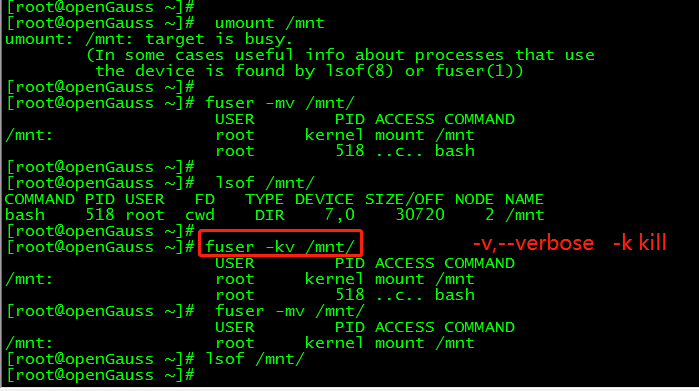
[root@openGauss ~]#  umount /mnt
umount: /mnt: target is busy.
        (In some cases useful info about processes that use
         the device is found by lsof(8) or fuser(1))
[root@openGauss ~]#
[root@openGauss ~]# fuser -mv /mnt/
                     USER        PID ACCESS COMMAND
/mnt:                root     kernel mount /mnt
                     root        518 ..c.. bash
[root@openGauss ~]#
[root@openGauss ~]#  lsof /mnt/
COMMAND PID USER   FD   TYPE DEVICE SIZE/OFF NODE NAME
bash    518 root  cwd    DIR    7,0    30720    2 /mnt
[root@openGauss ~]#
[root@openGauss ~]# fuser -kv /mnt/
                     USER        PID ACCESS COMMAND
/mnt:                root     kernel mount /mnt
                     root        518 ..c.. bash
[root@openGauss ~]#  fuser -mv /mnt/
                     USER        PID ACCESS COMMAND
/mnt:                root     kernel mount /mnt
[root@openGauss ~]# lsof /mnt/
————————————————————————————
公众号:JiekeXu之路
墨天轮:https://www.modb.pro/u/4347
CSDN :https://blog.csdn.net/JiekeXu
腾讯云:https://cloud.tencent.com/developer/user/5645107
————————————————————————————
「喜欢这篇文章,您的关注和赞赏是给作者最好的鼓励」
关注作者
【版权声明】本文为墨天轮用户原创内容,转载时必须标注文章的来源(墨天轮),文章链接,文章作者等基本信息,否则作者和墨天轮有权追究责任。如果您发现墨天轮中有涉嫌抄袭或者侵权的内容,欢迎发送邮件至:contact@modb.pro进行举报,并提供相关证据,一经查实,墨天轮将立刻删除相关内容。
