



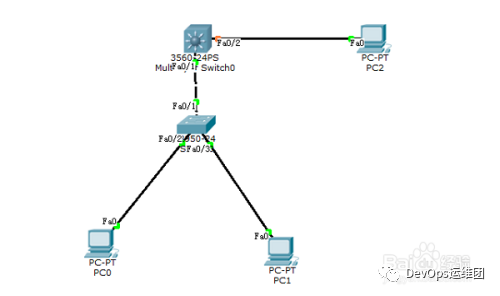
某企业有两个主要部门,技术部和销售部,分处于不同的办公室,为了安全和便于管理对两个部门的主机进行了VLAN的划分,技术部和销售部分处于不同的VLAN,先由于业务的需求需要销售部和技术部的主机能够相互访问,获得相应的资源,两个部门的交换机通过一台三层交换机进行了连接。
方法/步骤
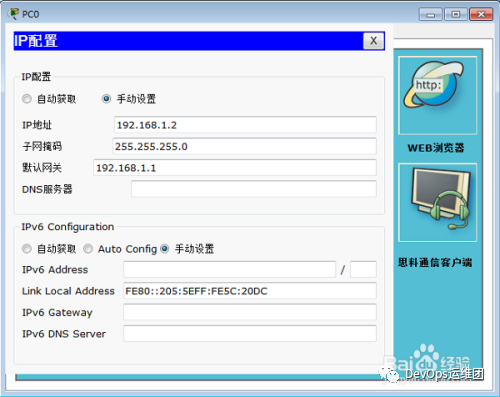
1.配置计算机PC0:
IP: 192.168.1.2
Submark: 255.255.255.0
Gateway: 192.168.1.1
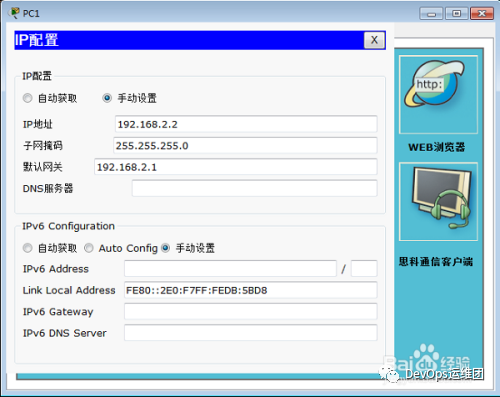
2.配置计算机PC1:
IP: 192.168.2.2
Submark: 255.255.255.0
Gateway: 192.168.2.1
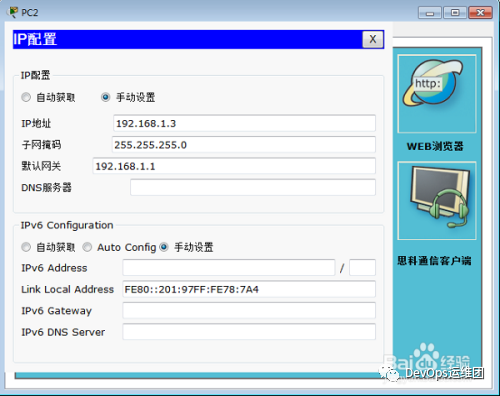
3.配置计算机PC2:
IP: 192.168.1.3
Submark: 255.255.255.0
Gateway: 192.168.1.1
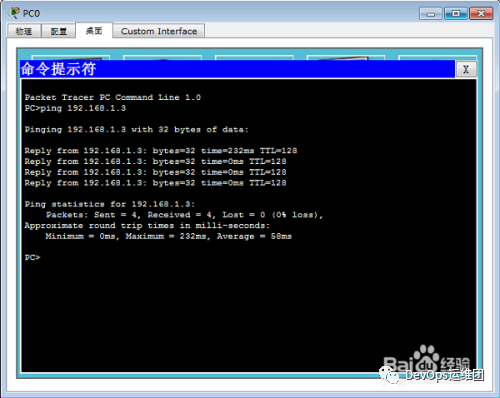
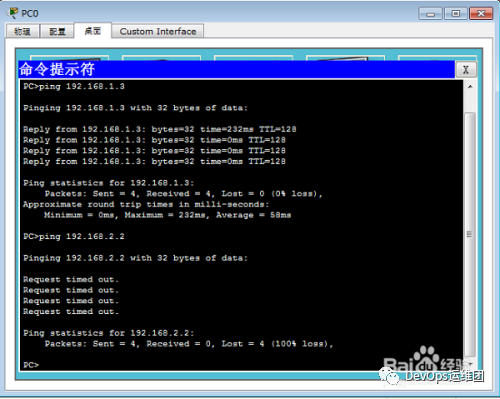
4.测试连通性:
1、PC0 Ping PC2
2、PC0Ping PC1
5.配置二层交换机。
Switch>en
Switch#conf t
Switch(config )#vlan 2
Switch(config-vlan)#exit
Switch(config )#vlan 3
Switch(config-vlan)#exit
Switch(config )#int fa 0/2
Switch(config-if)#switchport access vlan 2
Switch(config-if)#exit
Switch(config )#int fa 0/3
Switch(config-if)#switchport access vlan 3
Switch(config-if)#exit
Switch(config )#int fa 0/1
Switch(config-if)#switchport mode trunk
Switch(config-if)#end
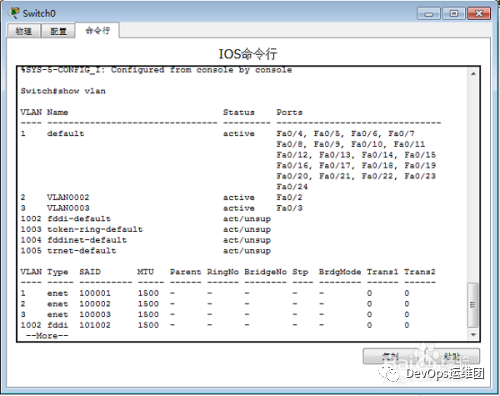
Switch#show vlan
6.配置三层交换机。
Switch>en
Switch#conf t
Switch(config )#vlan 2 //新建vlan 2
Switch(config-vlan)#exit
Switch(config )#vlan 3 //新建vlan 3
Switch(config-vlan)#exit
Switch(config )#int fa 0/1 //进入0模块第1端口
Switch(config-if)#switchport trunk encapsulation dot1q //给这个接口的trunk封装为802.1Q的帧格式
Switch(config-if)#switchport mode trunk //定义这个接口的工作模式为trunk
Switch(config-if)#exit
Switch(config )#int fa 0/2 //进入0模块第2端口
Switch(config-if)#switchport access vlan 2 //当前端口加入vlan 2
Switch(config-if)#exit
Switch(config )#interface vlan 2 //进入vlan2 虚拟接口
Switch(config-if)#ip address 192.168.1.1 255.255.255.0 //配置IP地址
Switch(config-if)#no shutdown //开启该端口
Switch(config-if)#exit
Switch(config )#interface vlan 3
Switch(config-if)#ip address 192.168.2.1 255.255.255.0
Switch(config-if)#no shutdown
Switch(config-if)#end
Switch#show ip route //显示路由表
Switch#show vlan //显示vlan信息
7.测试连通性:
1、PC0 Ping PC2
2、PC0Ping PC1
END
注意事项
三层交换机具备网络层的功能,实现VLAN相互访问的原理是:利用三层交换机的路由功能,通过识别数据包的IP地址,查找路由表进行选路转发,三层交换机利用直连路由可以实现不同VLAN之间的相互访问。三层交换机给接口配置IP地址。采用SVI(交换虚拟接口)的方式实现VLAN间互连。SVI是指为交换机中的VLAN创建虚拟接口,并且配置IP地址。
