



SQLite 非常容易上手,不需要任何经验,5分钟内就可以学会安装SQLite并创建一个新的数据库。
访问SQLite的官网,找到下载页面,获取windows版本的SQLlite
https://www.sqlite.org/download.html
找到sqlite-tools-win32-x86的下载包
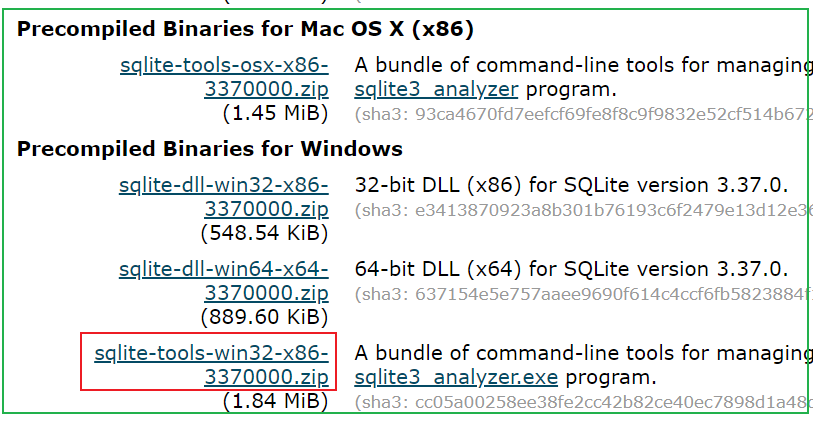
下载下来之后,解压zip包,解压后的文件如下:
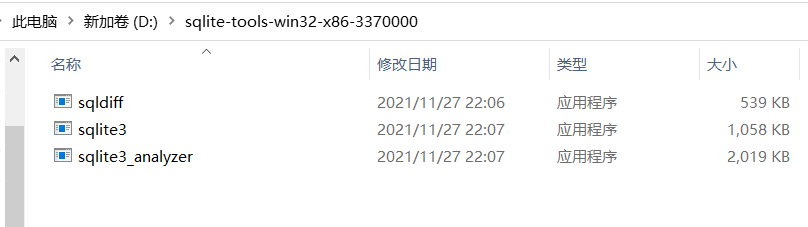
双击sqlite3即可打开SQLite的CLI命令行界面
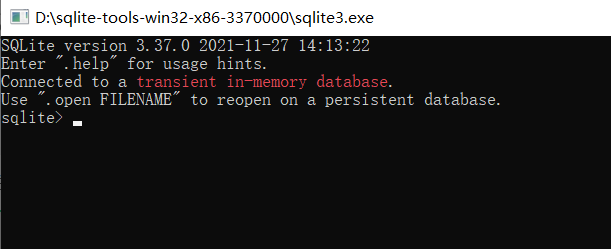
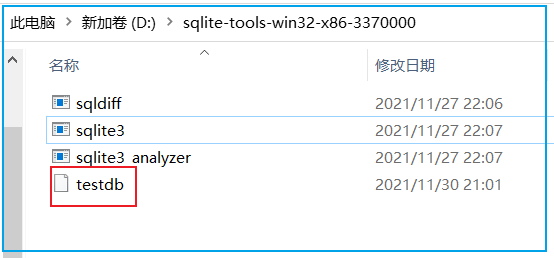
我们通过命令来熟悉SQLite的基本操作,使用.help可以获取SQLite的所有命令帮助。我们按照提示创建一个数据库。执行sqlite> .open testdb 即可创建一个新的数据库文件。创建的数据库文件在sqlite.exe所在的目录:
也可以在命令行使用sqlite.exe testdb打开数据库文件,文件不存在时会创建新文件。
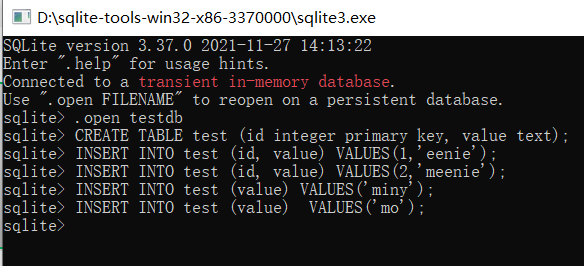
打开数据库文件后,创建一个表test,并插入数据
sqlite> .open testdbsqlite> CREATE TABLE test (id integer primary key, value text);sqlite> INSERT INTO test (id, value) VALUES(1,'eenie');sqlite> INSERT INTO test (id, value) VALUES(2,'meenie');sqlite> INSERT INTO test (value) VALUES('miny');sqlite> INSERT INTO test (value) VALUES('mo');
查看插入的内容
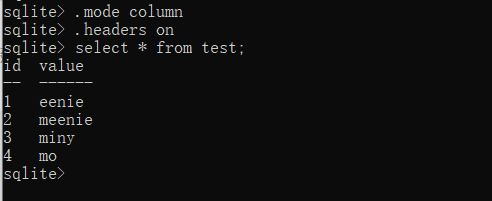
后两条insert没有指定id列的值,这里使用了自动增量。使用 sqlite> select last_insert_rowid() 可以获取最后插入的自动增量值。

我们再添加一个索引和一个视图

使用 sqlite> .exit 退出数据库
重新打开数据库,查看表、索引 、schema信息
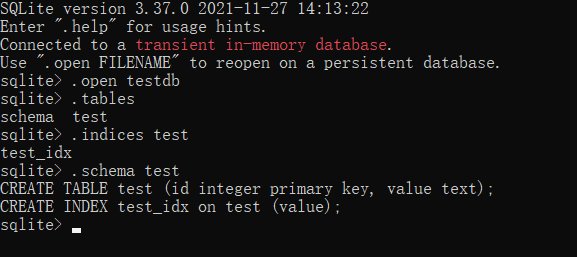
导出SQL数据

导出的sql文本,可以通过notepad打开查看

导入数据
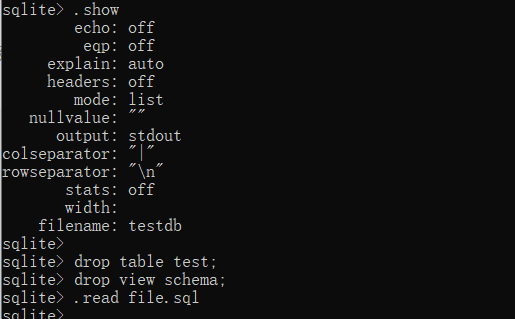
文中的命令例子来自:《SQLite权威指南》第二版 ISBN: 978-7-121-14924-5
除了使用sqlite官方提供的命令行工具来学习sqlite,还可以使用图形化工具sqlitebrowser 对sqlite数据库进行操作。工具下载地址:
https://sqlitebrowser.org/dl/
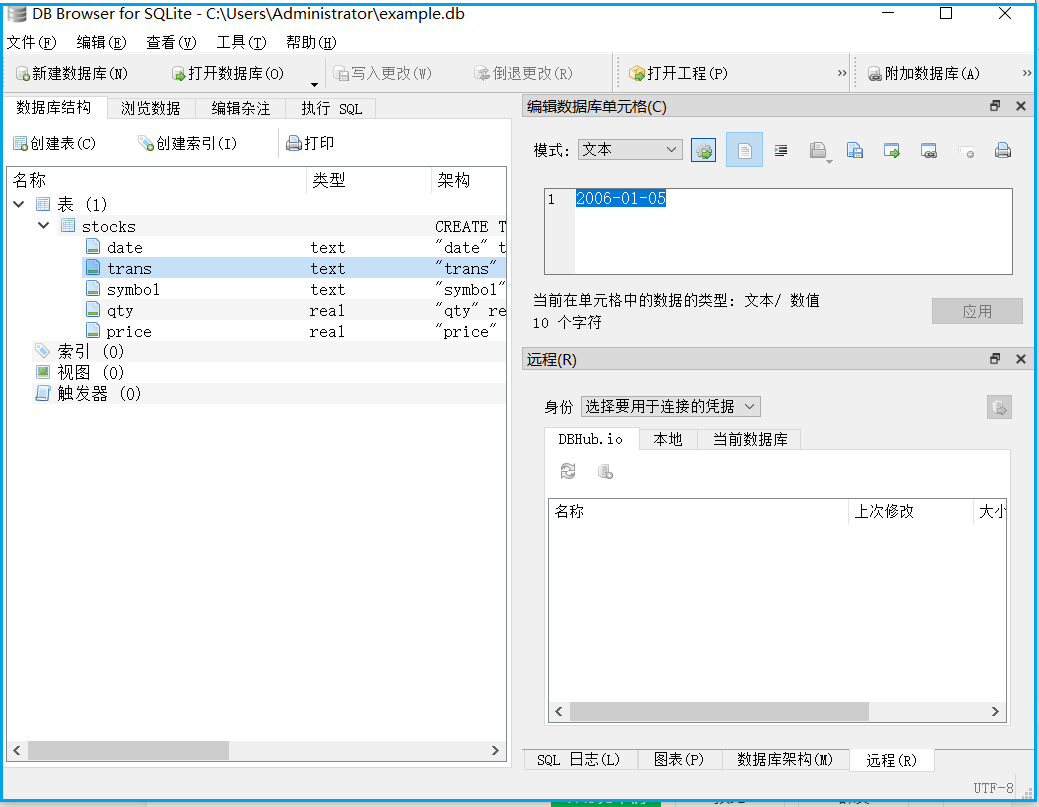
C:\Users\Administrator>pythonPython 3.10.4 (tags/v3.10.4:9d38120, Mar 23 2022, 23:13:41) [MSC v.1929 64 bit (AMD64)] on win32Type "help", "copyright", "credits" or "license" for more information.>>> import sqlite3>>> con = sqlite3.connect('example.db')>>> cur = con.cursor()>>> cur.execute(''' create table stocks... (date text, trans text, symbol text, qty real, price real)''')<sqlite3.Cursor object at 0x000001FDC25C9740>>>>>>> cur.execute("insert into stocks values('2006-01-05','buy', 'rhat',100,35.14)")<sqlite3.Cursor object at 0x000001FDC25C9740>>>> con.commit()>>> con.close();>>> con = sqlite3.connect('example.db')>>> cur = con.cursor()>>> for row in cur.execute('SELECT * FROM stocks ORDER BY price'):... print(row)...('2006-01-05', 'buy', 'rhat', 100.0, 35.14)>>>>>> cur.execute("insert into stocks values('2006-01-05','buy', 'rhat',100,35.14)")<sqlite3.Cursor object at 0x000001FDC25C8E40>>>> cur.execute("insert into stocks values('2006-01-05','buy', 'rhat',100,35.14)")<sqlite3.Cursor object at 0x000001FDC25C8E40>>>> cur.execute("insert into stocks values('2006-01-05','buy', 'rhat',100,35.14)")<sqlite3.Cursor object at 0x000001FDC25C8E40>>>> con.commit()>>> for row in cur.execute('SELECT * FROM stocks ORDER BY price'):... print(row)...('2006-01-05', 'buy', 'rhat', 100.0, 35.14)('2006-01-05', 'buy', 'rhat', 100.0, 35.14)('2006-01-05', 'buy', 'rhat', 100.0, 35.14)('2006-01-05', 'buy', 'rhat', 100.0, 35.14)>>> con.close();
全文完。
如果转发本文,文末务必注明:“转自微信公众号:生有可恋”。
