点击上方蓝字关注我们
脚本名称:rsrv.sh
功能简述:TUXEDO中间件服务快速重启、扩进程
kshrsrv.sh
###################Need Two/Three Param #######################################
usage:ksh rsrv.sh MODE SRVID/NAME [COUNT]
eg1:ksh rsrv.sh s 7520 5
eg2:ksh rsrv.sh r 7530 3
eg3:ksh rsrv.sh d 7520,7530
eg4:ksh rsrv.sh n xxx,xxx
eg5:ksh rsrv.sh o xxx,xxx
Functiondescription:
MODE:s, Only start/add the server from the "SRVID" increase"COUNT" times.
选项“s”功能说明:启动/增加以"SRVID","SRVID"+1,"SRVID"+2……"SRVID"+"COUNT"-1对应的服务进程。
MODE:r, Restart the server from the "SRVID" increase "COUNT"times.
选项“r”功能说明:重启以"SRVID","SRVID"+1,"SRVID"+2……"SRVID"+"COUNT"-1对应的服务进程。
MODE:d, Restart the server by designate the "SRVID".
选项“d”功能说明:重启以逗号“,”分隔的多个"SRVID"对应的服务进程。
MODE:n, Restart the server by designate the "SRVNAME".
选项“n”功能说明:重启以逗号“,”分隔的多个"SRVNAME"对应的服务进程。
MODE:o, One by one restart the server by designate the "SRVNAME".
选项“o”功能说明:逐个进程重启以逗号“,”分隔的多个"SRVNAME"对应的服务进程。
#############################################################################
部署主机:所有TUXEDO中间件主机
部署目录:$HOME/shell
使用实例:
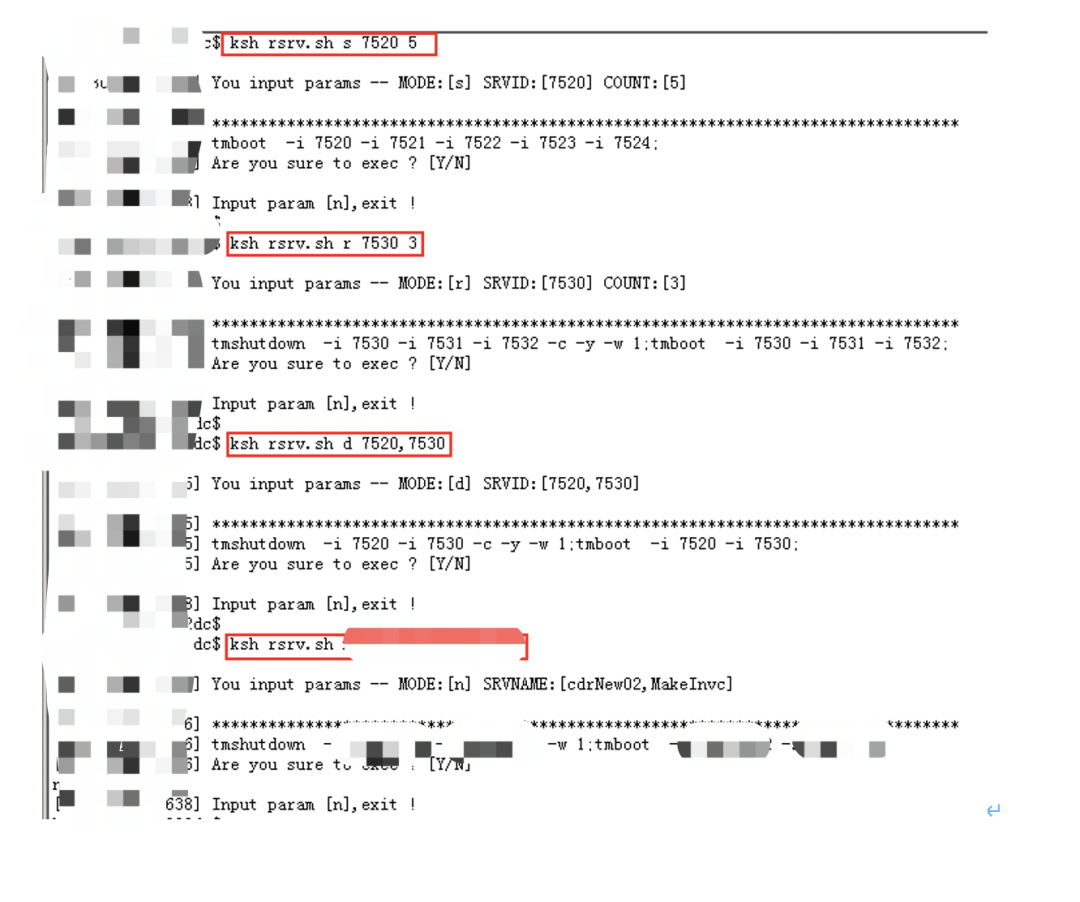
kshrsrv.sh s 7520 5
[20180411111846]You input params -- MODE:[s] SRVID:[7520] COUNT:[5]
[20180411111846]******************************************************************************
[20180411111846]tmboot -i 7520 -i 7521 -i 7522 -i 7523 -i 7524;
[20180411111846]Are you sure to exec ? [Y/N]
n
[20180411111849]Input param [n],exit !
kshrsrv.sh r 7530 3
[20180411111854]You input params -- MODE:[r] SRVID:[7530] COUNT:[3]
[20180411111854]******************************************************************************
[20180411111854]tmshutdown -i 7530 -i 7531 -i 7532 -c -y -w 1;tmboot -i 7530 -i7531 -i 7532;
[20180411111854]Are you sure to exec ? [Y/N]
n
[20180411111856]Input param [n],exit !
kshrsrv.sh d 7520,7530
[20180411111901]You input params -- MODE:[d] SRVID:[7520,7530]
[20180411111901]*****************************************************************************
[20180411111901]tmshutdown -i 7520 -i 7530 -c -y -w 1;tmboot -i 7520 -i 7530;
[20180411111901]Are you sure to exec ? [Y/N]
n
[20180411111905]Input param [n],exit !
kshrsrv.sh n cdrNew02,MakeInvc
[20180411111911]You input params -- MODE:[n] SRVNAME:[cdrNew02,MakeInvc]
[20180411111911]*****************************************************************************
[20180411111911]tmshutdown -s xxx-s xxx -w 1;tmboot -s xxx -s xxx;
[20180411111911]Are you sure to exec ? [Y/N]
n
[20180411111912]Input param [n],exit !
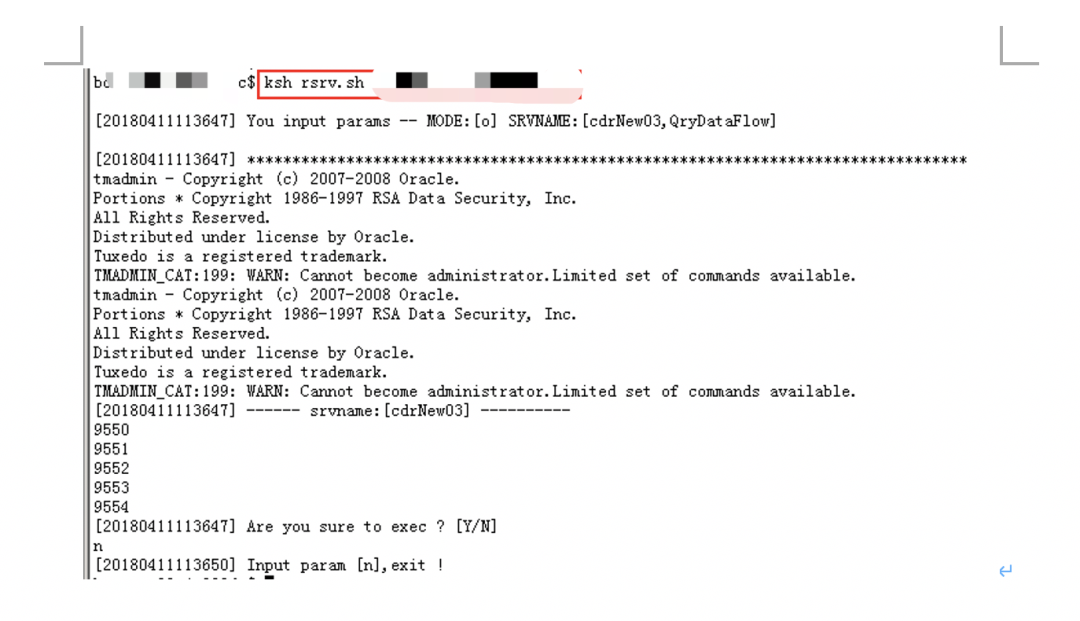
kshrsrv.sh o xxx,xxx
[20180411112646]You input params -- MODE:[o] SRVNAME:[ xxx,xxx]
[20180411112646]********************************************************************************
tmadmin- Copyright (c) 2007-2008 Oracle.
Portions* Copyright 1986-1997 RSA Data Security, Inc.
AllRights Reserved.
Distributedunder license by Oracle.
Tuxedois a registered trademark.
TMADMIN_CAT:199:WARN: Cannot become administrator.Limited set of commands available.
tmadmin- Copyright (c) 2007-2008 Oracle.
Portions* Copyright 1986-1997 RSA Data Security, Inc.
AllRights Reserved.
Distributedunder license by Oracle.
Tuxedois a registered trademark.
TMADMIN_CAT:199:WARN: Cannot become administrator.Limited set of commands available.
[20180411112646]------ srvname:[ xxx] ----------
9550
9551
9552
9553
9554
[20180411112646]Are you sure to exec ? [Y/N]
n
[20180411112649]Input param [n],exit !
使用截图:
总结说明:
使用该rsrv.sh脚本可在遇到服务调用量突增导致业务积压需要临时扩服务进程,或者服务故障需要重启/逐个进程重启的时候,实现TUXEDO中间件服务快速重启、扩进程的目的。尤其是遇到服务进程需要逐个重启的时候,非常有用,大大提高工作效率和准确度。