



周末捣鼓了自动化部署Laravel项目,在部署之前尝试如何制作了一个Laravel镜像,在本地测试,在这里跟大家分享如何制作一个简单版的Laravel镜像。
一、准备代码
二、准备nginx配置文件
server {listen 80;server_name localhost;#charset koi8-r;location {root var/www/html/public;index index.php index.html index.htm;# 如果没有以下4行,laravel将只能访问首页,其他页面都是404try_files $uri $uri/ index.php?$query_string;if (!-e $request_filename){rewrite ^/(.*) index.php last;}# 如果没有以上4行,laravel将只能访问首页,其他页面都是404}#error_page 404 /404.html;# redirect server error pages to the static page /50x.html#error_page 500 502 503 504 /50x.html;location = /50x.html {root /usr/share/nginx/html;}# proxy the PHP scripts to Apache listening on 127.0.0.1:80## location ~ \.php$ {# proxy_pass http://127.0.0.1;# }# pass the PHP scripts to FastCGI server listening on 127.0.0.1:9000#location ~ \.php$ {root /var/www/html/public;index index.php index.html;# 坑在这里,需将原有的127.0.0.1:9000替换成phpfpm:9000fastcgi_pass 127.0.0.1:9000;# 坑在这里,需将原有的127.0.0.1:9000替换成phpfpm:9000fastcgi_index index.php;# 下面这行也改了 中间的$document_rootfastcgi_param SCRIPT_FILENAME $document_root$fastcgi_script_name;include fastcgi_params;}# deny access to .htaccess files, if Apache's document root# concurs with nginx's one##location ~ /\.ht {# deny all;#}}
三、制作镜像
我们在项目根目录创建一个文件名为Dockerfile的文件,构建代码如下
FROM evan886/alpine_nginx_php7.4:v3.14#复制项目代码至运行目录ADD default.conf /etc/nginx/conf.d/ADD .env.example /var/www/html/.envADD . /var/www/html/#设置权限RUN chown www-data:www-data -R /var/www/html/storageRUN chown www-data:www-data -R /var/www/html/bootstrap#初始化密钥RUN cd /var/www/html && php artisan key:generate
这里我们使用了nginx+php昨晚基础镜像,然后把Laravel项目代码复制到指定目录,同时将nginx配置文件覆盖原配置。
四、制作镜像
docker build -t laravel-image .
五、运行服务
docker run -d --name laravel -p 8080:80 laravel-image
运行完之后,我们浏览器输入ip:8080访问查看效果,出现如下效果
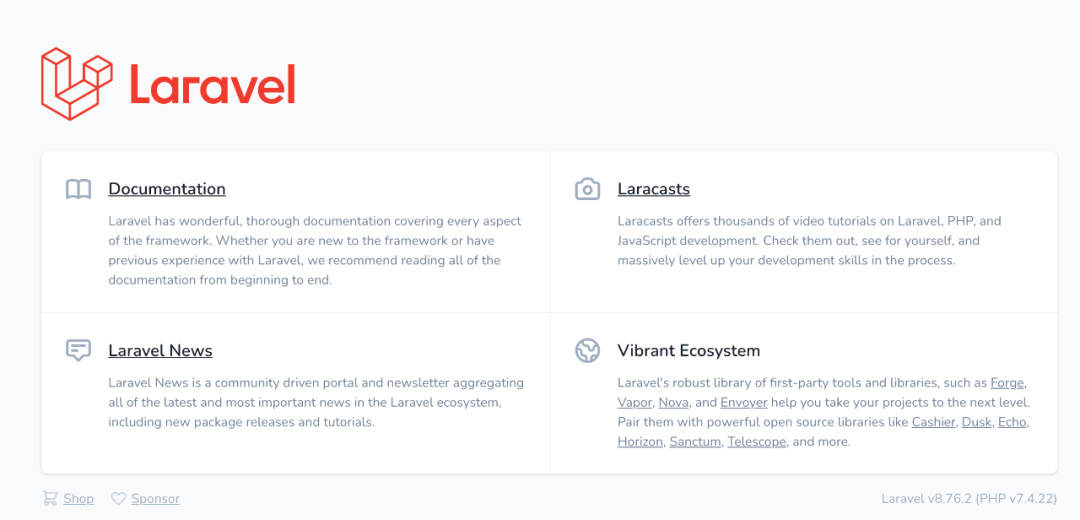
这样我们就完成了Laravel镜像制作。

文章转载自程序员技术笔记,如果涉嫌侵权,请发送邮件至:contact@modb.pro进行举报,并提供相关证据,一经查实,墨天轮将立刻删除相关内容。
