



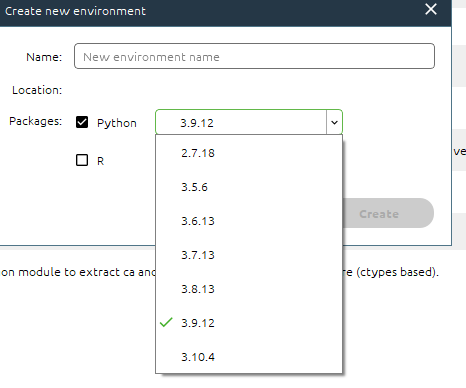
pytorch官网安装
https://pytorch.org/get-started/previous-versions/conda安装方式
# CUDA 10.2conda install pytorch==1.11.0 torchvision==0.12.0 torchaudio==0.11.0 cudatoolkit=10.2 -c pytorch# CUDA 11.3conda install pytorch==1.11.0 torchvision==0.12.0 torchaudio==0.11.0 cudatoolkit=11.3 -c pytorch# CPU Onlyconda install pytorch==1.11.0 torchvision==0.12.0 torchaudio==0.11.0 cpuonly -c pytorch
pip安装
# ROCM 4.5.2 (Linux only)pip install torch==1.11.0+rocm4.5.2 torchvision==0.12.0+rocm4.5.2 torchaudio==0.11.0 --extra-index-url https://download.pytorch.org/whl/rocm4.5.2# CUDA 11.3pip install torch==1.11.0+cu113 torchvision==0.12.0+cu113 torchaudio==0.11.0 --extra-index-url https://download.pytorch.org/whl/cu113# CUDA 10.2pip install torch==1.11.0+cu102 torchvision==0.12.0+cu102 torchaudio==0.11.0 --extra-index-url https://download.pytorch.org/whl/cu102# CPU onlypip install torch==1.11.0+cpu torchvision==0.12.0+cpu torchaudio==0.11.0 --extra-index-url https://download.pytorch.org/whl/cpu
torch测试
import torchx = torch.arange(12)-----------------------------terminal: tensor([ 0, 1, 2, 3, 4, 5, 6, 7, 8, 9, 10, 11])
测试是否可以调用gpu
print(torch.cuda.is_available())--------------------------------------terminal: False
无法正常调取gpu,虚拟环境安装cudnn
conda install cudnn=7.6.5
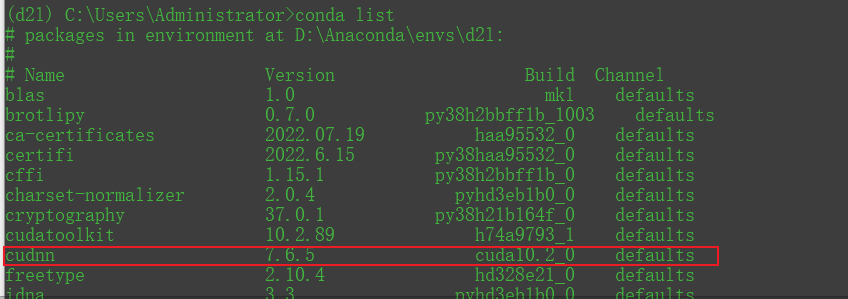
再次测试torch是否可以调取GPU
print(torch.cuda.is_available())--------------------------------------terminal: False
经测试依旧无法调取gpu,经查询CUDA与pytorch匹配关系如下
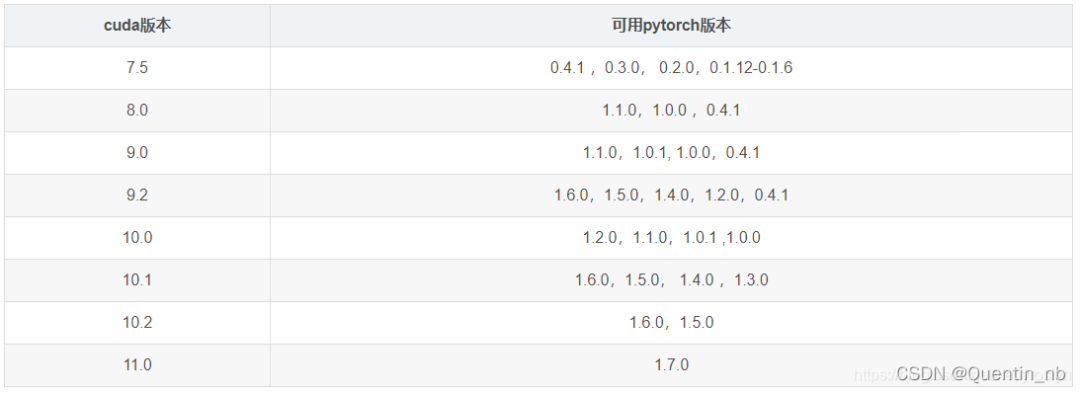
cuda10.2我们选择1.7.0版本安装
# CUDA 9.2conda install pytorch==1.7.0 torchvision==0.8.0 torchaudio==0.7.0 cudatoolkit=9.2 -c pytorch# CUDA 10.1conda install pytorch==1.7.0 torchvision==0.8.0 torchaudio==0.7.0 cudatoolkit=10.1 -c pytorch# CUDA 10.2conda install pytorch==1.7.0 torchvision==0.8.0 torchaudio==0.7.0 cudatoolkit=10.2 -c pytorch# CUDA 11.0conda install pytorch==1.7.0 torchvision==0.8.0 torchaudio==0.7.0 cudatoolkit=11.0 -c pytorch# CPU Onlyconda install pytorch==1.7.0 torchvision==0.8.0 torchaudio==0.7.0 cpuonly -c pytorch
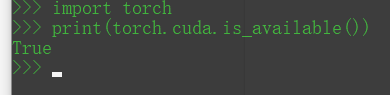
再次调取GPU测试成功
print(torch.cuda.is_available())--------------------------------------terminal: True

文章转载自十月梦想,如果涉嫌侵权,请发送邮件至:contact@modb.pro进行举报,并提供相关证据,一经查实,墨天轮将立刻删除相关内容。
