



本文是介绍在Oracle云服务(OCI)上实践GoldenGate部署和配置操作教程的第二篇,目标是启动Goldengate并且用数据泵导出数据
启动GoldenGate
从OCI导航栏>数据库>GoldenGate>部署,打开第一篇部署的GGSDeployment实例
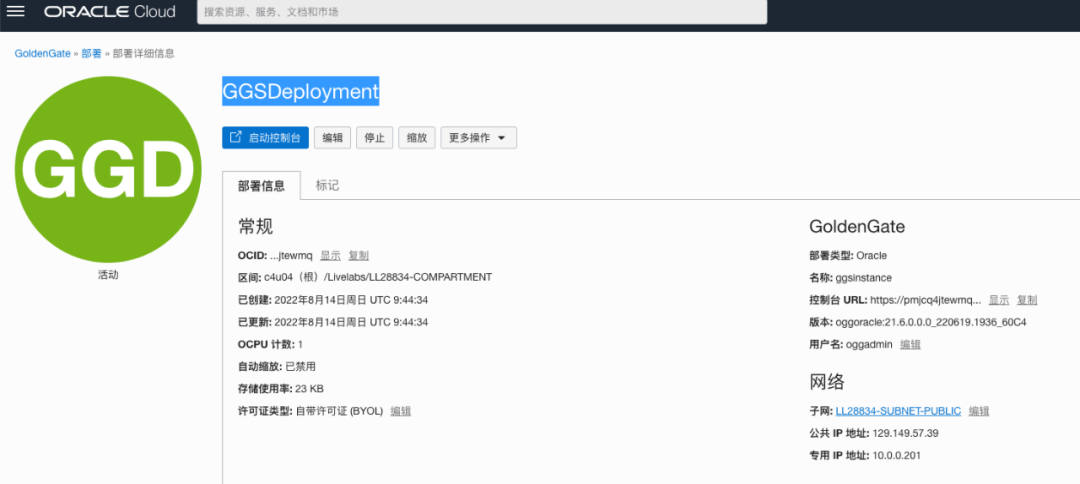
启动控制台,在登陆界面输入部署时设置的账号密码后可以打开如下界面
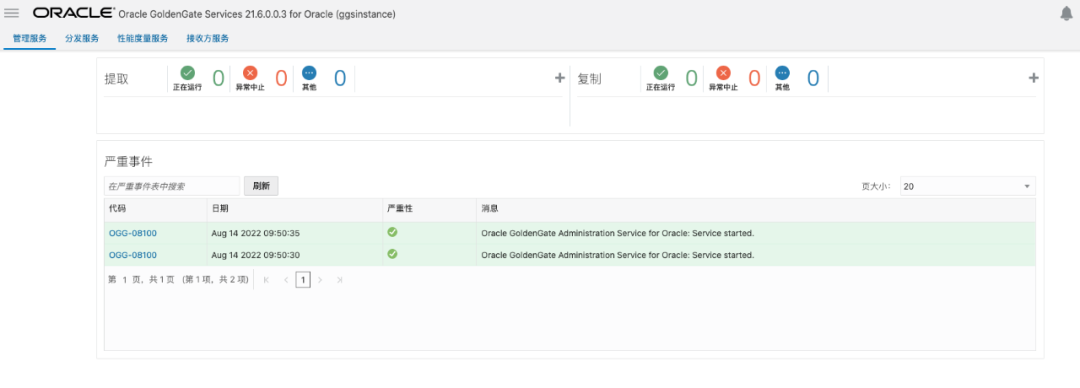
从左侧导航栏打开配置页面,连接源数据库
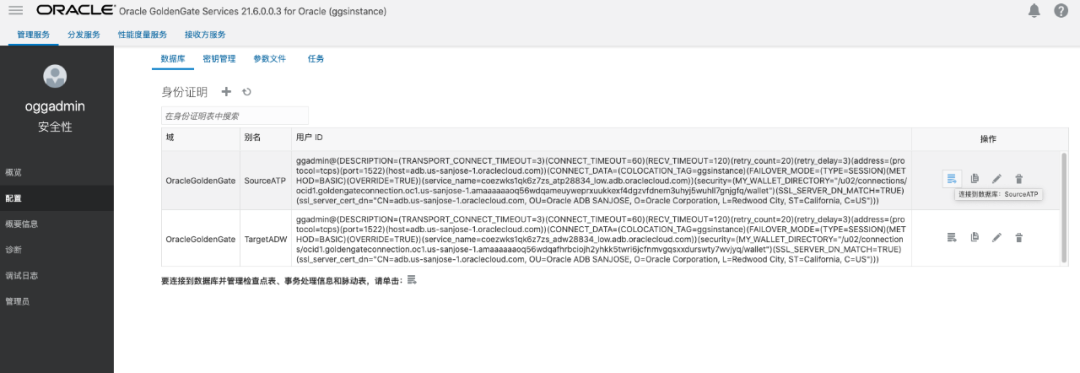
在Trandata信息中填写
SRC_OCIGGLL
方案(schema)然后提交

通过搜索结果判断Trandata是否正确。
连接目的数据库,在TargetADW栏点击连接图表
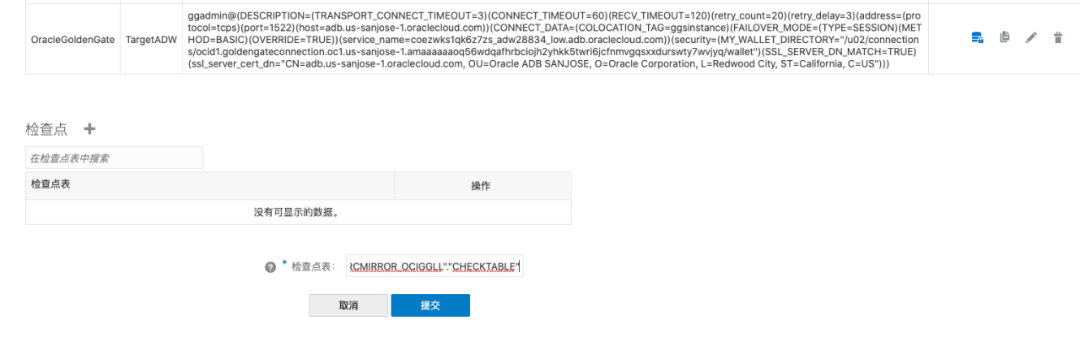
在目的数据库,设置检查点(Checkpoint)
导航回概览页,点击添加提取,选择集成提取

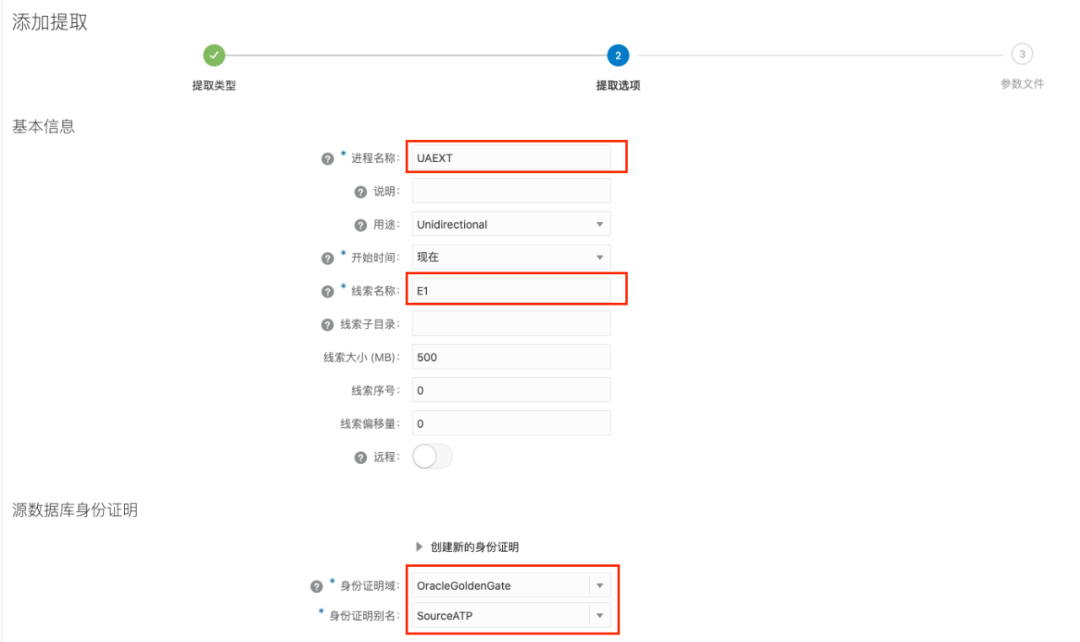
添加导出任务的基本信息,按下图内容填写
在托管选项中,打开健康状况功能

在参数文件增加配置,然后点击创建并运行
在参数文件页面已有的配置项下,增加以下的内容。
-- Capture DDL operations for listed schema tables
ddl include mapped

-- Add step-by-step history of ddl operations captured
-- to the report file. Very useful when troubleshooting.
ddloptions report

-- Write capture stats per table to the report file daily.
report at 00:01

-- Rollover the report file weekly. Useful when IE runs
-- without being stopped/started for long periods of time to
-- keep the report files from becoming too large.
reportrollover at 00:01 on Sunday

-- Report total operations captured, and operations per second
-- every 10 minutes.
reportcount every 10 minutes, rate

-- Table list for capture
table SRC_OCIGGLL.*;
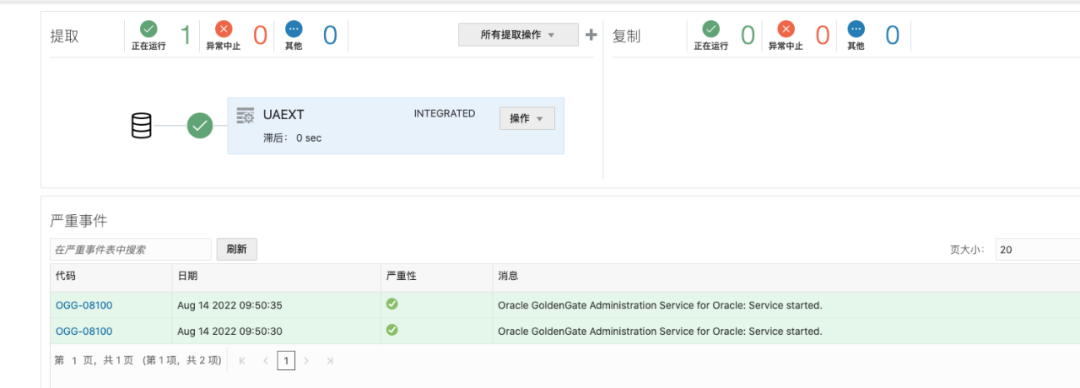
点击创建后会返回至概览页面,这时能够看到提取会出现一个状态显示。
导出数据
创建对象存储用于存放导出的文件,在导航栏选择存储>存储桶

点击创建存储桶,并记录下桶的名字,例如bucket-20220814-2248
。
通过上传任一个文件,点击文件详情活动桶的URL路径
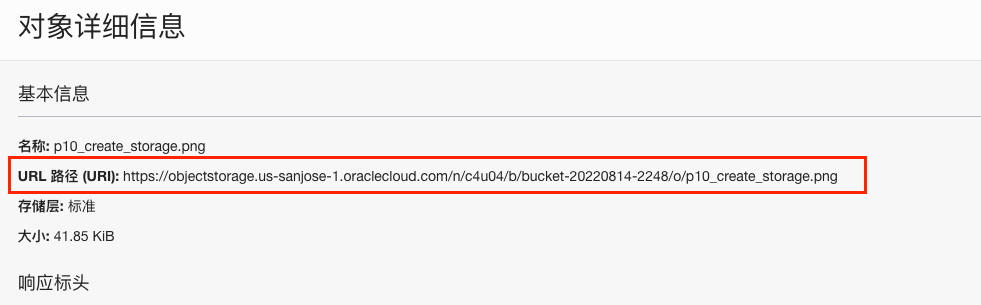
https://objectstorage.us-sanjose-1.oraclecloud.com/n/c4u04/b/bucket-20220814-2248/o/
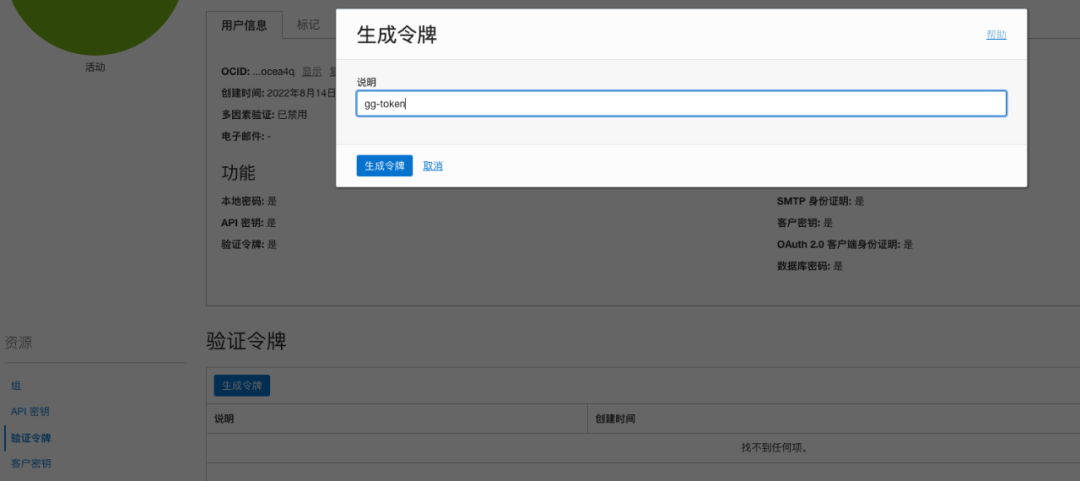
点击右上角的用户图标,进入用户信息后点击验证令牌,然后生成令牌
在源数据库的SQL窗口添加云账号
按实际替换用户和令牌
BEGIN DBMS_CLOUD.CREATE_CREDENTIAL(credential_name => 'ADB_OBJECTSTORE',username => '<user-name>',password => '<token>' );END;
执行存储过程导出dmp文件
需要替换第18行的对象存储的路径
DECLAREind NUMBER; -- Loop indexh1 NUMBER; -- Data Pump job handlepercent_done NUMBER; -- Percentage of job completejob_state VARCHAR2(30); -- To keep track of job statele ku$_LogEntry; -- For WIP and error messagesjs ku$_JobStatus; -- The job status from get_statusjd ku$_JobDesc; -- The job description from get_statussts ku$_Status; -- The status object returned by get_statusBEGIN-- Create a (user-named) Data Pump job to do a schema export.h1 := DBMS_DATAPUMP.OPEN('EXPORT','SCHEMA',NULL,'SRC_OCIGGLL_EXPORT','LATEST');-- Specify a single dump file for the job (using the handle just returned-- and a directory object, which must already be defined and accessible-- to the user running this procedure.DBMS_DATAPUMP.ADD_FILE(h1,'https://objectstorage.us-sanjose-1.oraclecloud.com/n/c4u04/b/bucket-20220814-2248/o/SRC_OCIGGLL.dmp','ADB_OBJECTSTORE','100MB',DBMS_DATAPUMP.KU$_FILE_TYPE_URIDUMP_FILE,1);-- A metadata filter is used to specify the schema that will be exported.DBMS_DATAPUMP.METADATA_FILTER(h1,'SCHEMA_EXPR','IN (''SRC_OCIGGLL'')');-- Start the job. An exception will be generated if something is not set up properly.DBMS_DATAPUMP.START_JOB(h1);-- The export job should now be running. In the following loop, the job-- is monitored until it completes. In the meantime, progress information is displayed.percent_done := 0;job_state := 'UNDEFINED';while (job_state != 'COMPLETED') and (job_state != 'STOPPED') loop dbms_datapump.get_status(h1,dbms_datapump.ku$_status_job_error + dbms_datapump.ku$_status_job_status + dbms_datapump.ku$_status_wip,-1,job_state,sts); js := sts.job_status;-- If the percentage done changed, display the new value.if js.percent_done != percent_donethen dbms_output.put_line('*** Job percent done = ' || to_char(js.percent_done)); percent_done := js.percent_done;end if;-- If any work-in-progress (WIP) or error messages were received for the job, display them.if (bitand(sts.mask,dbms_datapump.ku$_status_wip) != 0)then le := sts.wip;else if (bitand(sts.mask,dbms_datapump.ku$_status_job_error) != 0) then le := sts.error; else le := null; end if;end if;if le is not nullthen ind := le.FIRST; while ind is not null loop dbms_output.put_line(le(ind).LogText); ind := le.NEXT(ind); end loop;end if; end loop; -- Indicate that the job finished and detach from it. dbms_output.put_line('Job has completed'); dbms_output.put_line('Final job state = ' || job_state); dbms_datapump.detach(h1);END;
执行成功后可以在桶中查看到存储的文件

文章转载自FishData,如果涉嫌侵权,请发送邮件至:contact@modb.pro进行举报,并提供相关证据,一经查实,墨天轮将立刻删除相关内容。
