



打败我的从来不是天真,而是无邪
前提
1.where子句后面的值如果是字符串,必须用如下所示的单引号给我包起来!
''
2.order by 后面仅支持time字段 3.select 若出现tag列,则field列必须出现一个,换而言之,不能仅出现tag列
TIMESTAMP
使用influxDB时,总是避免不了查询一段时间范围内的数据 作为一名练习时长两年半的的JAVA后端攻城狮 写出如下SQL自然是不在话下,理所当然
select *
from item_data_value_431
where item_id='77153'
and (device_code = 'all' OR device_code = 'common')
and index_code = 'cartRate'
and time >= '2019-05-26'
and time >= '2019-05-26'
order by time asc
当我骄傲自豪且大力地按下键盘上的回车键!  ???什么都没有???事情果然没有这么简单。google百度一套连招后:
select *
from item_data_value_431
where item_id='77153'
and (device_code = 'all' OR device_code = 'common')
and index_code = 'cartRate'
and time >= '2019-05-26'
and time >= '2019-05-26'
order by time asc
tz('Asia/Shanghai')
聪明的你此时一定发现了这两者的区别:
tz('Asia/Shanghai')
时区:timezone 贴一段阿里云文档的解释 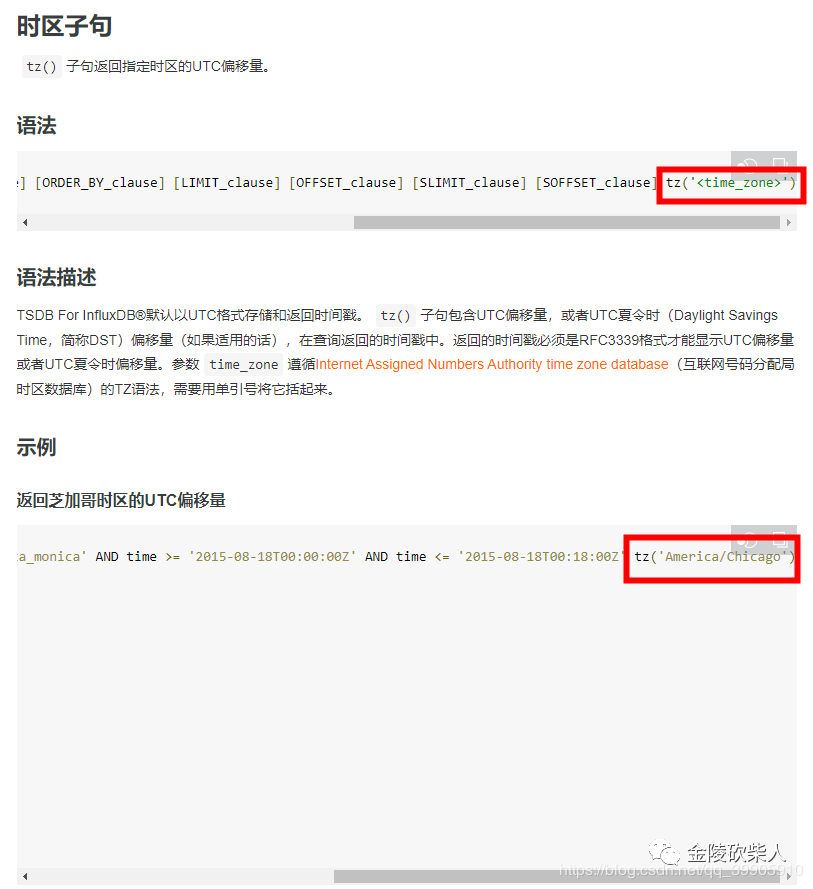 当我再次信心满满启程,将他与JAVA完美融合时,我的代码是这样的
Date startDate = DateUtils.parseDate("2019-05-26", "yyyy-MM-dd");
Date endDate = DateUtils.parseDate("2019-05-26", "yyyy-MM-dd");
InfluxDB influxDB = influxDBUtil.getInfluxDB();
StringBuilder influxQL = new StringBuilder();
influxQL.append("select * ")
        .append("from item_data_value_").append(431L).append(" ")
        .append("where item_id='").append(77153).append("' ")
        .append("and (device_code = '").append("all").append("' OR device_code = 'common') ")
        .append("and index_code = '").append("cartRate").append("' ")
        .append("and time >= '").append(DateFormatUtils.format(startDate.getTime(),"yyyy-MM-dd")).append("' ")
        .append("and time >= '").append(DateFormatUtils.format(endDate.getTime(),"yyyy-MM-dd")).append("' ")
        .append("order by time asc ")
        .append("tz('Asia/Shanghai')");
log.info("influxQL:{}", influxQL);
//执行查询
Query query = new Query(influxQL.toString(), influxDBUtil.getDatabase());
QueryResult queryResult = influxDB.query(query);
List<QueryResult.Result> results = queryResult.getResults();
QueryResult.Result result = results.get(0);
List<QueryResult.Series> seriesList = result.getSeries();
但是,映射成JAVA对象后的结果集,time这个字段对应的居然是个字符串?因此报parse错误 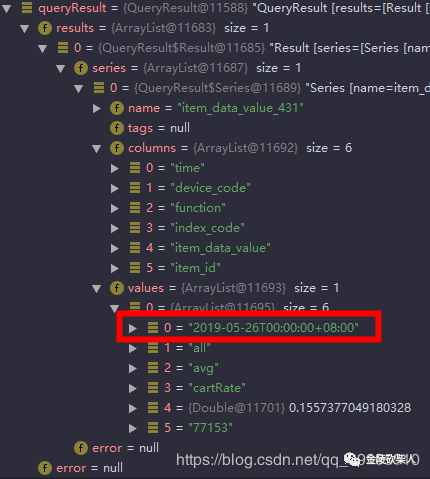 而且还长这样,这是经过如上时区tz('Asia/Shanghai')转换后的time值, 很奇怪,我从cmd命令行窗口查询时他不是长这样的, 此时的我仿佛有种似曾相识的感觉,这可能就是与网友面基的feeling吧。因此我再次使出了谷歌百度一套连招, org.influxdb.impl.TimeUtil内有两个方法
//long->string
TimeUtil.toInfluxDBTimeFormat(startDate.getTime())
//string->long
TimeUtil.fromInfluxDBTimeFormat(value)
由于使用influx-java自带的时间工具类,我将tz去掉了,采用默认tz 此时,我的influxQL变成了这样
select *
from item_data_value_431
where item_id='77153'
and (device_code = 'all' OR device_code = 'common')
and index_code = 'cartRate'
and time >= '2019-05-25T16:00:00.000Z'
and time <= '2019-05-25T16:00:00.000Z'
order by time asc
而我的代码,成了这样
Date startDate = DateUtils.parseDate("2019-05-26", "yyyy-MM-dd");
Date endDate = DateUtils.parseDate("2019-05-26", "yyyy-MM-dd");
InfluxDB influxDB = influxDBUtil.getInfluxDB();
StringBuilder influxQL = new StringBuilder();
influxQL.append("select * ")
        .append("from item_data_value_").append(431L).append(" ")
        .append("where item_id='").append(77153).append("' ")
        .append("and (device_code = '").append("all").append("' OR device_code = 'common') ")
        .append("and index_code = '").append("cartRate").append("' ")
        .append("and time >= '").append(TimeUtil.toInfluxDBTimeFormat(startDate.getTime())).append("' ")
        .append("and time <= '").append(TimeUtil.toInfluxDBTimeFormat(endDate.getTime())).append("' ")
        .append("order by time asc ");
log.info("influxQL:{}", influxQL);
//执行查询
Query query = new Query(influxQL.toString(), influxDBUtil.getDatabase());
QueryResult queryResult = influxDB.query(query);
List<QueryResult.Result> results = queryResult.getResults();
QueryResult.Result result = results.get(0);
List<QueryResult.Series> seriesList = result.getSeries();
因此完美解决字符串转Date对象的问题
SELECT INTO
select sum(item_data_value) as item_data_value_count
into workbei_test.item_data_value_count_rp.item_data_value_count_431_20190526_20190526
from item_data_value_431
where function='sum'
and time >= '2019-05-25T16:00:00.000Z'
and time <= '2019-05-25T16:00:00.000Z'
and (device_code = 'all' OR device_code = 'common')
group by item_id,index_code,device_code
;
select mean(item_data_value) as item_data_value_count
into workbei_test.item_data_value_count_rp.item_data_value_count_431_20190526_20190526
from item_data_value_431
where function='avg'
and time >= '2019-05-25T16:00:00.000Z'
and time <= '2019-05-25T16:00:00.000Z'
and (device_code = 'all' OR device_code = 'common')
group by item_id,index_code,device_code
直接报错:  翻译一波:
翻译一波:
写错:超过保留政策的分数下降=1478
无解!谷歌:官方开发人员github上的issue: 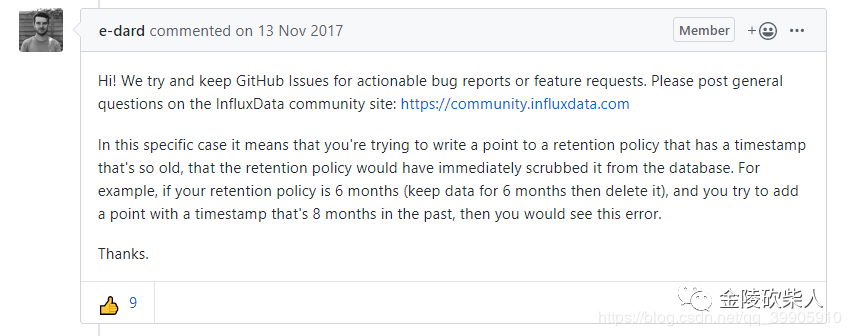 翻译:
翻译: 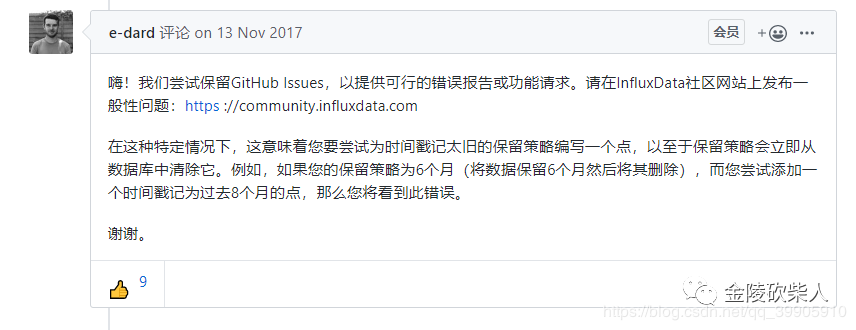 好嘞🐮🍺,该方案:日期作measurement的后缀 宣布失败 老老实实 日期作tag。
Batch Insert 批量插入
influx-java的批量插入分为两种:A.同步一次性插入 B.定时定量异步插入(据说是异步) 推荐使用第二种,因为第一种如果插入数据量大容易直接炸裂 话不说多!方案B关键代码:
//point的个数和时间是联合使用的,如果满10000条或者10000毫秒,满足任何一个条件就会发送一次写的请求
influxDB.enableBatch(10000,10000,TimeUnit.MILLISECONDS);
第二种方案代码
log.info("开始插入查询统计结果集");
long start = System.currentTimeMillis();
//开启批量功能
influxDB.setRetentionPolicy(InfluxDBFactory.itemDataValueCountRp)
        .enableBatch(10000,10000,TimeUnit.MILLISECONDS);
for (QueryResult.Result result : results) {
    List<QueryResult.Series> series = result.getSeries();
    if (series == null || series.size() == 0) {
        continue;
    }
    /*BatchPoints batchPoints = BatchPoints.database(influxDBFactory.getDatabase())
            .retentionPolicy(InfluxDBFactory.itemDataValueCountRp)//带上保留策略配合食用,风味更佳
            .build();*/
    series.forEach(new Consumer<QueryResult.Series>() {
        @Override
        public void accept(QueryResult.Series series) {
            //获取series
            Map<String, String> tags = series.getTags();
            //String deviceCode = tags.get("device_code");
            String indexCode = tags.get("index_code");
            String itemId = tags.get("item_id");
            List<List<Object>> values = series.getValues();
            BigDecimal value = new BigDecimal(values.get(0).get(1).toString());
            //构造point
            String startDateStr = DateFormatUtils.format(startDate, "yyyyMMdd");
            String endDateStr = DateFormatUtils.format(endDate, "yyyyMMdd");
            Point point = Point.measurement("item_data_value_count_" + shopId + "_" + startDateStr + "_" + endDateStr)
                    .time(System.currentTimeMillis(), TimeUnit.MILLISECONDS)
                    .tag("item_id", itemId)
                    .tag("index_code", indexCode)
                    .tag("device_code", deviceCode)
                    .addField("item_data_value_count", value)
                    .build();
            //batchPoints.point(point);
            influxDB.write(point);
        }
    });
    boolean batchEnabled = influxDB.isBatchEnabled();
    System.out.println(batchEnabled);
}
influxDB.close();
log.info("插入结束->耗时:{}ms",System.currentTimeMillis()-start);
控制台打印: 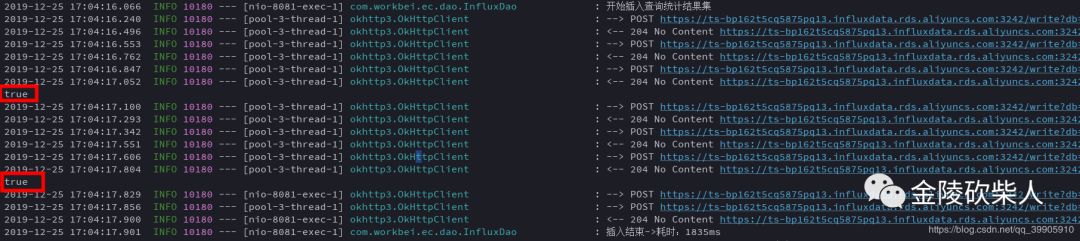
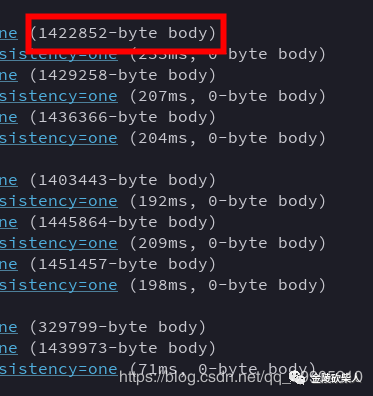 如果将Point条数缩小为一半
//point的个数和时间是联合使用的,如果满5000条或者10000毫秒,满足任何一个条件就会发送一次写的请求
influxDB.enableBatch(5000,10000,TimeUnit.MILLISECONDS);
控制台: 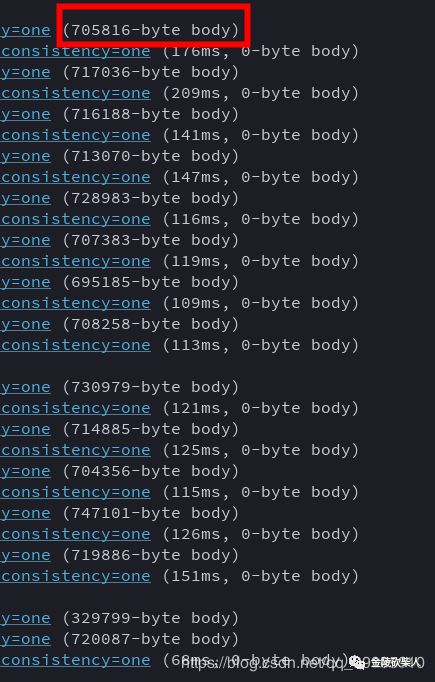 基本稳定在10000条字节的二分之一。稳健!最后简单描述下BatchPoint实现方案,也就是方案A:
//声明BatchPoints对象
BatchPoints batchPoints = BatchPoints.database(influxDBFactory.getDatabase())
                    .retentionPolicy(InfluxDBFactory.itemDataValueCountRp)//带上保留策略配合食用,风味更佳
                    .build();
//将创建的point对象塞进batchPoints
batchPoints.point(point);
//最后一次性写入influx
influxDB.write(batchPoints);
完事~ 最后在这里diss一下阿里云的influxDB的访问机制 线上程序走VPC  线上程序走公网
  本地程序走公网
  辣鸡! 稳健
