



PostgreSQL企业应用——Rust三剑客(pgx)

Rust是一门系统编程语言,专注于安全,尤其是并发安全,支持函数式和命令式以及泛型等编程范式的多范式语言。Rust在语法上和类似C++,但是设计者想要在保证性能的同时提供更好的内存安全。
Rust已经逐步开始进入企业应用和操作系统的内核开发,之前听过几次openEuler的双周会,一些内核模块已经或即将使用Rust进行开发,虽然一些现代的开发语言现在还很难撼动传统的C/C++ 地位。但是像go和Rust已经开始在一些领域里面崭露头角。go的目标是取代C,而Rust则号称是C++ 的最佳接班人。
一些大企业已经开始使用Rust进行核心业务的替代,同时也开始替代一些底层的基础库。在数据库领域Rust也逐步开始完善其功能,这个系列的文章主要介绍Rust在PostgreSQL可客户端驱动(rust-postgres)、扩展插件(pgx)和过程语言(plrust)三个方面的应用实践,第一弹——pgx。
rust环境搭建
curl --proto '=https' --tlsv1.2 -sSf https://sh.rustup.rs | sh
- cargo 国内镜像源
# 放到 `$HOME/.cargo/config` 文件中
[source.crates-io]
registry = "https://github.com/rust-lang/crates.io-index"

# 替换成你偏好的镜像源
replace-with = 'sjtu'
#replace-with = 'ustc'

# 清华大学
[source.tuna]
registry = "https://mirrors.tuna.tsinghua.edu.cn/git/crates.io-index.git"

# 中国科学技术大学
[source.ustc]
registry = "git://mirrors.ustc.edu.cn/crates.io-index"

# 上海交通大学
[source.sjtu]
registry = "https://mirrors.sjtug.sjtu.edu.cn/git/crates.io-index"

# rustcc社区
[source.rustcc]
registry = "git://crates.rustcc.cn/crates.io-index"
- rustup 国内镜像源
# 清华大学
RUSTUP_DIST_SERVER=https://mirrors.tuna.tsinghua.edu.cn/rustup

# 中国科学技术大学
RUSTUP_DIST_SERVER=https://mirrors.ustc.edu.cn/rust-static
RUSTUP_UPDATE_ROOT=https://mirrors.ustc.edu.cn/rust-static/rustup

# 上海交通大学
RUSTUP_DIST_SERVER=https://mirrors.sjtug.sjtu.edu.cn/rust-static/
环境要求
rustc(>= 1.52) andcargo- cargo install rustfmt
- git
libclang.so- A relatively recent GCC which supports
-dynamic-list(Linux) or-exported_symbols_list(Mac). - Build dependencies for PostgreSQL
范例
1.安装 cargo-pgx
首先,需要安装pgx cargo子命令。在开发和测试过程中使用。
$ cargo install cargo-pgx
2.初始化 pgx
pgx安装后需要进行初始化,初始化过程只需要一次。
$ cargo pgx init
初始化时会下载PostgreSQL的一下几个版本 v14.5, v13.8, v12.12, v11.17, v10.22

3.创建扩展
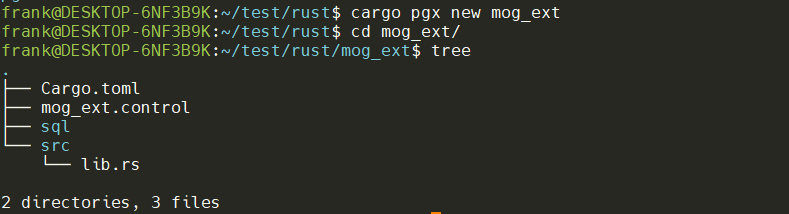
$ cargo pgx new mog_ext
$ cd mog_ext/
- src/lib.rs
use pgx::*;

pg_module_magic!();

#[pg_extern]
fn hello_mog_ext() -> &'static str {
    "Hello, mog_ext"
}

#[cfg(any(test, feature = "pg_test"))]
#[pg_schema]
mod tests {
    use pgx::*;

    #[pg_test]
    fn test_hello_mog_ext() {
        assert_eq!("Hello, mog_ext", crate::hello_mog_ext());
    }
}

#[cfg(test)]
pub mod pg_test {
    pub fn setup(_options: Vec<&str>) {
        // perform one-off initialization when the pg_test framework starts
    }

    pub fn postgresql_conf_options() -> Vec<&'static str> {
        // return any postgresql.conf settings that are required for your tests
        vec![]
    }
}
- mog_ext.control
comment = 'mog_ext:  Created by pgx'
default_version = '@CARGO_VERSION@'
module_pathname = '$libdir/mog_ext'
relocatable = false
superuser = false
- Cargo.toml
[package]
name = "mog_ext"
version = "0.0.0"
edition = "2021"
rust-version = "1.58"

[lib]
crate-type = ["cdylib"]

[features]
default = ["pg13"]
pg10 = ["pgx/pg10", "pgx-tests/pg10" ]
pg11 = ["pgx/pg11", "pgx-tests/pg11" ]
pg12 = ["pgx/pg12", "pgx-tests/pg12" ]
pg13 = ["pgx/pg13", "pgx-tests/pg13" ]
pg14 = ["pgx/pg14", "pgx-tests/pg14" ]
pg_test = []

[dependencies]
pgx = "0.4.5"

[dev-dependencies]
pgx-tests = "0.4.5"

[profile.dev]
panic = "unwind"
lto = "thin"

[profile.release]
panic = "unwind"
opt-level = 3
lto = "fat"
codegen-units = 1
4.运行
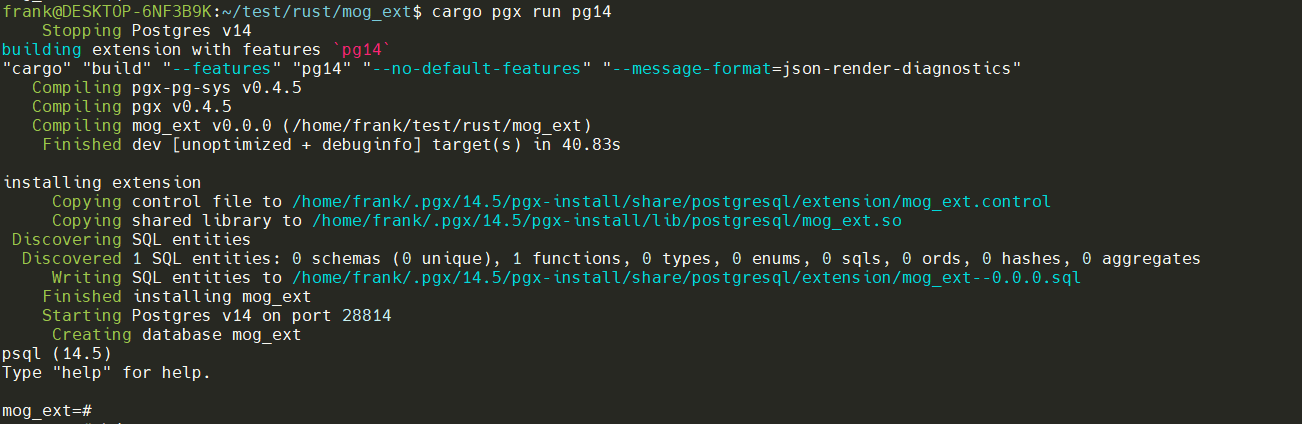
cargo pgx run pg14
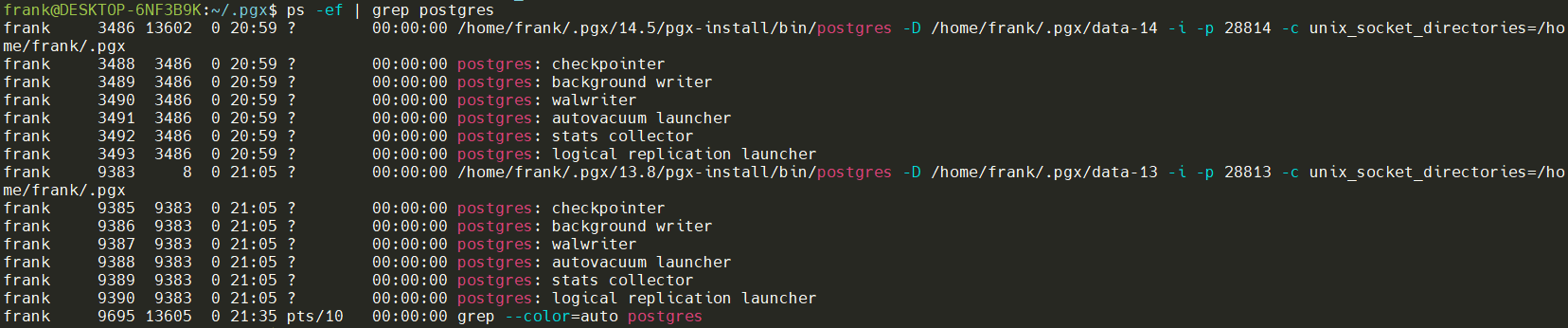
在cargo pgx init 时安装了10~14不同的版本,安装在~/.pgx目录下:

当前启动了两个集簇data-13和data-14。
在pg14上测试rust插件
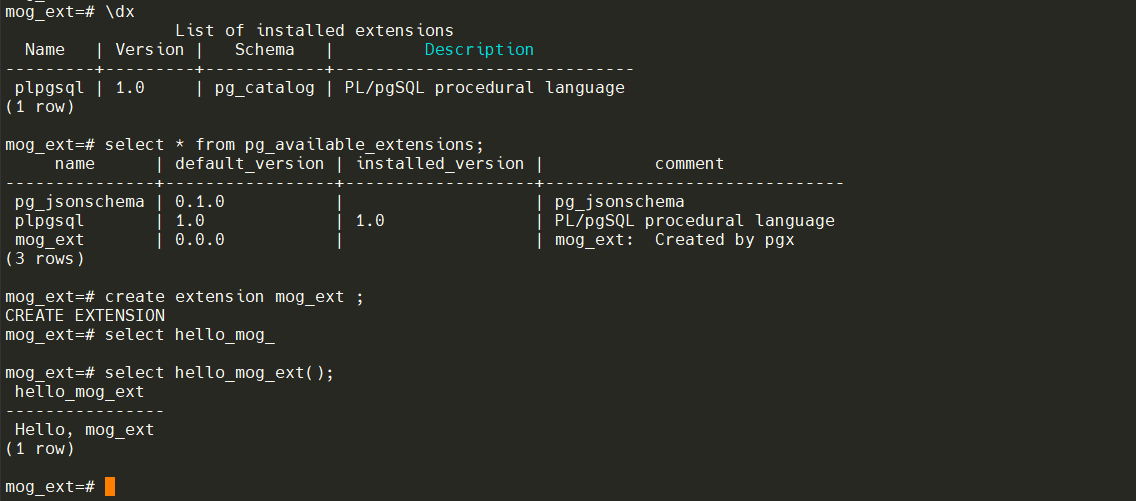
创建并运行插件
5.安装
cargo pgx install
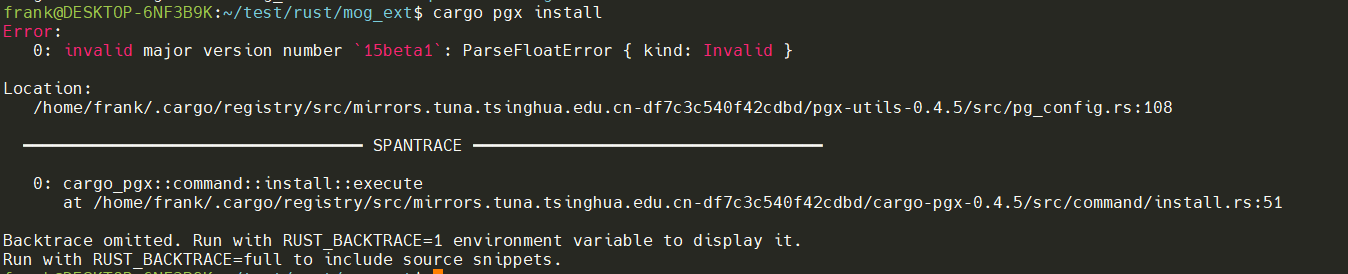
pgx会根据当前环境便利的pg_config进行安装,因为我这里是最新的15beta1,版本不匹配因此安装失败。
附录
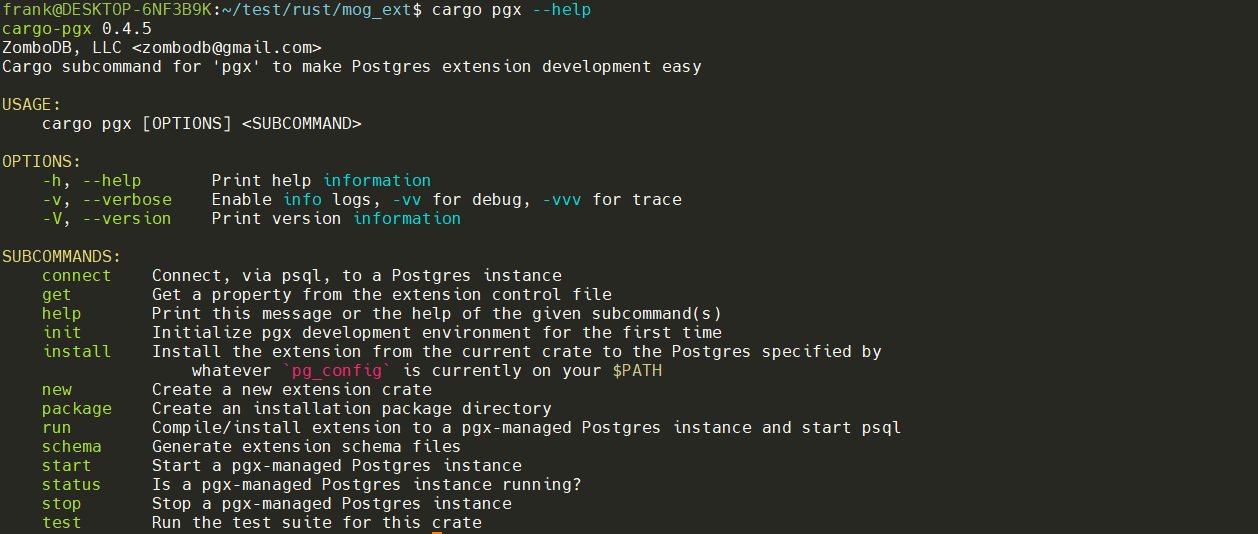
pgx子命令列表
最后修改时间:2022-08-21 17:02:42
「喜欢这篇文章,您的关注和赞赏是给作者最好的鼓励」
关注作者
【版权声明】本文为墨天轮用户原创内容,转载时必须标注文章的来源(墨天轮),文章链接,文章作者等基本信息,否则作者和墨天轮有权追究责任。如果您发现墨天轮中有涉嫌抄袭或者侵权的内容,欢迎发送邮件至:contact@modb.pro进行举报,并提供相关证据,一经查实,墨天轮将立刻删除相关内容。
