



点击上方蓝字  关注大侠之运维
top同样是是运维日常用到最多的命令之一,常常用来查看系统的整体性能,也可以去看下那些进程消耗的系统资源比较多。
当然了之前也介绍过蛮多可以用查看系统性能的命令:linux查看系统负载有哪些命令?这篇都全了
今天这篇文章介绍的工具是一款可以替代top的工具,展示的也比较多,之前也介绍过一款用python开发的,超强大| linux中系统性能监控工具-glances,今天这款是用rust语言开发的,叫做bottom。
这款工具不仅适用于linux,也可以部署在windows及uninx系统,在功能上也有了更多的选择。
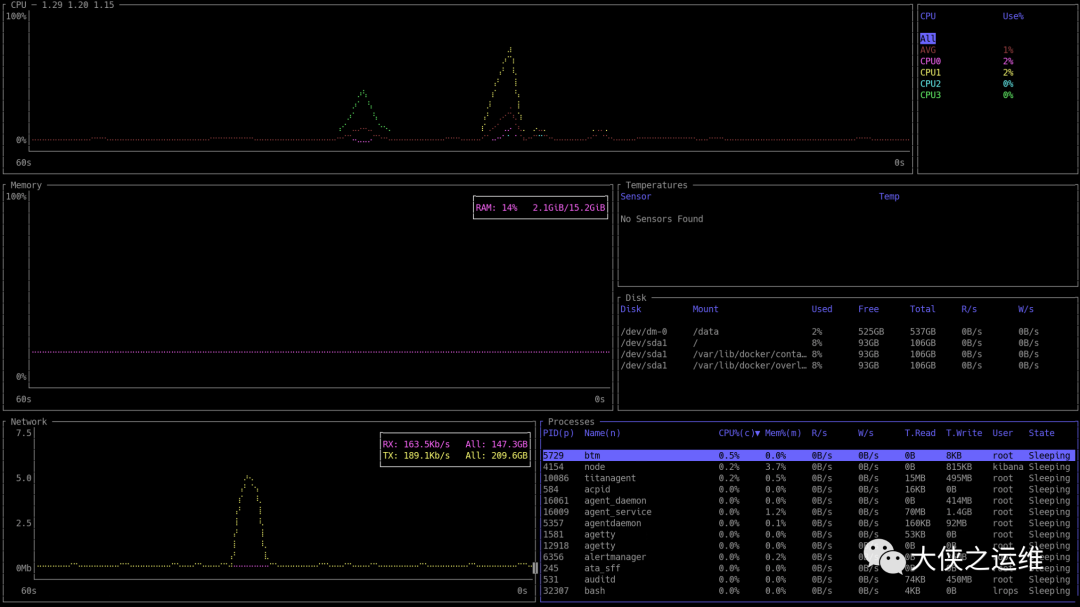
来看下整体的一个界面
♦️
duf安装
源代码地址可以参考:
https://github.com/ClementTsang/bottom
这款工具的安装也是有点儿复杂,支持很多平台
centos 系统安装参考如下:
yum install dnfdnf install 'dnf-command(copr)'dnf copr enable atim/bottom -ydnf install botto
♦️
实际使用
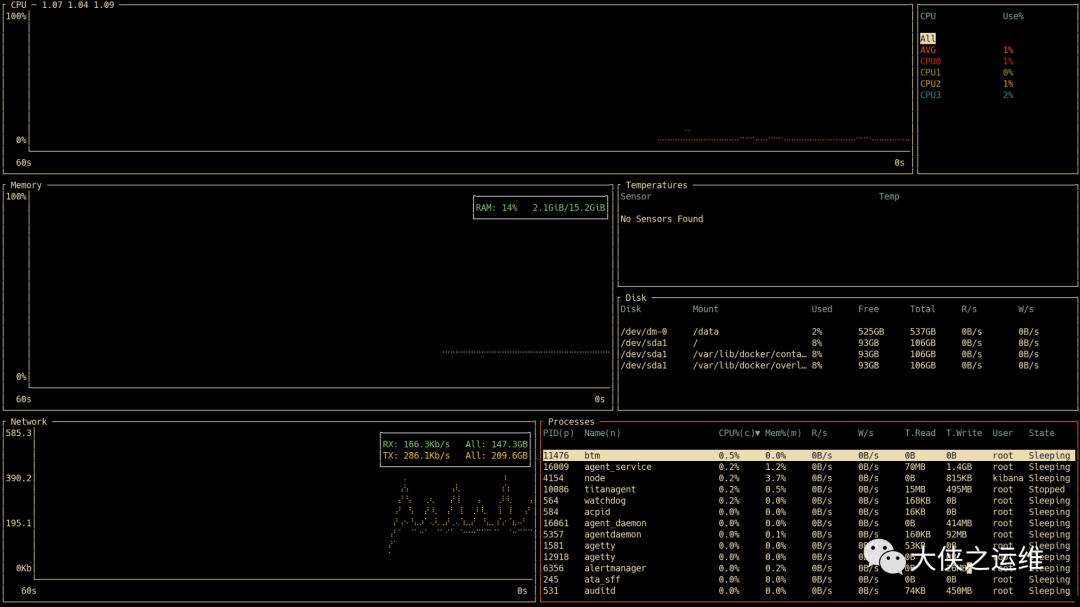
btm --color 具体配色
可以选择不同的颜色进行展示
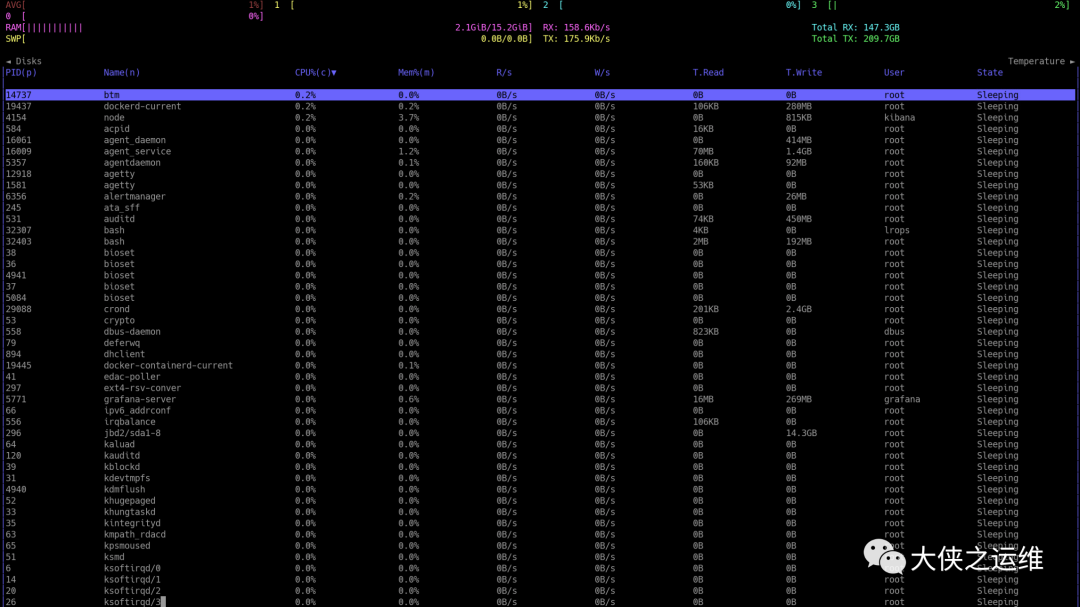
btm -b
♦️
参考选项
可以通过btm --help 查看
USAGE:btm [FLAG]FLAGS:--autohide_timeAutomatically hides the time scale in graphs after beingshown for a brief moment when zoomed in/out. If time isdisabled via --hide_time then this will have no effect.-b, --basicHides graphs and uses a more basic look. Design is largelyinspired by htop's.--batteryShows the battery widget in default or basic mode. No effect oncustom layouts.-S, --case_sensitiveWhen searching for a process, enables case sensitivity by default.-c, --celsiusSets the temperature type to Celsius. This is the defaultoption.--color <COLOR SCHEME>Use a pre-defined color scheme. Currently supported values are:+------------------------------------------------------------+| default |+------------------------------------------------------------+| default-light (default but for use with light backgrounds) |+------------------------------------------------------------+| gruvbox (a bright theme with 'retro groove' colors) |+------------------------------------------------------------+| gruvbox-light (gruvbox but for use with light backgrounds) |+------------------------------------------------------------+| nord (an arctic, north-bluish color palette) |+------------------------------------------------------------+| nord-light (nord but for use with light backgrounds) |+------------------------------------------------------------+Defaults to "default".-C, --config <CONFIG PATH>Sets the location of the config file. Expects a configfile in the TOML format. If it doesn't exist, one is created.-u, --current_usageSets process CPU% usage to be based on the current system CPU% usagerather than total CPU usage.-t, --default_time_value <MS>Default time value for graphs in milliseconds. The minimumtime is 30s (30000), and the default is 60s (60000).--default_widget_count <INT>Sets the n'th selected widget type to use as the default widget.Requires 'default_widget_type' to also be set, and defaults to 1.This reads from left to right, top to bottom. For example, supposewe have a layout that looks like:+-------------------+-----------------------+| CPU (1) | CPU (2) |+---------+---------+-------------+---------+| Process | CPU (3) | Temperature | CPU (4) |+---------+---------+-------------+---------+And we set our default widget type to 'CPU'. If we set'--default_widget_count 1', then it would use the CPU (1) asthe default widget. If we set '--default_widget_count 3', it woulduse CPU (3) as the default instead.--default_widget_type <WIDGET TYPE>Sets which widget type to use as the default widget.For the default layout, this defaults to the 'process' widget.For a custom layout, it defaults to the first widget it sees.For example, suppose we have a layout that looks like:+-------------------+-----------------------+| CPU (1) | CPU (2) |+---------+---------+-------------+---------+| Process | CPU (3) | Temperature | CPU (4) |+---------+---------+-------------+---------+Setting '--default_widget_type Temp' will make the Temperaturewidget selected by default.Supported widget names:+--------------------------+| cpu |+--------------------------+| mem, memory |+--------------------------+| net, network |+--------------------------+| proc, process, processes |+--------------------------+| temp, temperature |+--------------------------+| disk |+--------------------------+| batt, battery |+--------------------------+--disable_advanced_killHides advanced options to stop a process on Unix-like systems. The only option shown is -15.--disable_clickDisables mouse clicks from interacting with the program.-m, --dot_markerUses a dot marker for graphs as opposed to the default braillemarker.-f, --fahrenheitSets the temperature type to Fahrenheit.-g, --groupGroups processes with the same name by default.-h, --helpPrints help information. Use --help for more info.-a, --hide_avg_cpuHides the average CPU usage from being shown.--hide_table_gapHides the spacing between table headers and entries.--hide_timeCompletely hides the time scale from being shown.-k, --kelvinSets the temperature type to Kelvin.-l, --left_legendPuts the CPU chart legend to the left side rather than the right side.--mem_as_valueDefaults to showing process memory usage by value. Otherwise,it defaults to showing it by percentage.--network_use_binary_prefixDisplays the network widget with binary prefixes (i.e. kibibits, mebibits) rather than a decimal prefix(i.e. kilobits, megabits). Defaults to decimal prefixes.

👆点击查看更多内容👆
推荐阅读
记得星标记一下,下次更容易找到我

文章转载自大侠之运维,如果涉嫌侵权,请发送邮件至:contact@modb.pro进行举报,并提供相关证据,一经查实,墨天轮将立刻删除相关内容。
