



配置信息
数据库版本:11.5 社区版
操作系统版本:RHEL 7.8
相关版本信息:

操作系统配置
关闭SElinux
vi /etc/selinux/config
...
SELINUX=disabled
...
note:重启系统生效
关闭防火墙
systemctl disable firewalld
systemctl stop firewalld
安装依赖包
yum install -y bc binutils* compat-libcap1* compat-libstdc* elfutils-libelf* elfutils-libelf-devel* fontconfig-devel* glibc* glibc-devel* ksh libaio* libaio-devel* libX11* libXau* libXi* libXtst* libXrender* libXrender-devel* libgcc* libstdc++* libstdc++-devel* libxcb* make net-tools nfs-utils smartmontools sysstat unixODBC gcc gcc-c++ python python-configshell python-rtslib python-six targetcli ntp
yum install -y libstdc++.i686
yum install -y pam.i686
DB2安装
解压软件
mkdir /home/software
tar -zxvf v11.5.5_linuxx64_server_dec.tar.gz
修改权限
chmod 777 server_dec
mv server_dec ibm-db2
预检查
[root@db2 ibm-db2]# ./db2prereqcheck -v 11.5.0.0

==========================================================================

Mon Mar 22 13:27:50 2021
Checking prerequisites for DB2 installation. Version "11.5.0.0". Operating system "Linux"

Validating "Linux distribution " ...
   Required minimum operating system distribution: "RHEL"; Version: "7"; Service pack: "5".
   Actual operating system distribution Version: "7"; Service pack: "8".
   Requirement matched.

Validating "kernel level " ...
   Required minimum operating system kernel level: "3.10.0".
   Actual operating system kernel level: "4.14.35".
   Requirement matched.

Validating "C++ Library version " ...
   Required minimum C++ library: "libstdc++.so.6"
   Standard C++ library is located in the following directory: "/usr/lib64/libstdc++.so.6.0.19".
   Actual C++ library: "CXXABI_1.3.1"
   Requirement matched.


Validating "32 bit version of "libstdc++.so.6" " ...
   Found the 32 bit "/lib/libstdc++.so.6" in the following directory "/lib".
   Requirement matched.

Validating "libaio.so version " ...
DBT3553I  The db2prereqcheck utility successfully loaded the libaio.so.1 file.
   Requirement matched.

Validating "libnuma.so version " ...
DBT3610I  The db2prereqcheck utility successfully loaded the libnuma.so.1 file.
   Requirement matched.

Validating "/lib/libpam.so*" ...
   Requirement matched.
DBT3533I  The db2prereqcheck utility has confirmed that all installation prerequisites were met.

==========================================================================

Mon Mar 22 13:27:51 2021
Checking prerequisites for DB2 installation with the DB2 pureScale Feature.  Version: "11.5.0.0".  Operating system: "Linux".

Validating "Linux distribution " ...
   Required minimum operating system distribution: "RHEL"; Version: "7"; Service pack: "5".
   Actual operating system distribution Version: "7"; Service pack: "8".
   Requirement matched.

Validating "SELinux status " ...
   SELinux is "disabled ".
   Requirement matched.

Validating "libc.so version " ...
   glibc library is located in the following directory "/usr/lib64/libc-2.17.so".
   Required minimum glibc library version: "2.4.0"
   Actual glibc library version: "2.17.0"
   Requirement matched.

Validating "gcc" ...
   Package (or file) found: "gcc"
   Requirement matched.

Validating "binutils" ...
   Package (or file) found: "binutils"
   Requirement matched.

Validating "cpp" ...
   Package (or file) found: "cpp"
   Requirement matched.

Validating "gcc-c++" ...
   Package (or file) found: "gcc-c++"
   Requirement matched.

Validating "" ...
sh: -c: line 0: syntax error near unexpected token `('
sh: -c: line 0: `rpm -q --qf "%{NAME}\n%{VERSION}\n%{RELEASE}\n" -l (null) 2>&1 > /tmp/db2prereqcheck.2085'
DBT3507E  The db2prereqcheck utility failed to find the following package or file: "".
   ERROR : Requirement not matched.

Validating "kernel-devel" ...
DBT3507E  The db2prereqcheck utility failed to find the following package or file: "kernel-devel".
   ERROR : Requirement not matched.

Validating "file" ...
   Package (or file) found: "file"
   Requirement matched.

Validating "libgomp" ...
   Package (or file) found: "libgomp"
   Requirement matched.

Validating "make" ...
   Package (or file) found: "make"
   Requirement matched.

Validating "libgcc" ...
   Package (or file) found: "libgcc"
   Requirement matched.

Validating "patch" ...
DBT3507E  The db2prereqcheck utility failed to find the following package or file: "patch".
   ERROR : Requirement not matched.

Validating "ksh" ...
   Required minimum version for "ksh": "20100621"
   Actual version of package: "20120801"
   Requirement matched.

Validating "/usr/sbin/ntpd" ...
   Required minimum version for "/usr/sbin/ntpd": "4.2.6p5"
   Requirement matched.

Validating "prereqSAM" ...
DBT3613E  The db2prereqcheck utility failed to verify the prerequisites for TSA. Ensure your machine meets all the TSA installation prerequisites.
   ERROR : Requirement not matched.

Validating "free space" ...
The directory "/tmp" has enough space on host "db2".
   Requirement matched.

Validating "free space" ...
The directory "/var" has enough space on host "db2".
   Requirement matched.

Validating "free space" ...
The directory "/usr" has enough space on host "db2".
   Requirement matched.

Validating "sg3_utils" ...
   Package (or file) found: "sg3_utils"
   Requirement matched.

Validating "sg_persist" ...
   Package (or file) found: "/usr/bin/sg_persist"
   Requirement matched.
Requirement not matched for DB2 database "Server" with pureScale feature . Version: "11.5.0.0".
Summary of prerequisites that are not met on the current system:
DBT3613E  The db2prereqcheck utility failed to verify the prerequisites for TSA. Ensure your machine meets all the TSA installation prerequisites.


DBT3507E  The db2prereqcheck utility failed to find the following package or file: "patch".


DBT3507E  The db2prereqcheck utility failed to find the following package or file: "kernel-devel".


DBT3507E  The db2prereqcheck utility failed to find the following package or file: "".
note:可以看到单机环境所有检查都通过,pureScale 集群检查无需理会
图形化安装
# export DISPLAY=xxx.xx.xx:0.0
# cd /home/software/ibm-db2
# ./db2setup
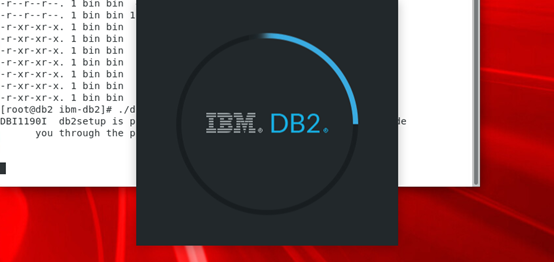
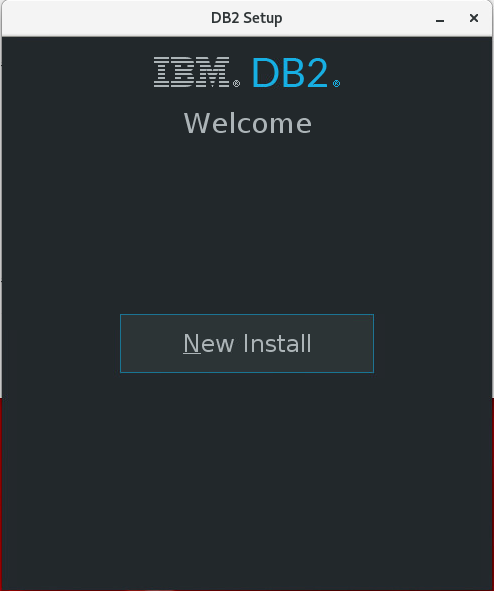
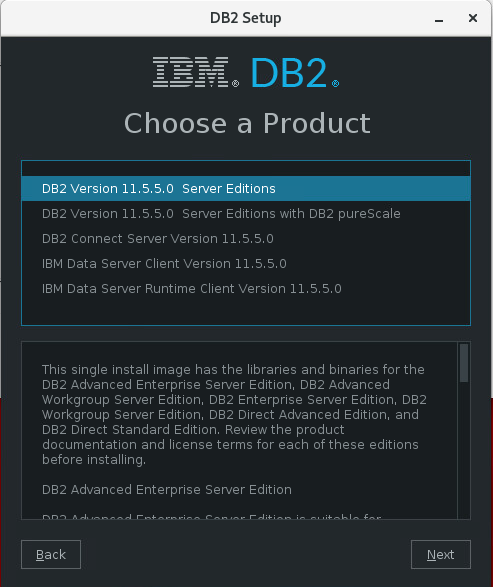
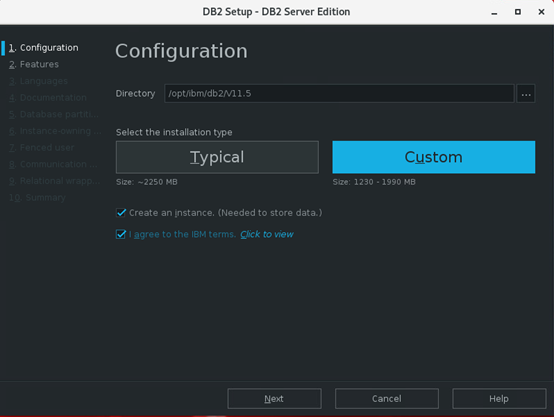

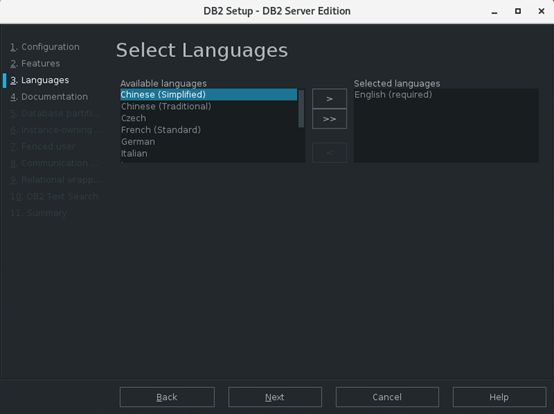
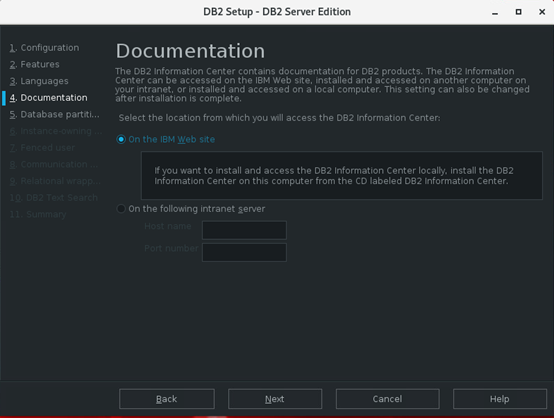
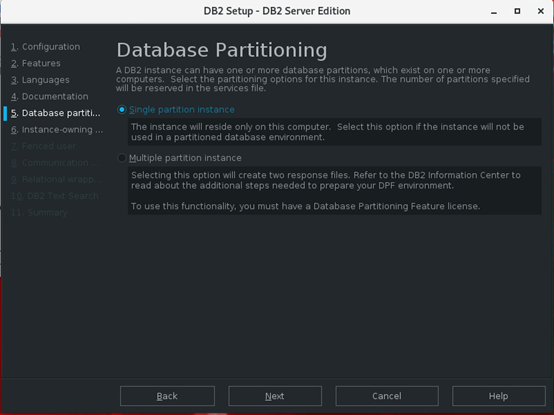
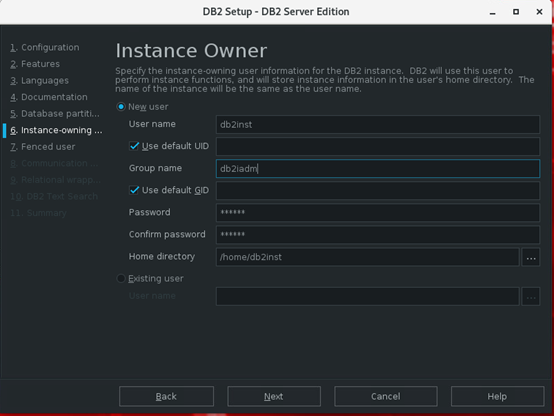
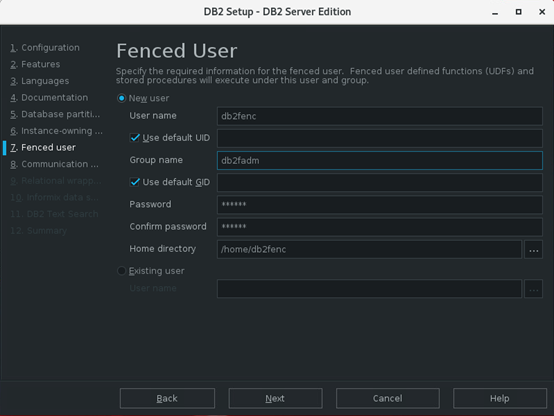
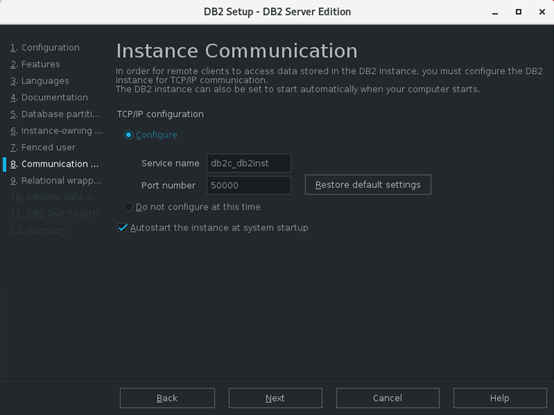
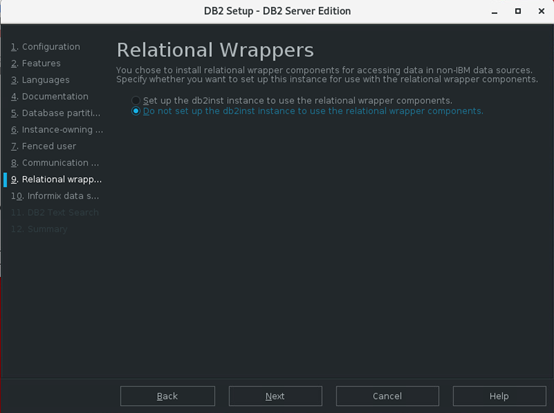
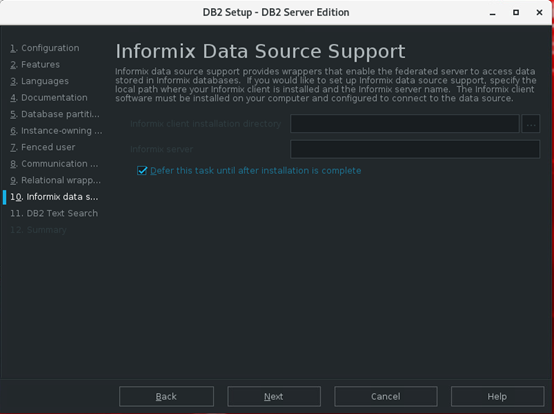
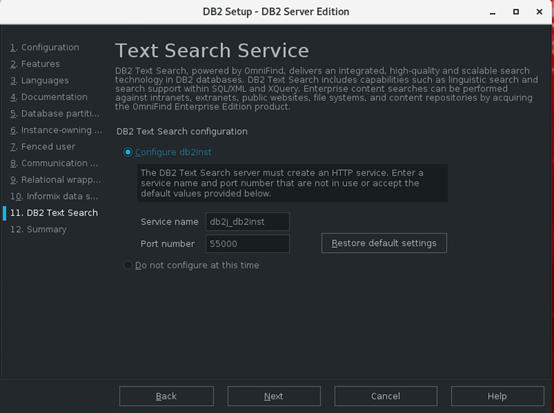
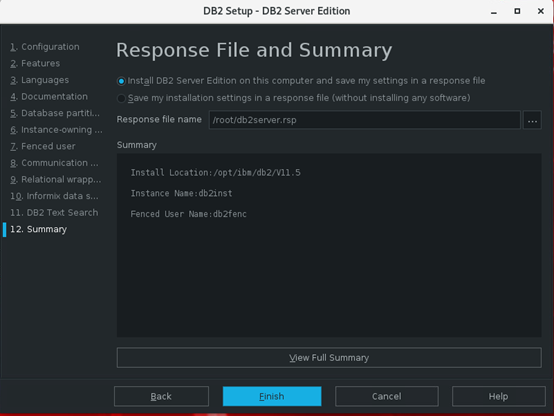

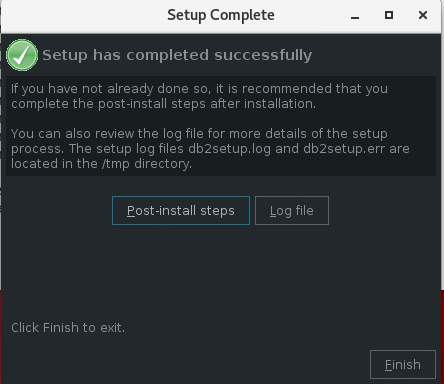
note:至此安装完成
进程查看
[root@db2 ~]# su - db2inst
Last login: Fri Mar 26 08:57:54 CST 2021 on pts/0
[db2inst@db2 ~]$ db2_ps
Node 0
     UID        PID       PPID    C     STIME     TTY     TIME CMD
    root       5668          1    0     Mar23       ? 00:00:00 db2wdog 0 [db2inst]
 db2inst       5670       5668    0     Mar23       ? 00:09:15 db2sysc 0
    root       5676       5668    0     Mar23       ? 00:00:00 db2ckpwd 0
    root       5677       5668    0     Mar23       ? 00:00:00 db2ckpwd 0
    root       5678       5668    0     Mar23       ? 00:00:00 db2ckpwd 0
 db2inst       5680       5668    0     Mar23       ? 00:00:00 db2vend (PD Vendor Process - 1) 0
 db2inst       5689       5668    0     Mar23       ? 00:01:10 db2acd 0 ,0,0,0,1,0,0,00000000,0,0,0000000000000000,0000000000000000,00000000,00000000,00000000,00000000,00000000,00000000,0000,00000000,00000000,00000000,00000000,00000000,00000000,00000000,00000000,000000019d876000,0000000000000000,0000000000000000,1,0,0,,,,,a89e04,14,1e014,2,0,1,0000000000041fc0,0x240000000,0x240000000,1600000,109800d,2,1748012
 db2fenc       6633       5668    0     Mar23       ? 00:00:00 db2fmp ( ,1,0,0,0,0,0,00000000,0,0,0000000000000000,0000000000000000,00000000,00000000,00000000,00000000,00000000,00000000,0000,00000000,00000000,00000000,00000000,00000000,00000000,00000000,00000000,000000019d876000,0000000000000000,0000000000000000,1,0,0,,,,,a89e04,14,1e014,2,0,1,0000000000061fc0,0x240000000,0x240000000,1600000,109800d,2,1998037
[db2inst@db2 ~]$
「喜欢这篇文章,您的关注和赞赏是给作者最好的鼓励」
关注作者
【版权声明】本文为墨天轮用户原创内容,转载时必须标注文章的来源(墨天轮),文章链接,文章作者等基本信息,否则作者和墨天轮有权追究责任。如果您发现墨天轮中有涉嫌抄袭或者侵权的内容,欢迎发送邮件至:contact@modb.pro进行举报,并提供相关证据,一经查实,墨天轮将立刻删除相关内容。
