



Python在Windows下提供了一个独立的解析器pythonw.exe,当用pythonw.exe 执行 python 脚本时,脚本程序会以后台方式运行。
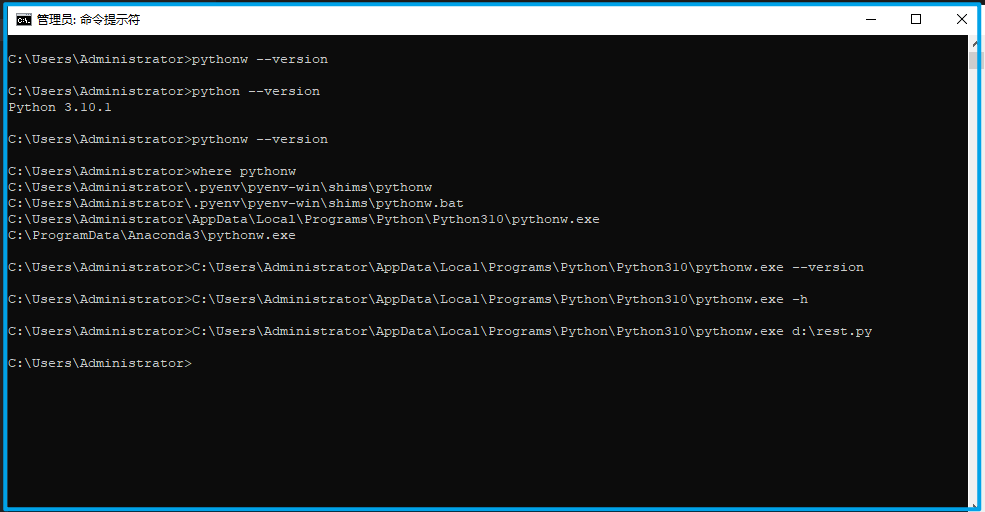
Windows 下可以使用 where 命令定位 pythonw.exe ,与 python.exe 不一样的是,pythonw.exe 不会打印任何信息,也不会进入到交互模式。当使用 pythonw.exe 执行程序时不会有任何报错,就算脚本存在bug无法执行,如果使用 pythonw.exe 来执行脚本,也没有任何错误提示。
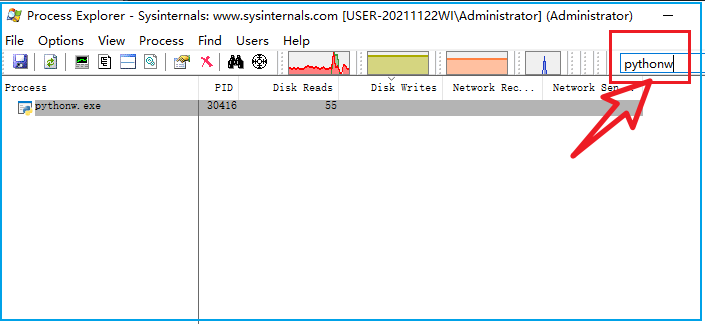
要检查程序是否在后台执行,可以查看任务管理器里是否有 pythonw.exe 进程在执行。微软的sysinternals工具包中的procexp.exe可以代替任务管理器,并且还带关键字过滤功能,可以快速找到进程。
除了直接调用 pythonw.exe 让脚本在后台执行,在 github 上还有一个 daemoniker 的库可以做到 windows 和 linux 平台的后台进程的一致性处理。这个库可以做到让脚本成为后台进程,并且是跨平台的。
github项目地址:
https://github.com/Muterra/py_daemoniker
其中官方给出的示例代码为:
from daemoniker import Daemonizerwith Daemonizer() as (is_setup, daemonizer):if is_setup:# This code is run before daemonization.do_things_here()# We need to explicitly pass resources to the daemon; other variables# may not be correctis_parent, my_arg1, my_arg2 = daemonizer(path_to_pid_file,my_arg1,my_arg2)if is_parent:# Run code in the parent after daemonizationparent_only_code()# We are now daemonized, and the parent just exited.code_continues_here()
在实际使用中,可以将该代码段简化为:
#!python3import win32com.clientimport timedef mydaemon():# 每二十分钟休息一次mytimer1 = 60 * 20# 每次休息20秒mytimer2 = 20# 快捷键 ctrl+3myhotkey = "^3"shell = win32com.client.Dispatch("WScript.Shell")while True:time.sleep(mytimer1)shell.SendKeys(myhotkey, 0)time.sleep(mytimer2)import daemonikerwith daemoniker.Daemonizer() as (is_setup, daemonize):if is_setup:passdaemonize("d:/pid.log")mydaemon()
最后一段 daemoniker 的代码,需要提供一个文件用来存进程ID,并且程序执行的前题是该文件不存在。
在实际执行时会有warning,但不影响程序在后台执行:
Python310\lib\runpy.py:126:RuntimeWarning: 'daemoniker._daemonize_windows' found in sys.modules after import of package 'daemoniker',but prior to execution of 'daemoniker._daemonize_windows';this may result in unpredictable behaviour
模块 daemoniker 在 windows 上的的执行逻辑就是找到 pythonw.exe 并调用 pythonw.exe。使用它的理由是它提供了跨平台的解决方案,并且将后台进程的ID写到了日志文件中。
daemoniker 要求 python 版本高于 3.5, 它的安装步骤:
pip install daemoniker
全文完。
如果转发本文,文末务必注明:“转自微信公众号:生有可恋”。
