



前言
PostgreSQL 可以通过mysql_fdw访问MySQL(或者MariaDB),
那MySQL如何访问PostgreSQL呢?
答案是CONNECT Store Engine。
MariaDB 从 10.0.2版本开始支持CONNECT Store Engine。
CONNECT存储引擎使MariaDB可以访问外部(本地或远程)数据(MED)。这是通过根据不同的数据类型(尤其是各种格式的文件),通过ODBC或JDBC从其他DBMS或产品(例如Excel或MongoDB)提取的数据或从环境中检索到的数据(例如DIR,WMI)定义表来完成的 和MAC表)。
该存储引擎支持表分区,MariaDB虚拟列,并允许定义特殊列,例如ROWID,FILEID和SERVID。
本文就介绍下Ubuntu MariaDB如何通过CONNECT插件来访问Postgres。
环境
MariaDB 10.4
host: 127.0.0.1
port: 3306
username: root
password: pass
PostgreSQL 12.2
host: 192.168.1.6
port: 5433
username: postgres
database: postgres
password:
Ubuntu 18.04 LTS
安装CONNECT插件
$ apt-get install mariadb-plugin-connect
mysql> INSTALL SONAME 'ha_connect';
安装ODBC-PostgreSQL
MariaDB服务器上安装ODBC-PostgreSQL
$ apt-get install unixodbc odbc-postgresql
配置ODBC.ini
cat >>/etc/odbc.ini <<EOF[pg12]Description = PostgreSQLDriver = PostgreSQL UnicodeTrace = NoTraceFile = tmp/psqlodbc.logDatabase = postgresServername = 192.168.1.6UserName = postgresPassword =Port = 5433ReadOnly = YesRowVersioning = NoShowSystemTables = NoShowOidColumn = NoFakeOidIndex = NoConnSettings =EOF
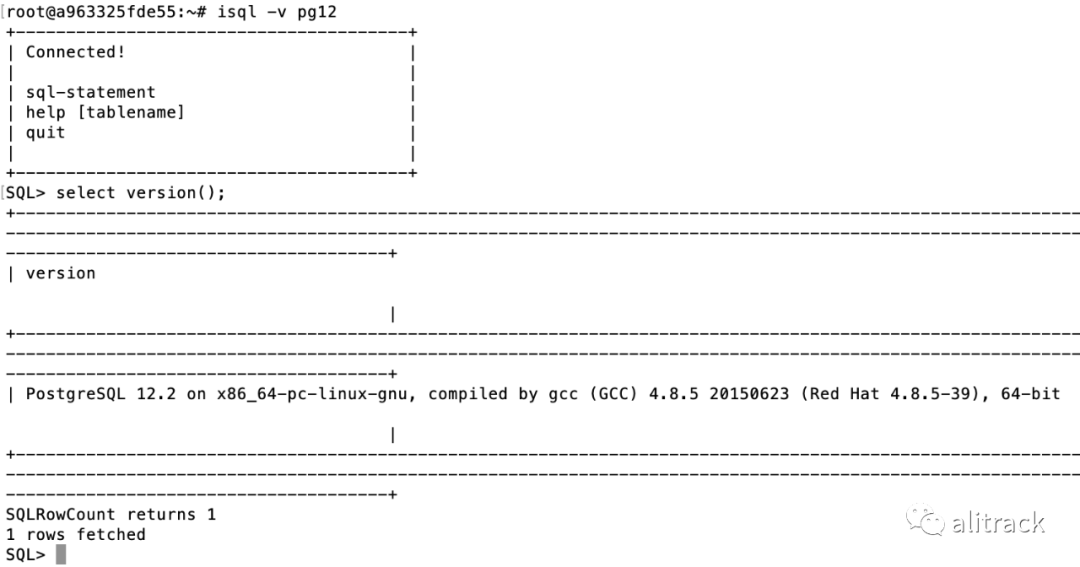
测试odbc
isql -v pg12
测试CONNECT
create database postgresuse postgres;CREATE TABLE iris (sepal_length double(12,2) NULL,sepal_width double(12,2) NULL,petal_length double(12,2) NULL,petal_width double(12,2) NULL,species varchar(20) NULL)ENGINE=CONNECT TABLE_TYPE=ODBC tabname='mysql.iris'CONNECTION='DSN=pg12';select * from iris limit 10;

mysql> show create table postgres.iris;>>返回CREATE TABLE `iris` (`sepal_length` float DEFAULT NULL,`sepal_width` float DEFAULT NULL,`petal_length` float DEFAULT NULL,`petal_width` float DEFAULT NULL,`species` varchar(20) DEFAULT NULL) ENGINE=CONNECT DEFAULT CHARSET=latin1CONNECTION='DSN=pg12'`TABLE_TYPE`=ODBC `tabname`='mysql.iris'
成功。
参考
https://mariadb.com/kb/en/connect/
https://mariadb.com/kb/en/connect-odbc-table-type-accessing-tables-from-another-dbms
https://odbc.postgresql.org/
文章转载自alitrack,如果涉嫌侵权,请发送邮件至:contact@modb.pro进行举报,并提供相关证据,一经查实,墨天轮将立刻删除相关内容。
