



Table of Contents
一. 文件上传:表结构设计
根据表结构的需求,在models.py中创建类(由类生成数据库中的表)。
class Boss(models.Model):
    """ 老板 """
    name = models.CharField(verbose_name="姓名", max_length=32)
    age = models.IntegerField(verbose_name="年龄")
    img = models.CharField(verbose_name="头像", max_length=128)

class City(models.Model):
    """ 城市 """
    name = models.CharField(verbose_name="名称", max_length=32)
    count = models.IntegerField(verbose_name="人口")

    # 本质上数据库也是CharField,自动保存数据。
    img = models.FileField(verbose_name="Logo", max_length=128, upload_to='city/')
Django命令生成库表
python manage.py makemigrations
python manage.py migrate
二. URL调整
新增对应的 增删改查对应的URL,如下:
# 上传文件
    path('upload/list/', upload.upload_list),
    path('upload/form/', upload.upload_form),
    path('upload/modal/form/', upload.upload_modal_form),

# 城市列表
    path('city/list/', city.city_list),
    path('city/add/', city.city_add),
三. 后端功能实现
3.1 upload.py
import os
from django.conf import settings
from django.shortcuts import render, HttpResponse
from app01 import models


def upload_list(request):
    if request.method == "GET":
        return render(request, 'upload_list.html')

    # # 'username': ['big666']
    # print(request.POST)  # 请求体中数据
    # # {'avatar': [<InMemoryUploadedFile: 图片 1.png (image/png)>]}>
    # print(request.FILES)  # 请求发过来的文件 {}

    file_object = request.FILES.get("avatar")
    # print(file_object.name)  # 文件名:WX20211117-222041@2x.png

    f = open(file_object.name, mode='wb')
    for chunk in file_object.chunks():
        f.write(chunk)
    f.close()

    return HttpResponse("...")


from django import forms
from app01.utils.bootstrap import BootStrapForm, BootStrapModelForm


class UpForm(BootStrapForm):
    bootstrap_exclude_fields = ['img']

    name = forms.CharField(label="姓名")
    age = forms.IntegerField(label="年龄")
    img = forms.FileField(label="头像")


def upload_form(request):
    title = "Form上传"
    if request.method == "GET":
        form = UpForm()
        return render(request, 'upload_form.html', {"form": form, "title": title})

    form = UpForm(data=request.POST, files=request.FILES)
    if form.is_valid():
        # {'name': '武沛齐', 'age': 123, 'img': <InMemoryUploadedFile: 图片 1.png (image/png)>}
        # 1.读取图片内容,写入到文件夹中并获取文件的路径。
        image_object = form.cleaned_data.get("img")

        # media_path = os.path.join(settings.MEDIA_ROOT, image_object.name)
        media_path = os.path.join("media", image_object.name)
        f = open(media_path, mode='wb')
        for chunk in image_object.chunks():
            f.write(chunk)
        f.close()

        # 2.将图片文件路径写入到数据库
        models.Boss.objects.create(
            name=form.cleaned_data['name'],
            age=form.cleaned_data['age'],
            img=media_path,
        )
        return HttpResponse("...")
    return render(request, 'upload_form.html', {"form": form, "title": title})


from django import forms
from app01.utils.bootstrap import BootStrapModelForm


class UpModelForm(BootStrapModelForm):
    bootstrap_exclude_fields = ['img']

    class Meta:
        model = models.City
        fields = "__all__"


def upload_modal_form(request):
    """ 上传文件和数据(modelForm)"""
    title = "ModelForm上传文件"
    if request.method == "GET":
        form = UpModelForm()
        return render(request, 'upload_form.html', {"form": form, 'title': title})

    form = UpModelForm(data=request.POST, files=request.FILES)
    if form.is_valid():
        # 对于文件:自动保存;
        # 字段 + 上传路径写入到数据库
        form.save()

        return HttpResponse("成功")
    return render(request, 'upload_form.html', {"form": form, 'title': title})
3.2 city.py
from django.shortcuts import render, redirect
from app01 import models
from app01.utils.bootstrap import BootStrapModelForm


def city_list(request):
    queryset = models.City.objects.all()
    return render(request, 'city_list.html', {'queryset': queryset})


class UpModelForm(BootStrapModelForm):
    bootstrap_exclude_fields = ['img']

    class Meta:
        model = models.City
        fields = "__all__"


def city_add(request):
    title = "新建城市"

    if request.method == "GET":
        form = UpModelForm()
        return render(request, 'upload_form.html', {"form": form, 'title': title})

    form = UpModelForm(data=request.POST, files=request.FILES)
    if form.is_valid():
        # 对于文件:自动保存;
        # 字段 + 上传路径写入到数据库
        form.save()
        return redirect("/city/list/")
    return render(request, 'upload_form.html', {"form": form, 'title': title})
四. 前端页面
4.1 公用页面
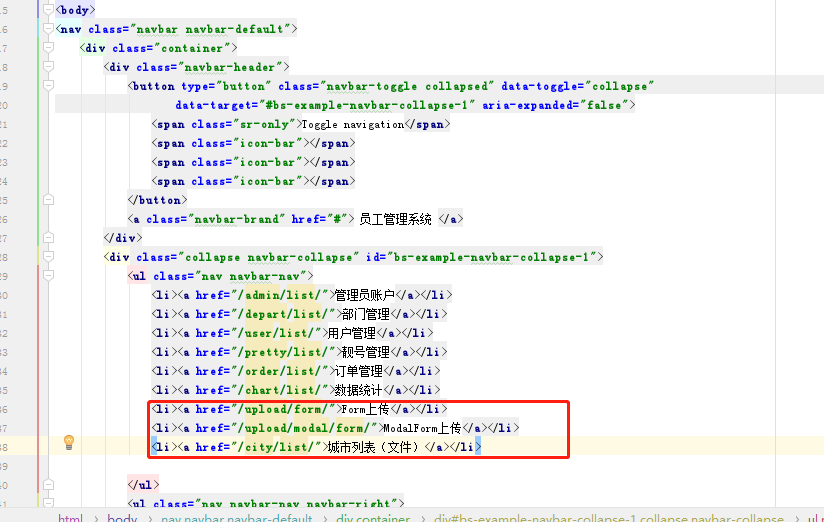
layout.html
4.2 upload_list.html
{% extends 'layout.html' %}

{% block content %}
    <div class="container">
        <form method="post" enctype="multipart/form-data">
            {% csrf_token %}
            <input type="text" name="username">
            <input type="file" name="avatar">
            <input type="submit" value="提交">
        </form>

    </div>
{% endblock %}
4.3 upload_form.html
{% extends 'layout.html' %}


{% block content %}

    <div class="container">
        <div class="panel panel-default">
            <div class="panel-heading">
                <h3 class="panel-title"> {{ title }} </h3>
            </div>
            <div class="panel-body">
                <form method="post" enctype="multipart/form-data" novalidate >
                    {% csrf_token %}

                    {% for field in form %}
                        <div class="form-group">
                            <label>{{ field.label }}</label>
                            {{ field }}
                            <span style="color: red;">{{ field.errors.0 }}</span>
                        </div>
                    {% endfor %}

                    <button type="submit" class="btn btn-primary">提 交</button>
                </form>
            </div>
        </div>
    </div>

{% endblock %}
4.4 city_list.html
{% extends 'layout.html' %}

{% block content %}
    <div class="container">

        <div style="margin-bottom: 10px">
            <a class="btn btn-success" href="/city/add/">
                <span class="glyphicon glyphicon-plus-sign" aria-hidden="true"></span>
                新建城市
            </a>
        </div>
        <div class="panel panel-default">
            <!-- Default panel contents -->
            <div class="panel-heading">
                <span class="glyphicon glyphicon-th-list" aria-hidden="true"></span>
                城市列表
            </div>

            <!-- Table -->
            <table class="table table-bordered">
                <thead>
                <tr>
                    <th>ID</th>
                    <th>Logo</th>
                    <th>名称</th>
                    <th>人口</th>
                </tr>
                </thead>
                <tbody>
                {% for obj in queryset %}
                    <tr>
                        <th>{{ obj.id }}</th>
                        <td>
                            <img src="/media/{{ obj.img }}" style="height: 80px;">
                        </td>
                        <td>{{ obj.name }}</td>
                        <td>{{ obj.count }}</td>
                    </tr>
                {% endfor %}
                </tbody>
            </table>
        </div>
    </div>
{% endblock %}
五. 页面测试
5.1 调整页面样式
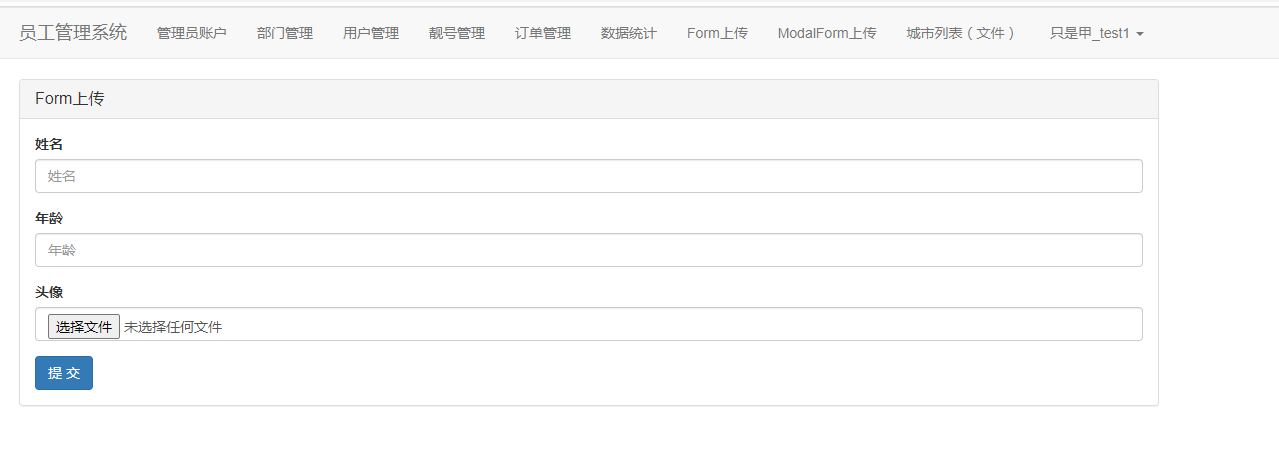
页面样式如下,看起来比较拥挤,需要调整下
            <ul class="nav navbar-nav">
                <li class="dropdown">
                    <a href="#" class="dropdown-toggle" data-toggle="dropdown" role="button" aria-haspopup="true"
                       aria-expanded="false">功能管理 <span class="caret"></span></a>
                    <ul class="dropdown-menu">
                        <li><a href="/admin/list/">管理员账户</a></li>
                        <li><a href="/depart/list/">部门管理</a></li>
                        <li><a href="/user/list/">用户管理</a></li>
                        <li><a href="/pretty/list/">靓号管理</a></li>
                    </ul>
                </li>
                <li><a href="/order/list/">订单管理</a></li>
                <li><a href="/chart/list/">数据统计</a></li>
                <li><a href="/upload/form/">Form上传</a></li>
                <li><a href="/upload/modal/form/">ModalForm上传</a></li>
                <li><a href="/city/list/">城市列表(文件)</a></li>

            </ul>
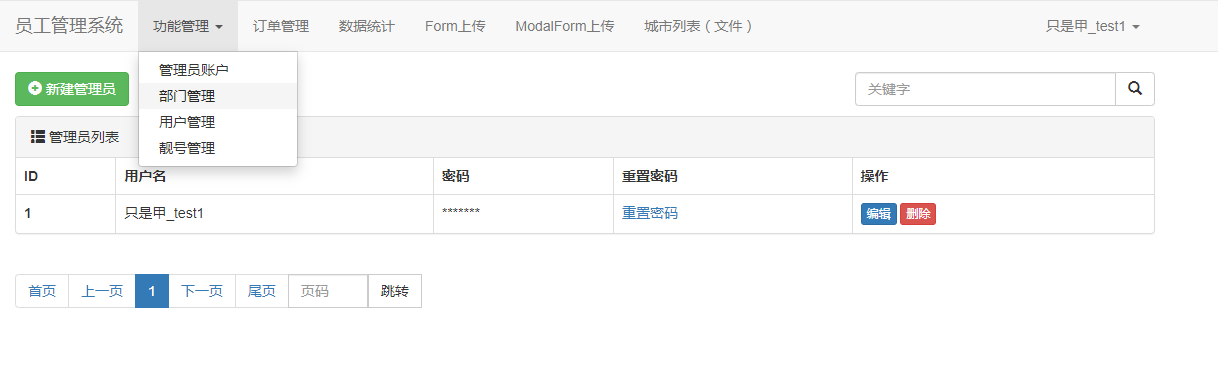
调整后的样式:
5.2 form上传
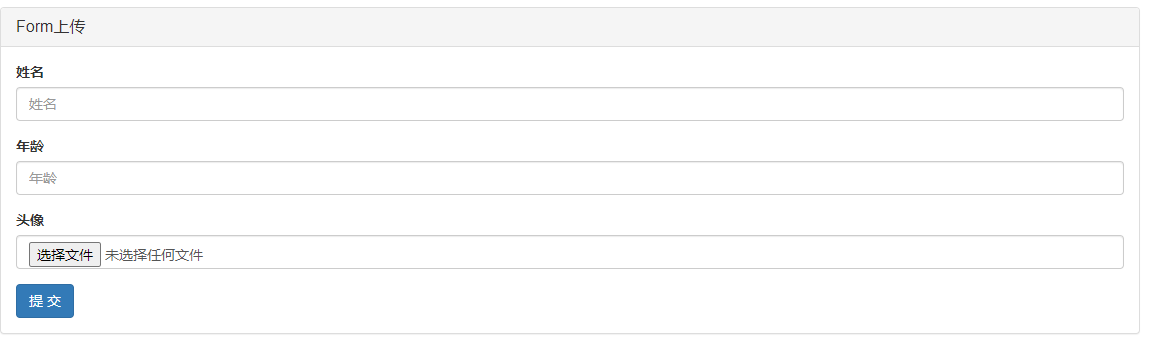
页面:
录入信息:

写入成功:

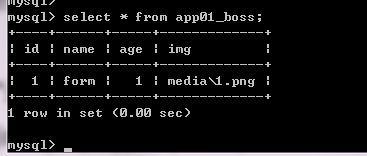
查询数据库:
「喜欢这篇文章,您的关注和赞赏是给作者最好的鼓励」
关注作者
【版权声明】本文为墨天轮用户原创内容,转载时必须标注文章的来源(墨天轮),文章链接,文章作者等基本信息,否则作者和墨天轮有权追究责任。如果您发现墨天轮中有涉嫌抄袭或者侵权的内容,欢迎发送邮件至:contact@modb.pro进行举报,并提供相关证据,一经查实,墨天轮将立刻删除相关内容。
